
Applio
IAHispano · Voice & Language
Applio is a free open-source AI voice conversion tool for Windows, macOS, and Linux. It swaps speakers in audio, changes your voice live, and trains RVC models locally.
About Applio
What Is Applio
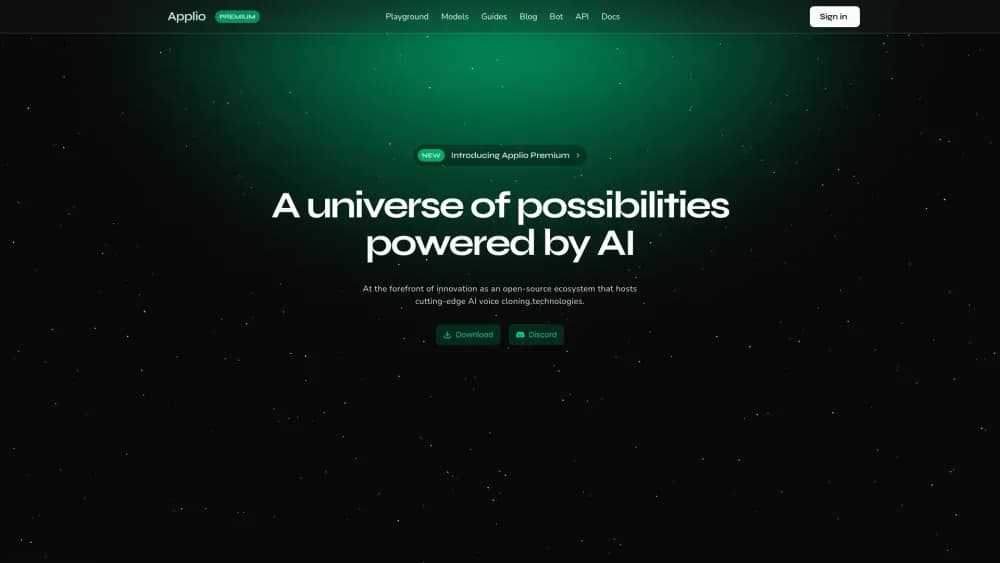
Applio is a desktop app for AI voice conversion. You feed it a recording and a voice model, and it keeps the words, timing, and delivery while replacing the speaker's tone with the model's. The same engine handles file conversion, live microphone work, text to speech, and training a new voice model from your own audio.
The pitch is straightforward: no account, no subscription, no upload. Everything runs on your machine, and the code is public under the MIT license, so anyone can read it, change it, or ship their own build.
The catch is that you supply the model. Applio doesn't hand you a library of celebrity voices; you bring a .pth model and usually a matching .index file, or train one yourself from recordings. It also leans on your hardware, and training is far heavier than converting a single file.
Getting Started
- Download the Applio Desktop build for Windows, macOS, or Linux, or use the Gradio version from the engine repository.
- Run the setup and select Install / Repair so the app can prepare Python, engine packages, and required assets.
- Add a voice model by placing the .pth file and its .index file in the right folder, then pick it in the model list.
- Open Convert Audio, upload a clip, keep pitch at 0 for the first run, and start the conversion.
- Listen to the result, then adjust pitch, retrieval ratio, or formant settings one at a time.
Product Information
A quick look at Applio's pricing, supported platforms, and performance.
Best for
The users, tasks, and scenarios where this tool fits best.
Users
- Music hobbyists
- Content creators
- Voice tech tinkerers
- Streamers and VTubers
Tasks
- Converting a vocal track
- Building a personal voice model
- Turning scripted text into speech
- Batch processing a folder of clips
Scenarios
- Producing a fan-made song cover at home
- Running a live voice change during a call or stream
- Researching speech synthesis for a class or paper
- Restoring or re-voicing an old recording
Key features
Voice Conversion from Files
Single-file conversion is the entry point for most people. Upload a WAV, keep the pitch at 0 for the first pass, and the engine resynthesizes the clip in the target voice while keeping the original words and rhythm. A batch mode repeats the same model and settings across a whole folder, which saves time when you have dozens of takes.
Realtime Voice Changer
The real-time voice changer workspace takes microphone input in small blocks and returns converted audio with low latency. Chunk size, crossfade, and extra context are the knobs that trade delay against stability. Desktop also includes a passthrough hotkey and tray controls, so you can flip back to your natural voice without leaving the broadcast.
Voice Model Training
Training builds a voice from recordings rather than copying an existing one. Applio walks through preprocess, feature extraction, training, and index generation, either as one automatic run or as separate stages you can repeat. Desktop supports sampling rates from 32 to 48 kHz where the chosen architecture allows it, plus HiFi-GAN and RefineGAN vocoder options.
Text to Speech Pipeline
Applio sends your script to Edge TTS for synthesis, then runs the resulting audio through an RVC voice model. The TTS voice sets the language and the rhythm; the model supplies the identity of the speaker. That split means the same model can read English, Spanish, or Japanese, as long as you pick a matching TTS voice.
Built-In Audio Tools
A conversion run can carry a stack of processing options: split audio for long files, autotune toward note frequencies, proposed pitch targeting, noise cleanup, formant shifting, and a post-processing chain with reverb, delay, limiter, chorus, compressor, and bitcrush. These save a trip to another editor. Stacking several at once makes it harder to hear what changed.
Open Source Engine and CLI
The engine is MIT licensed, and the repository ships a command line interface for inference, batch conversion, and text to speech. Scripting a repeated conversion becomes a shell command instead of a dozen clicks, and the same code can be embedded in a larger research project.
Cross-Platform Desktop and Gradio
You get two front ends from one engine. The desktop app bundles a workspace, job history, and setup diagnostics, while the Gradio version runs in a browser tab and suits existing local or cloud notebook workflows. Voice models move between them as long as the embedder and index stay paired.
Pros and cons
Pros
- Free with no account: the MIT license covers personal, research, and commercial work, and nothing leaves your machine.
- Full pipeline in one app: conversion, realtime, text to speech, and training live under the same roof.
- Fine control over quality: pitch, retrieval ratio, voiceless protection, formant shifting, and post effects are all exposed.
- Two interfaces: the desktop app is friendlier for beginners, and the CLI covers scripted and batch jobs.
Cons
- Hardware dependent: realtime voice conversion and training both need a capable GPU, and slower machines will struggle with either.
- Setup takes effort: the first run installs Python, engine packages, and assets, and FFmpeg issues are a common early roadblock.
- No built-in voice library: you supply or train every model, so a new user has nothing to convert with until that step is done.
- Text to speech needs internet: Edge TTS sends your script to a remote service and can break when the service changes.
Frequently asked questions
Applio converts the speaker in an audio recording to another voice while keeping the words and timing. The same app works as an AI cover generator and a voice cloning software package: realtime voice changing, text to speech, and voice model training all sit in one place.
Related content
Explore related tools, skills, and articles for Applio.
Applio Alternatives

Foley
Hanamori Labs, LLC · Voice & Language · Productivity · AI AssistantFoley is a voice to-do list that turns a spoken sentence into a filed task, complete with project, date and time, then helps you plan the day around what is already there.

HireKey
HireKey · Voice & Language · Productivity · LeaningHireKey is an AI job search copilot built by a former tech recruiter. It checks role fit, tailors resumes, runs interview practice and tracks every application.

Fluence
Yay Software (Yannick Huchard) · Writing · Voice & Language · ProductivityFluence is an Android app that reads PDFs, EPUBs, Word files and web articles aloud, follows each sentence as it speaks, and answers questions about the text on the phone itself.