

AppwriteWhat Appwrite did right
Appwrite · Coding
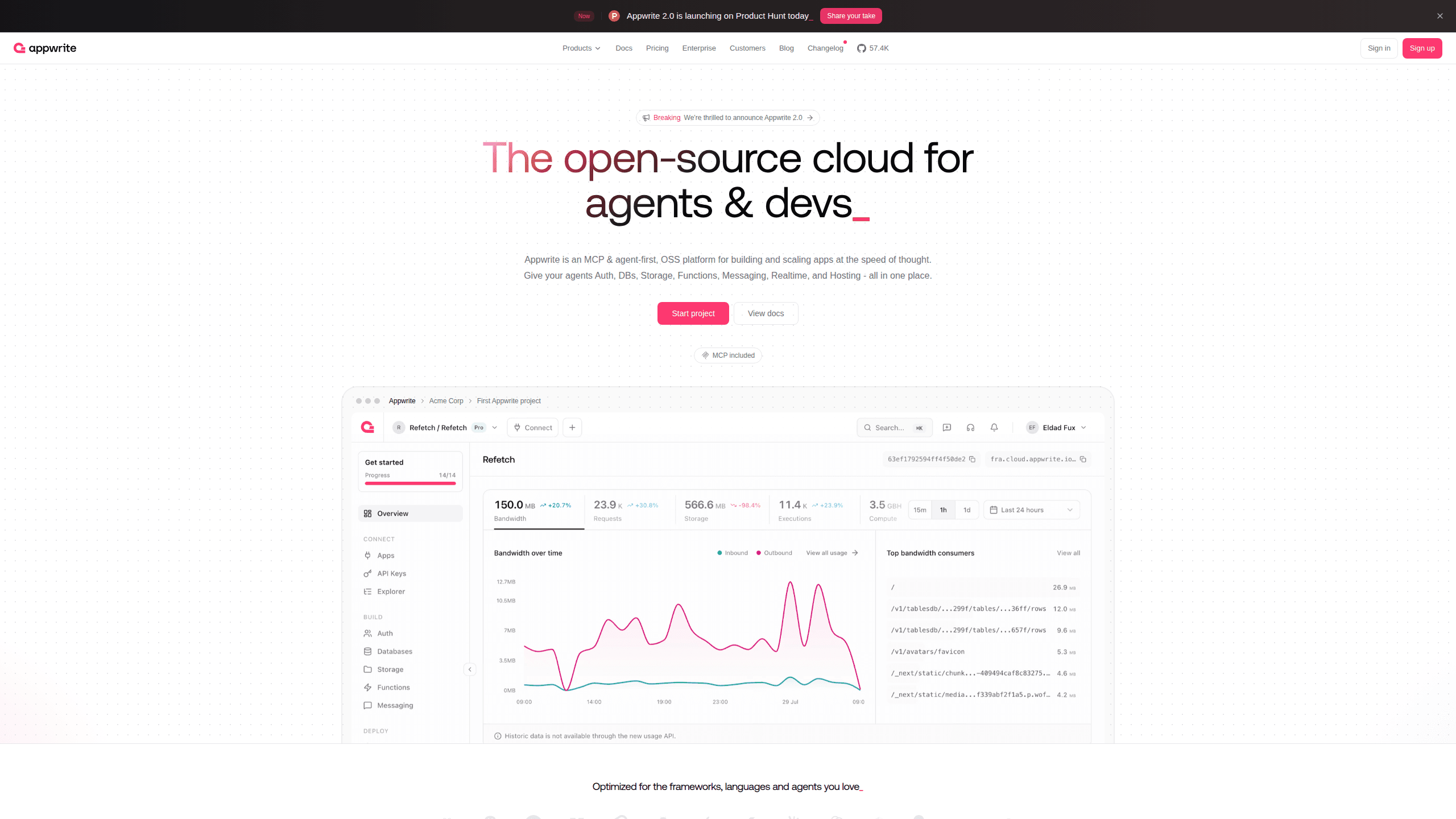
Appwrite is an open-source backend platform that packs the core services of an app into one place. Auth, databases, storage, serverless functions, messaging, realtime, and hosting all ship together. Teams spend their time on the product, not on wiring up a dozen separate services. It works as backend as a service, and you can run it as a managed cloud service or keep it as a self-hosted backend on your own servers, depending on how much control you want over where your data lives.
About AppwriteWhat Appwrite did right
What Is Appwrite
Appwrite is an open-source backend platform for developers and AI agents. Instead of stitching together separate tools for login, file storage, and databases, you get one platform that covers all of them. Setup on a new project gets much shorter. Days of work turn into an afternoon.
The project started as a way to avoid vendor lock-in. The code is open source, so you can self-host everything and keep full control of user data, which matters if you ever want to move off a provider without rebuilding your backend from scratch. Appwrite Cloud is the managed option if you'd rather not run servers yourself.
The tradeoff is scope. Appwrite handles common backend work well. It isn't a general-purpose compute platform, so teams with unusual infrastructure needs sometimes outgrow it, and self-hosting means you own the maintenance and backups. For most web, mobile, and AI apps, those limits won't show up until you're big.
Getting Started
- Create a free account on Appwrite Cloud, or self-host the server with a single Docker command.
- Set up a project in the console and pick your platform (web, iOS, Android, or Flutter).
- Install the SDK for your language and copy the endpoint and project ID into your app.
- Add the services you need, like authentication or a database collection, from the console.
- Ship the feature and watch usage from the same dashboard.
Product Information
A quick look at AppwriteWhat Appwrite did right's pricing, supported platforms, and performance.
Best for
The users, tasks, and scenarios where this tool fits best.
Users
- Indie developers
- Small product teams
- AI agent builders
Tasks
- Adding user accounts
- Storing and querying app data
- Uploading and serving files
- Running scheduled jobs
Scenarios
- Building an MVP under deadline
- Adding AI to an existing app
- Keeping data on your own servers
Key features
Authentication and User Management
Appwrite handles sign-up, login, and session management out of the box. It supports email and password, phone, magic links, and OAuth providers like Google and GitHub, plus teams, roles, and rate limiting. For a typical app, that's most of the account work done before you write any custom logic. No custom password flow needed.
Databases With Built-In Permissions
The databases service stores JSON documents and lets you query them with filters, sorting, and relationships. Permissions run at the document and collection level, so you can decide who reads or writes each record without bolting on a separate rules layer. It covers the data needs of most social, productivity, and SaaS apps. Queries stay fast as data grows.
File Storage and Image Handling
Storage gives you upload, download, and preview with encryption in transit and at rest. Built-in image transformations cover resizing and cropping, and compression in WebP keeps media light. You skip the usual step of wiring up a separate file host for a first release. One less service to babysit.
Serverless Functions and Messaging
Functions let you run custom code on Appwrite's servers, triggered by events or a schedule. Messaging sends email, SMS, and push through providers like Twilio, SendGrid, and Firebase. Together they handle the background jobs and notifications that otherwise need their own services. You can trigger a function whenever a document changes, which is how scheduled reminders and nightly cleanups get built without a separate worker, and the same event system can fire messages when a record is created or updated.
Realtime and Hosting
Realtime streams database and auth events to connected clients, which is what powers live feeds and collaborative screens. Hosting deploys your front end from the same platform, so the app and its backend live under one roof. Fewer moving parts means fewer places for a launch to break. What does that save you on launch day? A lot of panic.
MCP and Agent Tooling
Appwrite ships an MCP server plus agent skills for tools like Claude and Cursor. That lets an AI agent query your project, read the docs, and generate SDK-accurate code instead of guessing at your setup. If you've ever watched an agent invent an API method that doesn't exist, you know why that matters for anyone leaning hard on coding agents in their daily workflow. It's a real difference for teams leaning on coding agents.
Pros and cons
Pros
- One platform replaces several separate services, which cuts both setup time and monthly bills.
- The open-source core means you can self-host and avoid locking your data into a vendor.
- Free tier is generous enough to build and test a real project before paying.
- MCP support makes it genuinely useful for agent-driven development.
- SDKs cover web, mobile, and server languages, so most stacks have a supported client.
Cons
- Self-hosting shifts maintenance onto your team, including updates and backups.
- Pricing scales with usage, so costs can climb once traffic grows past the included quotas.
- It's not a full compute platform, so heavy custom workloads may need another service.
- The database model won't suit teams that need complex relational schemas out of the box.
Frequently asked questions
Yes. The open-source version is free to self-host, and Appwrite Cloud has a free tier. Paid plans start at $0 for serverless database usage and rise with the dedicated compute tiers you pick.
Related content
Explore related tools, skills, and articles for AppwriteWhat Appwrite did right.
AppwriteWhat Appwrite did right Alternatives
Forefront
Forefront · CodingForefront is a web platform for building with open-source AI. It lets you fine-tune leading open-source language models on your own data, evaluate how they perform, and run them through an API or export them to host yourself. Developers who want the convenience of a closed-source platform but insist on owning their models and data are the target audience here.

Startkit
StartKit.AI · CodingStartkit is a boilerplate for building AI SaaS and AI wrapper products. Think of it as an AI startup boilerplate with the boring parts already wired up: authentication, Stripe and Lemon Squeezy payments, usage limits, transactional email, and an AI API starter that talks to OpenAI, Anthropic, Groq, or Llama. You clone the repo, set your price, and start on the part of your product that people actually pay for. It's Next.js under React and Tailwind, so most of the boilerplate code already feels familiar.
Testim
Tricentis · CodingTestim is an AI-powered test automation platform for building and running end-to-end tests across web, mobile, and Salesforce applications. It leans on machine learning to keep tests stable when an interface changes, so teams spend less time fixing broken selectors. Not bad for an automated testing tool you can start using today. You create tests by recording actions in a browser, then optionally add JavaScript when you need more control. It's a solid pick for busy QA teams.