

Appy Pie
Appy Pie LLP · Coding
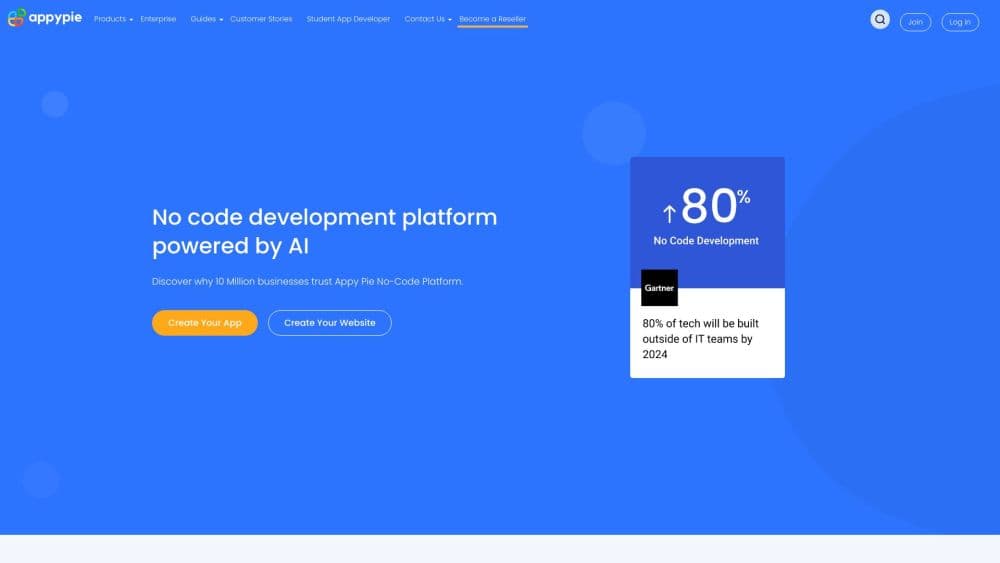
Appy Pie is a no-code AI app builder that turns a plain English prompt into a native Android and iOS app with the backend and hosting already wired up.
About Appy Pie
What Is Appy Pie
Appy Pie is a no-code platform and no-code app maker that builds mobile apps from a written description. You describe what your app should do, and the AI generates the screens, navigation, and data models, then hands you a visual editor to refine everything. The company has run this service since 2016 and now markets it as an AI app builder and AI app generator for both Android and iOS.
The problem it goes after is the cost and delay of getting a working app. Most small teams either hire developers or settle for a web wrapper that never installs from a store. Appy Pie skips that step by generating native binaries and bundling the backend, database, user accounts, payments, and push notifications into the plan, so you can preview a build and move toward publishing without assembling separate services.
The limits are worth knowing before you commit. There is no source code export, since apps run on Appy Pie's hosted infrastructure, so you cannot pull a Git repository out. It also does not write custom server-side logic beyond the prebuilt modules, and it will not auto-pass App Store or Google Play review, which stays your responsibility.
Getting Started
- Start a 7-day free trial on the Appy Pie site, no credit card required.
- Describe your app in plain English, naming what it does, who uses it, and which features it needs.
- Customize the generated app in the visual editor, or ask the AI for changes in natural language.
- Connect payments, push notifications, and any of the built-in modules you need.
- Generate the signed builds and follow the guided submission flow to Google Play and the App Store.
Product Information
A quick look at Appy Pie's pricing, supported platforms, and performance.
Best for
The users, tasks, and scenarios where this tool fits best.
Users
- Startup founders validating an idea
- Small business owners
- Non-technical teams
- Community and event organizers
Tasks
- Turning an idea into a working app
- Adding payments and bookings
- Sending push notifications
- Publishing to both stores
Scenarios
- Testing an MVP over a weekend
- Digitizing a local business
- Keeping members informed
Key features
Prompt to App
The starting point is a written description. You describe your idea in plain English, and the AI generates UI layouts, navigation, data models, and the integrations behind them. You do not write code, and a working preview can appear in under a minute.
Native Android and iOS Output
Appy Pie produces real native binaries rather than a web wrapper. The Android build targets Kotlin against the latest target SDK, and the iOS build ships as a Swift and SwiftUI package, both signed and submission ready for their stores.
Visual Editor and AI Iteration
Generated apps stay editable. You can change screens, colors, fonts, and content in the visual editor, or ask the AI in natural language to redesign a section. Iteration happens on the same project, so you build on what exists instead of starting over.
Backend and Hosting Included
User accounts, content management, payments, push, and an admin panel come wired up with the plan. That means no separate hosting, database, or authentication service to buy and connect, which is where most no-code setups otherwise stall.
Built-in Modules
The platform ships over 200 modules, covering payments, bookings, push, chat, and analytics. That range matters because it covers the common features a first app needs without you building each one from scratch.
App Store Publishing Assist
Appy Pie generates the signed builds and guides you through submission to Google Play and the App Store, including screenshots, listing copy, and signing. Final review approval still rests with Apple and Google.
Pros and cons
Pros
- Turns a written prompt into a native Android and iOS app, so you skip the web-wrapper trap most no-code tools fall into.
- Backend, database, hosting, and auth are included, which removes the separate services you would otherwise assemble.
- The visual editor plus natural-language iteration lets non-coders refine an app without rebuilding it.
- A 7-day free trial with no credit card lowers the cost of deciding whether it fits your project.
- Over 200 built-in modules cover payments, bookings, push, and analytics for a typical first app.
Cons
- There is no source code export, since apps run on Appy Pie hosting, so you cannot take the code elsewhere.
- Custom server-side logic is out of scope, so unusual backend needs still require a developer.
- Store approval is not guaranteed, and regulated categories like health or finance need extra preparation.
- Paid plans start at $16/mo and rise to $60/mo, and removing Appy Pie branding costs extra through the Add-On package.
Frequently asked questions
Appy Pie is a no-code AI app builder. You describe an app idea in text, and it generates a native Android and iOS app with screens, backend, and hosting, then helps you publish to Google Play and the App Store.
Related content
Explore related tools, skills, and articles for Appy Pie.
Appy Pie Alternatives

Base Code
Base44 (Wix) · Coding · ProductivityBase Code is a shared cloud development environment from Base44. Teammates describe changes to an existing GitHub codebase in chat, preview them live and send them back as pull requests.

Google EmbeddingGemma 2
Google DeepMind · Writing · Image · CodingGoogle EmbeddingGemma 2 is a 740M-parameter open model that turns text, code, images, audio, and video frames into vectors in one 768-dimension space, running on phones and laptops.

GitGlow
GitGlow · Coding · ProductivityGitGlow is a local-first desktop Git client that lets independent developers review their own code and their AI agents' changes in one place before shipping.