

April
Cosmoverse, Inc · Voice & Language · Productivity
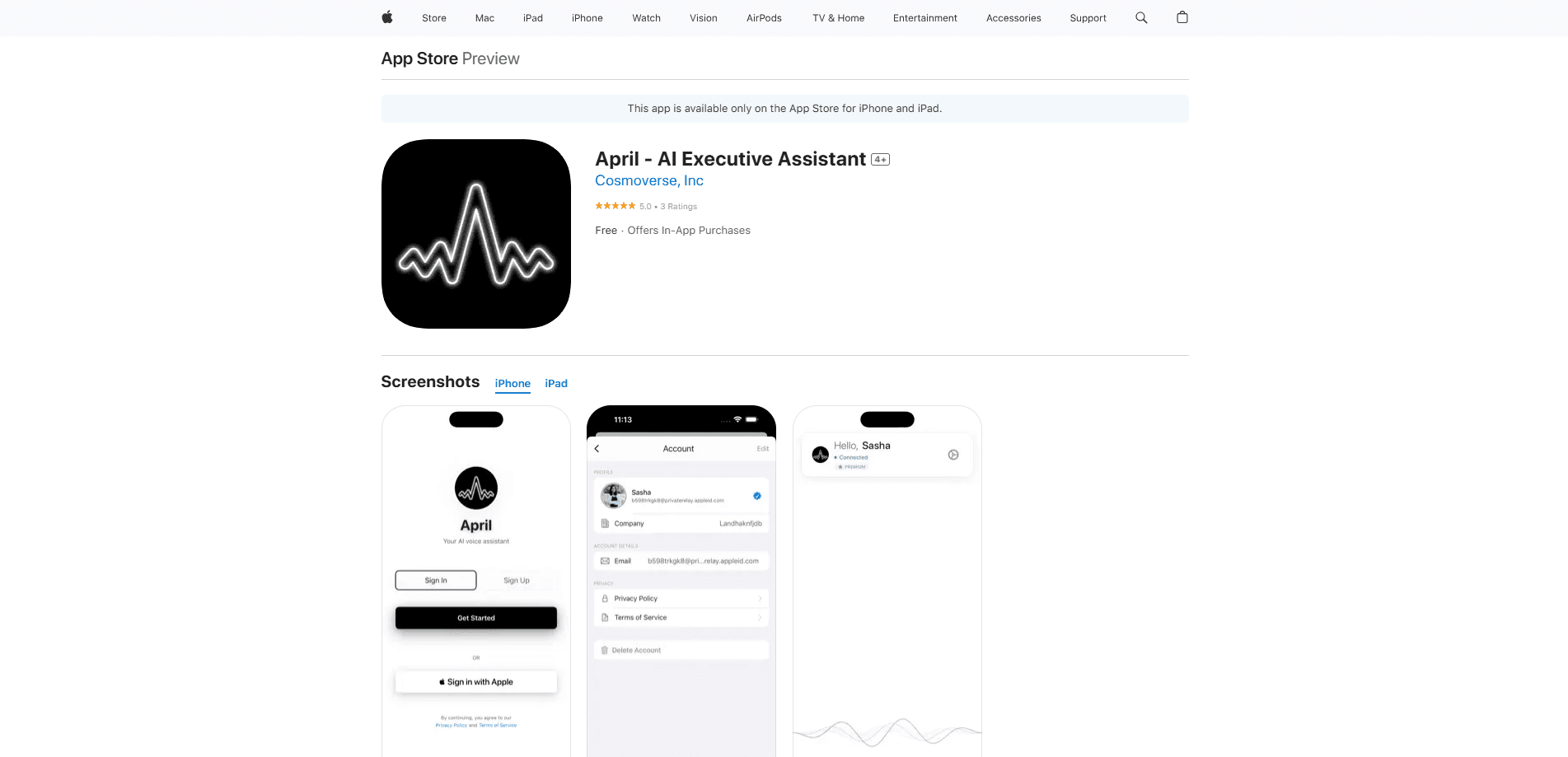
April is a voice-first AI assistant for iPhone and iPad. It clears email, manages your Google Calendar and captures tasks hands-free by connecting to Gmail and Google Calendar.
About April
What Is April
April is a voice-first AI assistant for iPhone and iPad, built by Cosmoverse, Inc. and part of the Y Combinator S25 batch. It works as an AI assistant for email and calendar, so you talk to it the way you would talk to a person while it acts across the apps you already use instead of asking you to move your life into a new inbox.
The team pitches access, not a new place to work. Most assistants wait for you to type a prompt into their own window. April links to your Gmail and Google Calendar, then acts on what is already there, so you can clear messages, check your schedule or add a task just by speaking. That's the draw for anyone who lives in email and a calendar and finds tapping through both on a phone slow.
Two things shape the experience. It's iOS only, so Android and desktop users can't use it for now, and it needs iOS 17 or later. And the app is early: at version 0.1.x it's still young, so features and reliability can shift between updates. The company says free plans and paid plans both exist, with a short trial before the paid tier kicks in.
Getting Started
- Download April from the App Store on an iPhone or iPad running iOS 17 or later
- Open the app and link your Gmail and Google Calendar accounts so it can read and act on your messages and events
- Speak in plain language to ask what is in your inbox, check your day or add a task
- Let April draft, reply, reschedule or file items, then confirm what it should send or change
- Keep using your normal Gmail and Calendar apps, since April works on top of them rather than replacing them
Product Information
A quick look at April's pricing, supported platforms, and performance.
Best for
The users, tasks, and scenarios where this tool fits best.
Users
- Busy founders and executives
- People who work away from a desk
- Small teams without a human assistant
- iPhone-first users
Tasks
- Clearing an inbox by voice
- Checking and shaping a schedule
- Capturing tasks on the move
- Catching up on email in a spare moment
- Light email triage
Scenarios
- The morning run-through
- Between meetings
- On a commute
- After hours
- A packed week
Key features
Voice-First Control
April is built around talking. You ask questions and give instructions in natural language instead of hunting for buttons, which suits anyone who finds typing long replies on a phone slow. The spoken flow is the whole point, not a bolted-on extra next to a conventional interface.
Gmail and Google Calendar Integration
April connects to Gmail and Google Calendar, the two places most of a knowledge worker's day actually lives. Because it works on the accounts you already have rather than a separate system, you keep your existing email address and calendar, and April acts on what is already there.
Email Handling by Voice
Through the Gmail link, April can surface what arrived, summarize messages and help you draft or send replies. That matters for inboxes that pile up during back-to-back days, when the fastest path is to hear the gist and clear the easy items without opening a single thread.
Calendar Management
April reads your Google Calendar and works with your events, so you can ask what is coming up or make changes by speaking. For people whose schedule shifts all day, being able to move a meeting without opening the app is a small thing that adds up over a week.
Hands-Free Task Capture
The assistant takes tasks and reminders as you speak them, which is useful when your hands are busy and an idea would otherwise slip. It fits the moment between meetings or on the move, when reaching for a notes app is the difference between capturing something and losing it.
Built for iPhone and iPad
April runs on iPhone and iPad as a native iOS app requiring iOS 17 or later, and the App Store listing sits at version 0.1.x. Keeping to one platform makes the experience tight, and it also means there is no Android or desktop version to fall back on today.
Pros and cons
Pros
- Voice-first design lets you clear email and check your calendar while your hands and eyes are busy
- Connects to Gmail and Google Calendar, so it works with the accounts you already use instead of a new inbox
- Covers the two tasks that eat most of a workday: reading messages and managing a schedule
- Native iOS app for iPhone and iPad, with a clean single-purpose focus
- Free to download with a short trial, so you can test whether a voice assistant fits your routine before paying
Cons
- iOS only and needs iOS 17 or later, so Android and desktop users can't use it today
- Still at version 0.1.x, meaning it's an early product where features and stability can change between updates
- No public API or web app we could confirm, so it's an end-user app rather than a developer platform
- Results depend on how well it reads your email and calendar, so a messy inbox or shared calendar can trip it up
Frequently asked questions
April is an AI executive assistant app for iPhone and iPad, made by Cosmoverse, Inc. You talk to it in plain language and it handles email, calendar and daily tasks by connecting to your Gmail and Google Calendar accounts. It works as a hands-free productivity tool you drive by voice.
Related content
Explore related tools, skills, and articles for April.
April Alternatives

Prosp
Prosp · Writing · Voice & Language · MarketingProsp is an AI LinkedIn outreach tool built for agencies and sales teams, and it writes the message and the voice note in your own voice for each prospect so they actually reply. You connect your accounts, find leads, and let the AI draft and send personalized messages at scale, all from one inbox. It's built for people running outbound at volume. That's the whole pitch. Every touchpoint still has to feel human.

Wordly AI Translation
Wordly · Voice & Language · ProductivityWordly AI Translation is a real-time AI translation and captioning platform built for meetings, conferences, and events. It delivers live translation, captions, transcripts, and summaries in more than 60 languages, and attendees join by scanning a QR code or opening a link instead of using dedicated headsets. The platform works with Zoom, Microsoft Teams, Google Meet, and Webex, and it's designed for organizations that want multilingual access without hiring human interpreters for every session. Simple as that.
Musicful
Musicful AI · Voice & Language · VideoMusicful is an AI music generator and AI music video maker that turns text to music in minutes. Give it a text prompt, a set of lyrics, or a hummed melody and it returns a finished track with vocals and instruments. It also doubles as an AI song generator, produces music videos from the songs you create, and offers an AI cover tool plus a developer API. The platform runs in a web browser and through an Android app, so you can start a song on desktop and pick it up on your phone.