

Arcjet
Arcjet · Coding · Other
Arcjet is an AI agent runtime security platform that watches over the agents running inside your organization and decides what they're allowed to do. It checks every action, prompt, and tool call, blocks bots and abuse, catches prompt injection, authorizes tool calls, and redacts PII. It runs server-side. That means you add it to existing apps and agent pipelines without rebuilding them.
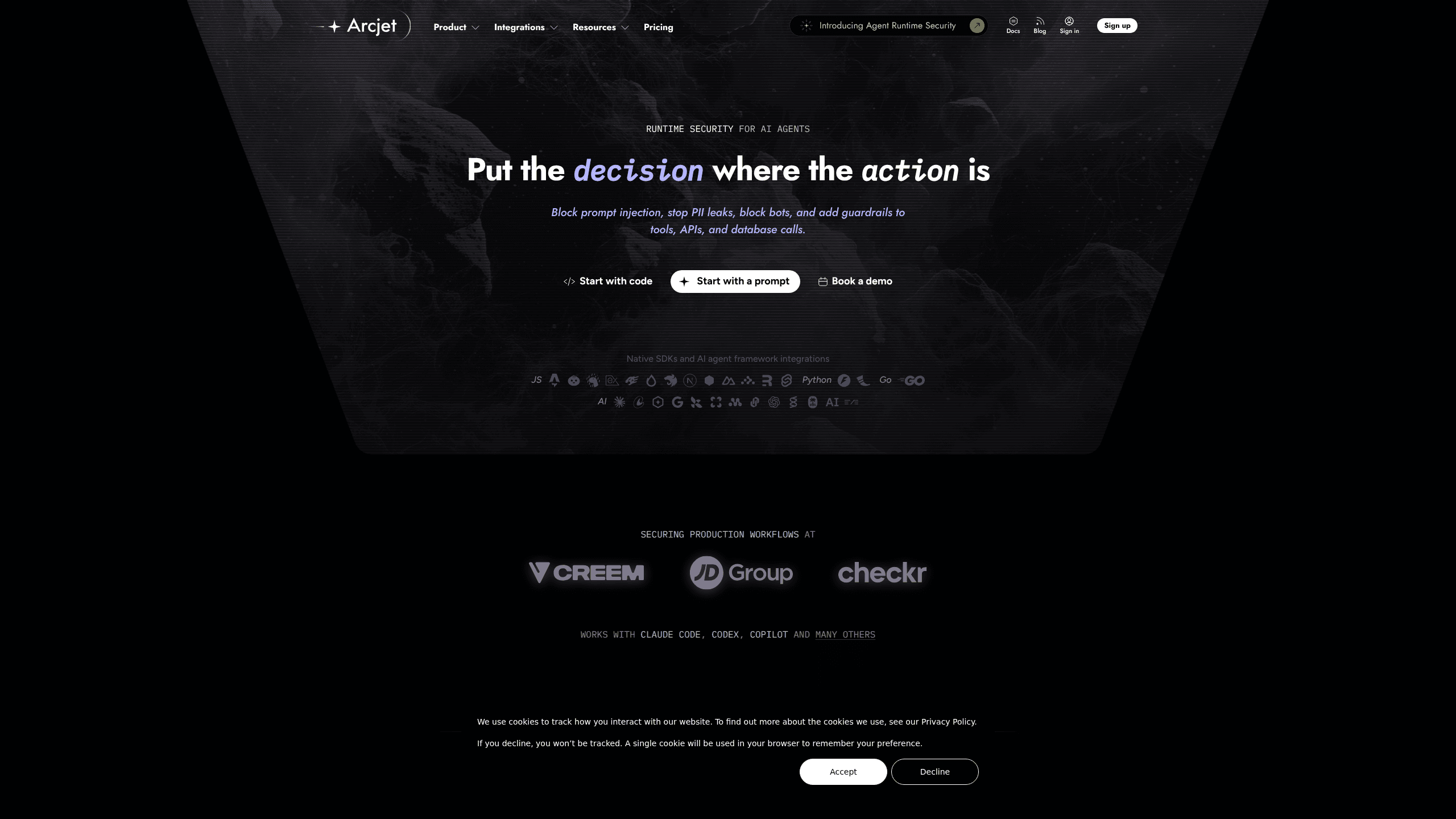
About Arcjet
What Is Arcjet
Arcjet puts a security checkpoint in front of the things AI agents do. An agent that can send email, refund a payment, or write to a database touches real systems, and each of those moves is a place where something can go wrong. That's the gap it fills. Arcjet covers three questions: what's actually running, what should be allowed, and what really happened.
You can start with any of those three. Discovery collects what agents already exist, using OpenTelemetry data or the Claude Compliance API, and records activity without enforcing anything. Enforcement adds an ALLOW or DENY decision ahead of each tool call. Auditing keeps the policy that ran along with the values it read, so you can reconstruct an answer later.
The setup leans technical. Arcjet is built for developers and security teams, delivered through SDKs, framework adapters, and an MCP server rather than a click-through dashboard alone. It runs server-side, which means you need control of the backend where your agents live. If you're a non-technical user with no access to that code, this tool won't be something you can wire up on your own.
Getting Started
- Sign up at the Arcjet console and create a site for your project.
- Connect your data source, either by sending OpenTelemetry data to Arcjet or by linking the Claude Compliance API, to see what agents are already running.
- Make a site key (ARCJET_KEY) and either install the SDK for your framework or add the MCP server to Claude Code, VS Code Copilot, Cursor, or Windsurf.
- Wrap your tool calls and routes with
guard()orprotect(), then pick remote rules to get protection in place right away. - Review the requests Arcjet logged, explain the decisions, and adjust the rules as real traffic comes through.
Product Information
A quick look at Arcjet's pricing, supported platforms, and performance.
Best for
The users, tasks, and scenarios where this tool fits best.
Users
- Developers building AI agents
- Security teams at small and mid-size companies
- Open source maintainers
Tasks
- Blocking prompt injection
- Authorizing agent tool calls
- Redacting PII
- Bot and abuse protection
Scenarios
- Shipping a coding agent to a team
- Running a customer-facing app with an AI assistant
- Auditing after an incident
Key features
Runtime Guard for Tool Calls
Arcjet puts an ALLOW or DENY decision in front of individual tool calls, so an agent's reach stops where your policy says it should. That's tool call authorization in plain terms. The guard() function and framework adapters cover custom agents, queue consumers, and agentic pipelines. It's the piece that separates "the agent can do this" from "the agent may do this."
Prompt Injection Detection
Crafted input can push an agent into acting against its instructions, and Arcjet checks for that before the input drives a tool call. That's prompt injection defense at the boundary. This matters most where agents read text from outside your control, like user messages or fetched pages. Catching it here keeps a bad prompt from turning into a bad action.
PII Redaction
Arcjet strips personal data from agent traffic as it moves through the system. Simple idea. If your agents handle customer records, payment details, or chat logs, redaction keeps that material out of places it shouldn't reach. It runs as part of the same protection pass, not as a separate cleanup step.
Observe Without Code Changes
Before you enforce anything, Arcjet can show you what's already running. No code change needed. It ingests OpenTelemetry data or polls the Claude Compliance API to build a picture of the agents in your organization. Neither path enforces policy, so you get an accurate inventory first and decide what to lock down after.
Coding Agent Support
Arcjet protects Claude Code and GitHub Copilot directly inside the development environment, using hooks those tools already fire. No SDK to install. No code to change. That makes this the fastest entry point if you want protection without touching a repository.
Bot and Abuse Protection
Server-side bot protection blocks automated abuse against websites and web apps, with client signals available as an optional second layer. Rate limiting, filters, and Shield WAF rules all count as a single web request. Good news for your bill, too.
Audit Trail
Every enforced decision keeps the policy that ran and the values it read. When you need to answer "why did the agent do that," the record lets you reconstruct an answer instead of guessing. That's the difference between a log and an audit.
MCP Server
Arcjet ships an MCP server at https://api.arcjet.com/mcp, connected through OAuth. From your editor you can list teams and sites, create sites, pull site keys, inspect requests, explain decisions, check quota, analyze traffic, and investigate IPs. All without leaving your editor.
Pros and cons
Pros
- Covers discovery, enforcement, and auditing in one platform, so you don't stitch together three separate tools.
- Usage-based pricing keeps the entry cost low: $25/month for the Individual plan, with web requests at $5 per million.
- Coding agent protection needs no SDK and no code change, which lowers the setup bar for teams already using Claude Code or Copilot.
- The free plan continues after the trial with 10,000 requests a month, and it's a hard stop rather than a metered overage.
- Audit records tie each decision back to the policy and values behind it, which helps during incident reviews.
Cons
- It's aimed at developers. Without backend access or SDK experience, you can't get much out of it. Non-technical users should look elsewhere.
- Agent request pricing is ten times the web rate at $50 per million, so heavy agent usage adds up faster than website traffic does.
- The Individual plan caps team size at one member and keeps logs for an hour, which is tight for real collaboration or debugging.
- Real cost control means watching usage and setting budget thresholds yourself; the platform bills what you use rather than capping it.
Frequently asked questions
Arcjet is a runtime security platform for AI agents. It discovers which agents are running, enforces rules on their actions, prompts, and tool calls, and keeps a record of what happened so you can audit it later.
Related content
Explore related tools, skills, and articles for Arcjet.
Arcjet Alternatives

Base Code
Base44 (Wix) · Coding · ProductivityBase Code is a shared cloud development environment from Base44. Teammates describe changes to an existing GitHub codebase in chat, preview them live and send them back as pull requests.

Google EmbeddingGemma 2
Google DeepMind · Writing · Image · CodingGoogle EmbeddingGemma 2 is a 740M-parameter open model that turns text, code, images, audio, and video frames into vectors in one 768-dimension space, running on phones and laptops.

GitGlow
GitGlow · Coding · ProductivityGitGlow is a local-first desktop Git client that lets independent developers review their own code and their AI agents' changes in one place before shipping.