
Arvin AI
Arvin · Other
Arvin AI is an all-in-one AI assistant that combines multi-model chat, one-click logo design, and a Chrome extension for page summaries and translation.
About Arvin AI
What Is Arvin AI
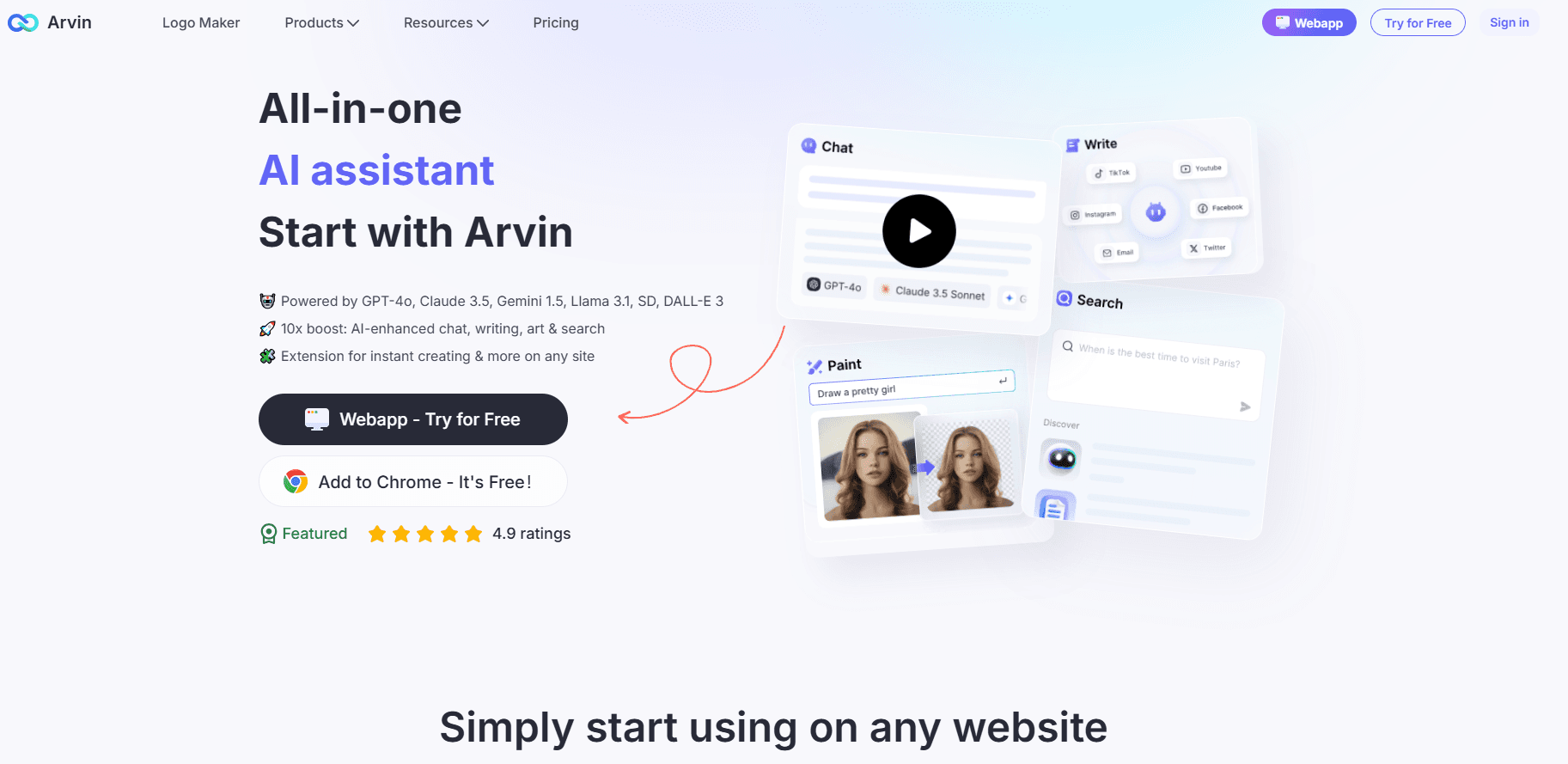
Arvin AI is a suite of AI tools from the Arvin team, built around the idea that most people want one assistant instead of five separate subscriptions. The lineup covers a web app for chat, writing, and translation, a dedicated design tool for logos and business cards, and a browser extension that rides along with you across the web.
The core product is the assistant itself. You can talk to several leading models in one place, upload PDFs and images, and let Arvin draft emails or articles from a short prompt. The design tool handles visual work that would otherwise need a designer, and the extension brings summaries and translation to whatever page you're reading.
Its main limitation is depth. Arvin spreads its effort across chat, design, and browsing rather than going deep on any single one, so specialists will still outpace it on their home turf. The heavier features also sit behind a paid plan.
Getting Started
- Create an account on the Arvin website or install the Chrome extension from the store
- Pick a tool from the dashboard, such as the web app, Arvin Design, or the browser sidebar
- For chat, choose a model, then paste text or upload a PDF or image to work with
- For design, type a brand name and a short brief, then browse the generated logo variations
- Save or export your result, or copy the text straight into your document
Product Information
A quick look at Arvin AI's pricing, supported platforms, and performance.
Best for
The users, tasks, and scenarios where this tool fits best.
Users
- Freelancers who want chat, writing, and logo help in one subscription instead of three
- Students and researchers who read dense PDFs and long articles
- Small business owners who need a quick logo or business card without hiring a designer
Tasks
- Drafting emails and short articles
- Summarizing a webpage or PDF you don't have time to read fully
- Translating pages across 25+ languages
- Generating a starter logo or signature
Scenarios
- Working through a stack of research tabs on a deadline
- Spinning up branding for a side project over a weekend
- Replying to a backlog of messages with consistent wording
Key features
Multi-Model Chat
Arvin lets you talk with several well-known models, including GPT, Claude, and Gemini, from a single interface. You don't manage separate logins or subscriptions for each one. For someone who switches between models to compare answers, that saves real time. The trade-off is that you get whatever versions Arvin exposes, not always the newest release on day one.
One-Click Logo and Brand Design
Arvin Design generates logos, signatures, and business cards from a short description. You can swap between templates and preview the result on real-world mockups before committing. It's aimed at people who need something presentable fast, not at designers chasing pixel-perfect control. Expect to fine-tune less and accept a solid starting point more.
Chrome Extension for Summaries and Translation
The browser extension adds a sidebar that summarizes long pages, works as a webpage translator on the fly, and answers questions about what you're reading. It supports more than 25 languages, which makes foreign articles far less of a chore. It's the piece that turns Arvin from a destination site into something that follows you around the web.
Writing and Compose Tools
The assistant can draft articles and emails, and it offers templates for common formats. You can also adjust the style of an email reply, so a quick note doesn't read like a formal letter. This is where the tool earns its keep for daily correspondence, provided you edit the output rather than sending it blind.
PDF and Image Chat
You can upload a PDF or an image and ask questions about it directly, instead of copying text into the chat box by hand. Arvin summarizes document content and pulls out the details you ask for. It's useful for contracts, reports, and lecture slides where you only need a few specific answers.
Image Generation and Editing
Arvin includes a text-to-image generator plus background removal and background swapping. You can produce a picture in a chosen style, then clean up the background without opening a separate editor. It covers light image work well; for serious design projects you'll still want a full graphics suite.
Pros and cons
Pros
- Combines chat, writing, logo design, and page summarization in one place, so you cut down on separate subscriptions
- The Chrome extension works on almost any page and saves the copy-paste step for reading and translation
- Multi-model access means you can compare answers without holding accounts with each provider
- A free tier exists, so you can test the basics before paying
- A capable AI writing assistant and AI PDF summarizer are built in, so you don't need a separate tool for drafts or document Q&A
Cons
- It goes broad rather than deep, so dedicated chat, design, and translation tools still beat it at their single specialty
- The most useful features sit behind the paid plan, and the free tier limits how much you can lean on them
- Fine design control is limited, which frustrates anyone who needs brand-level precision
- Summaries and translations are worth double-checking, since AI output can smooth over a key detail
Frequently asked questions
Arvin AI handles everyday AI tasks in one place: chatting with multiple models, drafting text, designing logos, and summarizing or translating web pages. It suits people who want a single assistant for light work across several jobs.
Related content
Explore related tools, skills, and articles for Arvin AI.
Arvin AI Alternatives

Odyssey 3
Odyssey · OtherOdyssey-3 is Odyssey's foundation world model. It simulates physics in real time, turns a prompt into an interactive environment, and adapts to robots, cars and games.

JarvisCore
Prescott Data · Coding · Productivity · OtherJarvisCore is an open source Python runtime where AI agents work as equal peers on an agent mesh, claim tasks from a shared ledger, and reach external services through a zero-trust broker.
Clef
Cloudflare · Business · OtherClef is Cloudflare's open-source decision model for Workers AI. It returns calibrated probabilities for typed questions, not generated text, so agents can classify, route, and act fast.