

Ask Bar: AI Answers on Every Page
KIRCA LIMITED · Other
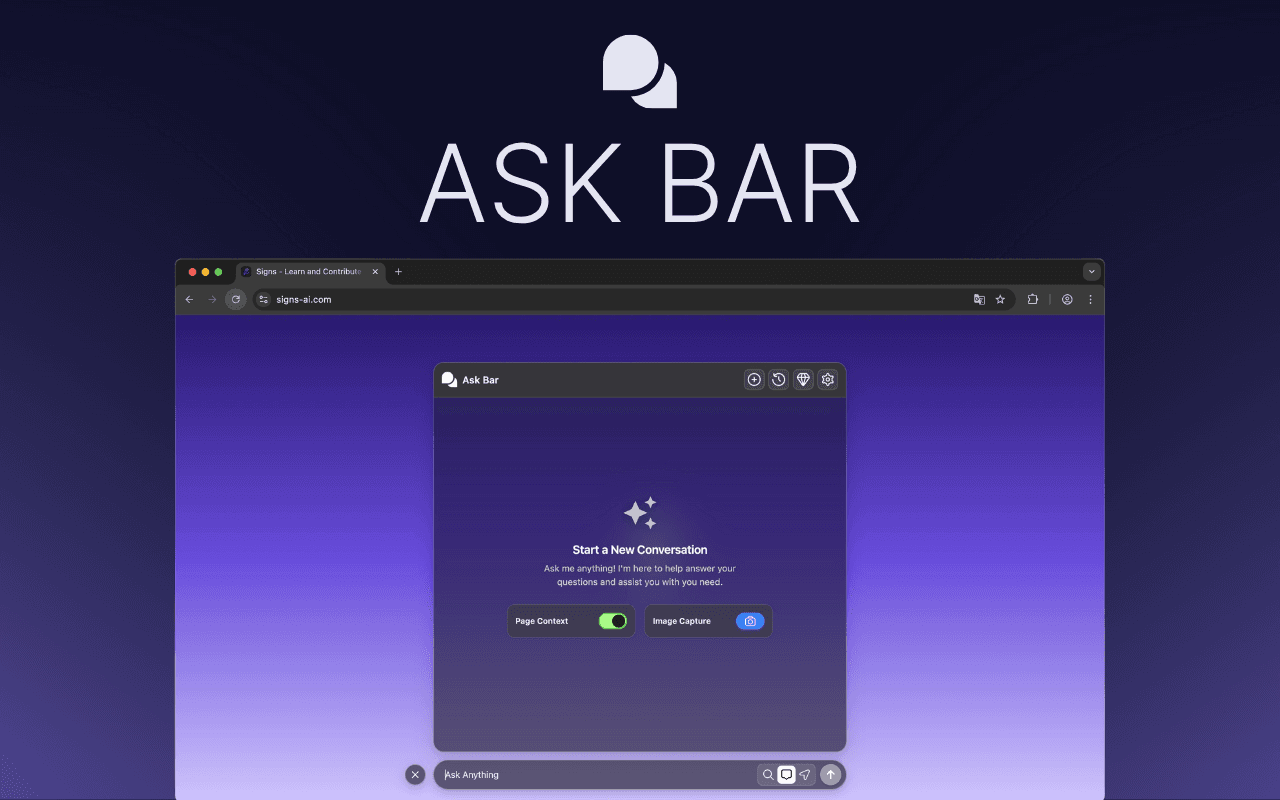
Ask Bar: AI Answers on Every Page is a Chrome extension that turns your browser into an AI assistant. It reads the page you're on, understands headings and sections, and answers your questions in context, so you never have to copy text into another tab. It also captures screenshots for visual questions and lets you chat with PDFs, and it works with your own API key from OpenAI, Anthropic, or Google.
About Ask Bar: AI Answers on Every Page
What Is Ask Bar: AI Answers on Every Page
Ask Bar is a browser extension that keeps an AI assistant one click away on every tab. It reads the page you're viewing, works out its structure, and replies with answers that refer to what's actually on screen. The idea is simple: stop shuttling text between your browser and a chat window.
Most people lose time when they hit something they don't understand. A dense chart. A long report. A code block. A product page full of specs. The usual fix is to copy the content somewhere else and ask an AI there. Ask Bar skips that step by staying in the page you're already reading.
The main catch is that Ask Bar doesn't ship with its own AI. You bring an API key from OpenAI, Anthropic, or Google, and you pay those providers for what you use. If you'd rather not manage a key, this isn't the tool for you. There's also no mobile app, so it lives on desktop Chrome only.
Getting Started
- Install Ask Bar from the Chrome Web Store and pin it to your toolbar.
- Open the extension and add an API key from OpenAI, Anthropic, or Google. Keys are stored locally in your browser.
- Pick a model from the built-in switcher (Gemini, Claude, ChatGPT, Grok, or DeepSeek) to match the task.
- Open any page, PDF, or screenshot and ask a question about it.
- Keep the conversation going as you move between tabs, since threads follow you across sites.
Product Information
A quick look at Ask Bar: AI Answers on Every Page's pricing, supported platforms, and performance.
Best for
The users, tasks, and scenarios where this tool fits best.
Users
- Developers
- Researchers and students
- Content creators
- Analysts
Tasks
- Summarizing a long article
- Explaining a chart or table
- Chatting with a PDF
- Verifying a fact
- Comparing options
Scenarios
- You're shopping and want the negative reviews boiled down before you buy.
- You're reading dense API documentation and need a code block explained fast.
- You're reviewing a design and need to know how two UI states differ.
- You're mid-research and want your thread to carry over as you open new tabs.
Key features
Page Context Reads What You See
Ask Bar looks at the page you're on and works out its structure, including headings and sections. You can ask it to summarize the page in bullet points, list the key claims, or explain a code block and flag possible issues. Answers refer to the actual content, so you don't have to describe what you're looking at, which saves time when the page is long and packed with detail. It keeps the back-and-forth inside your browser.
Snap Screen for Visual Content
Not every page is easy to copy. Charts, graphs, dashboards, and complex layouts often resist text selection. Snap Screen lets you capture any of these and ask questions about the image itself. You can ask what a chart implies over time, pull out the key numbers, or compare two UI states. It's the part of the tool that handles information trapped in pixels rather than text.
Chat With PDFs
Open a PDF and Ask Bar treats it like a conversation. You can ask for summaries, key findings, or quick explanations of dense manuals, reports, and academic papers. This matters for anyone who wades through long documents for work or study, since you can get to the useful parts without reading every page first. That's a real time saver.
Model Freedom
Ask Bar doesn't lock you to a single AI. You can switch between leading models, including Gemini, Claude, ChatGPT, Grok, and DeepSeek, depending on the job. A quick answer might call for one model. Deeper reasoning calls for another. The choice stays in your hands, and so does the cost, since you use your own keys.
Live Web Research With Citations
When reliability matters, Ask Bar can check facts against up-to-date web sources and return citations, so you can see where an answer came from instead of trusting a single model's memory alone. That's useful for anyone who needs to trace an answer back to its source rather than accept a confident-sounding guess. It turns the extension into a lightweight research aid, not just a summarizer. Citations matter here.
Conversations That Follow You
Your thread sticks with you across tabs and sites. Start a question on one page, open another for context, and keep going without losing the conversation. For research, comparison shopping, or drafting, that continuity is what makes the tool feel like part of your workflow instead of another window to manage. No copy-paste required.
Privacy-First by Design
Ask Bar says it doesn't process, store, or log your chat messages or page context on its servers. API keys stay in local browser storage and aren't synced anywhere, and content scripts never touch your keys because calls run in the browser's background service worker. That's a sound setup. If you're wary about what extensions do with your data, these are the points worth checking.
Agentic Integrations on the Way
Ask Bar is built to go past answering questions toward finishing tasks. Planned integrations aim to turn a page into an email draft, convert notes into tasks in Asana or Jira, summarize a Slack thread, or shape key data into a Google Sheets-ready format. None of it ships today. Treat them as roadmap items rather than current features.
Pros and cons
Pros
- Works inside the page you're on, so you stop copying text into a separate chat window.
- Snap Screen handles charts, tables, and dashboards that aren't easy to select as text.
- Model switcher across Gemini, Claude, ChatGPT, Grok, and DeepSeek gives you real choice.
- Live research returns citations, which helps when accuracy matters.
- Local key storage and no server-side logging are reassuring for privacy-minded users.
Cons
- You need your own API key, so Ask Bar isn't free once you factor in provider costs.
- It's a Chrome-only desktop extension, so there's no mobile or Firefox version.
- The agentic integrations that connect to Gmail, Notion, and Jira aren't available yet.
- Newer and smaller than established assistants, with a short track record to judge.
Frequently asked questions
No. Ask Bar requires your own API key from OpenAI, Anthropic, or Google, and you pay those providers directly for usage. The developer notes that it doesn't supply paid models for free, so budget for provider costs on top of using the extension.
Related content
Explore related tools, skills, and articles for Ask Bar: AI Answers on Every Page.
Ask Bar: AI Answers on Every Page Alternatives
BinkBink
BinkBink · OtherBinkBink is a free online game platform and AI game maker that lets anyone turn a short text description into a playable browser game. You can jump into hundreds of community-made games. Or describe your own idea and play it in seconds, then share it with friends. Want to create your own game? You don't need to code. No engine setup, no download, no hassle.

Audiogen
Audiogen Inc. · OtherAudiogen is an AI music generator built by Audiogen Inc., a small research team that spent about 2.5 years training its own generative music model and designing a web interface around it. Instead of a plain text box, this AI music tool turns the timeline into a beginner-friendly Generative Audio Workstation, or GAW, where inpainting, extending, remixing and stem editing work more like painting on a canvas. The product is still in beta, so access runs through a waitlist or an invite. Paid plans aren't published yet.

Aiml API
AIMLAPI OÜ · OtherAiml API is a unified AI model API that puts more than 1000 models from OpenAI, Google, Anthropic, and others behind one endpoint and one bill. You write code against a single OpenAI-compatible schema, then switch between chat, image, video, and audio models by changing a model string. It suits developers and small teams who want multi-model access without juggling a dozen separate provider accounts, and it removes the usual billing headache that comes with testing several vendors. One key covers it all.