

AskDeck
AskDeck · Voice & Language · Video · Productivity
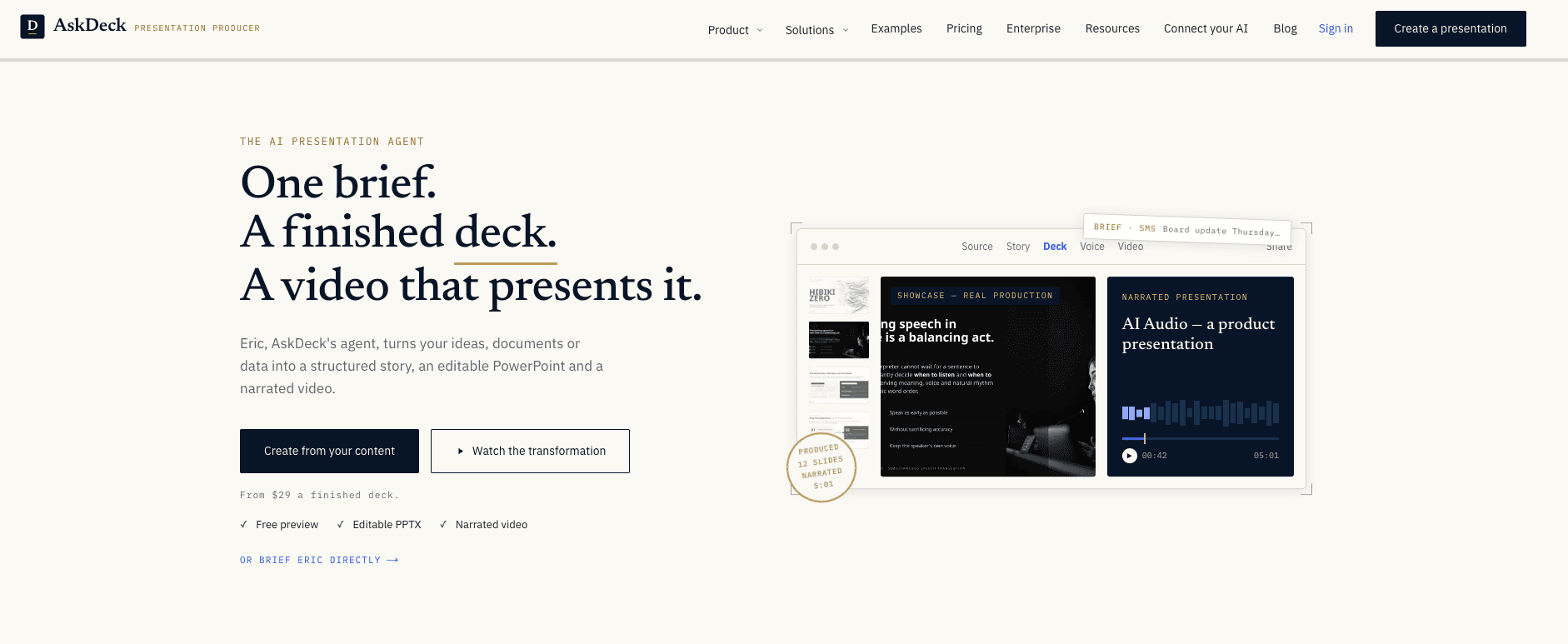
AskDeck is an AI presentation service that turns a brief, a document, or a dataset into a structured story, an editable PowerPoint, and a narrated video. Its agent, Eric, does the work end to end: it develops the narrative, designs the slides in your template, writes the narration, and renders a synchronized video from the same project. You brief it by web form, phone call, text message, or email, then review finished work instead of operating a slide editor.
About AskDeck
What Is AskDeck
AskDeck is a presentation agent for people who need a finished deck, not another canvas to learn. You hand it your raw material (a memo, a spreadsheet, a few notes, or an existing deck) and it returns a native PowerPoint file plus a narrated video of that deck. The pitch is simple: describe the assignment once, and get polished output back. That's a different workflow from an AI deck generator. Those tools draft slides when you give them a prompt and leave you to arrange and polish them. AskDeck works more like an AI presentation maker that takes over the whole job.
The product lives at the level of a freelance producer rather than a tool. Eric handles the narrative, the layout, the brand kit, and the voiceover, so your job shrinks to reviewing and requesting changes.
The limits matter too. Every deck starts as a watermarked preview, and you only keep the clean file after paying. Pricing runs $29 per finished deck or $99/mo on Pro, with credits sold separately at $0.10 each. It's not a free tool, and there's no public API listed, so anyone wanting to wire AskDeck into their own pipeline should check with the team first. Is that a dealbreaker? Not for most teams, who just want the finished file.
Getting Started
- Start a project at askdeck.ai/start, or send the assignment by phone, text, or email.
- Add your material: upload documents, data, links, notes, or an existing deck.
- Review the story AskDeck develops, including audience, objective, argument, and slide sequence.
- Receive the polished, editable PowerPoint built in your brand kit.
- Generate narration, captions, motion, and the synchronized video, then request revisions in plain language.
Product Information
A quick look at AskDeck's pricing, supported platforms, and performance.
Best for
The users, tasks, and scenarios where this tool fits best.
Users
- Founders and executives
- Consultants and agencies
- Sales and marketing teams
Tasks
- Turning a memo or report into a slide deck
- Creating a narrated video from existing slides
- Localizing a deck
Scenarios
- Board and investor updates that need a polished deck on a fixed date.
- Async team updates where a narrated video replaces a live walkthrough.
- Early project pitches where you want a shareable deck fast, before committing design hours.
Key features
Briefing by phone, text, or email
AskDeck accepts the assignment wherever you're working. There's a web form, a phone number, an SMS line, and an email address, and all of them reach the same production pipeline. You can even send a voice note. For people who live in messaging apps, this removes the "open the app first" step that slows down prompt-to-deck tools.
Editable PowerPoint output
Every deck ships as a native .pptx file you own. You can open it in PowerPoint or Google Slides, edit it, and hand it off, with no lock-in to AskDeck's editor. Speaker notes and version history come with each paid deck. You own the file. That matters when a client wants the source, not a link.
Narrated video from the same brief
The deck and its narrated video come from one project, so they stay aligned. AskDeck writes the narration, adds captions and motion, and renders a synchronized 1080p video. That covers the common case where a team wants both a live deck and an async recording without doing the two separately. One brief, two outputs.
One project keeps outputs aligned
Revisions change the deck and re-render the video together. Tell Eric what to fix in plain language and both outputs update, so nothing drifts between the slides you present and the video you share. This is the practical difference from stitching a slide tool to a separate video tool.
Instant translation
The same pipeline that builds your deck can produce language copies. Layout, charts, and art direction stay intact while the text changes, which is handy for teams presenting the same material to different markets.
Free watermarked preview
The free watermarked preview is the low-risk way to judge quality. You pay only when the deck is right.
Pros and cons
Pros
- Produces a native, editable .pptx you own, not a locked web file
- Delivers a narrated video from the same brief, saving a separate recording step
- Briefs by phone, text, email, or web, matching how people already work
- Keeps deck and video aligned through plain-language revisions
- Free watermarked preview lets you check quality before paying
Cons
- Costs $29 per finished deck or $99/mo on Pro, so it's not a free option
- No public API listed means you can't easily wire it into an automated pipeline
- Free output is watermarked until you pay, which limits casual sharing
Frequently asked questions
AskDeck is an AI presentation agent that turns a brief, document, or dataset into an editable PowerPoint and a narrated video. Its agent, Eric, develops the story, designs the slides, and writes the narration from one assignment.
Related content
Explore related tools, skills, and articles for AskDeck.
AskDeck Alternatives

Foley
Hanamori Labs, LLC · Voice & Language · Productivity · AI AssistantFoley is a voice to-do list that turns a spoken sentence into a filed task, complete with project, date and time, then helps you plan the day around what is already there.

HireKey
HireKey · Voice & Language · Productivity · LeaningHireKey is an AI job search copilot built by a former tech recruiter. It checks role fit, tailors resumes, runs interview practice and tracks every application.

Fluence
Yay Software (Yannick Huchard) · Writing · Voice & Language · ProductivityFluence is an Android app that reads PDFs, EPUBs, Word files and web articles aloud, follows each sentence as it speaks, and answers questions about the text on the phone itself.