

Athena AI
Athena AI · Other · Chatbot
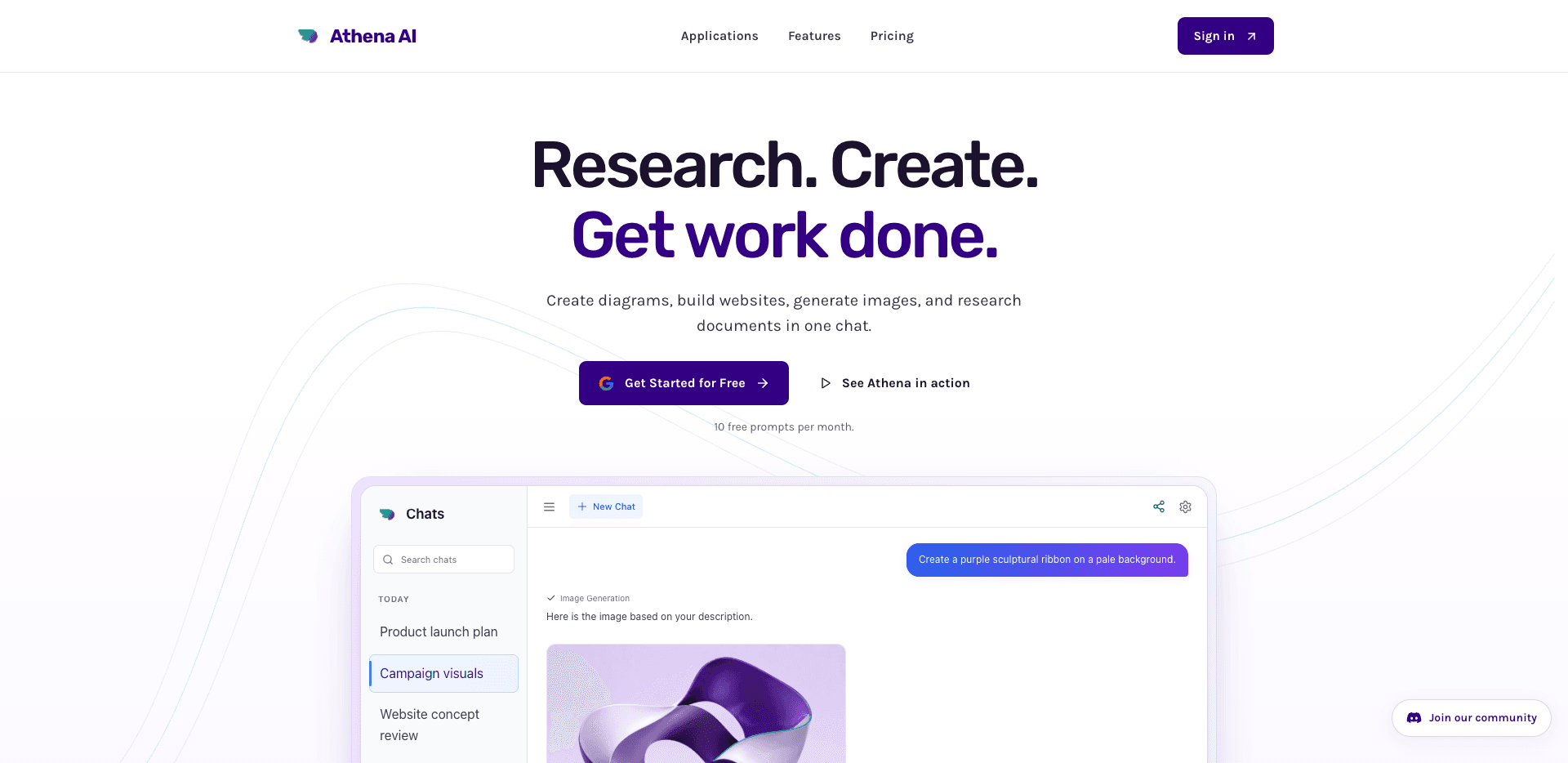
Athena AI is a chat-based AI assistant that handles multi-step work inside one conversation. You can ask it to turn notes into a flowchart, describe a web page and watch a draft appear, generate images, or dig through uploaded documents and pull out an answer. It runs in a browser and also shows up inside Google Meet and Shopify, so teams can reach it where they already work. A free tier gives you 10 prompts a month to test the whole thing.
About Athena AI
What Is Athena AI
Athena AI is an all-in-one AI assistant built around a single chat box. It's a chatbot that also acts as a diagram generator, a website builder, and an image generator. Instead of juggling four separate tools, you describe what you want and Athena produces the output in the same thread, then keeps editing it as you talk.
The pitch is broad on purpose. A project manager can sketch a launch workflow, a marketer can mock up a landing page, and a student can ask for a worked geometry explanation with LaTeX equations. Most competitors pick one lane, like chat or images, and stop there. Athena tries to cover the whole daily stack. Not everyone needs that.
That range comes with trade-offs. A tool that does many things rarely does any single one as deeply as a dedicated app. Video and heavier image generation sit behind the top Premium tier at $49.99 a month, and the free plan stops at 10 prompts. I'm not sure the free limit feels generous once you start a real project. It probably won't.
Getting Started
- Go to athenachat.bot and create a free account, or sign in with the option shown on the landing page.
- Type your first prompt in the chat box. A plain request like "make a flowchart for our product launch" works fine as a starting point.
- Review what Athena returns. Ask for edits in the same conversation, such as changing colors, moving steps, or rewriting a paragraph.
- Upload a document or image when the task needs your own material, then ask questions about it.
- Upgrade to Pro ($5.99 a month, with a 7-day trial) when the 10 monthly free prompts run out, or to Premium ($49.99 a month) if you need unlimited video and image generation.
Product Information
A quick look at Athena AI's pricing, supported platforms, and performance.
Best for
The users, tasks, and scenarios where this tool fits best.
Users
- Freelancers and small teams
- Students
- Marketers and content creators
- Meeting-heavy teams
Tasks
- Turning process notes into flowcharts and whiteboards
- Drafting a web page from a description
- Generating logos, graphics, and images from a prompt
- Researching your own documents
- Web research with follow-ups
Scenarios
- Planning a product launch and needing a shareable workflow diagram fast.
- Prepping a client site mockup the night before a pitch, without opening a design suite.
- Cramming for an exam and wanting a worked example you can actually follow.
- Pulling key numbers out of a long report before a meeting, using the file-research mode.
- Running a Shopify store and wanting personalized product recommendations handled inside the platform.
Key features
Chat That Produces Real Artifacts
Most chatbots hand back text. Athena hands back things you can use: a flowchart, a site draft, an image, a structured answer. Every task stays in the same thread, so edits build on what you already made instead of restarting. That continuity is what makes multi-step work feel natural rather than bolted on. It's a simple shift. It changes how you work.
Diagrams and Whiteboards
Describe a process or paste your notes, and the diagram generator builds a flowchart or whiteboard you can view and edit. It's aimed at people who think in steps, not in drawing tools. The obvious limit is control. An auto-generated diagram may need several rounds of nudging before the layout matches what you had in your head.
Website Creation From a Prompt
Describe the page you need, and the website builder drafts it, then you refine layout and content in the same chat. It's a fast way to go from idea to a rough mockup, which is why it fits early-stage planning. It won't replace a full design suite for pixel-perfect production work. For a concept draft, it saves real time.
Image Generation
The image generator creates logos, graphics, and pictures from a description, and you can ask for changes to style, colors, or composition. This lives in the same chat as your text and diagram work, so a single thread can cover a full campaign concept. Unlimited image output sits behind the $49.99 Premium tier.
Research Over Your Own Files
Document research starts by uploading documents or images, then asking Athena questions about them. It compares information and summarizes the details you need. That's handy when a report is longer than your patience. Treat the output as a strong first pass rather than a finished citation.
Web Research With Sources
Athena searches the web, compares sources, and takes follow-up questions. That back-and-forth matters more than a one-shot answer, since you can push on weak points instead of accepting the first result. As always with AI search, verify anything you plan to publish. No exceptions.
Learning and Education Mode
Ask for explanations, examples, and study material, with support for equations and LaTeX. It walks through problems step by step, like a geometry question where it shows the formula and the substitution. It's a patient tutor for self-study, not a replacement for a teacher. That distinction matters. Use it to check your thinking.
Integrations With Meet and Shopify
Athena works inside Google Meet for collaboration and in Shopify for personalized product recommendations. Meeting notes and reminders also live here, so follow-ups don't get lost between apps. The integration list is short, so check yours is covered before committing.
Pros and cons
Pros
- One chat covers diagrams, websites, images, and document research, cutting tool-switching.
- The free tier gives 10 prompts a month and access to all core features, enough to judge fit.
- Pro costs $5.99 a month with a 7-day trial, which undercuts many single-purpose AI tools.
- Integrations with Google Meet and Shopify put it inside workflows teams already use.
- Learning mode with LaTeX support makes it usable for students, not just office work.
Cons
- The 10-prompt monthly free limit runs out fast on any real project.
- Unlimited video and image generation requires the $49.99 Premium plan, a big jump from Pro.
- Image and video output quality isn't as tunable as dedicated generators, since it's a generalist tool.
- Public API access is unclear, which blocks developers who want to build on it.
Frequently asked questions
It's a chat-based AI assistant for multi-step work: building diagrams and whiteboards, drafting websites, generating images, researching your files and the web, and taking meeting notes. You drive it all from one conversation rather than separate apps. What does that mean in practice? You stop copying results between tools.
Related content
Explore related tools, skills, and articles for Athena AI.
Athena AI Alternatives
BinkBink
BinkBink · OtherBinkBink is a free online game platform and AI game maker that lets anyone turn a short text description into a playable browser game. You can jump into hundreds of community-made games. Or describe your own idea and play it in seconds, then share it with friends. Want to create your own game? You don't need to code. No engine setup, no download, no hassle.

Audiogen
Audiogen Inc. · OtherAudiogen is an AI music generator built by Audiogen Inc., a small research team that spent about 2.5 years training its own generative music model and designing a web interface around it. Instead of a plain text box, this AI music tool turns the timeline into a beginner-friendly Generative Audio Workstation, or GAW, where inpainting, extending, remixing and stem editing work more like painting on a canvas. The product is still in beta, so access runs through a waitlist or an invite. Paid plans aren't published yet.

Aiml API
AIMLAPI OÜ · OtherAiml API is a unified AI model API that puts more than 1000 models from OpenAI, Google, Anthropic, and others behind one endpoint and one bill. You write code against a single OpenAI-compatible schema, then switch between chat, image, video, and audio models by changing a model string. It suits developers and small teams who want multi-model access without juggling a dozen separate provider accounts, and it removes the usual billing headache that comes with testing several vendors. One key covers it all.