

Atlaso
Atlaso Labs Inc. · Coding
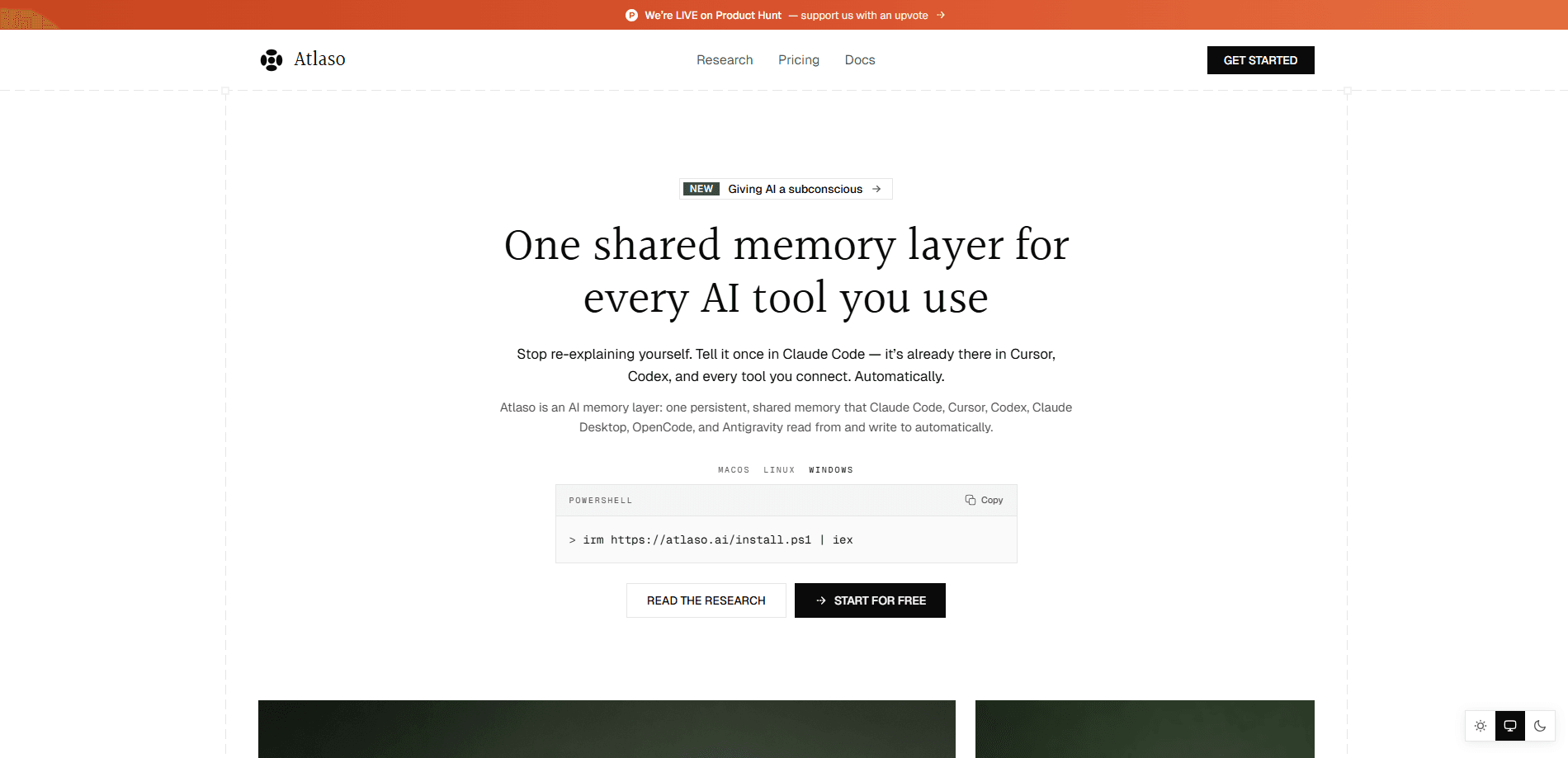
Atlaso is a shared, persistent AI memory layer that sits under the AI tools you already use, like Claude Code, Cursor, Codex, and Claude Desktop. It captures decisions, preferences, and project context as you work, then recalls them before your next prompt, so you stop re-explaining the same background in every new session. Think of it as shared memory for AI tools. Setup runs through one command. It covers CLI tools, IDEs, and MCP chat apps from a single store.
About Atlaso
What Is Atlaso
Atlaso gives your AI tools a memory that outlives a single chat. Most assistants forget everything the moment you open a fresh session, which means the architecture decisions you settled on this morning are gone by the afternoon. Atlaso fixes that. It stores the useful parts of your work in one place and feeds them back to whichever tool you open next.
The product targets people who juggle more than one AI assistant. If you plan in Claude Code and execute in Codex, or switch between Cursor and OpenCode, each tool normally starts from zero because its context window only knows the repo and the current prompt. Atlaso links them. A decision made in one shows up in the other. That's the whole point of persistent AI memory.
It's not magic, and it doesn't replace your own judgment. The memory it builds is only as good as what it captures, and you'll still want to review what gets stored. It also runs on a Free tier that limits you to one device and one active tool. So figuring out whether it fits your workflow means testing it against your real projects. Simple as that.
Getting Started
- Run the install command
curl -fsSL https://atlaso.ai/install.sh | bashon macOS, Linux, or Windows. You don't need an account first. - Authorize the machine when your browser opens the app.atlaso.ai page and you click Authorize.
- Pick the AI tools you want to share memory. The CLI lists what it found on your machine and installs the integration for each one you choose.
- Restart any tool the CLI flags, then keep working. Atlaso recalls before each prompt and captures after each turn.
Product Information
A quick look at Atlaso's pricing, supported platforms, and performance.
Best for
The users, tasks, and scenarios where this tool fits best.
Users
- Developers who run two or more AI coding tools
- Solo builders and small teams without a formal knowledge base
Tasks
- Carrying a plan from one tool to the next
- Remembering coding conventions and stack choices
Scenarios
- Multi-tool development days
- Returning to a project after a break
- Onboarding a second machine
Key features
Automatic Recall and Capture
Atlaso installs hooks into supported CLI and IDE tools that recall relevant memory before every prompt and capture new context after every turn. You don't call anything manually. So what does that feel like in practice? A tool knows what you decided last week without you restating it. That's the core reason people adopt a memory layer at all.
One Memory Across Every Tool
The same store backs Claude Code, Codex, Cursor, OpenCode, and MCP chat apps like Claude Desktop. A decision logged while coding in Cursor shows up the next time you open Codex. That shared reach is what separates Atlaso from single-app memory features baked into one assistant. Rivals like Mem0 solve a related problem, so Atlaso vs mem0 comes down to how many tools you rope into the same brain.
MCP Support for Chat Apps
GUI clients that don't run a CLI connect through MCP instead. The model calls the memory tools when it decides to, rather than on every prompt. It's a lighter loop than the automatic hooks. It means web and desktop chat apps get memory without a terminal. Recall can be less predictable here.
Simple CLI Setup
One install command links the machine and walks you through tool selection. Later commands like atlaso status and atlaso setup show what's linked and let you add or change tools, which is handy when you want to verify what's actually syncing instead of trusting a dashboard that may be out of date.
Plan Transparency
Free covers one device and one active tool with unlimited personal memories and cloud sync. Pro at $10/month removes the device and tool caps and adds Ambient Memory, nightly enrichment, an Ask-your-memory feature, and JSON export. Atlaso pricing is straightforward. You upgrade or cancel in the dashboard, and your memories stay in your account on any plan, including after you drop back down to Free.
Data You Control
Atlaso documents plainly what gets stored and what gets scrubbed. You can export your memory as JSON on Pro, and canceling a subscription never wipes what's already saved. Extra devices survive on a five-day grace window after a downgrade. They're disconnected, not deleted.
Pros and cons
Pros
- One memory store that works across Claude Code, Cursor, Codex, OpenCode, and MCP chat apps.
- Automatic hooks mean recall and capture happen without extra prompts or commands.
- Free tier is genuinely usable: unlimited personal memories, cloud sync, and one tool.
- Clear, no-surprises billing behavior, including the promise that memories are never deleted on downgrade.
- Setup is a single command, with a dashboard that generates the exact link command for a second machine.
Cons
- Free plan caps you at one device and one active tool, so the multi-tool benefit only fully appears once you pay $10/month.
- A second tool on Free drops into local-only mode, which is easy to miss if you skim the docs.
- GUI chat apps get model-initiated recall instead of automatic hooks, so memory may surface less reliably there.
- It's a young product from a small company, so long-term stability and third-party integrations are still hard to judge.
Frequently asked questions
It stores the useful context from your AI sessions, such as decisions, preferences, and project details, in one shared memory layer, then recalls that context before your next prompt. The goal is to stop you from re-explaining the same background every time you open a new chat or switch tools. In short, it's memory that follows you between assistants.
Related content
Explore related tools, skills, and articles for Atlaso.
Atlaso Alternatives
Forefront
Forefront · CodingForefront is a web platform for building with open-source AI. It lets you fine-tune leading open-source language models on your own data, evaluate how they perform, and run them through an API or export them to host yourself. Developers who want the convenience of a closed-source platform but insist on owning their models and data are the target audience here.

Startkit
StartKit.AI · CodingStartkit is a boilerplate for building AI SaaS and AI wrapper products. Think of it as an AI startup boilerplate with the boring parts already wired up: authentication, Stripe and Lemon Squeezy payments, usage limits, transactional email, and an AI API starter that talks to OpenAI, Anthropic, Groq, or Llama. You clone the repo, set your price, and start on the part of your product that people actually pay for. It's Next.js under React and Tailwind, so most of the boilerplate code already feels familiar.
Testim
Tricentis · CodingTestim is an AI-powered test automation platform for building and running end-to-end tests across web, mobile, and Salesforce applications. It leans on machine learning to keep tests stable when an interface changes, so teams spend less time fixing broken selectors. Not bad for an automated testing tool you can start using today. You create tests by recording actions in a browser, then optionally add JavaScript when you need more control. It's a solid pick for busy QA teams.