

Atomic Bot
Atomic Mail · Other
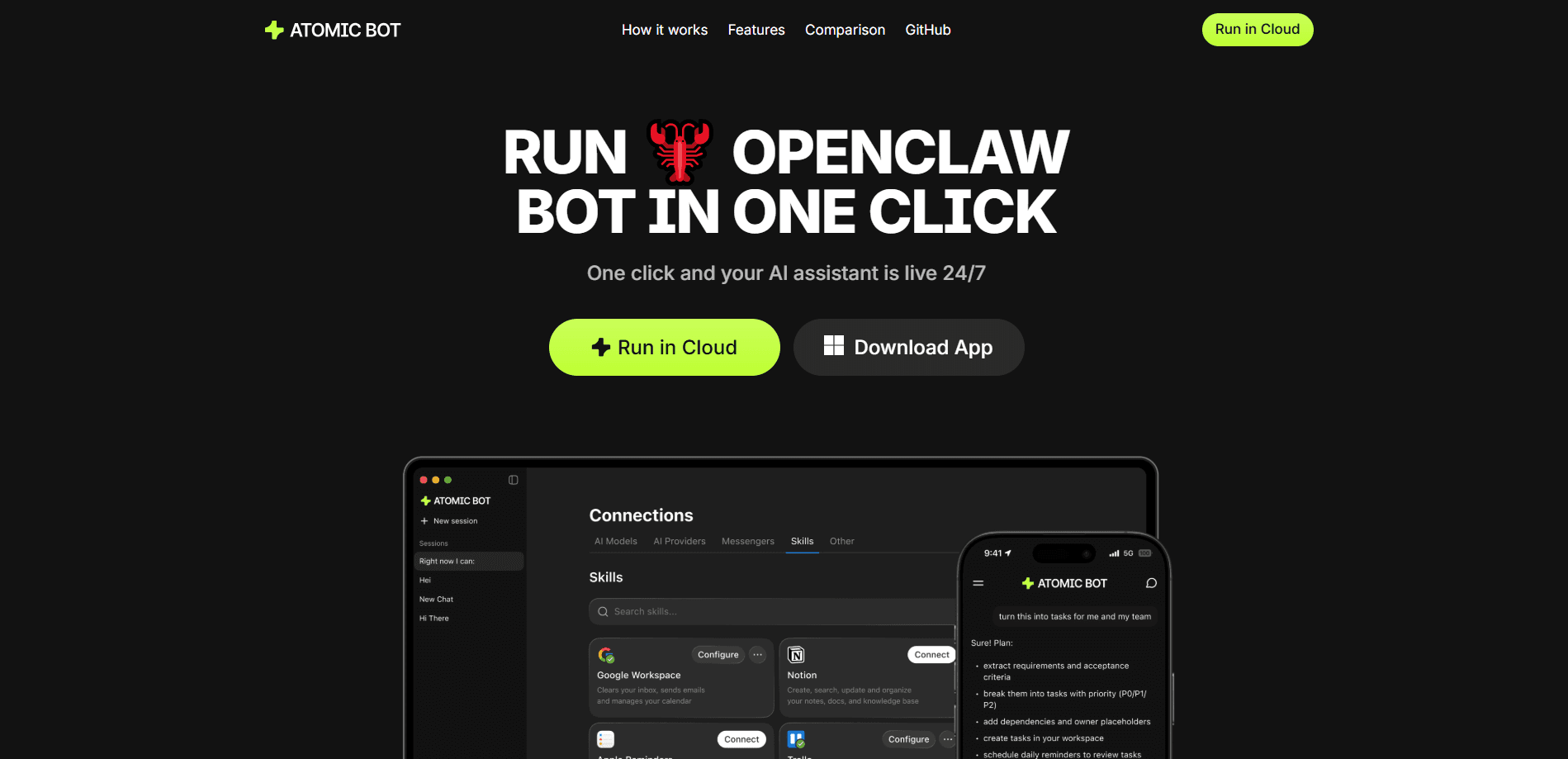
Atomic Bot is a cloud AI assistant service that runs personal AI agents for you, without servers or terminal work. It offers AI agent hosting for open-source agents such as OpenClaw, Hermes, Codex, and NanoClaw, keeps them online around the clock, and lets you message your assistant from Telegram or the browser. You pick a model from 100+ options across Anthropic, OpenAI, Google, DeepSeek, and others, and the dashboard shows spend in plain dollars instead of tokens.
About Atomic Bot
What Is Atomic Bot
Atomic Bot is managed hosting for AI agents. You don't install anything or maintain a machine. You sign up, pick an agent, connect the services you want it to touch, and it starts working from a dedicated cloud instance that stays up whether your laptop is open or not.
OpenClaw hosting is the headline use case, and it's the reason most people find the product. The company behind it also built Hermes, a general-purpose agent that shows up in the lineup next to OpenClaw and Codex. That matters because most people who want to run an AI agent in the cloud run into the same wall: renting a VPS, wiring up Docker, juggling API keys, and babysitting updates. Atomic Bot collapses all of that into a signup and a click. The agents themselves are open source, so you're not locked into a proprietary black box.
The catch is scope. This is an early product, and parts of it are still gated behind a waitlist in some regions. Some agents and models work better than others. And if you already enjoy running your own server, the managed route may feel too hands-off. It's built for people who want results from an assistant, not a weekend project.
Getting Started
- Sign up for Atomic Bot with your Google account at app.atomicbot.ai.
- Choose an agent to launch, such as OpenClaw for inbox and calendar tasks or Hermes for research.
- Pick the AI model each agent runs on, then connect the services you want it to reach, like Gmail, Telegram, or your calendar.
- Message the agent from the browser or Telegram and give it a task in plain language.
- Set up scheduled tasks or recurring digests so it works without you asking.
Product Information
A quick look at Atomic Bot's pricing, supported platforms, and performance.
Best for
The users, tasks, and scenarios where this tool fits best.
Users
- Busy professionals
- Freelancers and solo founders
- Tinkerers who dislike server upkeep
Tasks
- Email management
- Calendar autopilot
- Document processing
- Web browser automation
- Daily monitoring
Scenarios
- Waking up to a digest
- Research sprints
- Travel logistics
- File cleanup
Key features
One-Click Cloud Launch
Atomic Bot takes an open-source agent and puts it online in about a minute. No server to provision. No Docker to install. No API keys to copy between dashboards. The agent runs on a dedicated cloud instance that stays live when your computer is off or asleep, which is the whole point. If you've ever set an agent running on your laptop and closed the lid, you know why that matters.
Always-On, 24/7 Execution
Because the agent lives in the cloud, it keeps running even when you're offline. Scheduled tasks fire day and night, and it replies whenever you message it. This is the difference between a real assistant that keeps working on your behalf and a script that sits idle the moment your laptop sleeps. It works while you sleep, travel, or lose Wi-Fi.
Multiple Agents Under One Account
One login runs a whole team. You can put OpenClaw on your inbox, Codex on code reviews, and Hermes on research, all side by side. Each agent keeps its own model, memory, and settings, and you can scale a single agent to as many copies as you need without opening a second account or paying for a second subscription plan. Mixing agents in one account beats paying for separate subscriptions.
100+ Models From Top Labs
Each agent runs on one model at a time, and you switch with a click. The lineup pulls from Anthropic, OpenAI, Google, DeepSeek, Qwen, Z.ai, and others, mixing open-weight and frontier models side by side so you can match the model to the job instead of settling for one provider's default. You don't need a separate account or key with each lab. Try Claude for writing and switch to a cheaper model for routine checks without reinstalling anything.
Dollars, Not Tokens
The dashboard shows spend in plain dollars and estimates how long your balance lasts at your current usage. No token math, no credit conversions. The Base plan includes $5 in AI credits every month, which covers light daily use for most people who check in with an agent a few times a day and leave the heavy lifting to scheduled tasks that run while they're away from their desk and can't watch every message that comes in. If you've tried to budget for an API-based assistant before, this is a real improvement.
Persistent Memory
The agent remembers your preferences, ongoing tasks, and the details you've shared, stored on your own server. The longer you use it, the better it fits how you work. Why does that matter? A generic chatbot forgets you the moment the tab closes. This one doesn't. That's the feature that turns it into something closer to a coworker who knows your context.
Browser Search and Task Automation
Ask a question and the agent browses the web, reads pages, and pulls out the details, so you don't have to open ten tabs. It also automates routine browser work like clicking, filling, and submitting forms. That's the AI automation most people actually need. Combine it with scheduling and you get an assistant that handles the boring parts on its own.
Pros and cons
Pros
- Launching an agent takes about a minute, with no server setup or Docker work.
- Runs 24/7 in the cloud, so tasks continue when your computer is off.
- One account covers multiple agents and 100+ models, switchable in a click.
- Billing is in dollars with a clear estimate of how long your balance lasts.
- Connects to everyday tools like Gmail, Telegram, and calendars.
Cons
- Some regions still gate access behind a waitlist, so availability can vary.
- The Base plan's $5 monthly credit runs out fast if you use heavy models daily.
- Managed hosting means less control than a self-run VPS, so you can't tweak the underlying stack.
- Because it's an early product, agent and model reliability isn't uniform across the lineup.
Frequently asked questions
It runs personal AI agents in the cloud for you. Typical uses are managing email, handling calendars, reading long documents, automating browser tasks, and sending scheduled digests. You message the agent in plain language and it does the work.
Related content
Explore related tools, skills, and articles for Atomic Bot.
Atomic Bot Alternatives

Odyssey 3
Odyssey · OtherOdyssey-3 is Odyssey's foundation world model. It simulates physics in real time, turns a prompt into an interactive environment, and adapts to robots, cars and games.

JarvisCore
Prescott Data · Coding · Productivity · OtherJarvisCore is an open source Python runtime where AI agents work as equal peers on an agent mesh, claim tasks from a shared ledger, and reach external services through a zero-trust broker.
Clef
Cloudflare · Business · OtherClef is Cloudflare's open-source decision model for Workers AI. It returns calibrated probabilities for typed questions, not generated text, so agents can classify, route, and act fast.