

Audio Enhancer
Audioenhancer.ai · Voice & Language
Audio Enhancer is an AI audio cleanup tool that strips background noise and sharpens speech in podcasts, videos, and music. Upload a file or record in the browser, pick one of four fixes, and download a cleaner track.
About Audio Enhancer
What Is Audio Enhancer
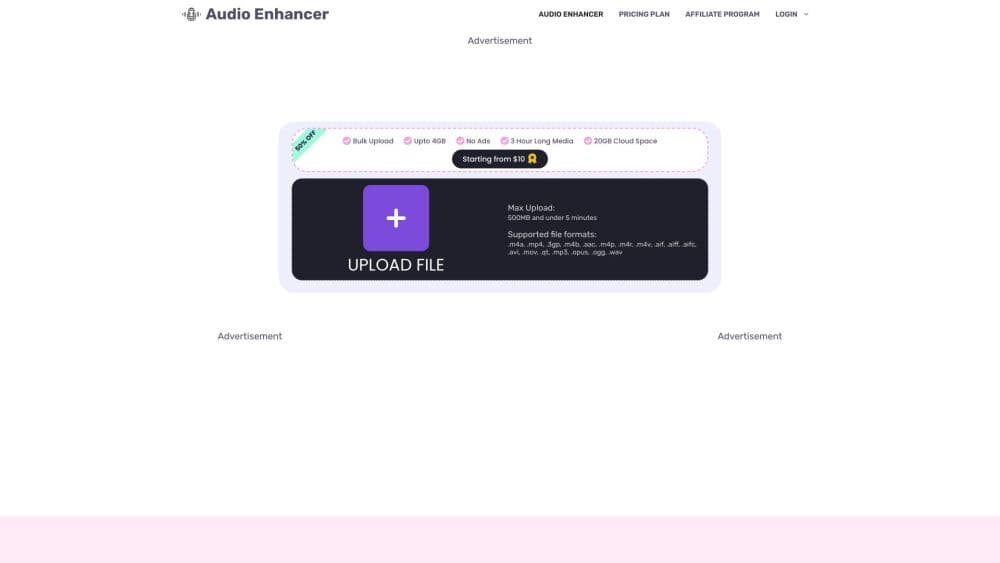
Audio Enhancer is a web tool built by Audioenhancer.ai that cleans up messy recordings without audio editing skills. You drop a file into the browser, choose an enhancement type, and the software separates speech from unwanted sound on its own.
It targets creators who record in imperfect rooms. A podcast taped in a living room, a video shot on a windy street, or a lecture captured on a phone often suffers from hiss, hum, echo, and uneven volume. Audio Enhancer attacks those specific problems in a single pass rather than asking you to balance a dozen sliders.
The tool works on both speech and music. That matters because most cheap noise removers treat instruments as noise and mangle the result. Audio Enhancer keeps musical parts intact while cutting the extras around them. The catch is control. Like most one-click enhancers, it makes the cleanup decision for you, so a well-recorded track in a treated room has little to gain.
Getting Started
- Open audioenhancer.ai and sign up for a free account, or jump straight to the upload box.
- Upload an audio or video file by dragging it in, or hit Record to capture audio inside the browser.
- Pick an enhancement under Choose Enhancement, such as Clean Up Speech, Noise Reducer, Fix Loudness, or Noise/Echo Remover.
- Choose a content type from the Select Content Type menu so the model knows what it is hearing.
- Click Enhance Audio, wait for processing to finish, then download the cleaned file from the three-dot menu.
Product Information
A quick look at Audio Enhancer's pricing, supported platforms, and performance.
Best for
The users, tasks, and scenarios where this tool fits best.
Users
- Podcasters
- Video creators
- Students and teachers
- Musicians and hobbyists
Tasks
- Rescuing a noisy interview
- Polishing a podcast episode
- Balancing uneven audio
- Cleaning a video's audio track
Scenarios
- Recording on the move
- Fast turnaround content
- Low-budget productions
- Prepping material for transcription
Key features
Four One-Click Enhancement Modes
Audio Enhancer splits its cleanup work into four jobs you select per file. Clean Up Speech targets muddled or merged words, Noise Reducer strips background sound, Fix Loudness evens out volume swings, and Noise/Echo Remover handles room reflections. You pick the fix that matches your problem instead of running everything at once.
Background Noise Removal Across Noise Types
The noise engine is built to handle more than one flavor of interference. It goes after continuous hum, intermittent chatter, sharp impulsive sounds like clicks, and low-frequency rumble from vents or traffic. That range covers the realistic mess of an untreated room, not just a single clean hiss.
Keep Music, Cut the Rest
Most noise reducers treat every non-speaking sound as junk, which wrecks tracks with instruments. Audio Enhancer keeps musical parts alive while removing the noise layered over them. It helps on song demos and any video where a backing track sits under the voice.
Built-In Browser Recorder
You do not need a separate recording app to get started. The tool records audio straight in the browser, so you can capture a take and clean it up in the same session. It suits quick voice notes and remote interviews where installing software is overkill.
Wide File Format Support
The uploader accepts a long list of formats, including .alac, .mp3, and .webm, along with video files. You rarely have to convert a track before cleanup, which saves a step when you are working across devices and apps.
Android App for On-the-Go Edits
Beyond the browser, Audio Enhancer ships as an Android app on Google Play. The mobile version handles voice notes, meetings, and quick recordings without a desktop, so you can clean a clip right after you capture it.
Pros and cons
Pros
- No editing background needed, since each file takes one click and a mode choice.
- Handles many noise types and keeps musical instruments intact instead of silencing them.
- Works on both audio and video files, so one tool covers podcasts and footage.
- Free tier covers short clips, letting you test quality before paying.
- Android app means cleanup is not tied to a desktop browser session.
Cons
- One-click processing gives little manual control, so a fine-tuning pass still means opening a DAW for a polished mix.
- The free plan caps clips at five minutes and three credits a day, which is tight for full episodes.
- Well-recorded audio in a treated room rarely improves, so seasoned engineers gain little.
- No public API means you cannot automate cleanup inside your own pipeline.
Frequently asked questions
It removes background noise and improves speech and music quality in audio or video files. You upload a clip, choose an enhancement type, and download a cleaner version without editing it by hand.
Related content
Explore related tools, skills, and articles for Audio Enhancer.
Audio Enhancer Alternatives

Prosp
Prosp · Writing · Voice & Language · MarketingProsp is an AI LinkedIn outreach tool built for agencies and sales teams, and it writes the message and the voice note in your own voice for each prospect so they actually reply. You connect your accounts, find leads, and let the AI draft and send personalized messages at scale, all from one inbox. It's built for people running outbound at volume. That's the whole pitch. Every touchpoint still has to feel human.

Wordly AI Translation
Wordly · Voice & Language · ProductivityWordly AI Translation is a real-time AI translation and captioning platform built for meetings, conferences, and events. It delivers live translation, captions, transcripts, and summaries in more than 60 languages, and attendees join by scanning a QR code or opening a link instead of using dedicated headsets. The platform works with Zoom, Microsoft Teams, Google Meet, and Webex, and it's designed for organizations that want multilingual access without hiring human interpreters for every session. Simple as that.
Musicful
Musicful AI · Voice & Language · VideoMusicful is an AI music generator and AI music video maker that turns text to music in minutes. Give it a text prompt, a set of lyrics, or a hummed melody and it returns a finished track with vocals and instruments. It also doubles as an AI song generator, produces music videos from the songs you create, and offers an AI cover tool plus a developer API. The platform runs in a web browser and through an Android app, so you can start a song on desktop and pick it up on your phone.