

Audiotype - Audio Transcription and Video Subtitles
Audiotype · Writing · Voice & Language
Audiotype is a browser-based AI transcription tool that turns audio and video into text, documents and SRT or VTT subtitles in 30+ languages, with no account needed and a rate of €0.15 per minute.
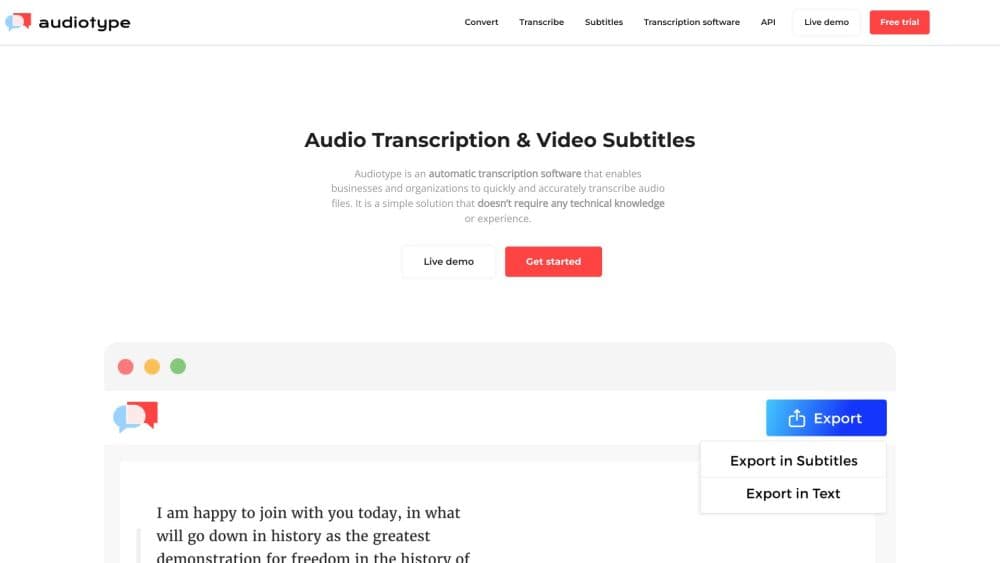
About Audiotype - Audio Transcription and Video Subtitles
What Is Audiotype
Audiotype is an automatic transcription service and audio to text converter. For anyone who needs an AI transcription software, it covers the basics: upload a file, pick the spoken language, wait for a transcript by email. Journalists with interview tapes and podcast editors with long episode files are the usual users.
The appeal is speed. Skipping signup shortens the path from file to usable text. Most transcription tools ask you to register before you can test quality.
The main limitation is accuracy. Audiotype states an average of 80 to 95% depending on language and recording quality, which means you should expect to proofread the output rather than publish it untouched. Files are also removed from its servers after 15 days, so long-term storage of transcripts is on you.
Getting Started
- Open the Audiotype upload page. You can start without creating an account, and the first minute of your file is transcribed for free.
- Upload an audio or video file from your computer, or pull it in from Dropbox, Box or OneDrive.
- Pick the spoken language from the dropdown and confirm the order. Up to 10 files can go in at once.
- Receive the transcript by email, then edit it in the browser and export as TXT, DOCX, PDF, SRT or VTT.
Product Information
A quick look at Audiotype - Audio Transcription and Video Subtitles's pricing, supported platforms, and performance.
Best for
The users, tasks, and scenarios where this tool fits best.
Users
- Journalists
- Students and researchers
- Podcast and video editors
Tasks
- Transcribing an interview
- Generating subtitles for a video
- Turning a meeting recording into minutes
- Converting a YouTube video to text
Scenarios
- Deadline weeks at a news desk
- Course prep for teachers
- Archiving a back catalog
Key features
Multilingual Transcription
Audiotype handles more than 30 languages, from English, Spanish and French to Mandarin, Japanese, Korean, Hindi and Arabic. You pick the language per file, so a mixed-language backlog is workable. Accuracy shifts by language, and the company puts its range at 80 to 95%.
Subtitle Files in SRT and VTT
The subtitle generator outputs timed captions in the two formats most platforms accept. You can take those files straight into YouTube, a video editor or a course platform without manual retiming. Closed captioning is offered alongside, with speaker cues for hearing-impaired audiences.
No Account Required
You can upload and convert a file without signing up, and the first minute comes back free. That makes it easy to judge whether the output is good enough for your recording before you spend anything. Most paid services don't allow a test like that.
Broad Format Support
For a browser-based tool, the format list is wide. As a speech to text tool it takes common audio files such as MP3, WAV, AIFF, FLAC, OGG, AAC, M4A and WMA, plus video formats including MP4, MOV, AVI, MKV, WMV, FLV, MPEG and VOB. In practice, anything you record on a phone or export from an editor will open.
Speaker Detection and Smart Punctuation
Transcripts separate speakers and add time stamps, and the text arrives with punctuation and capitalization filled in. That cuts the cleanup time on multi-person interviews. Names and technical terms still need a check.
Speech-to-Text API
Audiotype offers a REST API that takes a file URL plus a language and returns the transcript. A beta access request is handled through the site, and the API can be pointed at different recognition engines, including Whisper and Google ASR.
Audiotype for Business
Organizations can get monthly centralized billing, spend tracking per project and per user, and team management with shared access. Audiotype handles high-volume hours and custom quotes through its business page, which suits agencies and universities more than individuals.
Editable Transcripts and Exports
Once a transcript lands, you can edit it in the browser and export to TXT, DOCX, PDF, SRT or VTT. Having an editable document instead of a fixed text dump matters when the file goes into a report, a thesis or a caption track.
Pros and cons
Pros
- Pay-per-minute pricing at €0.15 means a one-off 40-minute interview costs about €6, with no subscription to cancel.
- No signup before the first conversion lets you test real output on your own file before paying.
- SRT and VTT exports make the same run useful for both readable text and video captions.
- Multiple files can be uploaded together, up to 10 per batch, which helps on deadline.
- Business plans add per-project spend tracking and team accounts for organizations.
Cons
- Accuracy of 80 to 95% leaves room for errors, so every transcript needs a read-through before use.
- There's no free tier beyond the first minute, which is too short to judge a long recording's quality.
- Files are deleted after 15 days, so you must save transcripts yourself if you need them later.
- The API sits behind a beta access request, so developers can't just test it today with a key.
Frequently asked questions
No. You can upload a file and get the first minute transcribed without registering. An account becomes useful when you want to keep track of orders or sign in with an email link to revisit a transcript.
Related content
Explore related tools, skills, and articles for Audiotype - Audio Transcription and Video Subtitles.
Audiotype - Audio Transcription and Video Subtitles Alternatives

Google EmbeddingGemma 2
Google DeepMind · Writing · Image · CodingGoogle EmbeddingGemma 2 is a 740M-parameter open model that turns text, code, images, audio, and video frames into vectors in one 768-dimension space, running on phones and laptops.

MePersona
MePersona, Inc. · Writing · Productivity · MarketingMePersona is an AI unified inbox for creators. It learns your voice, drafts replies to fan messages from 12 platforms, and sends only what you approve.

Fluence
Yay Software (Yannick Huchard) · Writing · Voice & Language · ProductivityFluence is an Android app that reads PDFs, EPUBs, Word files and web articles aloud, follows each sentence as it speaks, and answers questions about the text on the phone itself.