

Aura : Agents + GIt + Loops OSS ADE
Aura (auravcs.com) · Coding
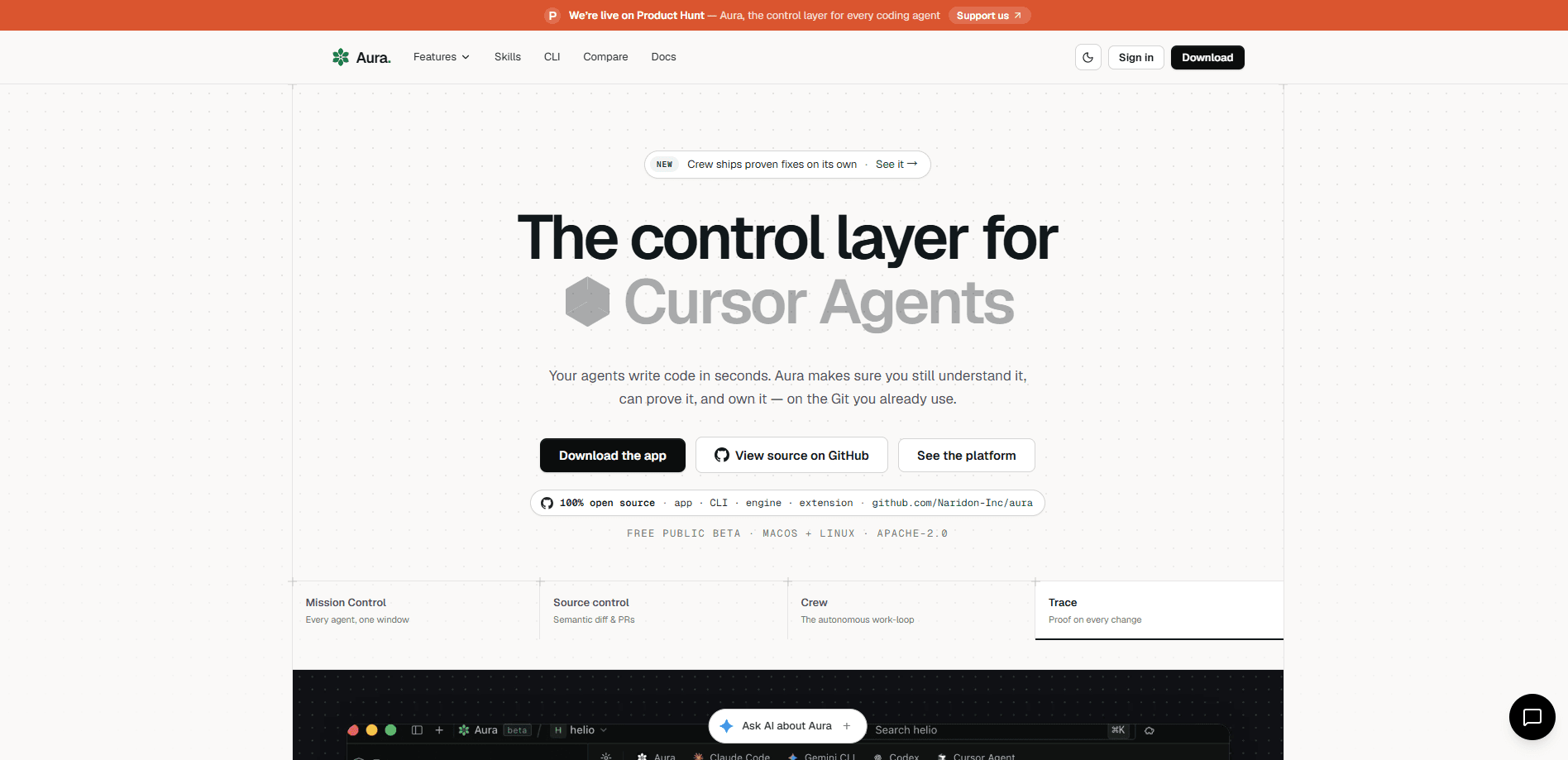
Aura is an open-source, Git-native semantic and provenance layer that handles AI coding agent coordination inside one shared history. Instead of replacing Git, it sits alongside it and adds AST-level diffs, intent logging, and verifiable commit records of what each agent changed. Think of it as an open-source agentic development environment. It's built for teams that already run more than one agent. It lets you drive Claude Code, Codex, Gemini, Cursor and other agent CLIs side by side. You keep track of who wrote what.
About Aura : Agents + GIt + Loops OSS ADE
What Is Aura : Agents + GIt + Loops OSS ADE
Aura is an agentic development environment built around a single stubborn problem: your tests pass, your review looks clean, and the commit is still wrong. Git, tests and code review all judge the code sitting in front of them. None of them knows which behavior an agent was actually allowed to change, so none of them can tell a harmless cleanup from a deletion nobody asked for.
Aura answers that by recording what you approved before an agent ran, then checking the staged result function by function rather than line by line. When something disappears, it names the export that vanished and traces who called it. That verdict is what the commit hook reads. The multi-agent coding workflow gets a check no linter can give you. That's the pitch.
It's a desktop app for macOS and Linux, with a companion CLI and 29 MCP tools. The engine is Apache-2.0 licensed. It never phones home. The honest limitation? The free tier is built for one developer on their own machine. Live sync and a shared provenance ledger only start at the paid Team tier.
Getting Started
- Download the desktop app for macOS or Linux from the official site. No account or card is needed to work on your own.
- Point Aura at an existing repository and connect the agent CLIs you already pay for, such as Claude Code, Codex or Gemini.
- Approve what the agent is allowed to touch before it runs, so Aura has an intent to check against later.
- Let the agent work, then review the function-level diff and the plain-English explanation of what changed.
- Press the commit; Aura's verify-intent hook compares the staged result against your approval and seals the session into the project timeline.
Product Information
A quick look at Aura : Agents + GIt + Loops OSS ADE's pricing, supported platforms, and performance.
Best for
The users, tasks, and scenarios where this tool fits best.
Users
- Solo developers running one or more AI coding agents on a personal project
- Small engineering teams sharing a codebase
- Engineering leads and auditors who need to prove what an agent changed
Tasks
- Catching a deletion an agent slipped in during a cleanup
- Running four agents in parallel without them overwriting each other
- Explaining a dense diff in plain English
Scenarios
- A solo developer who leans on Claude Code daily and wants a safety net before pushing.
- A team where two engineers edit the same file and need to know who is inside which function before they collide.
- A regulated shop where someone will eventually ask who actually wrote a given line, and the answer needs to be verifiable rather than a person's word.
Key features
Function-level intent verification
Before an agent runs, you approve what it's allowed to change. When you commit, Aura compares that approval against the staged result symbol by symbol and reports a concrete verdict like "proven 3 of 3" instead of a vague green check. If a function you never approved went missing, it names the export and traces its callers. Then it puts that one function back.
Multi-agent Mission Control
Aura runs Claude Code, Gemini, Antigravity, Cursor, Codex, Open Code and Kimi side by side on one project and one shared history. You get a single composer to send work to whichever engine fits, and you can switch the underlying model mid-thread without losing the conversation. Tasks, branches and pull requests sit in the same pane, so you stop being the integration layer between seven terminal windows.
Parallel git worktrees per agent
Running several agents at once normally fails because they all write to the same folder. Aura hands each agent its own checkout of the repository as a real git worktree. Each copy gets its own directory, branch and diff. They can't overwrite each other, and each one carries its own pull request.
Semantic history and plain-English diffs
Every change an agent makes lands in a semantic history rather than a wall of raw hunks. Aura explains any diff in plain language. Reviewers who don't live in the weeds can still tell what moved and why. You can rewind a single function instead of reverting an entire commit.
Sealed, portable provenance records
Aura seals each session into a timeline that ties every commit to the goal it was meant to deliver. Those records are cryptographically signed and portable, so you can hand one to a reviewer, an auditor or a customer and they can verify it without trusting you or having you in the room. For teams with auditors, the Enterprise tier adds a signed, exportable, per-symbol authorship ledger.
Team Radar and live sync
On the Team tier, teammates see the functions you're changing as you change them. Team Radar shows who is inside which symbol before you collide. A shared provenance ledger keeps one record of every agent's work across the team. A shared task board ties it together.
Bring your own key or use managed access
The whole engine works with the model keys you already hold, and hosting your own git remote is free on every tier. Pro and Team simply mean you don't have to. Aura holds the key and includes a token allowance. After that it meters usage at cost plus margin. That split is the whole shape of Aura pricing.
Pros and cons
Pros
- The engine is Apache-2.0 and free forever, with no account required to work solo.
- Intent verification checks function by function, so it catches the silent deletions that tests and review miss.
- Runs the agent CLIs you already pay for instead of locking you into one vendor.
- Parallel git worktrees let several agents work without stepping on each other.
- Provenance records are cryptographically sealed and portable, which matters when someone audits the work.
Cons
- The free tier is limited to 100 cloud syncs a month and keeps team features locked away.
- Live sync, shared history and collision awareness only appear at the $40/seat Team tier, so solo value is thin.
- The desktop app covers macOS and Linux; there's no Windows build, which rules out Windows-only teams.
- Setup assumes you're comfortable with Git worktrees and command-line agents, so it's not aimed at beginners.
Frequently asked questions
Git tracks the code that changed. Aura tracks whether that change was allowed. Big difference. It records what you approved before an agent ran. Then it checks the staged result against that approval, function by function. The verdict gets sealed, so you can verify it later. Ever merged a cleanup that quietly deleted a function? That's the gap Aura closes.
Related content
Explore related tools, skills, and articles for Aura : Agents + GIt + Loops OSS ADE.
Aura : Agents + GIt + Loops OSS ADE Alternatives
Forefront
Forefront · CodingForefront is a web platform for building with open-source AI. It lets you fine-tune leading open-source language models on your own data, evaluate how they perform, and run them through an API or export them to host yourself. Developers who want the convenience of a closed-source platform but insist on owning their models and data are the target audience here.

Startkit
StartKit.AI · CodingStartkit is a boilerplate for building AI SaaS and AI wrapper products. Think of it as an AI startup boilerplate with the boring parts already wired up: authentication, Stripe and Lemon Squeezy payments, usage limits, transactional email, and an AI API starter that talks to OpenAI, Anthropic, Groq, or Llama. You clone the repo, set your price, and start on the part of your product that people actually pay for. It's Next.js under React and Tailwind, so most of the boilerplate code already feels familiar.
Testim
Tricentis · CodingTestim is an AI-powered test automation platform for building and running end-to-end tests across web, mobile, and Salesforce applications. It leans on machine learning to keep tests stable when an interface changes, so teams spend less time fixing broken selectors. Not bad for an automated testing tool you can start using today. You create tests by recording actions in a browser, then optionally add JavaScript when you need more control. It's a solid pick for busy QA teams.