
AutoAE: Viral Hooks & YouTube Video Online Generator
AutoAE · Marketing
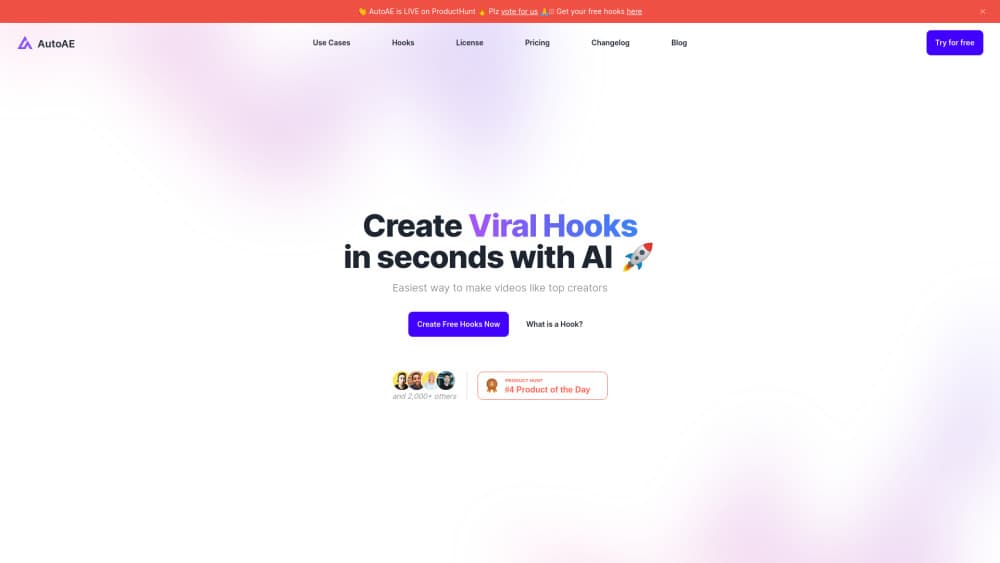
AutoAE is an AI motion graphics agent that turns a written prompt into a finished clip, built around designer templates for YouTube videos, viral hooks, and vertical Reels.
About AutoAE: Viral Hooks & YouTube Video Online Generator
What Is AutoAE
AutoAE is a browser based AI motion graphics generator from an independent studio of the same name. You describe the clip you need, and an agent picks a matching template, fills in your text, logo, images or footage, and renders an MP4 you can download. The library covers text animation, animated flowcharts, device mockups, transitions, logo reveals, and chart animations.
The problem it targets is the time cost of motion design. A good intro or a chart reveal normally means After Effects, a template pack, and an afternoon of keyframes. AutoAE keeps the designed animation and removes the timeline work, so a creator who has never opened an editor can produce a 15 second hook before lunch.
The limit sits in that trade. AutoAE is not a full video editor. It does not cut a long interview, sync a music bed across a timeline, or grade footage. Every output follows the structure of a template, and every render costs credits. If your clip needs custom choreography, this AI video maker will feel narrow.
Getting Started
- Open autoae.online and start a project. The free tier needs no card and gives you 500 one time credits, enough for five watermarked 720p downloads.
- Type what you want in plain language, for example a 15 second promo for a product, or pick a template from the gallery by category.
- Replace the placeholder text, drop in your logo, product shots or screen recordings, and adjust colors to match your brand.
- Preview the render in the browser, then download the MP4 in 1080p at 16:9, 9:16 or square.
- For repeat work, connect the AutoAE Skill inside Codex, Claude Code or Cursor and request clips from the chat window you already use.
Product Information
A quick look at AutoAE: Viral Hooks & YouTube Video Online Generator's pricing, supported platforms, and performance.
Best for
The users, tasks, and scenarios where this tool fits best.
Users
- YouTubers who edit their own videos
- Short form creators on TikTok, Reels and Shorts
- Small marketing teams and indie SaaS founders
Tasks
- Building a first three second hook
- Turning a process or decision into motion
- Making a product launch promo
- Adding polish to a coding project demo
Scenarios
- A weekly upload schedule
- Launch week with no design capacity
- Testing a hook before shooting
Key features
Prompt to Template Matching
The AutoAE agent reads a request and suggests templates that fit the format, length and tone. You still approve the choice, adjust the copy and confirm the assets before anything renders. This keeps the output predictable, since you are customizing a designed animation rather than generating frames from scratch.
Hook and Intro Library
The template gallery groups openers by job: teaser and hook, branded opener, cold open, countdown and topic reveal. Openers are the part most viewers judge, so having a dozen designed options matters more than having a thousand random effects. Each hook template ships in several color variants and both vertical and widescreen cuts where the layout allows.
AutoAE Skill Inside Coding Agents
The AutoAE Skill installs with one prompt in Codex, Claude Code, Gemini CLI, Grok Build and Cursor. Once connected, the agent can find a compatible motion graphics template, prepare your inputs and return MP4 clips to the same chat. It suits developers and technical marketers who already work inside an agent and do not want a second browser tab.
Brand Kit and Media Inputs
Paid plans include a Brand Kit that stores logos, colors and fonts, with storage from 5 GB on Creator up to 100 GB on Scale. You can add images, video clips, screen recordings and product shots to a template. Consistent brand assets across a team save the step of hunting for the right logo file before every render.
Credit Based Rendering at 1080p
One download costs 100 credits. The free tier starts with 500 one time credits, Starter includes 5,000 per month, Creator 20,000, Agency 60,000 and Scale 225,000. Every paid tier renders at 1080p with no watermark and a commercial license, while extra credits can be bought at $2.90 per 100 with no expiry.
Format Presets for YouTube and Reels
Templates are built for 16:9, 9:16 and square frames, so the same idea can run as a YouTube video opener and a vertical Reel. Resolution tops out at 1080p on standard plans, with up to 4K reserved for Enterprise. As a YouTube video generator for intros and explainer inserts, the format presets remove the reframing step that trips up generic AI video tools.
Pros and cons
Pros
- Template based output looks designed, not generated. Text spacing, timing and easing follow a human made animation.
- The free tier is usable for evaluation, with 500 credits and no card required.
- The AutoAE Skill fits into Codex, Claude Code, Gemini CLI and Cursor, so clips can be produced without leaving an agent session.
- Credit pricing is transparent: 100 credits per download, and unused purchased credits never expire.
- Brand Kit support on paid plans keeps a channel or client account visually consistent.
Cons
- Output stays inside template boundaries. Unique choreography or a custom animated logo needs a different tool.
- The free tier caps quality at 720p and adds a watermark, and it bans commercial use, so client work requires a paid plan.
- There is no timeline editor. Cutting a long video, mixing audio tracks or trimming footage happens elsewhere.
- API access is limited to Enterprise, which leaves automation minded teams on the Skill workflow or a custom quote.
Frequently asked questions
AutoAE makes short motion graphics clips from templates: intros, hooks, animated charts, flowcharts, device mockups, logo reveals and transitions. You customize text and media, then download an MP4. It does not generate realistic footage or full scenes from a text prompt.
Related content
Explore related tools, skills, and articles for AutoAE: Viral Hooks & YouTube Video Online Generator.
AutoAE: Viral Hooks & YouTube Video Online Generator Alternatives

ngram 2.0
ngram · Video · Marketingngram 2.0 is an AI video generator for teams. It turns a prompt, a screen recording, or a product URL into a narrated explainer, product demo, or AI avatar video, and every scene stays editable.

shippedit.me
Krawlup · Marketing · Businessshippedit.me now redirects to Krawlup, a web platform that audits SEO, AEO and page speed every week, then hands the fixes to AI coding agents over MCP.

MePersona
MePersona, Inc. · Writing · Productivity · MarketingMePersona is an AI unified inbox for creators. It learns your voice, drafts replies to fan messages from 12 platforms, and sends only what you approve.