

AutoCap Captions Teleprompter
Zipo Apps Ltd. · Writing · Voice & Language
AutoCap Captions Teleprompter is an AI video caption app for creators who want auto captions and a synced teleprompter without editing hassle.
About AutoCap Captions Teleprompter
What Is AutoCap Captions Teleprompter
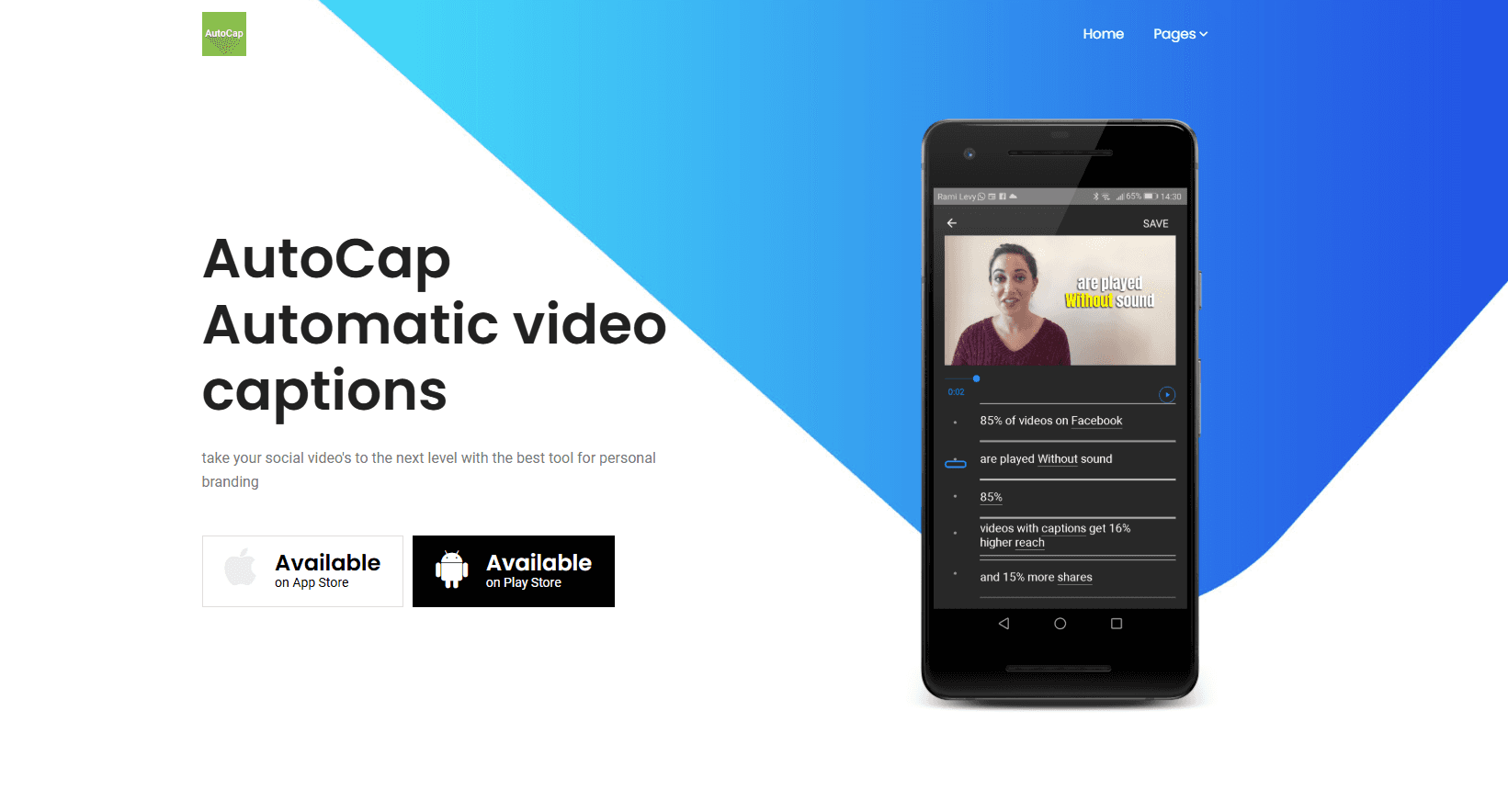
AutoCap Captions Teleprompter is a mobile video app that turns spoken audio into timed, animated captions and pairs them with a teleprompter that follows your voice. It targets people who film short-form content on a phone and want readable text on screen without hand-typing every line. You record or import a clip, the app transcribes the speech, and you style the result before exporting.
Manual captioning is slow and error-prone, and a fixed teleprompter script breaks the moment you stumble or speed up mid-sentence. AutoCap attacks both in one pass: captions come from the audio itself, and the teleprompter adjusts as you talk, so a single take can end up publishable.
Two limits matter before you commit. It's a mobile-first tool built for quick social clips, not long-form editing, and the one-time App Store price gets you the app while some creation features sit behind an in-app purchase. Check the current store listing before buying if a specific feature is the reason you're here.
Getting Started
- Install AutoCap Captions Teleprompter from the App Store or Google Play on your phone.
- Import a video from your camera roll or record a new clip in the app.
- Let the app transcribe the audio into timed captions, then pick a caption style, font, and animation.
- Write or paste your script into the teleprompter and set the speed to follow your voice.
- Export the finished video straight to TikTok, Instagram, or your camera roll.
Product Information
A quick look at AutoCap Captions Teleprompter's pricing, supported platforms, and performance.
Best for
The users, tasks, and scenarios where this tool fits best.
Users
- Social media creators
- Solo presenters
- Small business owners
Tasks
- Auto-captioning a TikTok or Reels clip
- Recording a scripted video
- Making a silent-scroll-friendly video
Scenarios
- Posting daily short-form content
- Filming a one-take explainer or review
- Repurposing a long recording into social clips
Key features
Automatic audio transcription
The app listens to your video's audio and converts speech into text, then lines each caption up with the moment it's spoken. You start from an editable transcript instead of a blank timeline. For fast turnaround content, that's most of the work already done.
Voice-synced smart teleprompter
Instead of scrolling at a fixed speed, the teleprompter tracks how you talk. Pause and it waits. Speed up and it keeps pace. The practical effect is fewer blown takes when you're reading a script on camera. You're not fighting the scroll. Big difference on a one-take review.
Animated caption styles
Captions aren't plain white subtitles. You get animated styles and preset templates you can save and reuse, so a channel keeps a consistent look across videos. Fonts, position, and timing are adjustable if a preset doesn't fit.
Direct social media export
Finished videos export to TikTok, Instagram, and other major platforms, and the app keeps your video quality in the process, which matters because re-encoding through a second app often softens sharp text and fine detail. That removes the extra hop of moving a file between apps to post it. For a caption app for social media, that direct hand-off is the point.
Multi-language caption support
Transcription handles many languages, not just English. That helps if you post for more than one audience. It's a video caption generator that adjusts to whichever language your recording uses, so you're not locked to a single market. Accuracy still depends on audio clarity. Background noise and heavy accents trip up any transcriber, and this one is no exception.
Template library and script import
You can save caption templates and bring your own script into the teleprompter rather than retyping it. Reusing a saved style cuts setup time on every new video, which adds up if you post often.
Pros and cons
Pros
- Auto captions and a teleprompter live in one app, so you don't juggle two tools.
- Voice-following teleprompter reduces retakes for scripted talking-head video.
- Animated caption templates keep a consistent look across posts.
- Direct export to TikTok and Instagram skips extra file steps.
Cons
- It's a mobile-first app, so it won't replace a desktop editor for long-form or layered projects.
- Caption accuracy drops with noisy audio or heavy accents, and you'll still proofread the transcript.
- Some creation features sit behind an in-app purchase, so budget beyond the initial price.
Frequently asked questions
It's a mobile app that auto-generates captions from your video's audio and includes a teleprompter that follows your speaking pace. You use it to caption and deliver short-form video without manual typing.
Related content
Explore related tools, skills, and articles for AutoCap Captions Teleprompter.
AutoCap Captions Teleprompter Alternatives

Claude for Google Workspace
Anthropic · Writing · Productivity · BusinessClaude for Google Workspace puts Claude in a sidebar inside Google Docs, Sheets, and Slides, where it reads the file you have open and edits it in place.

Claude Haiku 5.5
Anthropic · Writing · Coding · ChatbotClaude Haiku 5.5 is Anthropic's fastest and cheapest small model, built for high volume tasks at $0.10 per million input tokens with a 1M token context window.

NoteWorthy
Suman Hansada · Writing · Productivity · AI AssistantNoteWorthy is a notes app for iPhone, iPad and Mac that writes titles, tidies formatting, summarizes long notes and files each one with on-device AI. No account, no upload, no network requests.