
Create
Anything (formerly Create Labs, Inc.) · Coding
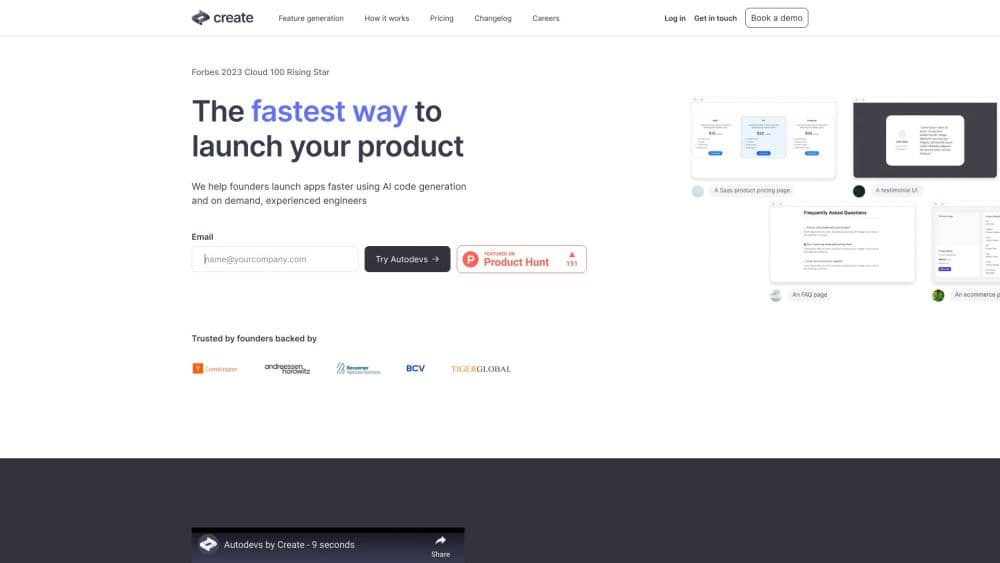
Create, now branded Anything, is an AI app builder that turns plain-English prompts into full-stack web and mobile apps with a built-in backend, accounts and payments.
About Create
What Is Create
Create started at create.xyz as a tool that generated web components and site mockups from text or screenshots. The company later rebranded the product to Anything and pushed it into a broader app-building agent. Today the prompt to app builder generates working code plus a hosted backend, and it targets web, iOS and Android from one project instead of stopping at a visual mockup. For people who do not code, it works as a no-code app builder with a real backend.
The draw is the stack it wires up for you. When you ask for user accounts, a database, file uploads or a checkout, Anything creates the server-side functions, data tables and integrations behind the feature rather than handing you a static screen. A hands-on reviewer described building a working client portal, complete with database and live Stripe checkout, mostly from single prompts, and compared the code quality to Claude Code.
The limits matter as much as the strengths. The mobile output runs on Expo, which is cross-platform JavaScript and not native Swift, and Apple pulled the Anything app from the App Store in 2026 under a rule that blocks apps which download and run code. Anything also bills by credits that vary with task complexity and retries, so heavy iteration gets expensive fast. Treat generated auth, payment and data code as a draft that still needs a security review.
Getting Started
- Sign in at create.xyz with a free account, which includes 3,000 credits and a daily message limit.
- Describe one clear product: state whether it is web or mobile, who uses it, the core job and the first flow to build.
- Add features one at a time, such as pages, data tables, accounts, permissions or payments, and test each before expanding.
- Preview the app, then publish it to a free created.app subdomain, connect a custom domain on a paid plan, or submit a mobile build through TestFlight.
Product Information
A quick look at Create's pricing, supported platforms, and performance.
Best for
The users, tasks, and scenarios where this tool fits best.
Users
- Non-technical founders
- Internal tool builders
- Solo developers shipping fast
Tasks
- Turning a written idea into a first working app
- Adding payments and logins
- Automating quality checks
Scenarios
- A founder validating a customer-facing MVP, marketplace or booking tool on a managed stack.
- A small team replacing a spreadsheet with an internal dashboard that has real data and permissions.
- A design-to-app workflow that imports a screenshot or Figma file as an editable starting point.
Key features
Conversational app building
You describe the app in plain language, then refine it with follow-up instructions, screenshots, URLs and uploaded assets. The builder turns each request into editable code and reruns the app so you can see the result immediately. It works for both new projects and changes to an existing one.
Full-stack output with a built-in backend
Anything generates pages, backend functions, data tables, queries and file uploads rather than only a front end. It creates test-to-live database changes when a feature needs new data, which removes the usual step of wiring a database by hand. The result is a real application, not a clickable mockup.
Web and mobile from one project
A single project can target responsive websites and web apps as well as iOS and Android, with platform-specific publishing guidance. Mobile builds use Expo, a cross-platform JavaScript stack, and paid plans cover App Store submission through TestFlight with RevenueCat for in-app purchases. That reach is convenient, but it is not native Swift.
Authentication and permissions
The platform adds email and password login, magic links and supported social sign-in, then handles sessions, user data and protected routes. You can set role-based behavior so different users see different parts of the app. Everything it generates still deserves an authorization review before you ship it.
Payments and integrations
Stripe powers web checkout while RevenueCat covers mobile subscriptions and in-app purchases. On top of that, dozens of built-in connectors handle models, maps, documents and communication services, and you can connect custom REST APIs. Integrations are added by describing them, which keeps a monetized app inside one workflow.
Anything Max autonomous agent
Max is the top-tier mode that goes past writing code. It opens the app in a real browser, signs in as a test user, runs the checkout, tries to break things and repairs what it finds before testing again. It cuts manual back-and-forth, but it consumes more credits and runs slower than a normal prompt edit.
Code view, export and publishing
You can inspect the generated React and Next.js code in the builder and download the full project, which lowers the lock-in risk of a managed platform. Free projects publish to a created.app subdomain, while Pro and Max unlock private projects, custom domains and branding removal.
Pros and cons
Pros
- Combines frontend, backend, database, authentication, payments and hosting in one conversational workflow.
- Built-in accounts, protected routes and payment integrations support real applications rather than static mockups.
- Exposes React and Next.js code that you can inspect and download, which reduces long-term lock-in.
- The Max agent tests actual browser behavior and fixes issues instead of judging code only from text.
- A free tier with 3,000 credits and free publishing makes basic validation cheap.
Cons
- Credits burn faster on complex tasks, retries and Max browser steps, so heavy iteration can get expensive, and unused credits do not roll over.
- Mobile output is Expo rather than native Swift, and App Store distribution was contested in 2026, so plan around web deploys.
- Generated auth, payment and data code needs a security and correctness review before production use.
- A working preview does not prove accessibility, reliability, legal compliance or safe handling of production data.
Frequently asked questions
Create.xyz rebranded to Anything and expanded from prompt-generated web components into a broader agent for building, testing, publishing and monetizing web and mobile apps. The website is now anything.com, but it still answers at create.xyz.
Related content
Explore related tools, skills, and articles for Create.
Create Alternatives

Base Code
Base44 (Wix) · Coding · ProductivityBase Code is a shared cloud development environment from Base44. Teammates describe changes to an existing GitHub codebase in chat, preview them live and send them back as pull requests.

Google EmbeddingGemma 2
Google DeepMind · Writing · Image · CodingGoogle EmbeddingGemma 2 is a 740M-parameter open model that turns text, code, images, audio, and video frames into vectors in one 768-dimension space, running on phones and laptops.

GitGlow
GitGlow · Coding · ProductivityGitGlow is a local-first desktop Git client that lets independent developers review their own code and their AI agents' changes in one place before shipping.