

AutoSend MCP
AutoSend · Writing · Marketing
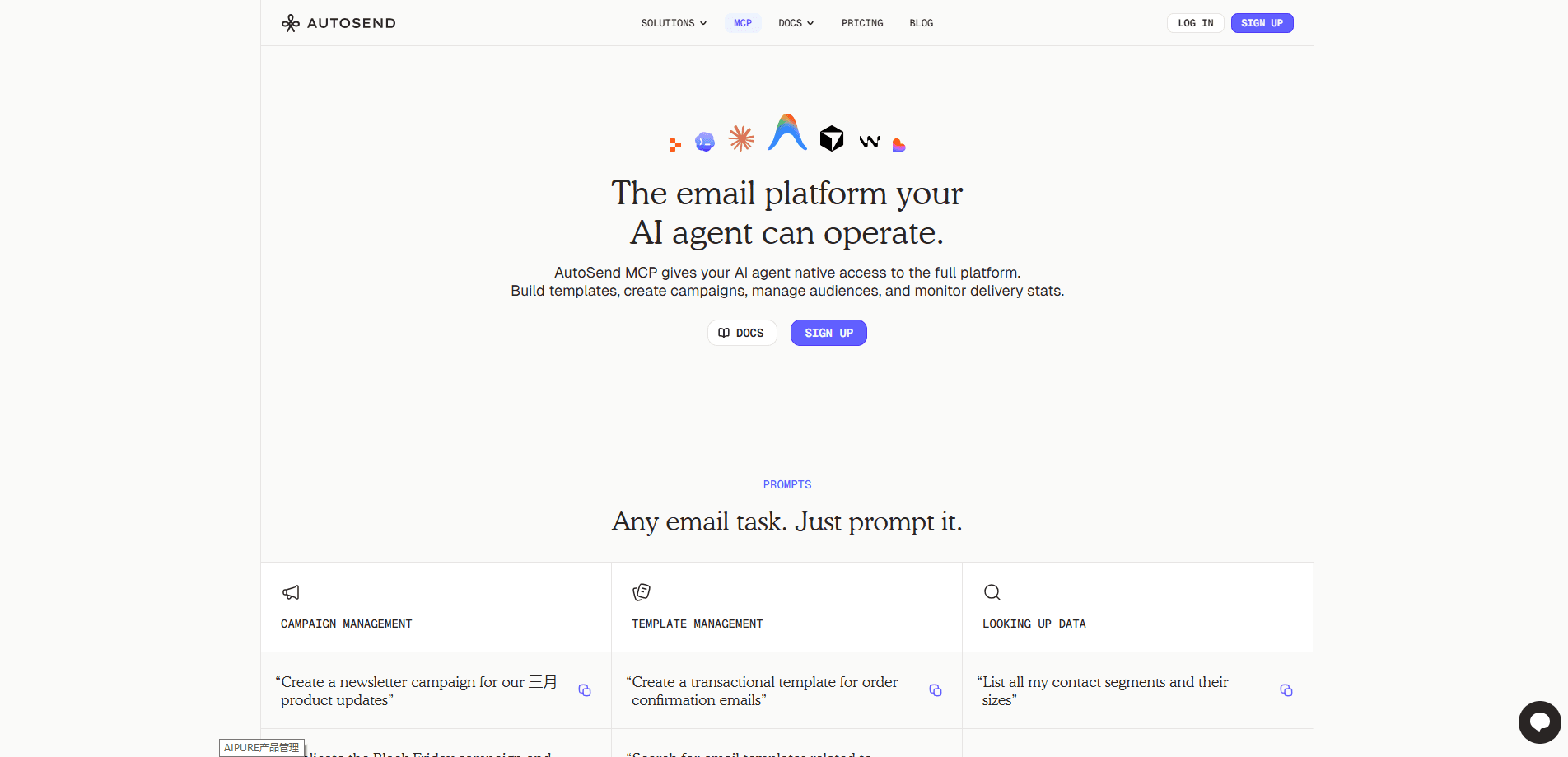
AutoSend MCP is an email automation platform that gives AI agents direct access to email operations, so you can send campaigns, manage contacts, and build automations from a chat prompt instead of a dashboard. It runs on the same infrastructure as the broader AutoSend email service provider, which handles transactional and marketing email through an API, an SMTP relay, and an MCP server for tools like Claude, Cursor, and Codex. Think of it as email automation software your assistant can actually drive. If you already use an AI assistant for coding or ops work, this is the piece that lets it touch your inbox too.
About AutoSend MCP
What Is AutoSend MCP
AutoSend MCP is the Model Context Protocol side of AutoSend, an email service provider built for developers and marketers. The MCP server exposes the platform's core building blocks, campaigns, templates, contacts, senders, and analytics, as tools an MCP-compatible AI assistant can call. You connect it once, authenticate with an API key, and then describe what you want in plain language.
The problem it targets is familiar to anyone who's wired up email by hand. Sending a verification email, importing contacts, or building a drip sequence usually means jumping between a dashboard, docs, and code. AutoSend MCP collapses that loop. The agent reads the API, picks the right call, and runs it.
It's not a full ESP replacement on its own, and it's honest about what it skips. There's no SMS, no push notifications, no landing page hosting, and no cold-email CRM. As a marketing email platform, it stays in its lane. If your workflow lives entirely inside an AI assistant and stops at email, it fits. If you need multi-channel messaging, look elsewhere.
Getting Started
- Sign up for an AutoSend account and create an API key from the account settings page.
- Add your sending domain and verify it by publishing the SPF, DKIM, and DMARC DNS records AutoSend gives you.
- Connect the MCP server to your AI assistant (Claude, Cursor, Codex, or another compatible client) and paste your API key.
- Ask the agent to send a test email, create a campaign, or import contacts, then check the result in the dashboard.
Product Information
A quick look at AutoSend MCP's pricing, supported platforms, and performance.
Best for
The users, tasks, and scenarios where this tool fits best.
Users
- Developers wiring email into an AI coding assistant
- Small product teams without a dedicated email engineer
- Marketers comfortable with chat tools
Tasks
- Sending transactional email such as OTPs, password resets, and receipts
- Building drip sequences and triggered automations
- Importing and segmenting contacts
- Monitoring deliverability
Scenarios
- A solo developer shipping a signup flow who wants verification emails live the same day.
- A support team that wants an agent to parse inbound email and draft replies.
- A marketer testing a newsletter idea without committing to a heavier ESP contract.
Key features
Natural Language Email Operations
The core idea is simple: you describe the task, the agent executes it. The MCP server wraps the same REST API AutoSend already runs, so anything the dashboard can do, the agent can usually do too. That includes sending a one-off email, creating a campaign, or updating a contact record. No docs dive required.
Works Across Popular AI Assistants
AutoSend ships integration paths for Claude, Cursor, Codex, and Antigravity, plus an OpenClaw skill you can install straight from Clawhub in a single command. You're not locked into a single vendor's agent. If your assistant speaks MCP, it can talk to AutoSend.
Full REST API and SMTP Relay
The MCP layer sits on top of a complete email API with a base URL at api.autosend.com, plus an SMTP relay at smtp.autosend.com on port 587 or 465. That means you can start with the agent for speed and drop to raw HTTP or SMTP when you need tighter control. SDKs cover Node.js and Python.
Domain Authentication and Warmup
Every sending domain is authenticated with SPF, DKIM, and DMARC records, which AutoSend verifies automatically. New domains start with a low reputation. So Gradual Send ramps up volume over a schedule rather than blasting a full campaign on day one. You can enable it per domain.
Transactional and Marketing Email Together
Most teams end up juggling two tools, one for receipts and one for newsletters, and the cost of that split shows up in duplicate contact lists, mismatched suppression rules, and analytics you have to reconcile by hand. AutoSend handles both from a single account and subscription, so contacts, suppressions, and analytics live in one place. Volume-based billing means you pay for emails sent, not contacts stored.
Automations with Branching
Automations trigger on list or segment joins, contact property matches, property changes, or app events. Branching lets different contacts in the same automation receive different emails based on their properties, which covers most of what a simple drip sequence needs.
Inbound Email and Webhooks
Beyond sending, AutoSend can receive incoming email through the Inbound Email API, then parse it, read attachments, or reply programmatically. Webhooks push delivery events back to your app, and HMAC-SHA256 signatures let you confirm the requests are genuine.
Pros and cons
Pros
- The MCP server turns a full email API into agent-callable tools, so setup moves faster than reading docs by hand.
- Volume-based pricing means a growing contact list doesn't raise your bill on its own.
- Transactional and marketing email share one account. That cuts the number of tools you maintain.
- Domain authentication and Gradual Send handle two of the more annoying deliverability chores.
- Full MCP support is available on every plan tier, including the cheapest one.
Cons
- There's no free plan, so you'll pay from the first email even to test the MCP workflow.
- It won't send SMS, push notifications, or in-app messages, which rules it out if email isn't your only channel.
- The agent can misread a prompt and fire the wrong call. Production automations still need a human review step.
- Pricing scales by volume, and at 1.5M emails a month you're pushed into enterprise quotes.
Frequently asked questions
It lets AI agents manage email operations through natural language. Sound vague? Here's the concrete version: you connect the MCP server to an assistant, and it can send emails, build campaigns and automations, and handle contacts using AutoSend's API behind the scenes.
Related content
Explore related tools, skills, and articles for AutoSend MCP.
AutoSend MCP Alternatives

Claude for Google Workspace
Anthropic · Writing · Productivity · BusinessClaude for Google Workspace puts Claude in a sidebar inside Google Docs, Sheets, and Slides, where it reads the file you have open and edits it in place.

Claude Haiku 5.5
Anthropic · Writing · Coding · ChatbotClaude Haiku 5.5 is Anthropic's fastest and cheapest small model, built for high volume tasks at $0.10 per million input tokens with a 1M token context window.

NoteWorthy
Suman Hansada · Writing · Productivity · AI AssistantNoteWorthy is a notes app for iPhone, iPad and Mac that writes titles, tidies formatting, summarizes long notes and files each one with on-device AI. No account, no upload, no network requests.