

Avocado
Avocado Studio · Coding
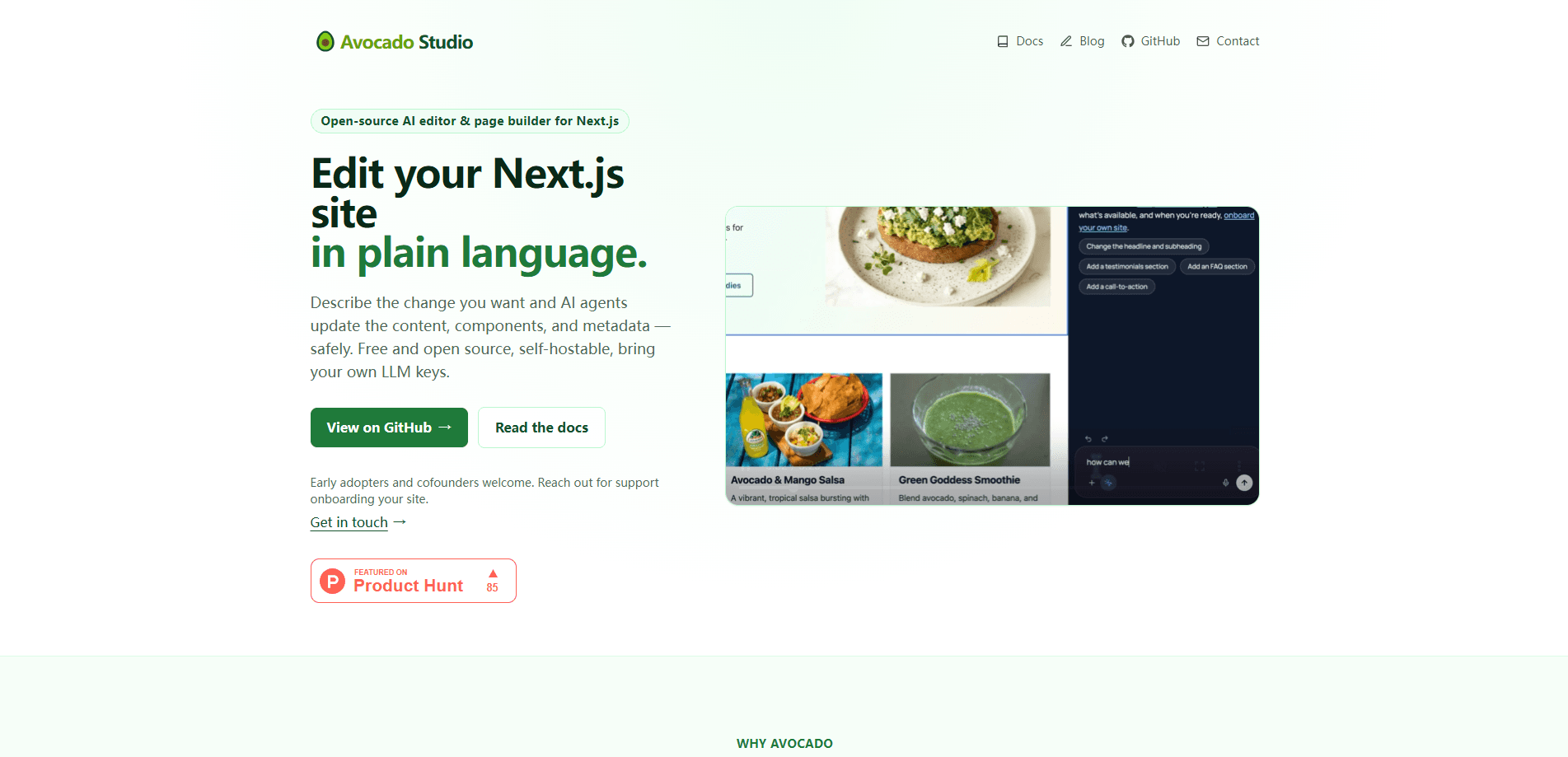
Avocado is a self-hostable AI editor and orchestration layer for Next.js and Astro projects. Instead of spitting out loose paragraphs you paste somewhere else, it edits the real site: components, SEO metadata, and publishing steps, with a live preview you approve before anything goes live. It's free to use and runs on your own LLM keys from Anthropic, OpenAI, or Gemini.
About Avocado
What Is Avocado
Avocado is an AI website editor that sits between the models you already pay for and the codebase you already run. You describe a change in plain language ("shorten the hero copy," "add an FAQ section," "rewrite these titles for SEO"), and an AI agent makes the edit inside your Next.js or Astro project. It uses your components and your schema. It's not a page builder that locks you into a hosted canvas. It's a layer that works on the site you have.
The problem it solves is small and constant: tiny content fixes that don't deserve a ticket. Someone on the marketing team wants a headline changed, the wording on a button tightened, or a meta description improved. Normally that means writing up a request, waiting on a sprint, and pulling a developer off real work. Avocado turns those one-line fixes into something a non-developer can do. There's a review step, so nothing ships without a human signing off.
The biggest limitation is scope. Today it supports Next.js and Astro. Those are the two frameworks its agents can render against. If your site runs on something else, you're out of luck for now. The project is framed as an open layer meant to extend to more of the stack over time. It's also a young product, so expect rough edges and a fast-moving codebase.
Getting Started
- Point Avocado at your Next.js or Astro project and connect the repository it should edit.
- Add your own API keys for Anthropic, OpenAI, or Gemini, then route different tasks to different models if you want.
- Describe the change you want in plain language, whether that's copy, a component, or SEO metadata.
- Review the result in a live preview using your own components and schema.
- Approve it through your existing approval and publishing pipeline, or self-host the whole thing on your own infrastructure.
Product Information
A quick look at Avocado's pricing, supported platforms, and performance.
Best for
The users, tasks, and scenarios where this tool fits best.
Users
- Marketing teams who make constant small copy and metadata changes
- Frontend developers on Next.js or Astro projects
- Platform teams that want AI editing without a heavyweight enterprise CMS
Tasks
- Editing website copy
- Updating SEO metadata
- Managing images and copy together
- Localization workflows
Scenarios
- A one-line headline fix that used to wait for a sprint
- Running marketing operations across a CMS, DAM, and approval system
- Building AI editing into an existing editorial stack
Key features
AI-assisted editing on real content
Avocado's agents change actual website content, not just generated paragraph text you paste elsewhere. They update components, SEO metadata, and publishing steps in place, so the edit lands in the same files and structure your site already uses. That kills a whole class of copy-paste errors, and it closes the gap between the suggestion and the shipped change that normally shows up when a writer and a developer pass work back and forth. Fewer mistakes. Less back and forth.
Live preview before anything ships
Every change passes through a preview you sign off on. You see the result inside your own application, with your components, schema, and review rules intact. So a bad edit never reaches production just because an agent decided it was fine. It's the difference between AI suggesting and AI shipping. And that gap matters. Not ideal to find out after deploy. So why does any of it matter? Because you stop filing tickets for one-line fixes.
Bring your own models
You connect your own API keys from Anthropic, OpenAI, or Gemini and use them for text, images, and multimodal work. Different tasks can route to different models, so cheap jobs can run on a cheaper model and the complex ones get the heavy weight. No credits are locked to Avocado itself. That keeps your model spend on one bill you already watch.
Works with your existing stack
Avocado uses your CMS, DAM, design system, frontend, and AI providers rather than replacing them. It's an open layer between the models and your content systems, coordinating work across what you already run. There's no proprietary lock-in. Your Next.js or Astro components do the rendering. Keep what works.
Self-hostable deployment
You can deploy Avocado on your own infrastructure and keep full control over data, APIs, prompts, and integrations. For teams with strict data or compliance requirements, that control is often the deciding factor, since content and prompts never have to leave infrastructure the team already governs. It also means no waitlist and no seat count to manage. Roll it out at your own pace.
Connected editing workflows
Editing, approvals, publishing, media, and localization link into one workflow you control. Rather than a pile of disconnected tools, the parts hand off to each other, and publishing runs through the pipeline you already have. The goal is fewer handoffs between the people who write and the people who ship. That's the whole point.
Developer-first foundation
The project is built around an API-first architecture with Git-friendly workflows, extensible adapters, and streaming support. It's designed for developers and platform teams who want to extend it, not just click around inside it. Since it's a free, open-source AI editor, teams can inspect and adapt the internals to fit their stack.
Pros and cons
Pros
- Free to use and self-hostable, with no waitlist or seat limits.
- Edits real components and SEO metadata, not just paste-ready text.
- Live preview and approval step keep a human in the loop before publishing.
- Runs on your own Anthropic, OpenAI, or Gemini keys, so model costs stay in your control.
- Open-source and API-first, which suits teams that want to extend or inspect the code.
Cons
- Supports Next.js and Astro only right now, so other frameworks can't use it yet.
- Early-stage product, which means rough edges and a codebase that shifts quickly.
- You need to supply your own LLM API keys, adding a setup step and a separate bill.
- Some assembly is required for self-hosting, so it's not a one-click product for non-technical teams.
Frequently asked questions
It's an AI website editor for Next.js and Astro that updates real site content, including components, SEO metadata, and publishing steps, from plain language instructions. You describe the change, an agent makes it, and you approve a live preview before it ships.
Related content
Explore related tools, skills, and articles for Avocado.
Avocado Alternatives
Forefront
Forefront · CodingForefront is a web platform for building with open-source AI. It lets you fine-tune leading open-source language models on your own data, evaluate how they perform, and run them through an API or export them to host yourself. Developers who want the convenience of a closed-source platform but insist on owning their models and data are the target audience here.

Startkit
StartKit.AI · CodingStartkit is a boilerplate for building AI SaaS and AI wrapper products. Think of it as an AI startup boilerplate with the boring parts already wired up: authentication, Stripe and Lemon Squeezy payments, usage limits, transactional email, and an AI API starter that talks to OpenAI, Anthropic, Groq, or Llama. You clone the repo, set your price, and start on the part of your product that people actually pay for. It's Next.js under React and Tailwind, so most of the boilerplate code already feels familiar.
Testim
Tricentis · CodingTestim is an AI-powered test automation platform for building and running end-to-end tests across web, mobile, and Salesforce applications. It leans on machine learning to keep tests stable when an interface changes, so teams spend less time fixing broken selectors. Not bad for an automated testing tool you can start using today. You create tests by recording actions in a browser, then optionally add JavaScript when you need more control. It's a solid pick for busy QA teams.