
axiom.ai
axiom.ai · Coding
axiom.ai is a no-code browser automation tool that builds web scrapers and bots to handle repetitive website tasks, run from a Chrome extension, a desktop app, or the cloud.
About axiom.ai
What Is axiom.ai
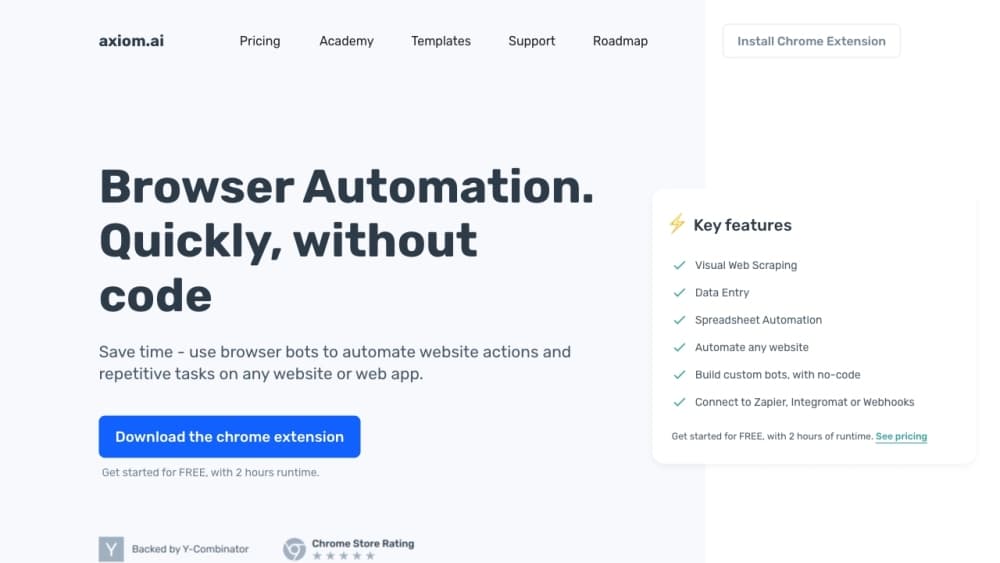
axiom.ai is a no-code RPA tool that runs inside your browser. Instead of writing scripts, you drag steps together like blocks to build a bot that clicks, types, scrapes, and downloads. It ships as a Chrome extension you install in minutes, and it's aimed at people who automate web chores without a developer on hand.
The tool covers a wide range of jobs. It pulls data from websites, fills in forms from a spreadsheet, watches pages for changes, and chains those steps into longer workflows with logic and filters. For teams that already live in Google Sheets or Excel, results land straight in a sheet. The same engine runs on your own machine or in the cloud, so a bot can fire on a schedule without your laptop open.
There are limits worth knowing. The visual builder handles most everyday tasks, but tangled, multi-site flows can get slow to assemble and harder to debug than code. Some sites fight back with bot detection, and while axiom.ai has bypass features, they don't work everywhere. Cloud runtime is metered by the hour, so a heavy scraping habit runs into your plan ceiling fast.
Getting Started
- Install the axiom.ai Chrome extension and sign in, or download the desktop app for local runs.
- Open the builder and add steps for the actions you need, such as go to a page, scrape a list, or click a button.
- Point the scraper at the data you want on the page, then save it and preview the results.
- Add logic, filters, and integrations so the bot can branch and write to a sheet or CRM.
- Schedule the run in the cloud or on your desktop, then check the logs to confirm it worked.
Product Information
A quick look at axiom.ai's pricing, supported platforms, and performance.
Best for
The users, tasks, and scenarios where this tool fits best.
Users
- Operations staff with repetitive web chores
- Marketers gathering competitive data
- Small teams without a developer
Tasks
- Scraping listings and prices
- Filling forms from a spreadsheet
- Watching pages for changes
- Pulling reports from dashboards
- Moving data between apps
Scenarios
- A recruitment agency collecting job postings
- An e-commerce seller tracking competitor prices
- A lead-gen workflow that enriches contacts
Key features
No-Code Workflow Builder
The workflow builder lets you create unlimited browser automations by stacking steps, no programming needed. You add actions like go to a page, click, enter text, or scrape, then connect them in order. It's the core of the product: a visual canvas where an automation reads like a checklist. For someone who'd normally hand a task to a developer, this is the part that changes the math.
Point-and-Click Web Scraper
The web scraper is a point-and-click tool for selecting the data you need off a page. You click the fields you want, and the bot collects them across a list or paginated results. As a web scraping tool, it handles the fiddly parts, like waiting for a page to load and moving to the next one. Results drop into Google Sheets, Google Drive, or Excel.
Web Actions and Logic
Beyond scraping, the tool automates everyday browser actions like clicks, dropdown selections, and file downloads. The logic and filtering step lets a bot make decisions, so it can branch on a condition or clean up data before it moves on. That turns a rigid recorder into something closer to a real workflow, where the bot responds to what it finds instead of repeating one fixed path.
AI Steps with Your Own Model
You can plug your bots into popular LLMs like ChatGPT and Claude to extract or generate content as part of a run. This means a scraped paragraph can be summarized, categorized, or rewritten before it lands in your sheet. One caveat: LLM interactions need your own API key, so the AI cost sits outside your axiom.ai plan.
Cloud and Desktop Running
Runs happen either in the cloud or on your own machine. The desktop app keeps everything private and offers unlimited concurrency, while cloud runs get you scheduling so bots fire without your computer on. Cloud runtime is metered: Starter includes 5 hours a month, while Pro raises it to 30, and single cloud runs are capped by plan.
Developer Tools and MCP
For developers, axiom.ai exposes the same engine through a Chrome API, a Step API of high-level browser actions, and an Orchestrate API to trigger prebuilt automations over REST. The desktop app also ships an MCP server, so clients like Claude or Cursor can trigger runs and build automations for you. That makes it a bridge between no-code and a real code stack.
Pros and cons
Pros
- The Chrome extension and visual builder let a non-technical user build a working bot without writing code.
- Scraped data flows straight into Google Sheets, Google Drive, and Excel, which fits spreadsheet-heavy teams.
- Both cloud and desktop runs are offered, so you can schedule bots or keep everything private on your own machine.
- Developer APIs, an MCP server, and custom JavaScript extend the tool well past simple no-code automation.
- Starter pricing at $15 a month is low enough to test on real work before committing more.
Cons
- Cloud runtime is metered by the hour, so heavy scraping quickly hits your plan's monthly ceiling.
- Complex, multi-site workflows are slower to assemble and harder to debug in a visual builder than in code.
- Bot detection blocks some sites, and the bypass features don't cover every case, so a run can fail unexpectedly.
- AI steps need your own LLM API key, which adds a separate cost and setup step outside your subscription.
Frequently asked questions
axiom.ai builds browser automations and web scrapers without code. People use it to collect data from websites, fill forms from spreadsheets, monitor pages for changes, and pull reports from dashboards, all from a Chrome extension or desktop app.
Related content
Explore related tools, skills, and articles for axiom.ai.
axiom.ai Alternatives

Base Code
Base44 (Wix) · Coding · ProductivityBase Code is a shared cloud development environment from Base44. Teammates describe changes to an existing GitHub codebase in chat, preview them live and send them back as pull requests.

Google EmbeddingGemma 2
Google DeepMind · Writing · Image · CodingGoogle EmbeddingGemma 2 is a 740M-parameter open model that turns text, code, images, audio, and video frames into vectors in one 768-dimension space, running on phones and laptops.

GitGlow
GitGlow · Coding · ProductivityGitGlow is a local-first desktop Git client that lets independent developers review their own code and their AI agents' changes in one place before shipping.