
B12
B12 · Coding
B12 is an AI website builder that turns a text prompt into a website, store, portfolio, or web app in about two minutes, then adds client tools like payments and email marketing.
About B12
What Is B12
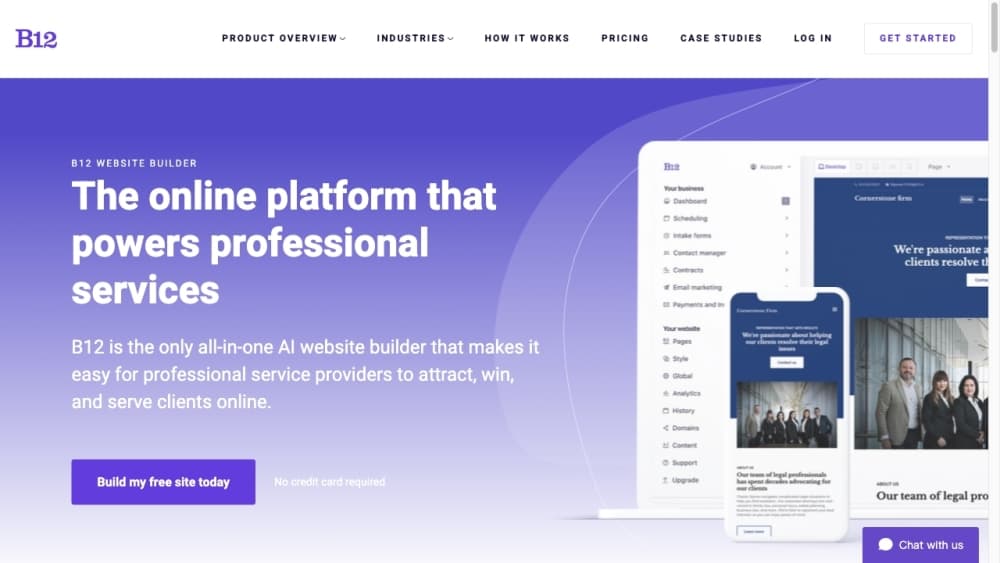
B12 is a platform that generates a website, online store, portfolio, blog, or web app from a prompt. You describe what you want, the AI agent builds a complete first draft in roughly two minutes, and you refine it by chatting with the agent or clicking through a visual editor. It launched in 2016 and says it has powered more than 4 million sites since.
The product goes past the usual builder because of where it aims. It targets professional service providers, the firms and freelancers who win work on relationships, not on foot traffic, so the same account runs the site and the client tools behind it. Payments, invoicing, contracts, and email marketing sit in the same place as the pages, which means you manage the business and the website together instead of stitching two systems.
The trade-off is that speed and volume have a ceiling. The AI draft is a starting point, not a finished brand, so a site that needs a hand-built layout or a custom backend hits the limits of what a prompt produces. The lower plans also cap AI credits per month, so heavy editing runs against a quota. For a solo lawyer, coach, or studio that wants to look established online fast, it fits. For a developer chasing full control over the stack, it will feel constrained.
Getting Started
- Sign up at b12.io with an email address. The Free plan needs no card, so you can build on a b12sites.com subdomain first.
- Describe the site you want in your own words, as brief or as detailed as you like, or start from an example in the prompt gallery.
- Review the draft the AI agent generates, then chat with it to change the design, rewrite a section, or add a backend.
- Switch to the visual editor and click any element to adjust it directly when you want hands-on control.
- Publish the site, connect a custom domain on a paid plan, and switch on the business tools such as payments or email marketing as you need them.
Product Information
A quick look at B12's pricing, supported platforms, and performance.
Best for
The users, tasks, and scenarios where this tool fits best.
Users
- Solo service providers
- Small agencies and studios
- Creators and side businesses
Tasks
- Building a first website from a prompt
- Adding client-facing business tools
- Editing a live site by chat
- Localizing through the Expert Marketplace
Scenarios
- A new firm that needs to look established this week
- A service business that loses time on admin
- A creator relaunching a portfolio
Key features
Prompt-to-Site Generation
The core of B12 is turning a description into a working draft. You type what you want, and the AI agent returns a full site, store, portfolio, blog, or web app in about two minutes, rather than a blank canvas. The speed is the point: you judge the direction and edit from there. It is the piece that separates this AI website generator from a classic drag-and-drop builder and from a plain AI design tool.
Visual Editor with AI Chat
After the draft lands, you refine it two ways. You can chat with the AI agent to change the design, rewrite a section, or add functionality, or switch to the visual editor and click directly on any element. The mix suits people who want to describe a change at some moments and nudge a pixel at others. Chat is faster for big moves, clicking is more precise for small ones.
Built-In Commerce
Paid plans add commerce so you can sell online without bolting on another tool. Products, checkout, and payments live inside the same site you built from a prompt, so the platform doubles as an online store builder. For a store or a service business taking deposits, this keeps the transaction in one account. It sits on the Website plan and above, not on Free.
Client Engagement Tools
The higher plans fold client management into the platform. Client intake, a contact manager, email marketing, contracts, and eSignatures all live beside your website. This is the feature set that defines B12's audience: firms that win clients on relationships need to follow up, send a contract, and get paid, not just publish a page. It is why the product reads as a business platform, not only a builder.
Backends and Web Apps
You can add a backend, which is what moves B12 past static pages toward simple web apps. An expense tracker, a form-driven tool, or an interactive page becomes possible from a prompt plus a backend. The range is real but bounded, so treat it as light app building rather than a development environment. For a small internal tool or a gated page, that is often enough.
AI Credits You Control
Every plan runs on AI credits that your editing and generation draw from. Free gives 5 daily credits up to 30 a month, the Website plan gives 100 a month, and the top tier gives 300. The quota is the real governor on how much you can iterate, so a team that edits heavily feels the ceiling sooner. It is worth matching the plan to your editing rhythm.
Integrations and Analytics
B12 connects to online calendars, chatbots, blogging platforms, and more, and paid plans add traffic analytics and reporting. Integrations are what let the site talk to the rest of your stack, and analytics tells you whether the pages bring work in. Having them inside the builder means you track performance without exporting data elsewhere.
Pros and cons
Pros
- A complete first draft from one prompt in about two minutes, which beats starting from a blank template or hiring a designer for a landing page.
- Website and client tools in one account, so payments, contracts, and email marketing do not need separate subscriptions.
- A free plan with no card lets you build and preview before committing, so you can judge the output before paying.
- The Expert Marketplace adds vetted designers, copywriters, and SEO specialists when you want a human to take over a task.
Cons
- The AI draft is a starting point, so a site needing a hand-built layout or a custom backend runs into what a prompt can produce.
- AI credits are capped per month, and heavy editing hits the limit sooner, which pushes you toward a higher plan.
- Custom domains and most business tools sit on paid plans, so the free tier is a preview rather than a working setup for a real business.
- Because the platform favors prompt-driven building, developers who want full control over the code will find it limiting.
Frequently asked questions
B12 builds a website, online store, portfolio, blog, or web app from a text prompt, then adds client tools like payments, contracts, and email marketing. You describe what you want, the AI agent returns a draft in about two minutes, and you refine it by chat or in the visual editor. It is aimed at professional service providers who want to get online fast.
Related content
Explore related tools, skills, and articles for B12.
B12 Alternatives

Base Code
Base44 (Wix) · Coding · ProductivityBase Code is a shared cloud development environment from Base44. Teammates describe changes to an existing GitHub codebase in chat, preview them live and send them back as pull requests.

Google EmbeddingGemma 2
Google DeepMind · Writing · Image · CodingGoogle EmbeddingGemma 2 is a 740M-parameter open model that turns text, code, images, audio, and video frames into vectors in one 768-dimension space, running on phones and laptops.

GitGlow
GitGlow · Coding · ProductivityGitGlow is a local-first desktop Git client that lets independent developers review their own code and their AI agents' changes in one place before shipping.