

Banger Mail
Banger · Writing · Productivity
Banger Mail is an AI email app and agentic email system that puts AI agents in charge of real work email. You create mailboxes, send transactional messages, and run marketing campaigns, then review, edit, and approve what the agents drafted. It connects AI assistants like Claude Code, Cursor, ChatGPT, and Gemini CLI to a single email layer, and it can either run natively on its own infrastructure or plug into the inboxes and providers your company already uses.
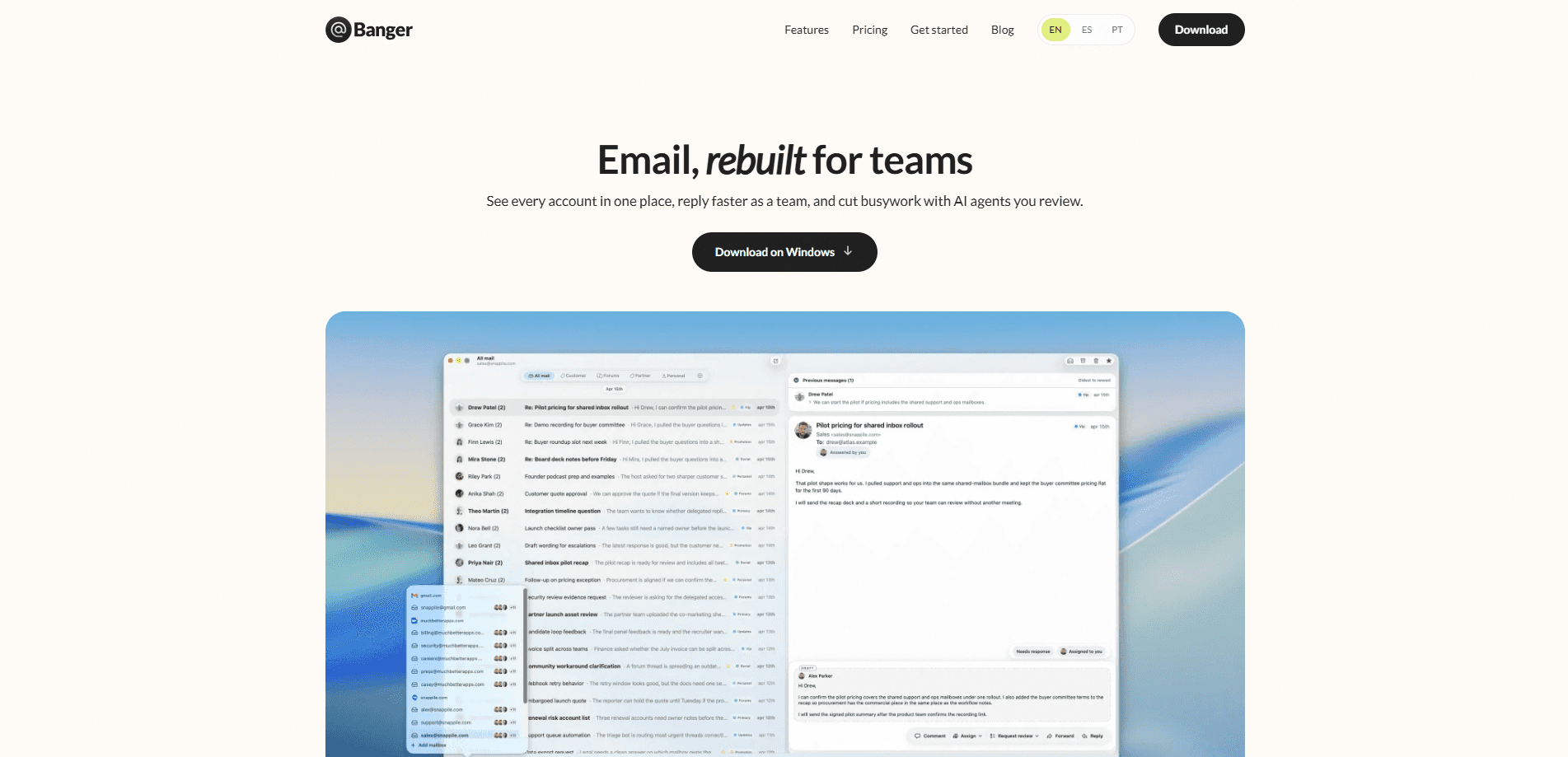
About Banger Mail
What Is Banger Mail
Banger Mail is a work email platform built for teams that want automation without losing control. Instead of stuffing AI into one inbox, it gives agents a full email stack: mailboxes, product email, and marketing sends, all under one roof. The pitch is simple. Let an agent handle the repetitive parts of email, then keep approvals, permissions, and delivery in human hands. Why does that matter? Because unattended automation in customer email is how teams end up on a blocklist.
It solves a real annoyance for small teams and developers. Most companies run this business email tool across three or four services. One for support. One for product notifications. One for campaigns, and one for the inbox. Banger folds those into a single system, so the reply you send stays connected to the receipt or campaign that started the conversation.
The catch is scope. This is a young product aimed at builders, developers, and automation teams rather than someone who just wants a prettier inbox for personal mail. In short, it's a work tool. If your email habits are casual or you only need a client for one Gmail account, most of what Banger Mail does will sit unused. Pricing isn't published in a way you can compare at a glance, so budget conversations start with a direct ask. Ask first, then decide.
Getting Started
- Sign up at bangermail.com and connect a domain you control.
- Point your DNS records so Banger can verify the domain and start sending mail.
- Choose whether to run on Banger's native mailboxes and sending infrastructure or connect providers you already use, such as Google Workspace, Resend, or Mailchimp.
- Link an AI agent, like Claude Code, Cursor, or ChatGPT, through the available API, SDK, CLI, or MCP integration.
- Draft a first workflow, such as a welcome sequence or a billing notification, then review and approve it before it goes out.
Product Information
A quick look at Banger Mail's pricing, supported platforms, and performance.
Best for
The users, tasks, and scenarios where this tool fits best.
Users
- Builders and indie developers
- Automation teams inside larger companies
- Developers who already send email
Tasks
- Setting up a shared team mailbox
- Sending transactional messages
- Running marketing campaigns
- Triaging an inbox
Scenarios
- A small SaaS team that wants product and marketing email handled without hiring a deliverability specialist.
- A developer shipping a new app who needs real mailboxes and transactional email from day one.
- A automation lead modernizing how a traditional company talks to customers, with delivery and compliance kept deterministic.
Key features
Agentic Email Workflows
Banger Mail hands the repetitive parts of email to AI agents and keeps you in the loop. You give an agent a plain instruction, like setting up a billing address and sending a test receipt, and it works through the steps. Nothing ships until you review and approve it, which is the part that makes this usable for real business mail rather than a demo.
One Layer for Inbox and Sending
Most email tools treat the inbox, transactional sends, and campaigns as separate products. Banger keeps inbound and outbound in one system, so a reply stays tied to the receipt, lifecycle flow, or campaign that started the conversation. Think of it as shared team mailboxes with a memory. That shared context is why a support reply can carry the same identity and delivery history as the send that prompted it.
Bring Your Own Stack
You don't have to migrate to use it. Banger connects to inboxes and sending tools a company already runs, including Google Workspace, Outlook, Zoho Mail, SendGrid, Resend, Postmark, Brevo, Mailchimp, and HubSpot. Pick one workflow. Teams can add Banger infrastructure one workflow at a time instead of forcing a full switch overnight.
Built for Any AI Agent
This AI agent email tool isn't locked to one assistant. It advertises support for Claude Code, Cursor, ChatGPT, GitHub Copilot, Gemini CLI, and others, alongside open tools like OpenClaw. Developers reach it through an API, SDK, CLI, and MCP, which means an agent can connect domains and ship email workflows without custom glue code.
Deterministic Delivery Controls
Automation is only useful if delivery stays predictable. Otherwise, it's a liability. Banger advertises deliverability safeguards and deterministic controls built in from the start, so approvals, permissions, and compliance don't depend on an agent behaving well. For teams sending customer-facing mail, that's the difference between a helpful tool and an incident.
Marketing and Transactional in One Place
Product email and campaigns usually live in different systems with different logins. That split is a pain. Banger runs both from the same layer, covering receipts and notifications alongside launch campaigns. A campaign can be drafted by an agent from a changelog, prepared for review, and sent through the same infrastructure that handles the rest of your mail.
Pros and cons
Pros
- Puts AI agents to work on real email while keeping a human approval step in the flow.
- Keeps inbound replies, transactional sends, and campaigns connected in one system.
- Connects to existing inboxes and providers, so there's no forced migration.
- Works with many AI agents and offers API, SDK, CLI, and MCP access.
Cons
- Pricing isn't published clearly, so you have to contact the company before you can compare costs.
- Aimed at builders, developers, and automation teams, so casual email users won't get much out of it.
- macOS is the only desktop platform mentioned; there's no native Windows or Linux app.
- As a young product, it hasn't built the long track record that established email platforms have.
Frequently asked questions
It runs work email for a team through AI agents. You create mailboxes, send transactional email, and run marketing campaigns, then review and approve what the agents produced before anything goes out.
Related content
Explore related tools, skills, and articles for Banger Mail.
Banger Mail Alternatives

Google EmbeddingGemma 2
Google DeepMind · Writing · Image · CodingGoogle EmbeddingGemma 2 is a 740M-parameter open model that turns text, code, images, audio, and video frames into vectors in one 768-dimension space, running on phones and laptops.

MePersona
MePersona, Inc. · Writing · Productivity · MarketingMePersona is an AI unified inbox for creators. It learns your voice, drafts replies to fan messages from 12 platforms, and sends only what you approve.

Fluence
Yay Software (Yannick Huchard) · Writing · Voice & Language · ProductivityFluence is an Android app that reads PDFs, EPUBs, Word files and web articles aloud, follows each sentence as it speaks, and answers questions about the text on the phone itself.