

Bardeen.ai
Bardeen · Coding · Productivity
Bardeen is an AI browser automation and web scraping tool that sources leads, enriches them with contact data, and exports everything to Sheets, Airtable, or a CRM.
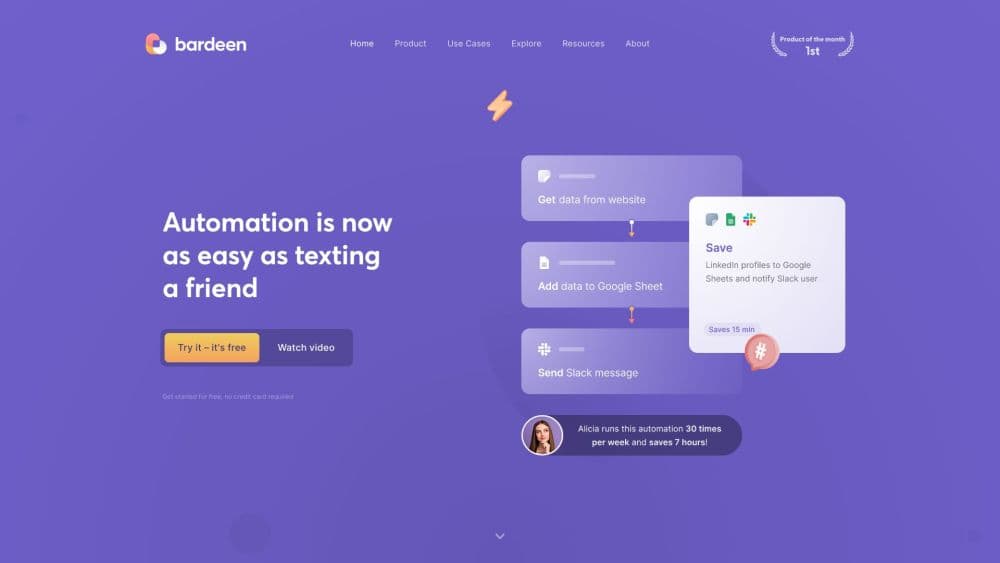
About Bardeen.ai
What Is Bardeen
Bardeen is a browser automation platform built for go-to-market teams. It runs inside a Chrome extension on your own machine, so it works on any website you can already see. You describe a task, and the tool scrapes pages, runs searches, enriches contacts, then writes results into a spreadsheet or CRM.
The product solves a narrow but expensive problem: prospecting eats hours. Pulling names from a list, hunting for emails, and re-typing everything into a sheet is manual, repetitive work. Bardeen turns that into a saved workflow you trigger once and reuse.
The limits are worth stating up front. It runs in the browser, so it needs a desktop Chrome session and behaves like a human clicking around, which is slower than a server-side API for very large jobs. Its advanced actions also draw from a credit pool, so heavy scraping and enrichment add up. Anyone who needs a headless, code-first pipeline may prefer a developer API instead.
Getting Started
- Install the Bardeen Chrome extension and sign in with a free account.
- Tell the AI builder what you want to do, or open a pre-built playbook from the template library.
- Run the playbook once on a test page to confirm it grabs the fields you need.
- Add enrichment or an AI action if you want verified emails, phone numbers, or lead scores.
- Send the output to Google Sheets, Airtable, Notion, or a CSV file, then schedule or repeat it whenever you need.
Product Information
A quick look at Bardeen.ai's pricing, supported platforms, and performance.
Best for
The users, tasks, and scenarios where this tool fits best.
Users
- Sales development reps
- Founders and solo operators
- Recruiters
- RevOps and analysts
Tasks
- Scraping search results and profile pages
- Enriching leads with verified contact data
- Researching accounts with AI search
- Exporting to spreadsheets and CRMs
- Automating repetitive back-office steps
Scenarios
- A rep building a fresh outreach list on a Monday morning
- An agency delivering a lead list per client
- A recruiting team screening a niche role
- A research project tracking a market
Key features
AI Scraper That Builds Itself
You tell Bardeen what to pull, and it navigates the page and assembles a scraper template for you, which you can then edit. That removes the usual step of writing selectors by hand. The same engine extracts text, links, images, page titles, and even elements that only appear on hover or click.
Web-Use Agents
Instead of a fixed script, you give the scraper a goal and it crawls every site in your list until the goal is met. These agents can operate unfamiliar pages, so a workflow survives a site that changes its layout. It's the part of the product that feels closest to handing a task to a junior teammate.
Lead Enrichment and Validation
Enrichment fills gaps in your data with current company and contact information from multiple premium providers, using a social link, an email, or a name as the starting point. Validation runs inside the workflow, checking emails and phone numbers so invalid entries don't reach your campaign. Company enrichment adds funding rounds, tech stack, revenue, and employee counts.
AI Search for Research
Bardeen combines your list with an AI search provider, so one action researches every lead and returns a summary. You can also fire several queries at once and gather insights on many companies in parallel. Web research stops being sequential.
No-Password Browser Automation
Bardeen acts on your machine, as you would, so you don't hand over passwords or route traffic through proxies. If you can reach a page while logged in, Bardeen can work on it too. That keeps the automation inside your existing sessions and the access you already hold.
Playbooks and Templates
A playbook is a saved sequence of actions you run again and again. The library ships pre-built scrapers for sites like LinkedIn, Google Maps, YouTube, and RocketReach, so you start from a working workflow instead of a blank canvas. You can copy any template and adjust it to your own sources.
Exports to Sheets, Airtable, and CRMs
Finished data leaves Bardeen as a CSV or lands directly in Google Sheets, Airtable, or Notion, and from there into a CRM or outreach tool that reads CSV. When you scrape websites to Google Sheets, the sheet becomes the working surface, and the same data export reaches a CRM without a custom integration for every destination.
Pros and cons
Pros
- As an AI browser automation tool, it runs on any page you can already see, so logged-in sites and dashboards work without special access.
- The self-building scraper turns a plain-language request into a working web scraping tool, which lowers the setup bar for non-coders.
- Built-in lead enrichment and validation bring verified emails and phone numbers into the same run, so lists are cleaner before outreach.
- More than a thousand templates and playbooks mean most people start from a proven workflow rather than building one from scratch.
- Exports reach Google Sheets, Airtable, Notion, and CSV, which connects it to HubSpot, Salesforce, and Apollo.io without custom code.
- A free tier with 100 credits lets you test the whole pipeline before paying.
Cons
- It runs as a Chrome extension on desktop, so large jobs depend on a browser session and move slower than a server-side API.
- Advanced actions draw on a credit pool where each row of scraped data and each enrichment costs credits, so heavy use climbs in cost quickly.
- The browser-based model suits targeted prospecting better than massive headless crawls, which may push power users toward a developer API.
- Templates are maintained by Bardeen and the community, so a source that changes its layout can break a playbook until it's updated.
Frequently asked questions
Bardeen automates prospecting and web research. You use it to scrape websites, enrich leads with verified contact data, and export the results to a spreadsheet or CRM, all from a saved workflow that runs in your browser.
Related content
Explore related tools, skills, and articles for Bardeen.ai.
Bardeen.ai Alternatives

Base Code
Base44 (Wix) · Coding · ProductivityBase Code is a shared cloud development environment from Base44. Teammates describe changes to an existing GitHub codebase in chat, preview them live and send them back as pull requests.

Google EmbeddingGemma 2
Google DeepMind · Writing · Image · CodingGoogle EmbeddingGemma 2 is a 740M-parameter open model that turns text, code, images, audio, and video frames into vectors in one 768-dimension space, running on phones and laptops.

GitGlow
GitGlow · Coding · ProductivityGitGlow is a local-first desktop Git client that lets independent developers review their own code and their AI agents' changes in one place before shipping.