

Baserow
Baserow · Coding · Productivity
Baserow is an open-source no-code database and application builder for teams that want spreadsheet-style data management without the row limits and locked-down pricing of closed platforms. You can start in the cloud on a free plan or self-host it to keep data on your own infrastructure. It packs a lot in. One workspace holds a database, an automation builder, dashboards, and an AI field.
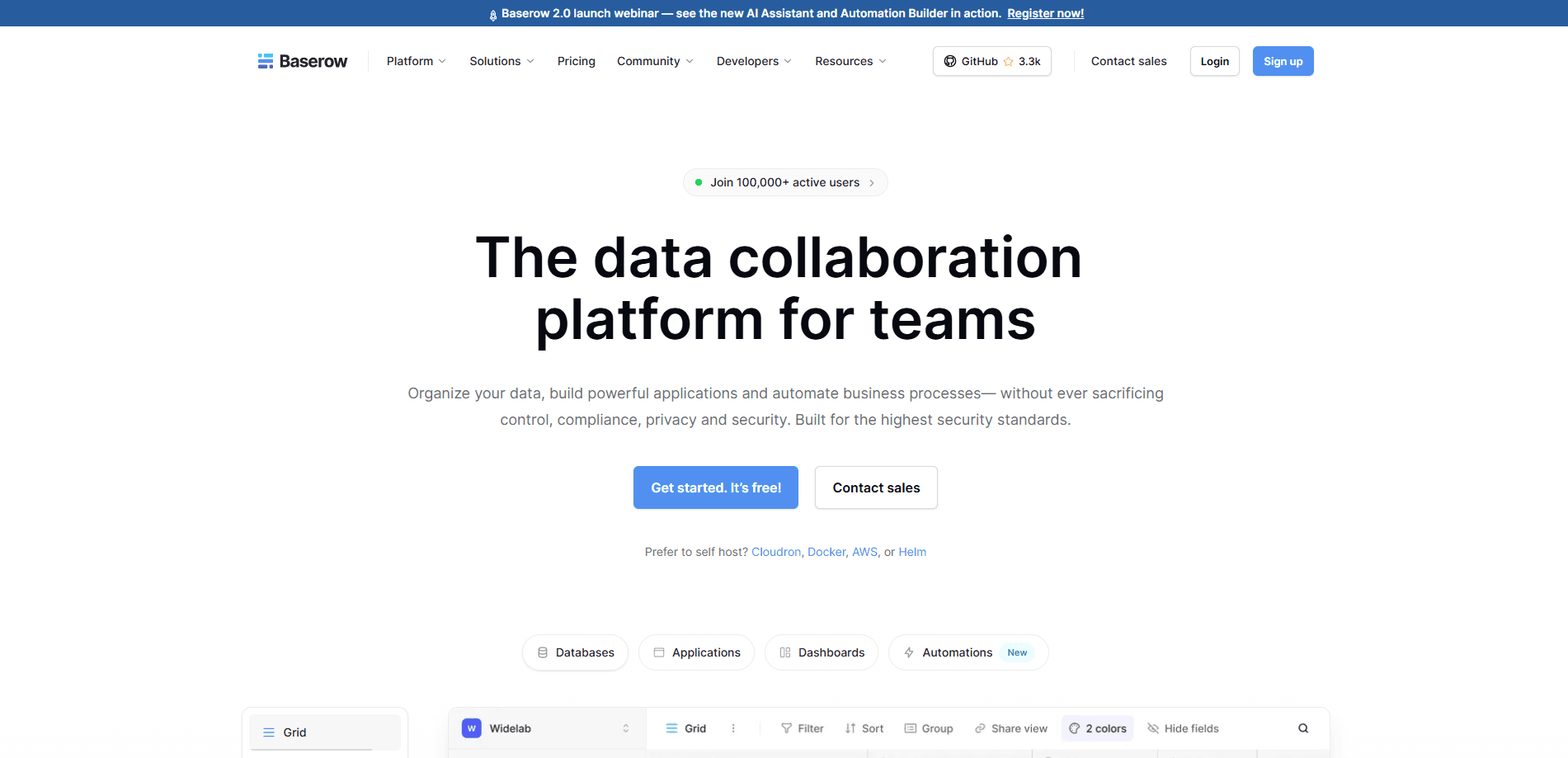
About Baserow
What Is Baserow
Baserow is a no-code platform for building databases and applications. It works like a spreadsheet you can grow into a real system: you store records in tables, then add views, forms, automations, and dashboards on top. Because the core is open source, you can run it on Baserow's cloud or host it yourself.
So what sets it apart from the spreadsheet you already have? Rows, relations, and permissions. A spreadsheet breaks down once several people edit it at once. Baserow doesn't.
The main draw is control. Closed tools like Airtable cap rows and charge more as you scale, and they don't let you self-host, so teams that outgrow the price tiers have nowhere to go. Baserow keeps those levers in your hands, which matters if your team handles sensitive data. The company says it's compliant with GDPR, HIPAA, and SOC 2. That's a real draw for regulated teams.
The trade-off is that a self-hosted install is now your job. That means servers, updates, and backups fall to your team. Not for everyone. If you don't have anyone to run that, the cloud plan is the realistic path.
Getting Started
- Sign up for a free account on the Baserow cloud or download the self-hosted version from the official site.
- Create a workspace and a new database, then import data from a spreadsheet or start with one of the 65+ templates.
- Add fields and switch between grid, kanban, calendar, form, and other views to shape how the data reads. Takes minutes.
- Connect an automation or invite teammates, then share a view or publish a form to collect input.
Product Information
A quick look at Baserow's pricing, supported platforms, and performance.
Best for
The users, tasks, and scenarios where this tool fits best.
Users
- Small teams and startups
- Operations and project managers
- Privacy-conscious organizations
Tasks
- Replacing a growing spreadsheet
- Automating repetitive updates
- Building an internal app
Scenarios
- Tracking a content calendar end to end
- Collecting intake requests
- Running a client portal
Key features
No-Code Database Builder
Baserow starts as a table and grows from there. You get 20+ field types, including text, number, date, single select, link to another table, and lookup fields. Familiar enough. The grid feels familiar to anyone who's used a spreadsheet, but relations between tables make it a real database rather than a flat sheet that eventually falls apart under its own weight.
Multiple Views on the Same Data
One table can show up as a grid, kanban board, calendar, timeline, gallery, or form. You don't copy data to get a new view, so a project board and a calendar can share the exact same records. One source of truth. Personal views let each teammate filter and sort without changing what everyone else sees.
Automation Builder
The automation builder fires workflows when a record is created, updated, deleted, or when a form is submitted. Native nodes cover email, HTTP requests, and webhooks, so Baserow can push data to outside tools. Free workspaces get 2,000 automation credits a month. Not many, but enough to try. Paid plans raise that sharply. Premium gives 100,000 credits, and the higher tiers go further.
Application Builder and Dashboards
You can assemble views, forms, and data sources into a shared application with its own branding. Dashboards add charts and graph widgets for a higher-level read on the data. It's the difference between storing records and giving a team a place to work. That's the point.
AI Field and MCP Server
Baserow's AI field can generate or categorize text inside a table using a prompt, handy for summarizing and tagging rows at scale. The MCP server exposes your data to AI agents, so an assistant can read or act on records through a standard interface. Few no-code tools offer this yet.
Self-Hosting and Data Ownership
You can run Baserow on your own servers through Docker, with no row cap beyond what your hardware allows, which means the ceiling is your infrastructure rather than a vendor's pricing page. This is the feature closed competitors don't offer at all. That's the whole pitch. It shifts responsibility to you for maintenance, but it's the reason some teams pick Baserow in the first place.
Open-Source Extensibility
The core is open source, and both frontend and backend plugins can be customized. The API is API-first, meaning most features have a matching endpoint you can call from scripts or other tools. No lock-in. That openness is what keeps a migration in and out of the platform realistic.
Pros and cons
Pros
- Generous free tier with 3,000 rows, 2GB storage, and 2,000 automation credits.
- Cloud and self-hosted options in the same product, unlike most no-code databases.
- Open source with an API-first design, so you're not locked out of your own workflows.
- Rows, storage, and automation credits scale predictably across paid tiers.
- Compliance claims for GDPR, HIPAA, and SOC 2 appeal to regulated teams.
Cons
- A self-hosted setup means you handle servers, upgrades, and backups yourself.
- The most useful AI and agent features sit behind higher paid tiers, not the free plan.
- Some features like barcode and button fields are still marked "soon," so check the roadmap before you commit.
- The free plan's 3,000-row cap arrives quickly for data-heavy teams.
Frequently asked questions
Yes, the cloud has a free plan with 3,000 rows, 2GB of storage, and 2,000 monthly automation credits. Paid plans start at $10 per user per month billed yearly, or $12 monthly. So the entry cost is zero.
Related content
Explore related tools, skills, and articles for Baserow.
Baserow Alternatives
Forefront
Forefront · CodingForefront is a web platform for building with open-source AI. It lets you fine-tune leading open-source language models on your own data, evaluate how they perform, and run them through an API or export them to host yourself. Developers who want the convenience of a closed-source platform but insist on owning their models and data are the target audience here.

Startkit
StartKit.AI · CodingStartkit is a boilerplate for building AI SaaS and AI wrapper products. Think of it as an AI startup boilerplate with the boring parts already wired up: authentication, Stripe and Lemon Squeezy payments, usage limits, transactional email, and an AI API starter that talks to OpenAI, Anthropic, Groq, or Llama. You clone the repo, set your price, and start on the part of your product that people actually pay for. It's Next.js under React and Tailwind, so most of the boilerplate code already feels familiar.
Testim
Tricentis · CodingTestim is an AI-powered test automation platform for building and running end-to-end tests across web, mobile, and Salesforce applications. It leans on machine learning to keep tests stable when an interface changes, so teams spend less time fixing broken selectors. Not bad for an automated testing tool you can start using today. You create tests by recording actions in a browser, then optionally add JavaScript when you need more control. It's a solid pick for busy QA teams.