

BeeSecure
BeeSecure · Coding
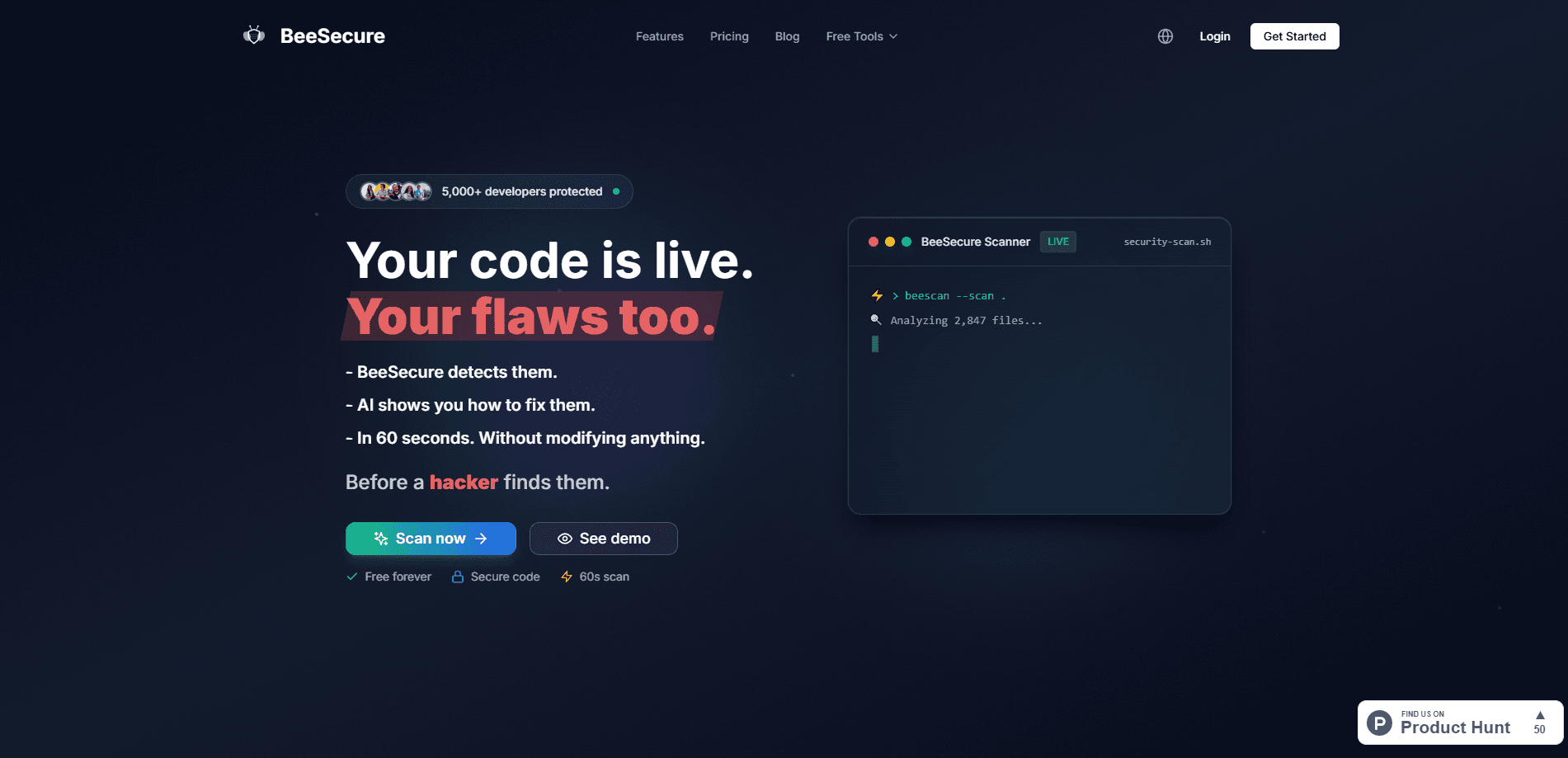
BeeSecure is an AI code security scanner for vibe coders. It connects to GitHub, checks your repo for vulnerabilities in about 60 seconds, and suggests fixes.
About BeeSecure
What Is BeeSecure
BeeSecure is a code security analysis platform that leans on AI to spot vulnerabilities in source code. You connect a GitHub repository, and the tool reads through it for known flaws like SQL injection, cross-site scripting, and exposed secrets. The pitch is simple: catch the things a fast AI-assisted build tends to leave open before someone else finds them.
It's built for a specific crowd. The homepage talks to "vibe coders," solopreneurs, and indie hackers shipping apps with tools like Bolt, Cursor, and Lovable. That audience moves quickly and rarely has a security team on standby, so BeeSecure trades a full pentest for an automated pass that runs on every push. In practice, it gives vibe coding security a fast floor you can build on.
The honest limits sit in the product itself. BeeSecure is a scanner, not a person, and the team says so on the site. It handles common vulnerability classes well, but a determined attacker probing a custom business logic flaw can still slip past. Treat the report as a strong first filter, not the last word on your app's safety.
Getting Started
- Sign up for a free account with GitHub or Google, and connect the BeeSecure GitHub App.
- Pick the repository and branch you want to scan.
- Start an analysis and wait roughly 60 seconds for the report.
- Open each finding to read the technical explanation and the suggested correction.
- Turn on automatic analysis so the selected branch gets rechecked on every push.
Product Information
A quick look at BeeSecure's pricing, supported platforms, and performance.
Best for
The users, tasks, and scenarios where this tool fits best.
Users
- Vibe coders and AI-assisted builders
- Solopreneurs and indie hackers
- Small product teams
Tasks
- Scanning a GitHub repository
- Finding exposed API keys and secrets
- Checking dependencies for known CVEs
- Auditing a public website
- Wiring security into CI/CD
Scenarios
- Shipping an MVP you built with an AI assistant
- Reviewing pull requests
- Checking a live site you do not own the code for
Key features
AI Code Analysis in About 60 Seconds
BeeSecure works as a code vulnerability scanner: it reads your source and flags flaws like SQL injection and cross-site scripting, then pairs each one with a suggested correction. The scan itself is short, and you can start it from a connected repo without configuring anything first. For a quick gut check before a launch, that speed is the point.
GitHub Repository Scanning
You connect the BeeSecure GitHub App and choose which repositories and branches to analyze, so a GitHub security scan runs on the repos you pick. Only the repos you authorize get scanned, and the tool works with both public and private projects. Automatic analysis can rerun the selected branch on every push, which turns security into a background habit rather than a chore.
Secrets and API Key Detection
The scanner hunts for hardcoded secrets, API keys, and other sensitive strings sitting in your code or bundled into the frontend. Frontend environment variables in frameworks like React, Vue, and Next.js get shipped to the browser, so anything sensitive there is already public. Catching those before a leak is the whole job.
Dependency Vulnerability Scanning
BeeSecure checks your packages against known CVE lists, so vulnerable libraries show up as findings instead of nasty surprises later. Outdated dependencies are one of the most exploited attack paths, and most teams never look. This feature closes that gap without you running a separate tool.
Public Web Vulnerability Scanner
A free, standalone scanner takes a URL and probes the live site for exposed endpoints, weak TLS, missing security headers, and open ports. It needs no code access, which makes it useful for a site you inherited or one you do not control. You get a vulnerability report in about 30 seconds.
Deep Scan With Specialized AI
The premium Deep Scan runs a specialized AI model against each major vulnerability category rather than a single general pass. The team describes it as a multi-pass method that digs into complex flaws a quick scan might miss. It is aimed at critical apps where a thorough read matters more than speed.
Notifications, Teams, and CI/CD Integration
Paid plans add Slack and Discord alerts, extra seats, and connections to GitHub Actions and GitLab CI so scans run on every commit. You can set which events trigger a notification and route findings to the right channel. Teams that want security to run itself here can largely leave it to the pipeline.
Pros and cons
Pros
- Connects to GitHub in minutes and returns a first vulnerability report in about 60 seconds.
- Free tier includes real scans plus a public web scanner that needs no repository.
- Automatic analysis reruns on every push, so regressions get caught without manual work.
- Clear reports pair each finding with a technical explanation and a suggested fix.
Cons
- It is a scanner, not a human pentest, so novel or business-logic flaws can still slip through.
- Automatic branch analysis and Slack or Discord alerts sit behind paid plans, which limits the free tier.
- The report is informational, and the team states plainly that you stay responsible for what ships.
Frequently asked questions
It scans source code for vulnerabilities like SQL injection and XSS, checks dependencies for known CVEs, and hunts for hardcoded secrets and API keys. A separate free tool scans a public website through its URL for headers, TLS, and open ports.
Related content
Explore related tools, skills, and articles for BeeSecure.
BeeSecure Alternatives

Base Code
Base44 (Wix) · Coding · ProductivityBase Code is a shared cloud development environment from Base44. Teammates describe changes to an existing GitHub codebase in chat, preview them live and send them back as pull requests.

Google EmbeddingGemma 2
Google DeepMind · Writing · Image · CodingGoogle EmbeddingGemma 2 is a 740M-parameter open model that turns text, code, images, audio, and video frames into vectors in one 768-dimension space, running on phones and laptops.

GitGlow
GitGlow · Coding · ProductivityGitGlow is a local-first desktop Git client that lets independent developers review their own code and their AI agents' changes in one place before shipping.