

BeMusic AI
CEDAR ORBIT TECHNOLOGY LIMITED · Voice & Language
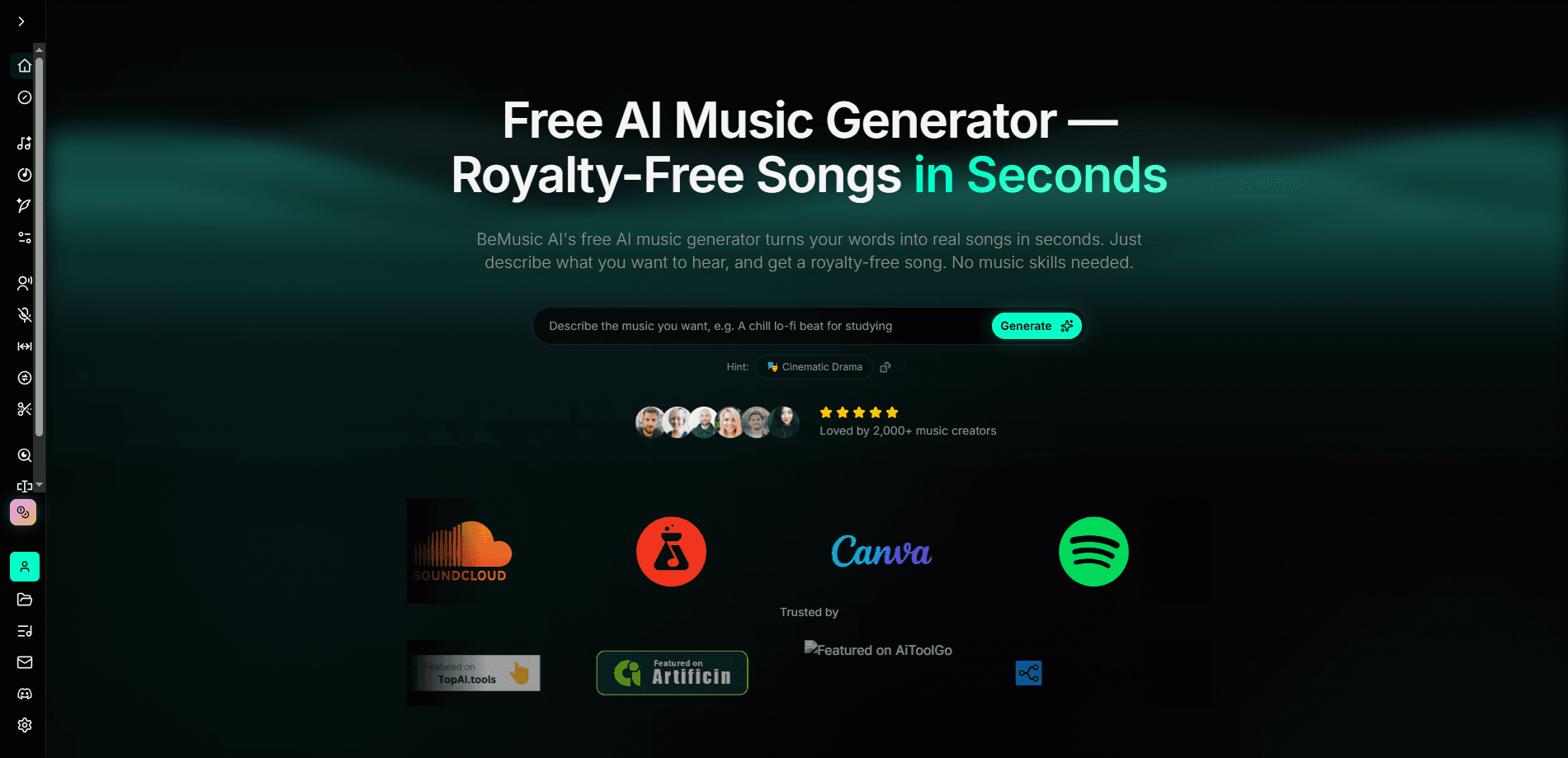
BeMusic AI is a free AI music generator that turns plain text into finished songs. You describe a genre, mood, or idea, and it returns an instrumental or a full track with AI vocals and lyrics in under 30 seconds. It's built for people who need original background music but don't play an instrument, covering everything from YouTube videos and TikToks to indie games and podcasts.
About BeMusic AI
What Is BeMusic AI
BeMusic AI is an online AI song generator operated by CEDAR ORBIT TECHNOLOGY LIMITED, a Hong Kong company. The pitch is simple: if you can describe a sound, you can make one. Type a prompt like "warm lo-fi piano for a study podcast" and the platform composes, arranges, and mixes a track around it. You can bring your own lyrics, or let the built-in AI lyrics generator write them for you.
The problem it tackles is cost and access. Licensed tracks are expensive. Royalty-free libraries are picked over. Hiring a composer runs into thousands of dollars and weeks of waiting. BeMusic AI compresses all of that into a text box and a few seconds, which is the whole appeal for a solo creator or a small team.
The main limit is control. Prompt-driven generation means you steer the sound with words, not a piano roll, so getting an exact arrangement takes a few regenerations. Commercial-use rights, WAV lossless downloads, and some premium models also sit behind paid plans rather than the free tier. Worth knowing before you plan a big project around it.
Getting Started
- Sign up for a free account at bemusic.ai. No credit card is needed to start generating.
- Open the create page and write a text prompt describing the genre, mood, tempo, or use case you want.
- Choose an instrumental or a full song with AI vocals and lyrics, and let the AI compose the track.
- Preview the result in your browser, then tweak the prompt and regenerate until it fits.
- Download the finished track as MP3 for everyday editing, or WAV for lossless production if your plan supports it.
Product Information
A quick look at BeMusic AI's pricing, supported platforms, and performance.
Best for
The users, tasks, and scenarios where this tool fits best.
Users
- Content creators who need original background music for videos or podcasts without licensing fees or a composer's budget.
- Indie game and app developers who want soundtracks and sound effects on a small budget and a tight schedule.
- Hobbyist songwriters and music fans who want to sketch ideas fast, even with zero instrument experience.
Tasks
- Generating a full song with AI vocals and lyrics
- Making instrumental background music
- Creating short hooks for TikTok, Reels, and Shorts
Scenarios
- Building a YouTube or podcast episode and needing an intro or background bed on the fly.
- Prototyping music for an indie game or mobile app before committing to a real composer.
- Testing song ideas for fun
Key features
Text to Music Generation
BeMusic AI's core function is the text to music engine. You describe genre, mood, tempo, or instruments in plain English, and it arranges a track around that direction. Prompts stay specific enough to be useful, like naming a style and a use case together, so the output lands closer to what you pictured on the first try.
AI Vocals and Lyrics Generator
You can generate a complete song with AI vocals and lyrics, not just an instrumental. Bring your own words or let the AI lyrics generator draft them from your theme. This covers the part most text-to-music tools skip. If you want something singable rather than a backing track, this is the feature that matters.
Instrumental Generator
For anything that needs music without a voice on top, the instrumental generator produces clean background tracks. It's the practical choice for narration, tutorials, and ambient beds. Vocals would clash with a host or speaker anyway.
AI Music Video Generator
The AI music video generator takes your track, applies a style, and returns a beat-synced video you can edit shot by shot. It's a quick way to give a finished song something visual for social posts without a separate editing tool. Fast, simple, good enough for most posts.
Vocal Remover and Stem Splitter
These tools let you pull vocals out of a track or split a song into separate stems. Useful if you want to remix an existing piece, isolate an instrumental for practice, or reuse part of a track in a new project. Handy for mashups.
Extend, Remix, and Cover Song
The platform includes song extension, remixing, and cover features, so a short generation can grow into a longer edit. Tracks can stretch up to 8 minutes on paid plans, which helps when a clip needs to loop through a whole video.
AI Voice Cloning and Voice Changer
Voice cloning and a voice changer let you swap or match vocal timbres. This is a creative layer on top of the base generator, aimed at users who want a particular vocal character rather than a generic AI singer.
Prompt Library and Genre Presets
BeMusic AI ships with a library of ready-made prompts and genre-specific generators covering rap, K-pop, lofi, rock, metal, and EDM. Beginners get a starting point they can edit. That beats staring at a blank prompt box.
Pros and cons
Pros
- Generates a full song, instrumentals included, in under 30 seconds from a short text prompt.
- Free tier with no credit card needed, so you can test the AI music generator before paying.
- Built-in AI lyrics generator, vocals, and a vocal remover, covering the whole song workflow in one place.
- Downloads in MP3 and WAV, with commercial-use licensing available on paid plans.
- Genre presets and a prompt library make it approachable for people with no music background.
Cons
- Commercial-use licenses and WAV lossless downloads require a paid plan, so free output is limited for monetized projects.
- Prompt-based control means nailing an exact arrangement usually takes several regenerations, and API availability isn't publicly documented, which rules it out for developers who need programmatic access.
Frequently asked questions
Yes. There's a free plan that lets you generate music without a credit card. Paid tiers (Creator, Pro, and Studio) add commercial-use licensing, WAV downloads, more credits, and priority generation.
Related content
Explore related tools, skills, and articles for BeMusic AI.
BeMusic AI Alternatives

Foley
Hanamori Labs, LLC · Voice & Language · Productivity · AI AssistantFoley is a voice to-do list that turns a spoken sentence into a filed task, complete with project, date and time, then helps you plan the day around what is already there.

HireKey
HireKey · Voice & Language · Productivity · LeaningHireKey is an AI job search copilot built by a former tech recruiter. It checks role fit, tailors resumes, runs interview practice and tracks every application.

Fluence
Yay Software (Yannick Huchard) · Writing · Voice & Language · ProductivityFluence is an Android app that reads PDFs, EPUBs, Word files and web articles aloud, follows each sentence as it speaks, and answers questions about the text on the phone itself.