

Bench for Claude Code
Silverstream · Coding
Bench for Claude Code is a review and sharing platform built for developers who use Claude Code to write and edit code. It lets you inspect Claude Code sessions step by step, store them, and share them with teammates or the wider community. The pitch is simple: you get a record of what an AI agent actually did in your codebase, plus automatic highlighting of risky actions like file deletions or shell commands. If you've ever finished a long Claude Code run and wondered what really happened, this is the tool aimed at that gap. No more guessing.
About Bench for Claude Code
What Is Bench for Claude Code
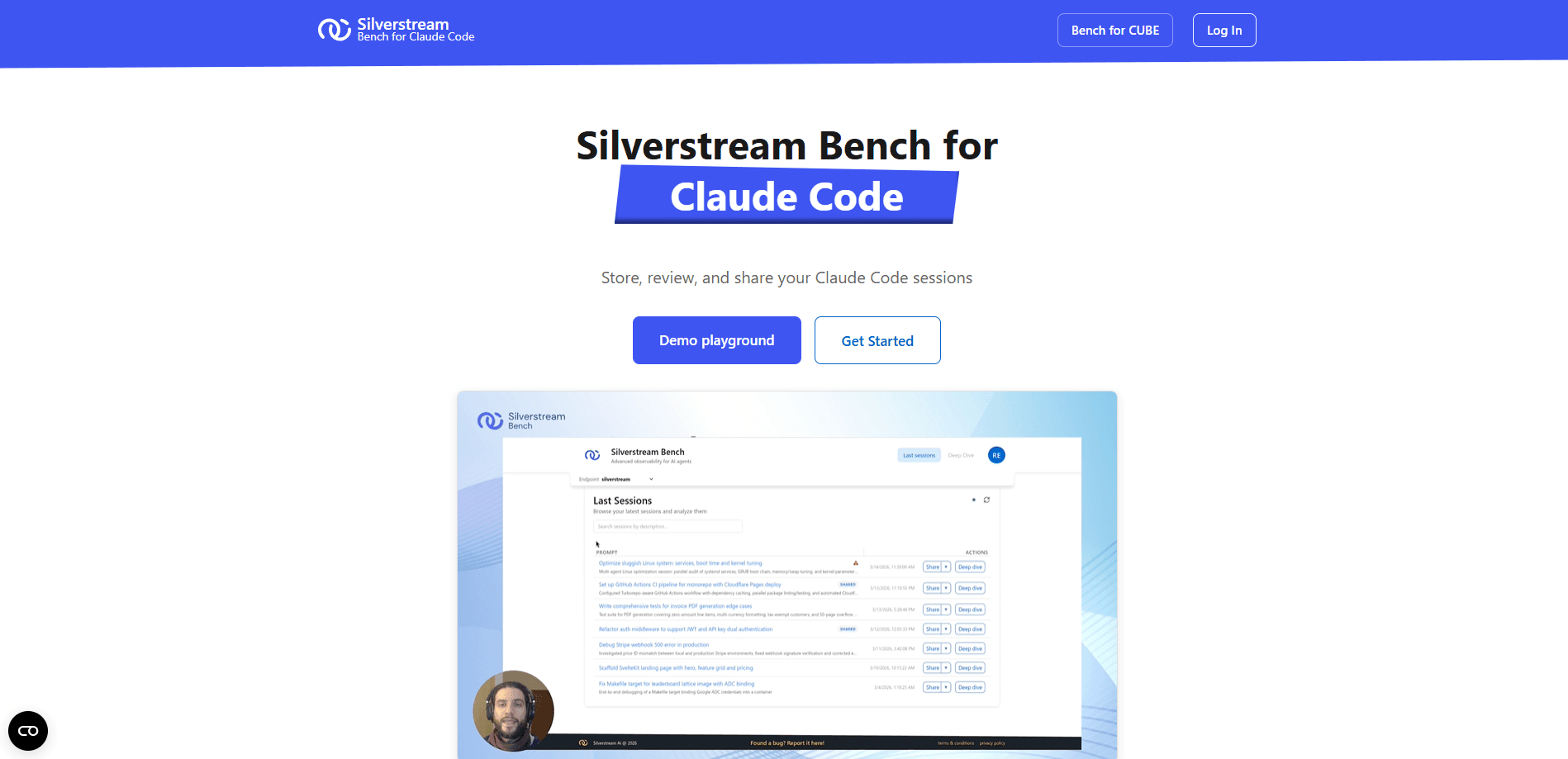
Bench for Claude Code is a web platform from Silverstream that turns individual Claude Code sessions into reviewable records. When you finish a coding session, Bench captures the activity and organizes it into a readable feed. You can then walk through each step, see which files changed, and spot actions that deserve a second look before you trust the output.
The problem it addresses is visibility. Claude Code runs multi-step tasks in your terminal, and once the run finishes, the reasoning and the edits are scattered across scrollback and diffs. Bench gives you one place to store that history. Instead of asking a teammate to re-run a session, you send them a link they can inspect themselves. That saves everyone time.
Its limits are worth stating up front. Bench doesn't write code or fix anything for you. It isn't a replacement for version control, either. It reads and presents sessions after the fact. From what I can gather, the product is still early, so expect the feature set to shift.
Getting Started
- Go to the Bench site (bench.silverstream.ai) and sign in to create your workspace.
- Connect your Claude Code workflow so the platform can capture session data.
- Run a Claude Code session as you normally would, letting the agent complete its task.
- Open the session in Bench and walk through the step-by-step view to check each action.
- Share the recap link with a teammate or publish it for others to review.
Product Information
A quick look at Bench for Claude Code's pricing, supported platforms, and performance.
Best for
The users, tasks, and scenarios where this tool fits best.
Users
- Claude Code power users
- Development teams
- Solo indie developers
Tasks
- Reviewing what an agent changed
- Spotting dangerous actions
- Sharing a session with a reviewer
Scenarios
- After a big refactor run
- Onboarding a teammate
- Post-incident review
Key features
Session Storage and Recaps
Bench keeps a record of your Claude Code sessions and packages each into an activity recap. The recap summarizes what happened during the run, so you get the shape of a session before diving into details. That's useful when you've stepped away and come back to a wall of terminal output that tells you nothing at a glance.
Step-by-Step Inspection
You can open a session and move through it one action at a time, examining exactly what the agent did at each step so that even a long chain of edits stays easy to follow from start to finish. Each step shows what the agent did, which makes it easier to follow a long chain of edits without losing your place. This is the core of the product: turning a flat log into something you can actually read. Why does that matter? Because a wall of terminal output hides the one command that broke everything.
Dangerous Action Highlighting
Bench automatically flags actions that deserve attention, such as commands that delete files or touch sensitive paths that you'd never want an agent running without a second look from a human reviewer. The idea is to surface the risky bits instead of making you hunt for them. For anyone who approves agent actions quickly, that highlight is the reason to use the tool at all.
Session Sharing
Sessions can be shared through a link. A reviewer opens the recap in their browser and inspects the same steps you saw, with no setup on their end. That removes the awkward "can you re-run it and tell me what happened" loop from code review. It just works.
Browser-Based Access
There's nothing to install beyond your usual Claude Code setup, since Bench runs in the browser and lets you sign in, capture, and review everything from a single web page without touching your local development environment. You sign in, capture, and review from a web page. I couldn't confirm a desktop client or editor extension, so treat this as a web-first tool.
Built for Claude Code
Bench is purpose-built for Claude Code sessions rather than being a general AI logging service. That focus shows in the way it talks about sessions, steps, and agent actions. Anyone who wants to inspect Claude Code sessions from another coding agent will be out of luck here, since the platform assumes Claude Code throughout and offers no adapter for rival tools. If you use another agent, don't expect a fit.
Pros and cons
Pros
- Gives you a durable record of Claude Code sessions instead of losing them to terminal scrollback
- Step-by-step view makes long agent runs far easier to follow
- Dangerous action highlighting puts risky edits in front of you
- Link-based sharing simplifies handing a session to a reviewer
- Browser-based, so there's no heavy install
Cons
- Limited to Claude Code, so it won't help with other coding agents
- Review-only: it doesn't edit, fix, or roll back code for you
- Pricing and free-tier details weren't published on the site when we checked, so you can't plan costs up front
- Storing session data with a hosted platform is a consideration if your code is sensitive
Frequently asked questions
It stores, inspects, and shares your Claude Code sessions. You get activity recaps, a step-by-step view of each run, and automatic highlighting of potentially dangerous actions.
Related content
Explore related tools, skills, and articles for Bench for Claude Code.
Bench for Claude Code Alternatives

AI Mock Interview
SQLPad · Coding · LeaningAI Mock Interview is a practice tool built into SQLPad that simulates real job interviews and gives you instant feedback on both what you say and how you say it. You pick a role template or upload a job description, answer questions out loud in real time, and then review a transcript with notes on structure, clarity, and grammar. It's aimed at data professionals prepping for SQL, Python, data engineering, machine learning, and system design roles, and it works entirely in the browser. No install needed.
Codeflying
Kuafu Technology (Codeflying) · Coding · Marketing · ChatbotCodeflying is an AI app builder that turns a plain-language description into a working website, mobile app, or mini app. It works as a no-code app builder, so you type what you want and a set of AI agents handle requirements, architecture, front-end screens, back-end logic, and deployment. The goal is simple: build an app from a prompt, even with zero coding background. Marketing tools and a customer-facing chat agent come bundled too, so the result is more than a prototype stuck on a hard drive.

Runware
Runware, Inc. · Image · Video · CodingRunware is a generative AI inference platform that gives developers one API for image, video, audio, 3D, and language models. Instead of signing up with a dozen providers, you call a single endpoint, switch models with a one-line string change, and pay only for the requests you send. No servers to run. It's aimed at teams that want to ship AI features fast without building or babysitting their own GPU infrastructure.