
Codeflying
Kuafu Technology (Codeflying) · Coding · Marketing · Chatbot
Codeflying is an AI app builder that turns a plain-language description into a working website, mobile app, or mini app. It works as a no-code app builder, so you type what you want and a set of AI agents handle requirements, architecture, front-end screens, back-end logic, and deployment. The goal is simple: build an app from a prompt, even with zero coding background. Marketing tools and a customer-facing chat agent come bundled too, so the result is more than a prototype stuck on a hard drive.
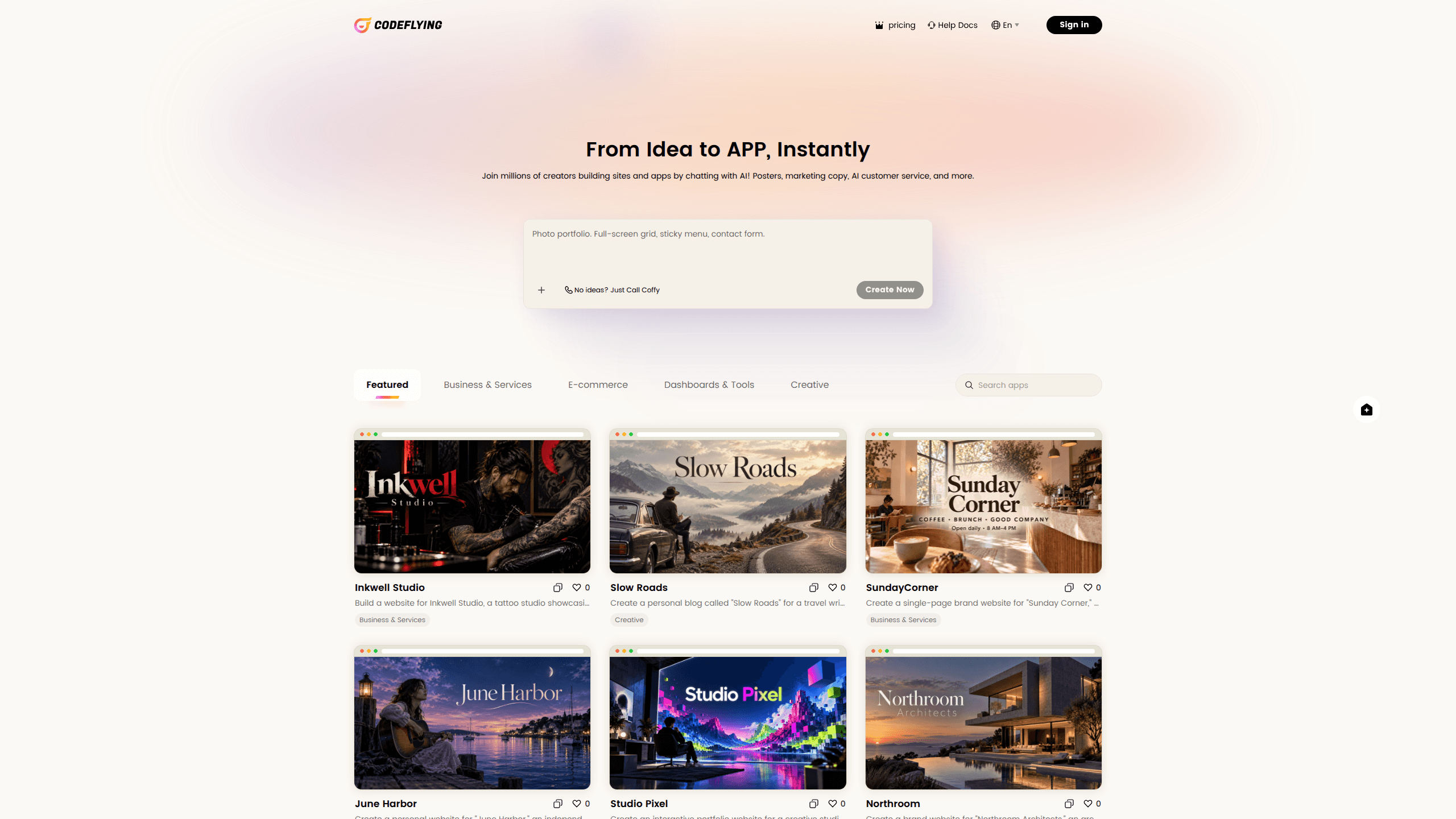
About Codeflying
What Is Codeflying
Codeflying comes from Kuafu Technology, a Beijing team that also builds AI back-end tooling for developers. It bills itself as an AI software development platform. The core idea: software development should work more like a conversation than a project plan. Instead of hiring a developer or learning a language, you describe the app you want and the platform assembles the pieces.
The system runs on a multi-agent setup. Separate agents handle requirement analysis, system architecture, front-end development, back-end logic, and testing. Once everything is generated, you get a live preview you can poke at, plus exportable source code and design documents if you want to move the project somewhere else. It supports several delivery targets, including web pages (H5), Android apps, WeChat mini programs, and mini apps for chat platforms like Telegram and WhatsApp.
The catch is the same one that follows every AI generator. Output quality depends on how precisely you describe what you need, and complex, custom logic still tends to need a human developer to finish the job. It's a strong starting point, not a replacement for engineering judgment.
Getting Started
- Create an account on the official site and open the build workspace.
- Type your app idea into the chat box, for example "a booking system for a small gym."
- Answer the follow-up questions the agent asks, then pick the solution it proposes.
- Preview the generated app in the side panel and describe any changes you want in plain language.
- Export the source code, design docs, and install package, or publish to your chosen platform.
Product Information
A quick look at Codeflying's pricing, supported platforms, and performance.
Best for
The users, tasks, and scenarios where this tool fits best.
Users
- Solo founders
- Small business owners
- Students and beginners
Tasks
- Building mini apps
- Prototyping a mobile app
- Building a website
Scenarios
- Validating an idea before spending money
- Replacing a manual business process
- Learning by doing
Key features
Prompt-to-App Generation
Type a sentence and Codeflying generates a working application, not just a mockup. The output includes front-end screens, a back-end, and a database that talk to each other. That last part matters. Most prompt-based tools only produce static pages.
Multi-Agent Development Pipeline
The platform splits the work across several AI agents: one drafts the product requirements, one designs the system architecture, others write front-end and back-end code, and one runs tests. The benefit is structure. One model guessing at everything at once gets messy. Here, each agent has a defined job, which tends to produce more coherent projects.
Live Preview and Conversational Editing
After generation, you get a preview you can click through right away. Something off? Don't edit code, just describe the change. Ask for a different color scheme or an extra field on a form, and the agent updates the build. For non-technical users this is the whole workflow. It's where most people spend their time.
Multi-Platform Delivery
One project can target web (H5), Android apps, WeChat mini programs, and mini apps for messaging platforms. You get an install package for the app side and downloadable documentation for the web side. That range matters if your audience lives somewhere specific. A mini app inside Telegram reaches people who'd never install a standalone app.
Exportable Source Code and Docs
Codeflying hands over the source code, plus the product requirements doc, test cases, and architecture diagrams it generated along the way. You aren't locked into the platform. If a developer takes over later, they start with real files, not a black box. And you can self-host the whole thing.
Built-In Admin and Back-End
Generated apps come with an operations back-end, not just a user-facing front end. The two share a data layer, so the admin panel reflects what users actually do. For a management tool, that saves you from bolting on a separate CMS later. Practical. Many prompt-based builders skip it.
Marketing and Customer Agent Tools
Beyond the build, Codeflying bundles AI marketing features and a smart customer agent you can attach to the product. The idea is to cover the stretch after launch, when you need to reach users and answer questions without hiring a support team. Treat these as convenience add-ons. They aren't a full growth stack.
Pros and cons
Pros
- No coding required: describe your idea in plain language and get a runnable app in minutes.
- Full-stack output: you get front-end, back-end, and a database that work together, not a static mockup.
- Source code and docs are exportable, so you aren't locked into the platform and can self-host.
- Wide delivery range covering web, Android, mini programs, and mini apps for chat platforms.
- Free tier to develop and experiment before you commit to paying.
Cons
- Output quality tracks your prompt: vague descriptions produce vague apps, and complex custom logic usually needs a developer to finish.
- Pricing and plan details aren't fully published in English, so you may need to check the official site or contact the team directly.
- Best suited to standard structured apps; heavily specialized products can outrun what the agents handle well.
Frequently asked questions
It's an AI app builder. You describe an app in plain language, and a group of AI agents generates the requirements, architecture, code, and a working preview for you. You can then export the code or publish to platforms like Android, web, or a chat mini app.
Related content
Explore related tools, skills, and articles for Codeflying.
Codeflying Alternatives

Base Code
Base44 (Wix) · Coding · ProductivityBase Code is a shared cloud development environment from Base44. Teammates describe changes to an existing GitHub codebase in chat, preview them live and send them back as pull requests.

Google EmbeddingGemma 2
Google DeepMind · Writing · Image · CodingGoogle EmbeddingGemma 2 is a 740M-parameter open model that turns text, code, images, audio, and video frames into vectors in one 768-dimension space, running on phones and laptops.

GitGlow
GitGlow · Coding · ProductivityGitGlow is a local-first desktop Git client that lets independent developers review their own code and their AI agents' changes in one place before shipping.