

BetterFeedback
BetterFeedback · Marketing · Chatbot
BetterFeedback is an AI post-purchase survey app for Shopify stores. It asks follow-up questions after checkout and turns short answers into clear reasons why customers buy.
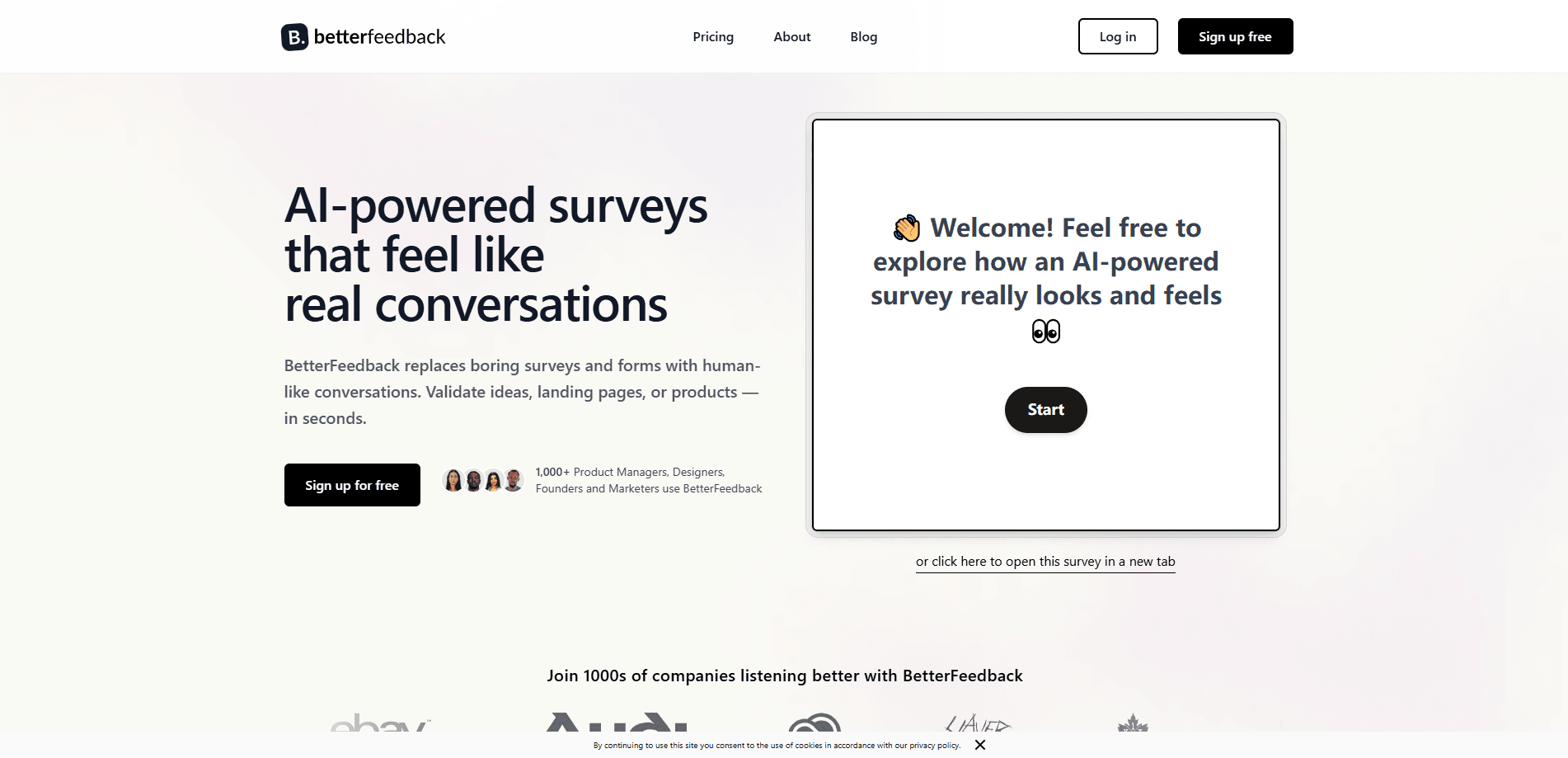
About BetterFeedback
What Is BetterFeedback
BetterFeedback is a post-purchase survey tool built for Shopify stores. Standard surveys hand you a label like "TikTok" or "a friend," and that's where the investigation stops. BetterFeedback keeps going. After a customer answers, an AI agent asks a follow-up, then another, until it reaches the reason behind the purchase.
The tool targets a specific gap in ecommerce analytics. Merchants can see what sold and where traffic came from, but not why a person finally clicked buy. BetterFeedback fills that space with short, conversational interviews that run automatically after every order.
The main limits come from its scope. BetterFeedback is made for Shopify first, so stores on other platforms get a thinner experience, and deeper setup leans on Zapier rather than native connectors. The survey also lives on the order confirmation page, which means it reaches buyers, not the visitors who bounced before buying.
Getting Started
- Install the BetterFeedback app from the Shopify App Store and connect it to your store.
- Describe what you want to learn, and the AI generates a survey conversation for you.
- The survey appears on your order confirmation page, where customers tap a button and answer.
- The AI follows up on each response, then groups the results by theme, sentiment, and source.
- Review the insights and send data onward through CSV export or a Zapier workflow.
Product Information
A quick look at BetterFeedback's pricing, supported platforms, and performance.
Best for
The users, tasks, and scenarios where this tool fits best.
Users
- Shopify store owners who spend on ads and want to know which message actually converted
- Ecommerce marketers losing sleep over attribution
- Small teams without a data analyst
Tasks
- Finding out which specific ad, creator, or video drove a purchase
- Catching purchase hesitations
- Spotting unhappy customers before a bad review lands
- Getting qualitative quotes for ad copy and landing pages
Scenarios
- Running a lean Shopify store where every ad dollar needs a reason
- Testing a new product launch and wanting fast feedback on the pitch
- Feeding sentiment and summaries into tools you already run
Key features
AI Follow-Up Questions
This is the core of the product. After a customer answers a survey question, an AI agent reads the response and asks a relevant follow-up, much like a skilled interviewer would. You get an explanation instead of a single word. The whole exchange usually finishes in under 90 seconds, which keeps the experience light for buyers.
Deep Attribution
Standard surveys stop at "TikTok" or "Instagram." BetterFeedback keeps asking, so you learn which video a customer saw, what caught their eye, and what finally convinced them. That level of detail tells you where to put ad budget instead of guessing between channels. Responses get grouped by source so the signal stands out.
Product Feedback and Hesitation Tracking
When a customer says they hesitated, the AI asks why. You collect concrete objections such as unclear sizing, shipping cost shown late, or doubts about a feature. Each objection comes with a count, so you can see which issues repeat and act before the next buyer walks.
Satisfaction Monitor
The tool watches for unhappy responses and flags them. You can then reach out to a frustrated customer before they leave a negative review, while happy customers get pointed toward leaving a positive one. It turns satisfaction into something you can act on rather than a number you read too late.
AI Insights
AI Insights groups what customers actually say into top themes, recurring pain points, key takeaways, and sentiment trends. Instead of reading every conversation by hand, you get a structured view, which matters once response volume grows past a handful per day.
Zapier and Data Export
BetterFeedback connects to more than 5,000 apps through Zapier, so a new response can add a row in Google Sheets, create a Google Doc, or fire a Slack alert. CSV export is built in. You send insights into the stack you already use, with AI summaries and sentiment attached to each record.
Pros and cons
Pros
- AI follow-up questions turn one-word answers into real explanations, which is the gap most survey apps leave open.
- No-code setup gets a store running in under five minutes, and the AI writes the survey from a short description.
- A permanent free plan with 100 responses a month lets you test on live traffic before spending anything.
- Insight delivery is flexible, with CSV export and a Zapier bridge to thousands of apps including Slack, Sheets, and CRMs.
- The survey sits on the order confirmation page, so it doesn't touch checkout speed or conversion rate.
Cons
- The product is built for Shopify first, so merchants on other platforms have a weaker experience and lean more on manual setup.
- It reaches only buyers, since the survey runs after purchase, so it can't explain why pre-purchase visitors left.
- The AI still depends on customers choosing to engage, and short or skipped answers limit how deep a conversation goes.
- Native integrations beyond Zapier are limited, so a heavy automation stack may need an outside connector to fill gaps.
Frequently asked questions
It runs AI post-purchase surveys on a Shopify store's order confirmation page. After checkout, customers answer a short question, and an AI agent asks follow-up questions to draw out the reason behind the purchase. Results get grouped by theme, sentiment, and source.
Related content
Explore related tools, skills, and articles for BetterFeedback.
BetterFeedback Alternatives

ngram 2.0
ngram · Video · Marketingngram 2.0 is an AI video generator for teams. It turns a prompt, a screen recording, or a product URL into a narrated explainer, product demo, or AI avatar video, and every scene stays editable.

shippedit.me
Krawlup · Marketing · Businessshippedit.me now redirects to Krawlup, a web platform that audits SEO, AEO and page speed every week, then hands the fixes to AI coding agents over MCP.

MePersona
MePersona, Inc. · Writing · Productivity · MarketingMePersona is an AI unified inbox for creators. It learns your voice, drafts replies to fan messages from 12 platforms, and sends only what you approve.