

BetweenQuiz
Not publicly disclosed · Leaning
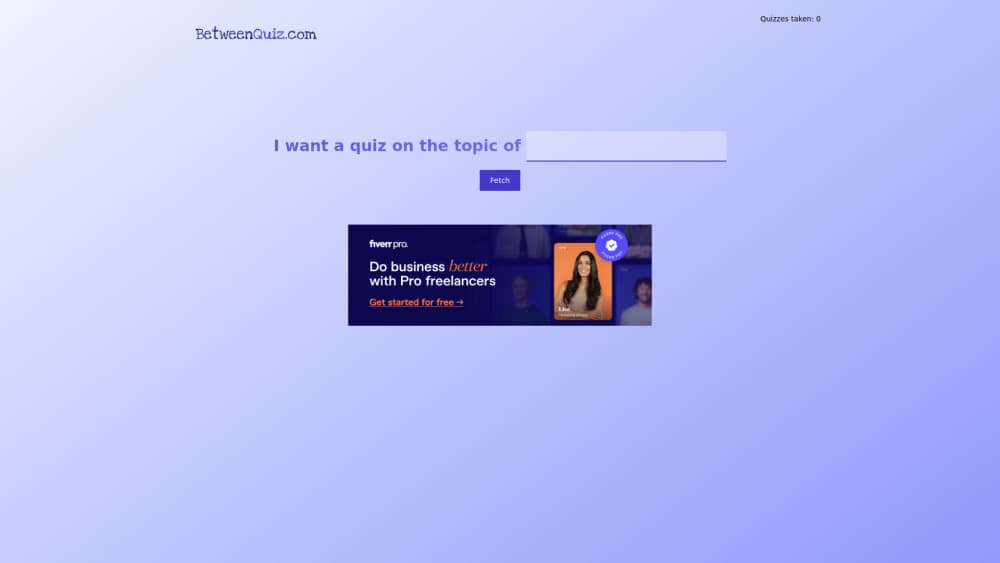
BetweenQuiz is a web app that builds a quiz from any topic you type and grades your answers with AI. Six answer formats, instant scoring, and a shareable result link.
About BetweenQuiz
What Is BetweenQuiz
BetweenQuiz is a single-purpose AI quiz generator. You type a subject, and it writes a quiz about it on the spot. There's no library of pre-made quizzes to browse, so the questions you get exist because you asked for them.
Most quiz makers start with a template and ask you to fill in the questions. This one starts with a topic and does the writing itself. The AI also marks the answers, which means it reads open text responses instead of only checking boxes against a key.
The catch is scope. BetweenQuiz is a consumer web app with no team dashboard, no question bank export, and no documentation for developers. Anyone who needs to assign quizzes to a class or track a group over time will run out of room quickly.
Getting Started
- Open betweenquiz.com in a browser. No account setup blocks the first quiz.
- Type the topic you want to be tested on and generate a quiz, from Roman history to a TV show.
- Pick an answer format: yes or no, a 1 to 5 slider, open text, multiple choice, or a mix.
- Answer the questions and submit. The AI scores each response.
- Copy the result link or the preview card to share it.
Product Information
A quick look at BetweenQuiz's pricing, supported platforms, and performance.
Best for
The users, tasks, and scenarios where this tool fits best.
Users
- Curious learners
- Teachers and tutors
- Content creators and community managers
Tasks
- Testing yourself before an exam
- Checking whether a piece of content landed
- Warming up a workshop or livestream
- Making a personality-style quiz for social media
Scenarios
- A five-minute break with a phone
- A last-minute review session
- A low-budget campaign
Key features
Quiz Generation From a Topic
Type a subject and BetweenQuiz writes the questions itself. You're not picking from a bank or uploading notes, so niche topics work as well as broad ones. Generation takes seconds.
Six Answer Formats
Each quiz can use yes or no, yes, no or maybe, a 1 to 5 slider, open text, single-answer multiple choice, or multi-answer multiple choice. Mixed mode shuffles several of them into one quiz, which keeps a long session from feeling repetitive.
AI Grading for Written Answers
Open text responses are read and scored by the model rather than matched against keywords. Small spelling mistakes and answers phrased in your own words still count. This is the part that separates it from a typical form-based quiz.
Instant Score and Feedback
Scoring happens as soon as you submit, with no waiting for a human marker. You see how each answer was judged, which makes a wrong answer useful instead of just deflating.
Shareable Result Links
Every completed quiz produces shareable quiz results: a link plus a preview card sized for social feeds. Friends can open the result without an account. It's a simple loop: take the quiz, post the card, argue about the score.
Ad-Free Pass With an AI Image
A one-time $2 payment unlocks four hours of unlimited quiz generation, removes ads, and adds an AI image built from your results. The window suits one study session or a content sprint rather than long-term use.
Pros and cons
Pros
- Zero setup: no account, no question writing, no template to configure.
- Open topics stay open, since nothing comes from a fixed quiz bank.
- AI grading accepts typos and paraphrased answers, so written responses are practical.
- Result cards are ready to post, which saves a design step for social content.
- The $2 pass is cheap enough to try without a subscription commitment.
Cons
- No free tier beyond two quizzes, so regular use means repeated $2 payments or waiting.
- No class, team, or analytics dashboard, which rules out graded assignments and group tracking.
- No API or documented integration, so the quizzes can't be plugged into a learning platform.
- Question quality depends on the topic and the model, and there's no review step before a quiz goes live.
Frequently asked questions
The first two quizzes are free. After that you pay $2 once for four hours of unlimited generation, no ads, and an AI image based on your results.
Related content
Explore related tools, skills, and articles for BetweenQuiz.
BetweenQuiz Alternatives
Kaggle AI
Google · Coding · LeaningKaggle AI is a community platform where people build, test, and compare machine learning models against shared data. It combines data science competitions, tens of thousands of public datasets, and free cloud notebooks with GPU and TPU access, so anyone with a browser can train a model without buying hardware. Google owns the platform, and joining costs nothing.

Bunch
Bunch AI · Leaning · BusinessBunch is an AI leadership coaching app that turns a few spare minutes a day into real management practice. It hands you one short, personalized tip each day, tracks how you respond, and lets you compare notes with peers inside private groups. The pitch is simple: you lead better by practicing a little, often, instead of sitting through a weekend seminar. Think of it as a leadership training app you actually open.

AI Mock Interview
SQLPad · Coding · LeaningAI Mock Interview is a practice tool built into SQLPad that simulates real job interviews and gives you instant feedback on both what you say and how you say it. You pick a role template or upload a job description, answer questions out loud in real time, and then review a transcript with notes on structure, clarity, and grammar. It's aimed at data professionals prepping for SQL, Python, data engineering, machine learning, and system design roles, and it works entirely in the browser. No install needed.