

Bexi.ai:Free AI Humanizer & AI Detector
BEXI.ai · Writing · AI Detection
BEXI.ai is a free AI humanizer that rewrites AI text to make AI text sound human, built for bloggers, marketers, and students.
About Bexi.ai:Free AI Humanizer & AI Detector
What Is BEXI.ai: Free AI Humanizer & AI Detector
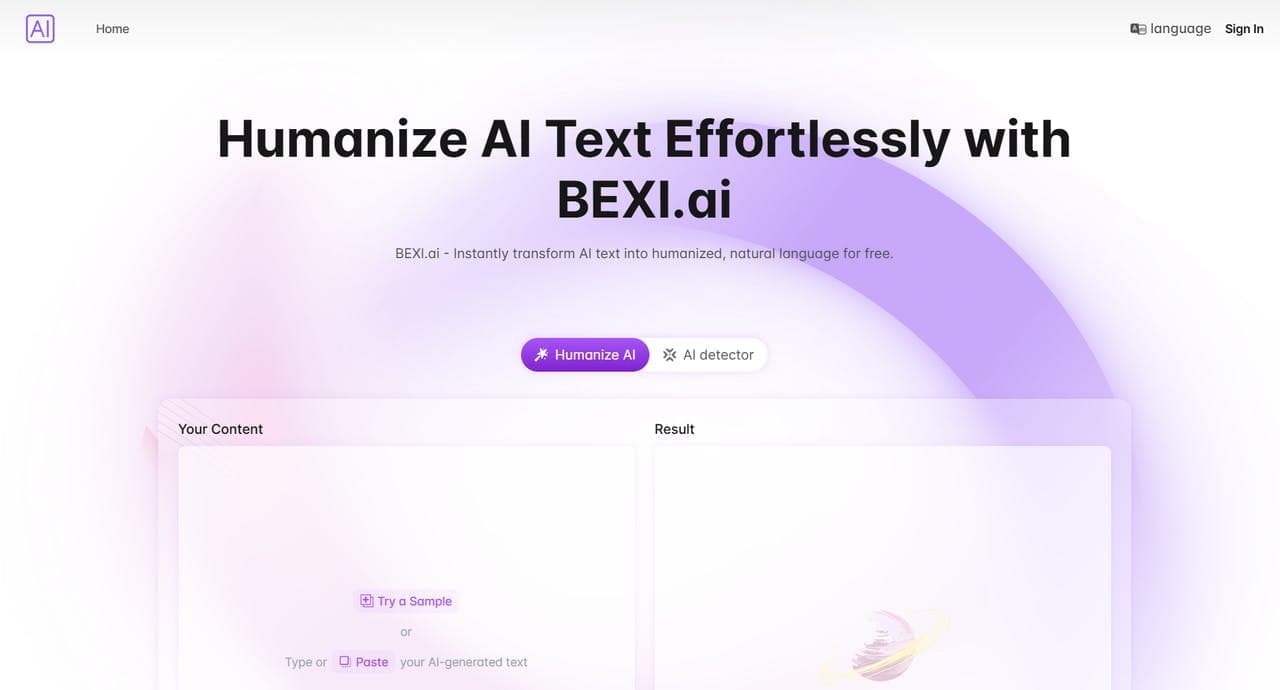
BEXI.ai is a web tool that rewrites text produced by chatbots and AI writing apps so it reads like something a person typed. You paste a paragraph or a full draft, pick a style, and the humanizer returns a version with softer, less predictable phrasing. The pitch is simple. It's a free AI humanizer you can open in a browser tab and use without creating an account.
The reason people reach for it comes down to detection. AI-generated text carries patterns. Tools that scan for those patterns flag it as machine-written. That matters for students, freelancers, and marketing teams who use AI to draft but need the final copy to stand on its own. BEXI.ai aims to blunt the most obvious of those patterns.
On limits, the honest answer is that results vary. Heavy rewriting can change meaning if the source text is already vague. No humanizer guarantees a clean pass on every AI detector. Treat it as one step in your editing routine, not a substitute for reviewing what you publish before it goes out.
Getting Started
- Open bexi.ai in any modern browser. No signup, no email, no credit card.
- Paste your AI-generated text into the input box on the main page.
- Choose a language style or tone that fits your audience (casual, professional, and so on).
- Click generate and wait a few seconds for the humanized version.
- Copy the result, then read it once for accuracy before you post or send.
Product Information
A quick look at Bexi.ai:Free AI Humanizer & AI Detector's pricing, supported platforms, and performance.
Best for
The users, tasks, and scenarios where this tool fits best.
Users
- Bloggers
- Marketers
- Freelance writers and editors
- Students
- Global teams
Tasks
- Humanizing AI text
- Rewrite AI text
- Rewriting email drafts
- Preparing social posts
Scenarios
- Editing a blog post the night before it goes live
- Cleaning up a batch of product descriptions
- Posting in a second language
Key features
Free AI Humanizer With No Login
You can humanize AI text straight from the homepage. There's no account wall and no email confirmation. Nothing stops you after a few tries. For anyone who wants to test the tool once, that lack of friction is the main draw.
Humanizes Text Across Multiple Languages
BEXI.ai supports more than one language, so it isn't locked to English. Write for an international audience? You can run AI text through in the language you publish in. No need to humanize an English version and translate it after.
Customizable Style and Tone
The tool lets you adjust the tone of the output to match a brand voice or personal preference. That's the difference between copy that fits your site and copy that reads like every other AI draft. You pick the direction. The humanizer does the rewriting.
Runs in the Browser, Nothing to Install
There's no app to download and no extension to manage. Open the site, paste your text, get your result. That's it. It stays usable on a locked-down work laptop or a borrowed machine.
Built for Content Creation Workflows
The tool is aimed at people who already use AI to draft: content creators, marketers, and editors. It fits at the end of a draft-review flow rather than at the start, which is where most people actually need it.
AI Detector Angle
Its name pairs the humanizer with an AI detector. The detector helps you judge how machine-like a piece reads. The humanizer then goes after those signals. Take both with a grain of salt, since detector accuracy itself is shaky.
Pros and cons
Pros
- Free to use with no login, so you can try it without handing over an email.
- Supports multiple languages for writers working beyond English.
- Adjustable style and tone let you roughly match a brand or personal voice.
- Fast on short and medium-length texts, which suits social posts and email drafts.
- No install required, so it works on any browser.
Cons
- Output quality varies by text; vague source material can come back with shifted meaning.
- No public API means you can't wire it into an automated content pipeline.
- Detector-style tools are unreliable in general, so don't read a pass as proof text will fool every checker.
- Long documents have to be handled in chunks.
Frequently asked questions
Yes, the humanizer is free to use and doesn't require a login. As of now there's no paid tier listed, so there's nothing held back behind a subscription.
Related content
Explore related tools, skills, and articles for Bexi.ai:Free AI Humanizer & AI Detector.
Bexi.ai:Free AI Humanizer & AI Detector Alternatives

Google EmbeddingGemma 2
Google DeepMind · Writing · Image · CodingGoogle EmbeddingGemma 2 is a 740M-parameter open model that turns text, code, images, audio, and video frames into vectors in one 768-dimension space, running on phones and laptops.

MePersona
MePersona, Inc. · Writing · Productivity · MarketingMePersona is an AI unified inbox for creators. It learns your voice, drafts replies to fan messages from 12 platforms, and sends only what you approve.

Fluence
Yay Software (Yannick Huchard) · Writing · Voice & Language · ProductivityFluence is an Android app that reads PDFs, EPUBs, Word files and web articles aloud, follows each sentence as it speaks, and answers questions about the text on the phone itself.