

Billover
Billover · Other
Billover is an AI invoice and receipt scanner for accountants and small teams that turns paper expenses into tax-ready data and syncs it to Xero or QuickBooks.
About Billover
What Is Billover
Billover is an AI-powered OCR platform for invoice and expense management software, built around a receipt scanner and OCR engine. You upload receipts and invoices, and it reads the key fields on its own. Vendor names, totals, tax lines, and line items come out structured instead of typed in by hand. The pitch is simple: fewer hours on data entry, fewer entries that get keyed wrong.
The appeal is accounting automation. Receipt OCR and invoice scanning replace the slowest part of bookkeeping, and a direct Xero integration or QuickBooks integration means approved expenses never get typed a second time.
The tool is built around organizations, which work like separate folders per client. Accountants running books for several businesses can keep each one's data apart and invite team members with different access, which is exactly why the product appeals to firms more than to a single freelancer.
It's not a full accounting suite. Billover captures and categorizes expenses, then hands them off. The actual ledgers, reports, and filings still live in tools such as Xero or QuickBooks. Treat it as the front door for expense data, not the whole house.
Getting Started
- Sign up and create an organization for each client or business you manage.
- Invite team members and set who can upload, review, or approve expenses.
- Upload receipts and invoices one at a time or in bulk. PDF, PNG, and JPEG files are supported.
- Review the captured data and approve expenses with one click.
- Connect Xero or QuickBooks and let approved expenses sync to your books.
Product Information
A quick look at Billover's pricing, supported platforms, and performance.
Best for
The users, tasks, and scenarios where this tool fits best.
Users
- Accountants and bookkeepers
- Small business owners
- Finance teams at growing companies
Tasks
- Bulk invoice scanning
- Receipt capture
- Expense categorization
- Accounting sync
Scenarios
- Month-end bookkeeping
- Client onboarding
- Tax season prep
Key features
Bulk Invoice and Receipt Scanning
You can drop in a single file or a whole batch. Billover supports PDF, PNG, and JPEG, so scanned paper, phone photos, and downloaded invoices all work. Bulk upload matters most at month-end, when the pile is biggest. Instead of feeding documents one by one, you dump the whole folder on the page and let the OCR engine handle the sorting and extraction on its own.
Automatic Data Extraction
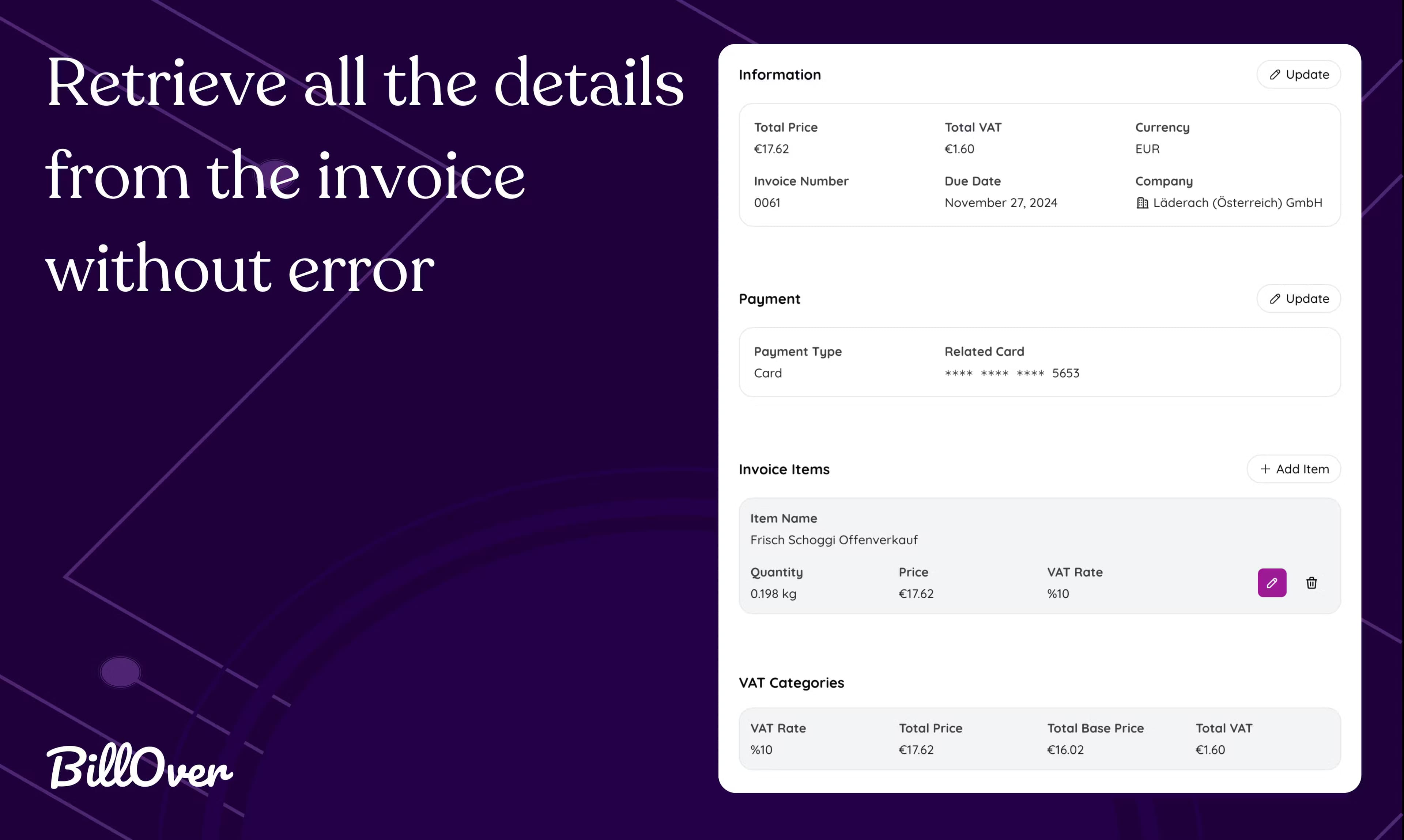
The scanner pulls vendor names, dates, amounts, tax, and line items off each document. Line-item support matters because it lets you break an invoice into its actual components rather than logging one lump sum. Everything gets categorized as it's processed, so the output is closer to bookkeeping-ready data than a raw text dump.
Organization-Based Workspaces
Each organization is a separate space with its own subscription, documents, and users. Accountants juggling multiple clients get clean separation without mixing accounts. You invite team members into the organization they need, which keeps access scoped to the right set of books.
Approval Workflow
Captured expenses land in a review queue, and you approve them with one click. The checkpoint exists so bad scans don't flow straight into your accounting software. A quick human look catches the odd misread total before it becomes a problem in your books.
Xero and QuickBooks Sync
Approved expenses push directly to Xero or QuickBooks. What does that buy you? It removes a second round of manual entry, and that's where most of the saved time comes from. Once the data is in your accounting tool, it's the same as if you'd typed it, only faster and with fewer typos.
Tiered Plans with Volume Limits
Every organization picks its own plan. The free tier allows 50 document scans a month, Plus allows 200, and Pro allows 500. Higher tiers also process documents faster and allow more users, which matters once several people on your team are uploading and approving at the same time. If you run past your limit, extra scans can be bought in blocks of 20.
Pros and cons
Pros
- Cuts manual data entry, so bookkeeping time drops noticeably once you're past setup.
- Separate organizations per client keep multiple sets of books from tangling.
- Direct sync to Xero and QuickBooks removes a second round of typing.
- Free tier is genuinely usable for testing with a real client's documents.
- Approve-before-sync design keeps a human check on the data.
Cons
- Scan limits are low on cheaper plans, so a busy firm may need to buy extra credits or upgrade.
- The free tier processes documents more slowly, which is annoying when you're on a deadline.
- It captures and categorizes expenses but doesn't replace your accounting software, so you still need Xero, QuickBooks, or similar.
Frequently asked questions
Invoice OCR is software that reads invoices and pulls out the data a person would otherwise type in, such as the vendor, date, amount, tax, and line items. Billover applies this to both invoices and receipts.
Related content
Explore related tools, skills, and articles for Billover.
Billover Alternatives

Odyssey 3
Odyssey · OtherOdyssey-3 is Odyssey's foundation world model. It simulates physics in real time, turns a prompt into an interactive environment, and adapts to robots, cars and games.

JarvisCore
Prescott Data · Coding · Productivity · OtherJarvisCore is an open source Python runtime where AI agents work as equal peers on an agent mesh, claim tasks from a shared ledger, and reach external services through a zero-trust broker.
Clef
Cloudflare · Business · OtherClef is Cloudflare's open-source decision model for Workers AI. It returns calibrated probabilities for typed questions, not generated text, so agents can classify, route, and act fast.