
WordPress Copilot
Build It For Me · Writing · Coding · Marketing
WordPress Copilot, or Billy, is a WordPress plugin from Build It For Me that answers questions about your site, edits pages in plain English, writes blog posts, and codes Elementor widgets.
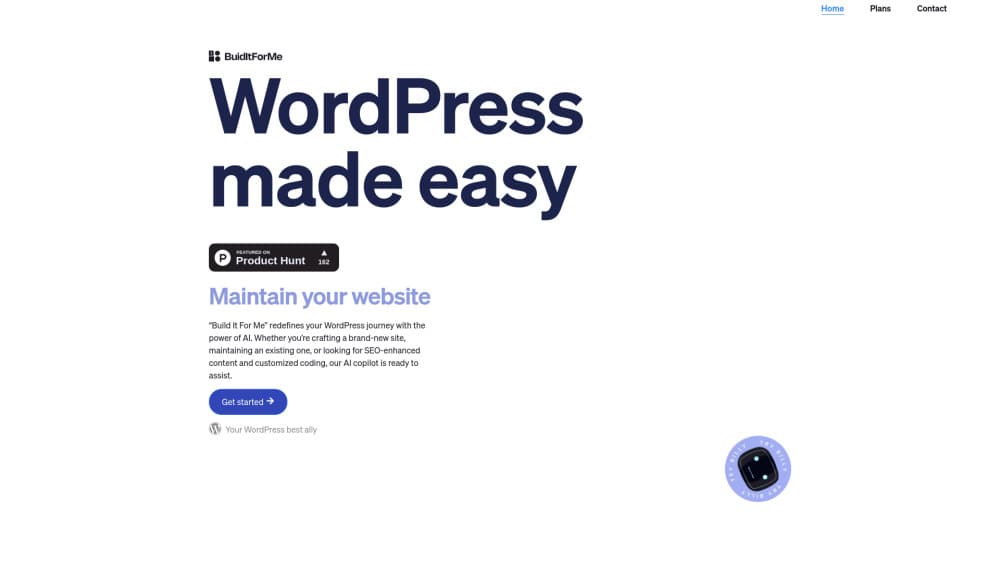
About WordPress Copilot
What Is WordPress Copilot
WordPress Copilot is the chat assistant inside a plugin called Build It For Me, made by a company of the same name. The assistant answers to Billy. It reads your site's content and configuration before replying, so a question like "where do I change the header" comes back with the location on your install instead of a generic tutorial.
Two helpers ride along in the same plugin. Writer Bot drafts blog posts and pages from a prompt, meta descriptions and image alt text included. Widget Builder turns a plain description into a working Elementor widget, which is the part developers reach for most.
The limits matter as much as the features. Everything runs inside WordPress, page edits are reviewed in Elementor, a long page can take up to 4 minutes to regenerate, and the WordPress.org listing says the plugin hasn't been tested with the last three major releases of WordPress.
Getting Started
- Install the plugin from Plugins, Add New in wp-admin by searching for "Build It For Me AI Creator", or upload the ZIP from the vendor site.
- Sign up through the vendor's checkout link so your requests have an account behind them.
- Open the Build It For Me panel and fill in the writer settings, which control how Writer Bot handles tone and structure.
- Start with one small change, review the result in the Elementor editor, then publish.
Product Information
A quick look at WordPress Copilot's pricing, supported platforms, and performance.
Best for
The users, tasks, and scenarios where this tool fits best.
Users
- Site owners without a developer on call
- Content marketers who publish often
- Freelancers and small agencies
Tasks
- Rewriting page sections
- Bulk blog production
- Building interactive widgets
- Learning the WordPress admin
Scenarios
- A five page brochure site that needs fresh copy every quarter but no redesign.
- A company blog where two people publish weekly and drafting, not ideas, is the bottleneck.
- A dev shop prototyping Elementor widgets for a client before writing production code.
Key features
Answers About Your Own Site
Most WordPress help assumes a clean install. Billy reads your content and configuration first, so the reply points at your menu, your template, your plugin list. That context is the reason to install it rather than keep a chat window open next to wp-admin.
Page and Post Edits in Plain English
You describe the change and Billy makes it. It can rewrite a single section or the entire post and add new images while it works. Think of it as a WordPress site editor you talk to, with the Elementor editor as the final checkpoint before anything goes live.
Writer Bot for Blog Content
The AI content generator for WordPress side of the plugin takes a prompt and returns a finished post with headings, meta descriptions and alt text. Several posts can go in one request. Bulk output still needs an editing pass, but the first draft stops being the slow part.
Widget Builder for Elementor
The Elementor widget builder writes custom widgets from a description, including interactive pieces like calculators and quizzes. No PHP by hand. The widget shows up in your Elementor panel ready to drag onto a page.
SEO Fields Filled In as It Writes
Meta descriptions, alt text and heading structure come out with the draft instead of after it. Teams that treat this WordPress AI assistant as an SEO content tool skip the usual second pass through a separate SEO plugin.
Setup Help From the Team
If the writer settings look confusing, the vendor books a free video call and configures Billy with you. Small thing, but unusual at this price, and it shortens the gap before your first useful request.
Pros and cons
Pros
- Billy answers from your site's real content and configuration, so the advice fits your install.
- One subscription covers chat help, blog generation, page edits and widget code.
- The 100 request free tier is enough to judge output quality before paying.
- Changes wait in the Elementor editor, so nothing publishes without your review.
Cons
- Long page rewrites run up to 4 minutes with no progress preview, which stalls a quick fix.
- The WordPress.org listing says the plugin hasn't been tested with the last three major releases, so a current install may throw errors.
- Pricing is per user at $29/mo, and the managed SEO service at $399/mo sits in agency territory.
- No public API or developer docs, so wiring Billy into your own tooling isn't an option.
Frequently asked questions
It's a WordPress AI plugin that answers questions about your site, edits pages and posts on request, writes blog content, and builds Elementor widgets. The assistant is named Billy and the plugin is listed on WordPress.org as Build It For Me.
Related content
Explore related tools, skills, and articles for WordPress Copilot.
WordPress Copilot Alternatives

Google EmbeddingGemma 2
Google DeepMind · Writing · Image · CodingGoogle EmbeddingGemma 2 is a 740M-parameter open model that turns text, code, images, audio, and video frames into vectors in one 768-dimension space, running on phones and laptops.

MePersona
MePersona, Inc. · Writing · Productivity · MarketingMePersona is an AI unified inbox for creators. It learns your voice, drafts replies to fan messages from 12 platforms, and sends only what you approve.

Fluence
Yay Software (Yannick Huchard) · Writing · Voice & Language · ProductivityFluence is an Android app that reads PDFs, EPUBs, Word files and web articles aloud, follows each sentence as it speaks, and answers questions about the text on the phone itself.