
BiRead
BFC Technology Pte. Ltd. · Writing
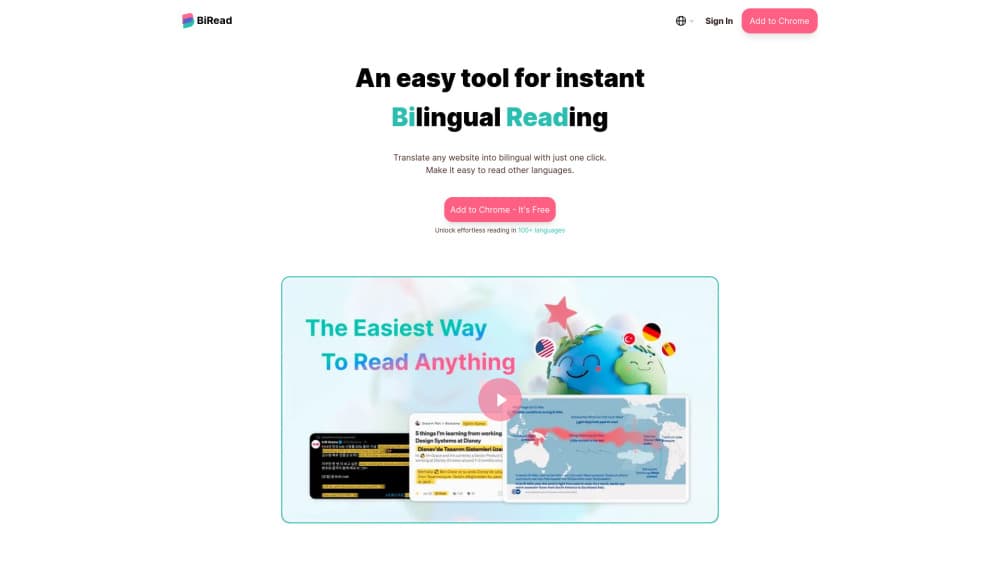
BiRead is a browser extension that turns any page into bilingual text, adding an AI translation under the original and bilingual subtitles on YouTube.
About BiRead
What Is BiRead
BiRead is a browser extension from BFC Technology Pte. Ltd., a company registered in Singapore. It sits in your toolbar and changes how a foreign page looks: the original sentence stays put, and a translation appears right beneath it. Nothing gets replaced, so you always see what the writer actually said.
That layout fixes a daily annoyance. Most website translators swap the whole page into your language and leave you guessing whether the wording matches the source. BiRead keeps both versions in one view, which is why people treat it as a study tool as much as a reading aid.
The free tier runs on Google Translate and covers 32 languages. Advanced moves to AI models that handle idiom and tone, and opens more than 100 languages. Two limits hold at every price: the tool only lives inside desktop Chrome and Edge, and each page needs a click before the second text shows up.
Getting Started
- Install BiRead from the Chrome Web Store or Microsoft Edge Add-ons, then pin the icon to your toolbar.
- Sign in with a Google account. Your settings and usage limits then follow you between browsers.
- Set your native language, plus the language of the pages you plan to read.
- Click the BiRead icon on any article. Turn on Learning Mode if you'd rather hide the translation until you hover a line.
Product Information
A quick look at BiRead's pricing, supported platforms, and performance.
Best for
The users, tasks, and scenarios where this tool fits best.
Users
- Language learners
- Researchers who read foreign sources
- Casual readers of foreign news and social posts
Tasks
- Reading news from another country
- Watching YouTube videos in a foreign language
- Checking what a foreign page really says
Scenarios
- Following a story that only local outlets cover
- Studying with source material in another language
- Browsing social feeds from another country
Key features
Parallel Translation on Any Website
Click the toolbar icon and BiRead inserts a translated line under each paragraph of the page you're on. The original text stays in place, so you can compare both versions without scrolling away or opening a second tab. It works on news sites, blogs, documentation, and forum threads.
YouTube Bilingual Subtitles
On YouTube, the extension puts a second subtitle line under the original captions. You follow the video in your own language and still see the words that were actually spoken. That helps with accents and fast speech, where a single subtitle line is easy to lose.
Learning Mode for Vocabulary
Learning Mode hides the translation until you hover over a sentence. You read the original first, guess at the meaning, then reveal the answer. It's a small change with a real effect: the page turns into practice material instead of a page you skim in your native language.
AI Translation That Reads Context
The Advanced plan runs on AI models rather than phrase-by-phrase matching. Idioms come out as idioms. The company's own comparison shows "Du gehst mir auf den Keks" rendered as "You're getting on my nerves" instead of the word-for-word "You're going on my cookie."
Free Tier on Google Translate
The free plan costs nothing, asks for no card, and covers 32 languages through Google Translate. It's enough to test whether bilingual reading suits you, and enough for occasional articles. Daily volume is limited, which is the main reason people upgrade.
Social Feeds Without Switching Apps
Posts, comments, and short updates get the same parallel treatment as long articles. If you follow accounts that post in several languages, the feed stays readable without copy-pasting each post into a separate translator.
Pros and cons
Pros
- Both texts stay on screen, so you can check the wording instead of trusting a full page swap.
- The free plan covers 32 languages and needs no payment details to start.
- Learning Mode gives learners a reason to keep the extension installed after the first week.
- One click handles a whole page, including sites that load new articles as you scroll.
Cons
- No mobile version. Chrome on Android and Safari on iOS don't run extensions, so reading happens on a computer.
- The free plan limits daily translation, and that ceiling arrives quickly if you read foreign news every morning.
- No public API, which rules out using BiRead inside a team's own tools or a publishing workflow.
Frequently asked questions
BiRead translates web pages in place while keeping the original text visible. People use it to read foreign news, follow social posts, and study a language through real articles rather than textbook exercises.
Related content
Explore related tools, skills, and articles for BiRead.
BiRead Alternatives

Claude for Google Workspace
Anthropic · Writing · Productivity · BusinessClaude for Google Workspace puts Claude in a sidebar inside Google Docs, Sheets, and Slides, where it reads the file you have open and edits it in place.

Claude Haiku 5.5
Anthropic · Writing · Coding · ChatbotClaude Haiku 5.5 is Anthropic's fastest and cheapest small model, built for high volume tasks at $0.10 per million input tokens with a 1M token context window.

NoteWorthy
Suman Hansada · Writing · Productivity · AI AssistantNoteWorthy is a notes app for iPhone, iPad and Mac that writes titles, tidies formatting, summarizes long notes and files each one with on-device AI. No account, no upload, no network requests.