

BiteSyzed AI powered Video Repurposing Tool
BiteSyzed · Writing · Video · Marketing
BiteSyzed is an AI video repurposing tool that turns long recordings into short, captioned clips with AI subtitles, descriptions and hashtags for social media.
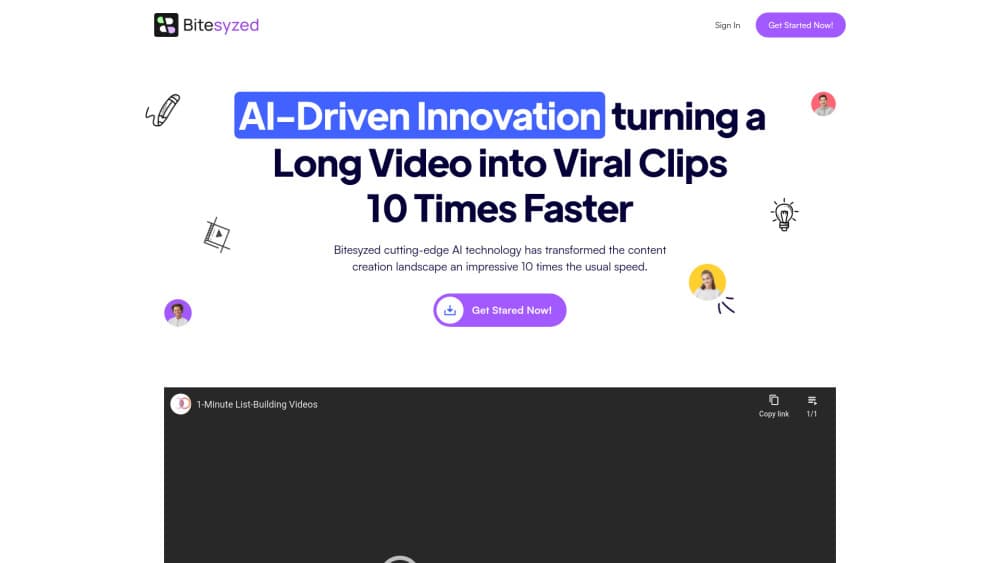
About BiteSyzed AI powered Video Repurposing Tool
What Is BiteSyzed
BiteSyzed is a browser based AI clip generator for people who already have long video and no time to edit it. You upload footage, the system reads the transcript, finds the passages that carry an idea, and renders them as standalone short clips.
The work it replaces is the slow part of editing. Watching a two hour interview to find six usable moments eats an afternoon. BiteSyzed does that pass automatically, then exports each clip in the aspect ratio you need.
The limit sits in the automation itself. The AI decides which moments matter, so a clip can land on a sentence you would have skipped, and you get no fine control until you take the file into another editor. Audio quality matters too, since transcription drives the whole selection. Mumbled panel recordings produce weaker clips than a clean mic feed.
Getting Started
- Open the BiteSyzed site and create an account.
- Upload a long video or paste its URL, then wait for the transcript pass.
- Review the suggested clips, pick the ones worth keeping, and trim the in and out points.
- Choose a resolution for each social platform, then export with auto captions, a description and hashtags attached.
Product Information
A quick look at BiteSyzed AI powered Video Repurposing Tool's pricing, supported platforms, and performance.
Best for
The users, tasks, and scenarios where this tool fits best.
Users
- Podcast hosts
- Social media managers
- Course creators and coaches
- Founders who record their own content
Tasks
- Cutting a long video to short clips
- Adding auto captions
- Writing post copy
- Reframing for several platforms
Scenarios
- Repurposing a weekly podcast
- Turning a webinar into a promo series
- Reviving an old interview archive
- Handling a client batch under deadline
Key features
Automatic Clip Detection
The core function watches the transcript rather than the pixels. It scores passages for context and picks segments that stand on their own, which is why the output tends to open on a complete thought instead of mid sentence.
Transcript Based Contextual Clipping
Because the model works from words, it can tell a setup from a payoff. A story that runs ninety seconds gets kept whole, while filler between topics gets dropped. Recordings with clear speech and little cross talk give the best results.
AI Subtitles in Multiple Languages
Each clip ships with captions, and the tool offers subtitles in more than one language. That covers the large share of social viewers who scroll with sound off, and it opens a clip to audiences outside the original language.
Multi Aspect Ratio Rendering
You pick the frame for the platform, then export as a vertical, square or widescreen file. This removes the resize and letterbox routine that normally eats time after the creative work is done.
AI Generated Descriptions and Hashtags
Export bundles include a written description and a set of hashtags. They read as a starting draft rather than a finished caption, so plan on a quick edit before posting.
Upload, Export and Share Flow
Everything runs in the browser, from upload to download. There is no desktop install and no plugin to maintain, which matters when several people on a team need to produce clips from the same source file.
Pros and cons
Pros
- Cuts a long video to short clips without manual scrubbing, which turns a multi hour job into a review pass.
- Auto captions come attached by default, so clips are readable on mute from the first export.
- Handles multiple aspect ratios, which means one source file covers every major social feed.
- Generates descriptions and hashtags alongside the video, cutting the copywriting step.
- Runs in a browser, so nothing needs installing and teammates can share the workflow.
Cons
- Clip selection is automated, so you will reject some suggestions and occasionally lose a moment you wanted.
- Pricing is not listed on the public site, which makes budgeting hard before you sign up.
- No API is documented, so teams wanting to plug clipping into their own pipeline are stuck with the web app.
- Weak audio leads to weak transcripts, and the clip quality drops with it.
Frequently asked questions
It takes a long video, finds the parts that work on their own, and exports them as short captioned clips with a description and hashtags.
Related content
Explore related tools, skills, and articles for BiteSyzed AI powered Video Repurposing Tool.
BiteSyzed AI powered Video Repurposing Tool Alternatives

Claude for Google Workspace
Anthropic · Writing · Productivity · BusinessClaude for Google Workspace puts Claude in a sidebar inside Google Docs, Sheets, and Slides, where it reads the file you have open and edits it in place.

Claude Haiku 5.5
Anthropic · Writing · Coding · ChatbotClaude Haiku 5.5 is Anthropic's fastest and cheapest small model, built for high volume tasks at $0.10 per million input tokens with a 1M token context window.

NoteWorthy
Suman Hansada · Writing · Productivity · AI AssistantNoteWorthy is a notes app for iPhone, iPad and Mac that writes titles, tidies formatting, summarizes long notes and files each one with on-device AI. No account, no upload, no network requests.