

Bitrig
Bitrig · Coding
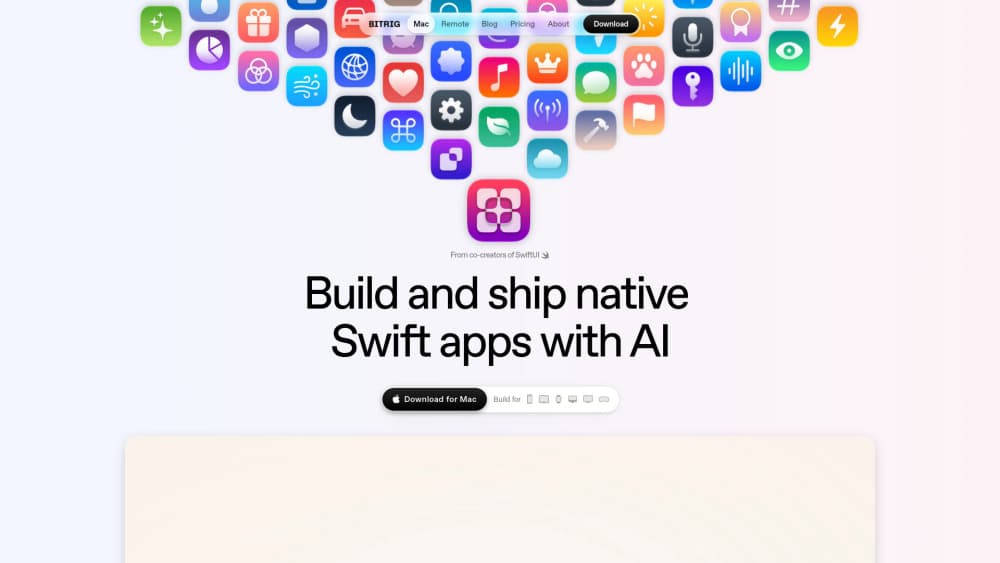
Bitrig is an AI Swift app builder for macOS. It turns a written description into a working native app for iPhone, iPad, and Apple Watch. It runs on Apple silicon, generates full Xcode projects you can open anytime, tests the app inside a 3D simulator, and handles the App Store upload steps for you. Want to build iOS apps with AI without babysitting an agent all day? That's the pitch. The free plan costs $0. Pro runs $25 per month.
About Bitrig
What Is Bitrig
Bitrig is a Mac app from a team of former members of Apple's SwiftUI group, the framework that shapes how most modern iPhone and iPad interfaces get built. Instead of writing every line of Swift by hand, you describe what you want and Bitrig produces real Swift code. That changes the pace of SwiftUI app development. This is aimed at people who prize a polished, native feel but find traditional iOS development too slow or too fiddly to learn properly.
The tool leans on Claude Code and Codex as its underlying agents, so it uses current models from Anthropic and OpenAI rather than a proprietary engine that might quietly fall behind the frontier. You bring your own Claude or ChatGPT subscription. That means you aren't billed per token on top of the plan price. Everything it makes is a standard Xcode project, built with the full toolchain, so nothing is locked inside the app.
The main limitation is scope. Bitrig targets Apple platforms only, so it won't help if you need Android, Windows, or web apps. It also requires macOS 15 or later on an Apple silicon Mac, which rules out older Intel machines. So as a native app builder, it stays firmly in Apple's world.
Getting Started
- Download Bitrig for Mac from the official site and confirm your machine runs macOS 15+ with Apple silicon.
- Sign in and connect the Claude or ChatGPT subscription you already have, then pick the Free or Pro plan.
- Describe the app you want to build in plain language, or open an existing Xcode project to work on it further.
- Let Bitrig generate and test the code, preview it in the built-in simulator, and refine details through follow-up messages.
- Open the project in Xcode if you want manual control, then publish to TestFlight or the App Store from within Bitrig.
Product Information
A quick look at Bitrig's pricing, supported platforms, and performance.
Best for
The users, tasks, and scenarios where this tool fits best.
Users
- Swift and SwiftUI learners
- Designers who can't code
- Indie developers shipping to the App Store
- Small teams with a GitHub workflow
Tasks
- Prototyping an app idea
- Building Widgets, Live Activities, and Controls
- Adding backend sync
- Preparing screenshots and listing copy
Scenarios
- A solo founder validating an idea before hiring
- A student learning iOS development with real projects
- A team maintaining an existing Xcode project
Key features
Prompt-to-Swift Code Generation
Bitrig takes a description and writes actual Swift. You aren't getting a mockup or a no-code block builder. You get source you can inspect, edit, and extend. That matters when you want to learn from the output or hand it to another developer later.
Frontier Agents on Your Own Subscription
The agents are powered by Claude Code and Codex, and you connect the Claude or ChatGPT plan you already pay for. Bitrig's own pricing covers the app, not per-token API fees, so heavy use doesn't stack up surprise charges. Run it all day if you want.
Full Xcode Projects and Built-In Simulators
Every app is a real Xcode project built with the full toolchain and current SDKs. Bitrig also runs your app in a photorealistic 3D device frame you can grab and rotate, which makes it easier to judge how a layout actually feels before you commit to testing on real hardware. Handy.
Automated App Testing
Bitrig taps, scrolls, and types through the app the way a user would, then fixes the bugs it finds. Less back-and-forth on tiny defects means more of your time goes to features that matter. It won't catch everything, but it clears the obvious noise.
App Store Publishing and TestFlight
You can create the app record, archive and upload builds, and manage the store listing without leaving Bitrig. The tool handles code signing and provisioning, and pushes listing changes to App Store Connect with one click, so you can go from a finished build to a live listing without ever opening a browser tab. App Store publishing is usually the part people dread. Here it's mostly a button.
GitHub Integration
Changes can be contributed back through the GitHub workflow your team already uses. If you work in a shared repo, Bitrig fits in rather than forcing a separate process.
Backend Support with CloudKit and Supabase
Apps can use CloudKit or Supabase to sync user data across devices securely. This saves you from wiring up a backend from scratch for a simple sync requirement. For anything complex, you'll still want a backend engineer on call.
Beyond the App: Widgets and System Integration
Widgets, Live Activities, Controls, Shortcuts, Siri, and Spotlight are all supported. These are the features that make an app feel native on Apple hardware, and Bitrig builds them alongside the main app.
Pros and cons
Pros
- Output is real Swift and standard Xcode projects, so nothing is trapped in a closed editor.
- Bring-your-own-subscription pricing avoids per-token API costs during long sessions.
- The built-in simulator gives a quick feel for how the app behaves on a device.
- Publishing support covers code signing, provisioning, and App Store Connect updates.
- Built by former members of Apple's SwiftUI team, which shows in the native-first approach.
Cons
- Apple platforms only, so there's no path to Android or web from the same project.
- Requires macOS 15+ on an Apple silicon Mac, leaving Intel Macs unsupported.
- Distributing to TestFlight or the App Store still needs a paid Apple Developer account at $99 per year.
- The Free plan caps you at 10 daily messages and up to 60 monthly credits, which runs out fast on larger apps.
Frequently asked questions
It writes native Swift apps for Apple platforms. You describe the app, and Bitrig generates working code as a full Xcode project rather than a template or wireframe. No mockups, no drag-and-drop placeholders.
Related content
Explore related tools, skills, and articles for Bitrig.
Bitrig Alternatives
Forefront
Forefront · CodingForefront is a web platform for building with open-source AI. It lets you fine-tune leading open-source language models on your own data, evaluate how they perform, and run them through an API or export them to host yourself. Developers who want the convenience of a closed-source platform but insist on owning their models and data are the target audience here.

Startkit
StartKit.AI · CodingStartkit is a boilerplate for building AI SaaS and AI wrapper products. Think of it as an AI startup boilerplate with the boring parts already wired up: authentication, Stripe and Lemon Squeezy payments, usage limits, transactional email, and an AI API starter that talks to OpenAI, Anthropic, Groq, or Llama. You clone the repo, set your price, and start on the part of your product that people actually pay for. It's Next.js under React and Tailwind, so most of the boilerplate code already feels familiar.
Testim
Tricentis · CodingTestim is an AI-powered test automation platform for building and running end-to-end tests across web, mobile, and Salesforce applications. It leans on machine learning to keep tests stable when an interface changes, so teams spend less time fixing broken selectors. Not bad for an automated testing tool you can start using today. You create tests by recording actions in a browser, then optionally add JavaScript when you need more control. It's a solid pick for busy QA teams.