
Blanked: AI Word Finder
Blanked · Writing
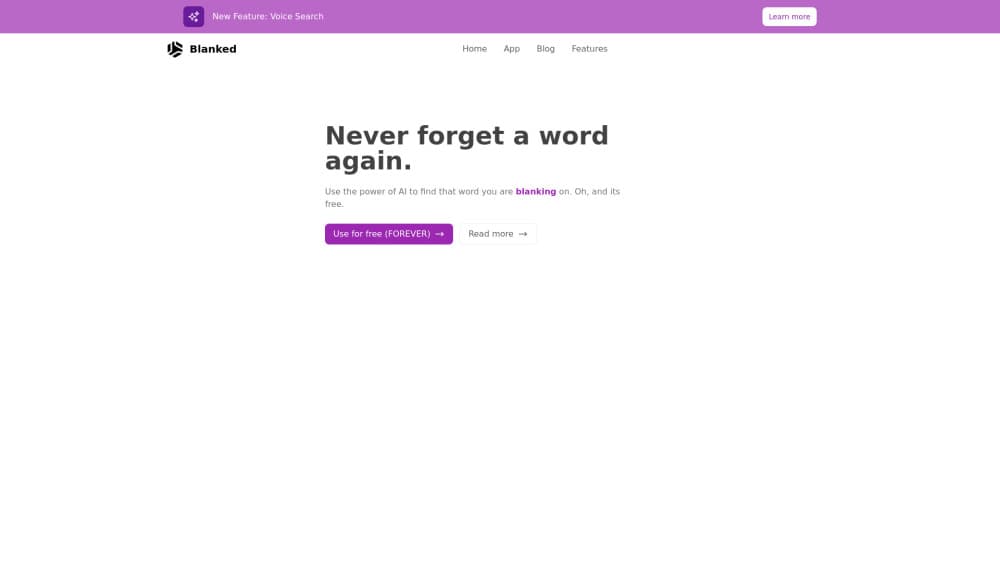
Blanked is an AI word finder and reverse dictionary. You describe the word you forgot, however vague, and it returns the term plus a few alternatives. Free, no signup.
About Blanked: AI Word Finder
What Is Blanked
Blanked is a free AI word finder that runs in your browser at tryblanked.com. You type a description of the word that slipped away, and the tool answers with the word itself plus a short list of near misses. There's no account, no download, and no paywall on the site.
It solves a narrow problem well: the gap between knowing a meaning and knowing its label. A dictionary needs the word before it can help you. A search engine needs a phrase you can already spell. Blanked takes the messy version, the one with "uhh" and "like" in it, and works from the meaning instead. That single job is what keeps it useful: Blanked is a narrow AI writing tool, not an editor, a grammar checker, or a thesaurus.
The limits are worth knowing before you rely on it. Blanked returns words, not definitions, so you still check a dictionary before you use an unfamiliar term in print. It can't search by letter pattern, which rules out crossword clues like "eight letters, starts with P." And it lives on the web only, with no mobile app, extension, or public API.
Getting Started
- Open tryblanked.com in any browser. There's no signup screen in the way.
- Describe what the word means in plain language. Half sentences work. So do comparisons and examples.
- Send the description and read the result, then check the "also try" list under it for closer fits.
- Confirm the meaning and register in a dictionary before you commit the word to a draft.
Product Information
A quick look at Blanked: AI Word Finder's pricing, supported platforms, and performance.
Best for
The users, tasks, and scenarios where this tool fits best.
Users
- Writers stuck mid-sentence
- Students and non-native English speakers
- Editors and copywriters
Tasks
- Finding the word on the tip of your tongue
- Naming a feeling or a behavior you can describe but not label
- Breaking a repetition loop in a draft
- Explaining a term to someone learning English
Scenarios
- Mid-draft with a browser tab already open
- A conversation where someone uses a word you can define but can't name
- Preparing a lesson or a study sheet
Key features
Describe a Word in Plain Words
The input box expects everyday speech, not a search query. You can write "like when something is just everywhere all at once" and still get a hit. Filler words, half sentences, and comparisons all feed the same meaning-matching step, which is the main reason the tool works when a keyword search doesn't.
Meaning-Based Matching
Blanked reads the intent behind your description rather than scanning for shared words. That's why a loose, messy sentence can land on a single precise term like ubiquitous. It also means the tool gets better as you add context, so a second sentence about where you'd use the word often helps more than a shorter, cleaner query.
Alternative Suggestions
Every answer comes with a short "also try" list. Those picks are close in meaning but differ in tone, formality, or intensity, which is useful when the first word is right in sense and wrong in register. Read the list before you settle, especially for writing you plan to publish.
No Signup, No Install
There's no account to create, no card to enter, and nothing to download. The site loads straight into the input screen, so a lookup costs a few seconds. That matters for the use case it targets, since most people search for a lost word in the middle of doing something else.
One-Screen Lookup Loop
The interface keeps the input, the answer, and the alternatives on a single page. No results page, no sidebar of related articles, no prompts to upgrade. Type, read, adjust the description, send again. The aim is to find the word you forgot without opening five tabs or scrolling a results page, and the layout holds to that.
Built for Recall, Not Definitions
Blanked answers "what's that word" and stops there. It doesn't show parts of speech, pronunciation, or example sentences, and it doesn't keep a history of what you looked up. Treat it as the first step before a dictionary, which is where you confirm spelling and usage.
Pros and cons
Pros
- Free with no account, so there's no trial clock or usage counter to watch.
- Messy, spoken-style descriptions work, which matches how people actually remember a half-lost word.
- The alternatives list adds vocabulary instead of just confirming one guess.
- Nothing to install, so it works on a borrowed laptop or a locked-down work machine.
- Fast enough to use mid-sentence, which is the moment the problem shows up.
Cons
- Web only. There's no iOS or Android app, no browser extension, and no public API for building it into your own tools.
- No letter-pattern search, so crossword and word-game clues still need a dedicated solver.
- You get a word, not a definition. Using an unfamiliar result without checking it in a dictionary is how you end up with the wrong register.
- Results live or die on your description. If you only half remember the sense, the top answer can be a generic word that fits loosely.
Frequently asked questions
Blanked finds a word you can describe but can't recall. You write what it means in everyday language, and the AI word finder returns the term plus a few alternatives. It's built for recall, not for browsing definitions.
Related content
Explore related tools, skills, and articles for Blanked: AI Word Finder.
Blanked: AI Word Finder Alternatives

Emailwritr
Emailwritr · Writing · MarketingEmailwritr is an AI email copywriting tool built for affiliates, course creators, and online businesses that want more revenue from the list they already own. Instead of blank pages or generic chatbot prompts, this AI email writer generates welcome sequences, launch campaigns, cart recovery emails, and promo series from frameworks modeled on well-known direct-response copywriters. You connect your autoresponder, answer a few questions about your offer, and it writes the copy for you.

Swms
Swms AI · Writing · Productivity · BusinessSwms is an AI safety compliance tool that turns a plain description of a job into ready-to-use safety documents. Describe your project, trade, and known hazards, and it writes a safe work method statement, job hazard analysis, safe work procedure, RAMS, or safety data sheet in seconds. It also ships with Oscar, a chat assistant that answers workplace safety questions in any language. Teams in construction, mining, transport, and warehousing use it to cut the paperwork that usually eats into a workday.

Prosp
Prosp · Writing · Voice & Language · MarketingProsp is an AI LinkedIn outreach tool built for agencies and sales teams, and it writes the message and the voice note in your own voice for each prospect so they actually reply. You connect your accounts, find leads, and let the AI draft and send personalized messages at scale, all from one inbox. It's built for people running outbound at volume. That's the whole pitch. Every touchpoint still has to feel human.