

Blink.new
Blink · Coding
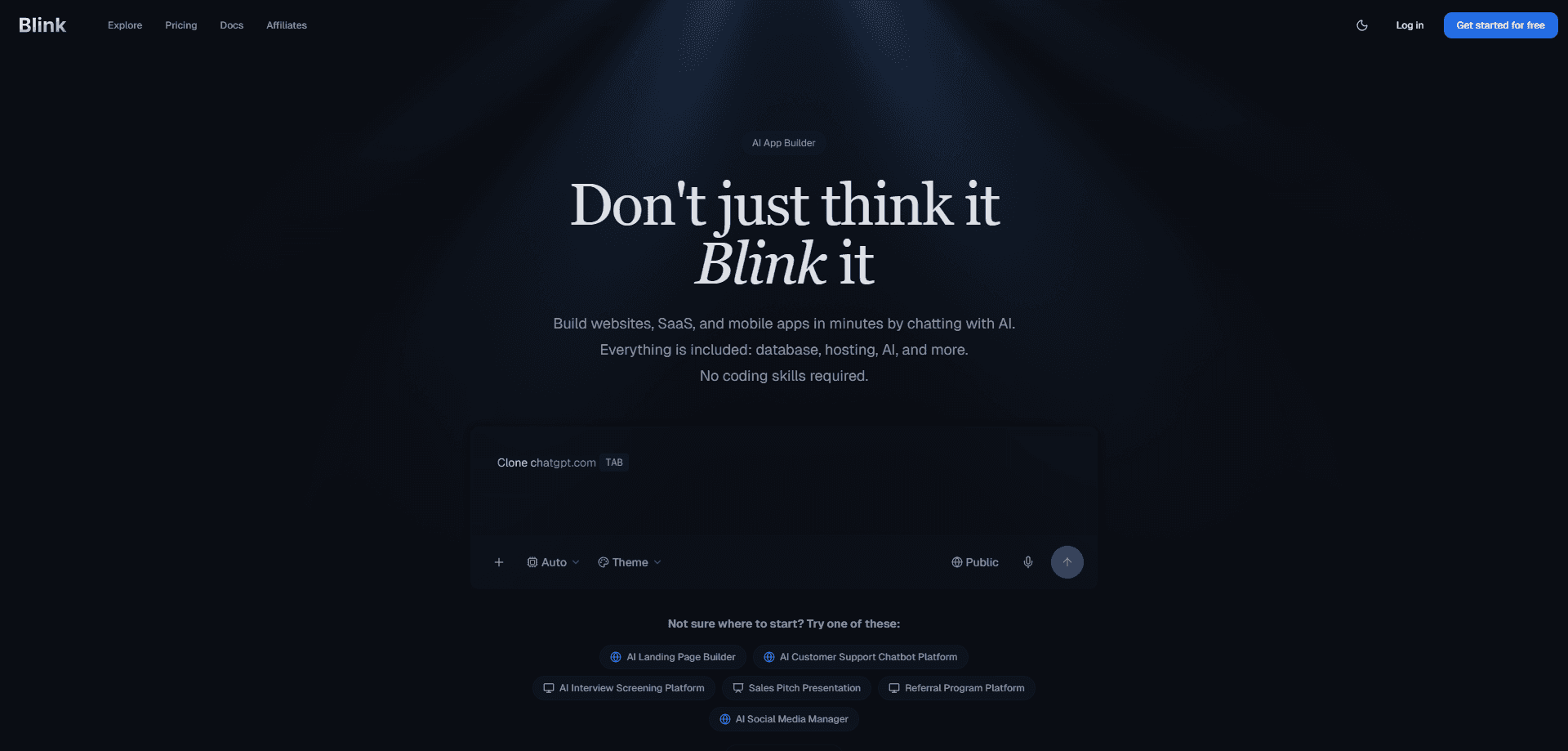
Blink.new is an AI app builder that takes a plain description of what you want and produces a working website, a full-stack product, and always-on AI agents behind it. You type a prompt, and Blink designs the pages, wires up a real SQL database, adds authentication, and hosts the result on a custom domain. It suits founders, marketers, and small teams who need an app built from a prompt without hiring a developer or managing servers.
About Blink.new
What Is Blink.new
Blink.new is a hosted platform for building and running software from text prompts. You describe your business or idea. The platform generates the pages, data model, and backend logic for you.\n\nThe company positions this as vibe coding: you steer with words, and the system handles the plumbing. Users call it no-code app development, and that's close enough.
The main problem it solves is the gap between having an idea and having something online. A marketing site normally needs a designer, a hosting vendor, and someone to set up email or forms. An app behind that site adds a database and login system on top. Blink folds all of that into one account and one bill. Need to build an app from a prompt? That's the whole pitch.
The biggest limitation is the credit model. Builds and edits consume credits, and the free tier is small, so heavy iteration gets expensive fast. Custom domains aren't included on the free plan either. Anything user-facing needs a paid subscription.
Getting Started
- Sign up at blink.new with an email address or Google account.
- Describe your business, product, or app idea in the prompt box.
- Review the generated site, then point at any element and state what should change.
- Ask Blink to add backend pieces like a members' area, booking flow, or dashboard.
- Connect a custom domain and publish once you're happy with the result.
Product Information
A quick look at Blink.new's pricing, supported platforms, and performance.
Best for
The users, tasks, and scenarios where this tool fits best.
Users
- Founders and solo builders
- Marketers and business owners
- Small product teams
- Automation hobbyists
Tasks
- Turning a business idea into a landing page and members' area
- Cloning an existing site as a starting point
- Adding a database, authentication, and file storage without a backend developer.
- Shipping a dashboard or booking flow as part of the same codebase as the website.
- Running AI agents on a schedule without wiring up separate model API accounts.
Scenarios
- A consultant who needs a polished site with a client portal by next week.
- A hobby project that might grow into a real product, where starting as a landing page avoids a messy migration later.
- A team experimenting with autonomous agents but unwilling to manage servers and SSL certificates.
- A side business that wants to avoid paying for a hosting vendor and an app builder separately.
Key features
Prompt-to-App Generation
The core of Blink.new is a single prompt box that produces a working application rather than a mockup. You describe the business, and it generates the pages, content, and backend structure shaped around that description instead of a generic template. No two builds look alike. The same box keeps going after the site is done, so asking for a members' area or dashboard extends the project rather than starting a new one.
Built-In Backend Stack
Every project can include a real SQL database, authentication, object storage, and a backend runtime without extra setup. That means the boring infrastructure work that usually needs a developer is handled as part of the build. For non-technical users, this is the difference between a prototype and something people can actually log into.
Visual Editing
You point at any element on the live page, click it, and describe the change in plain language. There's no canvas to learn and no CSS to write. It keeps you in control of the details without forcing you into a design tool. It works best for text, content, and layout tweaks rather than deep structural reworks.
Hosting and Custom Domains
Because Blink both builds and hosts, a custom domain, SSL, and a global CDN are settings rather than a separate vendor to manage. Free projects deploy to a blink.new subdomain. Paid plans add your own domain. This removes the usual handoff between builder and host.
SEO and Machine-Readable Output
Sites ship with semantic markup, metadata, sitemaps, and structured data built in. Each page also gets a machine-readable .md twin, so search engines and AI assistants can read and quote the content accurately. That's a practical edge for anyone whose site needs to show up in search results.
Blink Claw Agent Hosting
Blink Claw is the managed OpenClaw side of the platform: autonomous AI agents deployed in about a minute, with no Docker, VPS, or SSL configuration. Each agent runs in its own isolated virtual machine, and the plans bundle LLM usage so you don't need separate Claude or OpenAI accounts. Setup is fast. It's aimed at people who want agents running without becoming sysadmins.
Code Ownership and Export
You own every line of the generated code, with a GitHub repository from day one. Export and self-host whenever you want. For teams wary of lock-in, that's a meaningful safety valve. The output isn't trapped inside the platform.
Pros and cons
Pros
- One prompt produces a real full-stack app, not just a frontend prototype.
- Database, authentication, and hosting come bundled, cutting out several separate tools.
- Unlimited workspace members on every plan, including the free tier.
- You keep the generated code and can export it via GitHub from the start.
- Machine-readable site output helps with both search visibility and AI assistant quoting.
Cons
- Credit-based pricing means heavy iteration burns through your allowance quickly.
- Custom domains require a paid plan, so the free tier is limited to subdomains.
- Prompt-driven editing works better for content and layout than for complex custom logic you'd write by hand.
- The platform spans two product lines, which can make the pricing pages confusing at first glance.
Frequently asked questions
You can build business websites, full-stack web apps, and hosted AI agents. A single project can hold both a marketing site and the product behind it, so a landing page can grow into a real application without a migration.
Related content
Explore related tools, skills, and articles for Blink.new.
Blink.new Alternatives
Forefront
Forefront · CodingForefront is a web platform for building with open-source AI. It lets you fine-tune leading open-source language models on your own data, evaluate how they perform, and run them through an API or export them to host yourself. Developers who want the convenience of a closed-source platform but insist on owning their models and data are the target audience here.

Startkit
StartKit.AI · CodingStartkit is a boilerplate for building AI SaaS and AI wrapper products. Think of it as an AI startup boilerplate with the boring parts already wired up: authentication, Stripe and Lemon Squeezy payments, usage limits, transactional email, and an AI API starter that talks to OpenAI, Anthropic, Groq, or Llama. You clone the repo, set your price, and start on the part of your product that people actually pay for. It's Next.js under React and Tailwind, so most of the boilerplate code already feels familiar.
Testim
Tricentis · CodingTestim is an AI-powered test automation platform for building and running end-to-end tests across web, mobile, and Salesforce applications. It leans on machine learning to keep tests stable when an interface changes, so teams spend less time fixing broken selectors. Not bad for an automated testing tool you can start using today. You create tests by recording actions in a browser, then optionally add JavaScript when you need more control. It's a solid pick for busy QA teams.