

Vozo AI Video Translator & Dub
Vistring Technology Holdings Limited · Writing · Video
Vozo AI Video Translator & Dub is a browser based studio that translates videos, dubs them with cloned voices, syncs lip movement, and adds translated captions in more than 100 languages.
About Vozo AI Video Translator & Dub
What Is Vozo AI Video Translator & Dub
Vozo AI Video Translator & Dub handles the step most creators stall on: making a finished video work for viewers who don't speak the original language. You upload a file, pick target languages, and the platform returns translated audio, matching lip movement, and subtitles. Vozo reports 111 source languages and 165 target languages for translation, with more than 7 million creators and teams using the service in 40 countries.
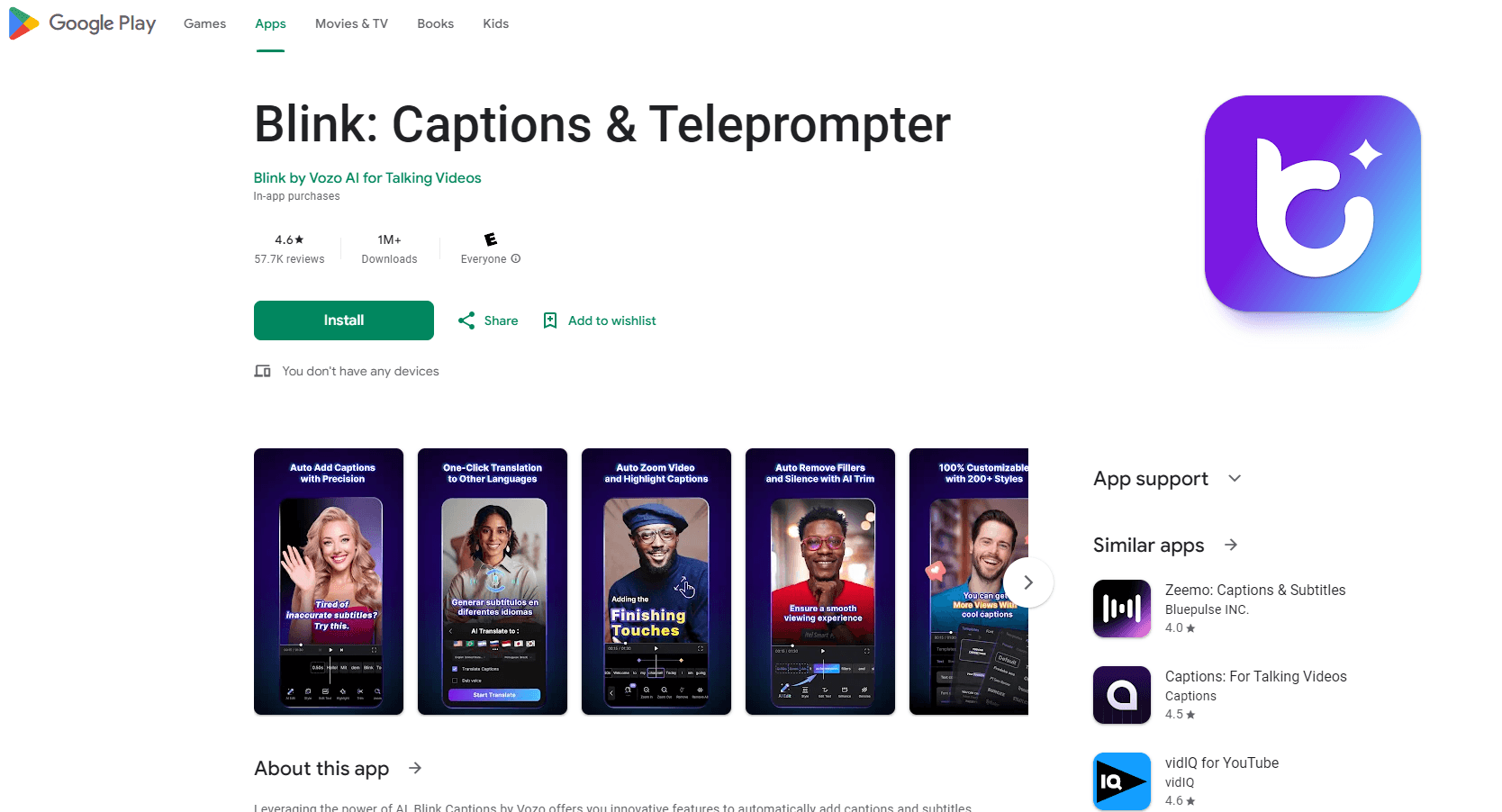
The product began as Blink Captions, a captioning and teleprompter app, and now ships as a full video localization studio with AI dubbing, lip sync, talking photo, voice cloning, and a shorts generator. That origin still shows in the mobile app, which pairs caption styles and the voice-synced teleprompter with translation tools.
The main thing to plan around is billing. Every job draws from an AI point balance, and the price of a job depends on the tool and the length of the clip, so a long dubbing project spends a large share of a monthly allowance. File caps also move by plan: 60 minutes per file on Creator plans, 120 minutes on Studio plans.
Getting Started
- Create a free account at vozo.ai and claim the AI points that come with signup, with no card required.
- Upload a video from your device or paste a YouTube link, then set the source and target languages.
- Pick a dubbing voice from the library or clone your own, and correct names or jargon in the generated transcript before you render.
- Switch on lip sync, subtitles, or on-screen text translation, then export the finished file at up to 4K.
Product Information
A quick look at Vozo AI Video Translator & Dub's pricing, supported platforms, and performance.
Best for
The users, tasks, and scenarios where this tool fits best.
Users
- YouTube and TikTok creators
- Course creators and educators
- Small marketing teams
Tasks
- Dubbing a tutorial into Spanish or Portuguese
- Translating captions burned into a product demo
- Recording a scripted explainer
Scenarios
- Localizing a training library before a regional launch
- Testing a new market with a single translated clip before committing a localization budget.
- Keeping a channel consistent across languages
Key features
Video Translation and AI Dubbing
Dubbing takes the transcript of your video, translates it, and speaks the result with a synthetic or cloned voice. One project can output several language versions at once, and the proofreading editor lets you fix a phrase before rendering instead of re-running the whole job.
Lip Sync
Lip sync redraws mouth movement to match the dubbed audio, which closes the gap that makes dubbed video feel off. It runs on files up to 60 minutes and up to 4K resolution on paid plans, and it accepts uploaded audio in any language.
Subtitle Translation and Caption Styling
Beyond spoken audio, Vozo lets you translate video subtitles, offers bilingual subtitle tracks, and lets you set custom fonts for the burned-in version. The mobile app adds a library of caption styles for short social clips.
Voice Cloning and Voice Library
The voice studio clones a sample of your own voice or picks from a library of more than 12,000 voices across 80 text-to-speech languages. Cloning keeps brand narration recognizable when a video runs in five languages, and the editor works on text rather than waveforms.
Voice-Synced Teleprompter
The teleprompter scrolls in step with how fast you actually speak, rather than at a fixed speed you have to chase. That makes it practical for tutorials, presentations, and talking-head videos where a second take is expensive.
Visual Translate for On-Screen Text
Visual translate detects text inside the frame, such as signage, slides, or app labels, and swaps it for the target language. It handles up to 20 minutes per file with 4K input and 1080p output, which covers most social and product content.
Chat with Vozo
A chat interface runs the same tools from a prompt, so you can ask for a dubbed version or a re-cut clip without hunting through menus. It suits occasional users who don't want to learn the full editor.
Developer API
The published API exposes translation, dubbing, lip sync, and talking photo endpoints for product teams that need localization inside their own tools. Access sits outside the standard subscription, so volume and pricing go through sales.
Pros and cons
Pros
- 165 target languages from 111 source languages, on every paid tier.
- Dubbing, lip sync, subtitle translation, and on-screen text translation live in one project, so you don't rebuild the timeline once per language.
- Voice cloning plus a 12,000 voice library covers both a personal narrator and a neutral studio read.
- Runs in a browser, with iOS and Android apps for recording and captions.
- SOC 2 Type II and GDPR compliance statements, which matters for teams handling client footage.
Cons
- AI point metering makes cost hard to predict: the same task costs more as the clip gets longer, so budget a test job first.
- Talking Photo is capped at 720p, which is fine for social output and soft on a large display.
- Shorts Generator lists English as its only supported language, so long videos in other languages need manual clipping.
- The free allowance covers only short tests, and point packs are the fallback once it runs out.
Frequently asked questions
It translates a video into other languages and produces dubbed audio, matching lip movement, subtitles, and translated on-screen text. Creators use it to publish one recording in several markets without booking voice actors or subtitle vendors.
Related content
Explore related tools, skills, and articles for Vozo AI Video Translator & Dub.
Vozo AI Video Translator & Dub Alternatives

Claude for Google Workspace
Anthropic · Writing · Productivity · BusinessClaude for Google Workspace puts Claude in a sidebar inside Google Docs, Sheets, and Slides, where it reads the file you have open and edits it in place.

Claude Haiku 5.5
Anthropic · Writing · Coding · ChatbotClaude Haiku 5.5 is Anthropic's fastest and cheapest small model, built for high volume tasks at $0.10 per million input tokens with a 1M token context window.

NoteWorthy
Suman Hansada · Writing · Productivity · AI AssistantNoteWorthy is a notes app for iPhone, iPad and Mac that writes titles, tidies formatting, summarizes long notes and files each one with on-device AI. No account, no upload, no network requests.