

bloodrec
BloodRec · Writing · AI Assistant
BloodRec is an AI blood test analysis tool that reads your lab results PDF, explains each biomarker in plain language, and builds a personalized protocol. It tracks 100+ markers over time and is free.
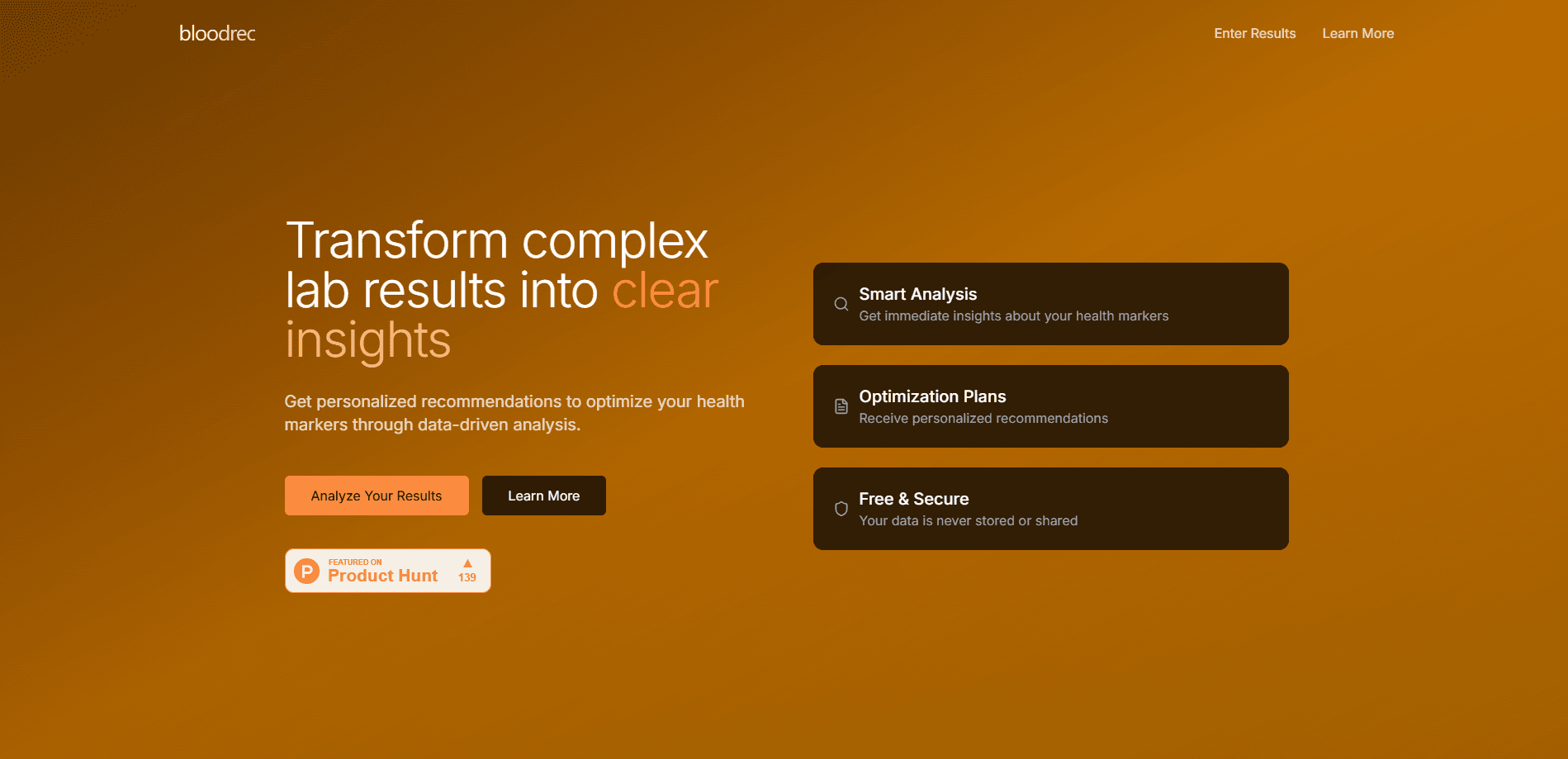
About bloodrec
What Is BloodRec
BloodRec is a web app that turns a standard blood test into something you can actually act on. You upload the PDF from your lab, and it extracts the values, flags which markers sit outside an optimal range, and explains what each number means for your body. The pitch is straightforward: your report comes back full of abbreviations and reference ranges, and you still don't know whether a 32 ng/mL vitamin D reading is fine or worth fixing. BloodRec answers that question.
The tool leans on published clinical guidelines rather than guesswork. It cites 847 evidence entries drawn from 26+ organizations, including the World Health Organization, the American Heart Association, and the American Diabetes Association. Each marker gets a plain-language explanation plus a recommended range that often goes tighter than the lab's own cutoff.
The main limitation is scope. BloodRec reads and interprets results, but it never measures anything itself, so you still need a real lab draw to feed it data. It's also an informational tool, not a diagnosis. The site repeats that line on every page, and anyone making a medical decision should bring the output to a doctor rather than treat it as a verdict.
Getting Started
- Open bloodrec.com and upload your lab results as a PDF, or type values in by hand if you only have a paper report.
- Let the AI extract your markers and flag anything outside the optimal range.
- Review your health dashboard: an overall score, priority markers, and a written summary of what stands out.
- Read the personalized protocol, which lists nutrition, supplement, and lifestyle steps tied to your specific results.
- Create a free account to save the test and track how your markers move on your next draw.
Product Information
A quick look at bloodrec's pricing, supported platforms, and performance.
Best for
The users, tasks, and scenarios where this tool fits best.
Users
- Health optimizers
- People with a confusing report
- Long-term trackers
Tasks
- Decoding a fresh lab result
- Building a supplement and diet plan
- Spotting trends between tests
- Preparing for a doctor visit
Scenarios
- The annual physical
- Working toward a specific goal
- A borderline flag
Key features
AI Lab Report Extraction and Interpretation
BloodRec pulls values out of your lab PDF automatically, so you don't retype numbers one by one. The lab results interpretation layer is what sets it apart from a plain spreadsheet. Upload the file and it reads the markers, units, and ranges, then sorts them into a dashboard. For older paper reports, manual entry is still an option.
Optimal Range Analysis
Instead of stopping at the lab's normal cutoff, BloodRec compares each marker to an optimal range drawn from clinical guidelines. A value the lab calls "normal" can still get flagged here if it sits outside that tighter window. That gap is the core of what the tool does.
Personalized Action Protocol
Every result comes with concrete next steps. The protocol lists nutrition changes, supplement recommendations, and lifestyle adjustments matched to your specific out-of-range markers. Vitamin D below optimal, for instance, might trigger a dosing suggestion and a sun-exposure note.
Biomarker Tracker and Trend View
Save your tests and BloodRec plots each marker over time as a biomarker tracker. You see whether a value is climbing, dropping, or holding steady across multiple draws, with percentage changes shown against your previous result. It's the difference between a single snapshot and an actual pattern.
Health Score and Priority Markers
The dashboard rolls everything into one overall health score, then separates markers into optimal and needs-attention groups. Priority markers get pulled to the top so you know where to focus first, and the number of alerts is visible at a glance.
Marker Interaction Insights
BloodRec points out when two markers affect each other. A low vitamin D reading paired with elevated TSH, for example, gets flagged as a medium-priority relationship with a mechanism explanation and a suggested order of action. Few trackers surface these links at all.
Community Comparison
Anonymized results feed a percentile ranking, so you can see how your markers stack up against other BloodRec users. The data is stripped of personal identifiers before it's used, and the comparison stays anonymous on both sides.
Evidence Citations
Each biomarker explanation traces back to 847 evidence entries from 26+ organizations, updated against 2025 guidelines. That depth is what turns ordinary bloodwork into readable insights. Sources include WHO, the American Heart Association, and Examine.com, which lets you check the reasoning behind a recommendation rather than take it on faith.
Pros and cons
Pros
- Reads a lab PDF and extracts markers automatically, so there's no manual data entry for most reports.
- Compares results against optimal ranges from clinical guidelines, which is more useful than the lab's wide "normal" band.
- Turns out-of-range markers into a specific protocol covering diet, supplements, and lifestyle.
- The health dashboard and priority design make a long report scannable in a couple of minutes.
- Free to use, with no pricing tier gating the core analysis.
Cons
- It interprets results but doesn't measure anything, so you still need a real blood draw from a lab.
- The community comparison needs a saved account to be meaningful, so one-off visitors get less from it.
- Being an informational tool rather than a diagnostic one means every recommendation still has to go through a doctor before you act on it.
Frequently asked questions
It reads a blood test PDF, explains each biomarker in plain language, flags values outside an optimal range, and builds a personalized protocol of diet, supplement, and lifestyle steps. Think of it as a translation layer between a lab report and a plan you can follow.
Related content
Explore related tools, skills, and articles for bloodrec.
bloodrec Alternatives

Google EmbeddingGemma 2
Google DeepMind · Writing · Image · CodingGoogle EmbeddingGemma 2 is a 740M-parameter open model that turns text, code, images, audio, and video frames into vectors in one 768-dimension space, running on phones and laptops.

MePersona
MePersona, Inc. · Writing · Productivity · MarketingMePersona is an AI unified inbox for creators. It learns your voice, drafts replies to fan messages from 12 platforms, and sends only what you approve.

Fluence
Yay Software (Yannick Huchard) · Writing · Voice & Language · ProductivityFluence is an Android app that reads PDFs, EPUBs, Word files and web articles aloud, follows each sentence as it speaks, and answers questions about the text on the phone itself.