

Blumo AI
Blumo · Other
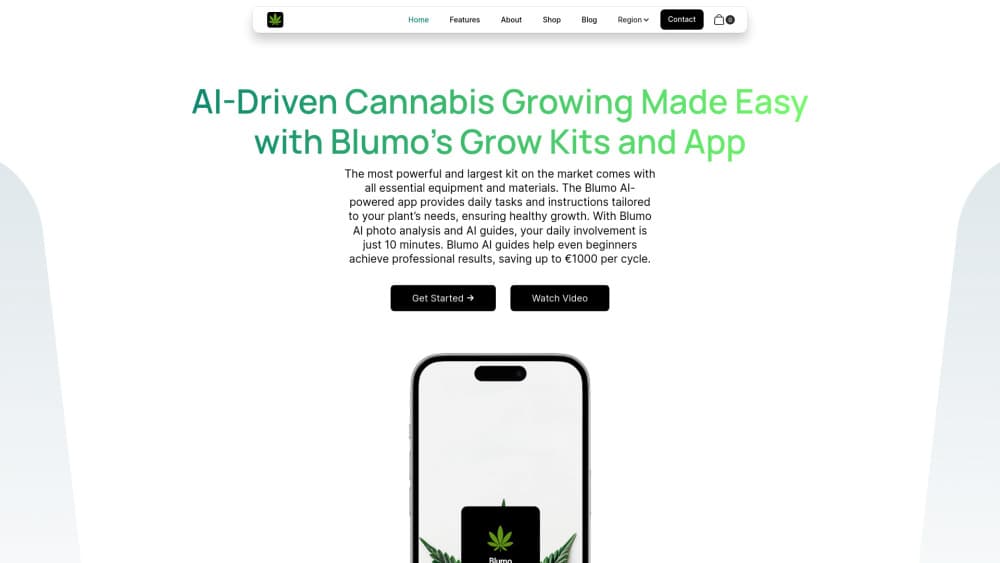
Blumo AI is a cannabis cultivation app that turns a home grow kit into a guided daily routine, with task reminders and photo-based plant checks for beginners.
About Blumo AI
What Is Blumo AI
Blumo AI is an AI cannabis grow app built around a simple idea: most first-time growers fail because they don't know what to do on any given day. Instead of a manual and a calendar, you get a checklist that adapts to the stage your plant is in, plus a way to ask what's wrong when leaves start changing color.
The product ships as two halves. One is the software, a cannabis cultivation app that tracks your grow and pushes a short list of jobs each day. The other is the hardware, a home grow kit matched to the size of the operation you're running. The app is the part that does the thinking.
There's one thing you should know before reading further. The official site at blumo.app currently returns a service suspension notice, and we found no active mobile store listing. The description below reflects what Blumo AI was built to do and how the workflow fits together. Current pricing and availability can't be confirmed from public sources.
Getting Started
- Set up an account on the Blumo site or in the app, then answer a few questions about your space, light, and experience level.
- Pick a starter kit or enter the gear you already own, so the plan matches your actual setup.
- Take a photo of your plant when it arrives, and let the app place it at the right growth stage.
- Work through the daily task list, which runs from watering amounts to light schedules, and re-scan the plant when something looks off.
Product Information
A quick look at Blumo AI's pricing, supported platforms, and performance.
Best for
The users, tasks, and scenarios where this tool fits best.
Users
- First-time home growers
- Renters in small apartments
- People who already own gear
Tasks
- Building a day-by-day care schedule
- Diagnosing leaf problems
- Tracking a grow from seed to harvest
- Choosing what to buy first
Scenarios
- A first grow where you'd rather not lose the plant
- A small personal harvest on a fixed schedule
- Testing whether home growing suits you
Key features
Daily Task Plan
Blumo AI builds a short list of jobs for each day of the cycle and adjusts it as the plant moves from seedling to vegetation to flower. You open the app, see three or four items, and close it. The value sits in the restraint: a first-time grower gets the next step, not the entire manual.
AI Plant Diagnosis From Photos
Point your phone at a leaf and the app compares what it sees against common deficiencies, pests, and stress patterns. It returns likely causes rather than one verdict, and it tells you what to change. This is the feature that separates an AI cannabis grow app from a plain reminder tool, and it's also the one where photo quality decides how much you get out of it.
Matched Grow Kits
Blumo sells starter kits sized to a specific footprint, so the plan you see in the app lines up with the equipment in the box. Buying a home grow kit and an app subscription from different vendors is where beginners usually go wrong, because the instructions and the hardware disagree.
Stage-by-Stage Guides
Each phase of the grow comes with plain-language guidance on light hours, feeding strength, and when to flip. The writing assumes you've never done this, which keeps it usable at 7am before work. For anyone past their first harvest, the same guides double as a reference when a strain behaves differently than expected.
Single Timeline View
The app keeps the whole cycle on one screen: what week you're in, what's due, and what's coming. A cannabis cultivation app earns its place on your phone mostly through this, since the hard part of growing at home is remembering where you are in the sequence.
Pros and cons
Pros
- Daily tasks are small and specific, which suits people who won't read a 40-page grow guide.
- Photo-based AI plant diagnosis gives you a starting point instead of a blank search box.
- Hardware and software come from one source, so the kit and the schedule agree with each other.
- The plan scales from a single plant in a closet to a slightly larger setup without a new learning curve.
- Plain-language explanations of deficiencies and light cycles make the first grow feel manageable.
Cons
- The official site returns a suspension notice, so you can't sign up, check kits, or confirm prices right now.
- No public API, which rules it out if you wanted to log grows into your own dashboard.
- It's cannabis-specific, so the grow assistant is useless for tomatoes, peppers, or houseplants.
- Photo diagnosis depends on decent lighting and a steady hand, and a blurry shot produces vague answers.
Frequently asked questions
Blumo AI is an AI cannabis grow app that pairs a daily care plan with photo-based plant checks, sold alongside home grow kits. It targets beginners who want a guided first harvest rather than an open-ended toolkit.
Related content
Explore related tools, skills, and articles for Blumo AI.
Blumo AI Alternatives

Odyssey 3
Odyssey · OtherOdyssey-3 is Odyssey's foundation world model. It simulates physics in real time, turns a prompt into an interactive environment, and adapts to robots, cars and games.

JarvisCore
Prescott Data · Coding · Productivity · OtherJarvisCore is an open source Python runtime where AI agents work as equal peers on an agent mesh, claim tasks from a shared ledger, and reach external services through a zero-trust broker.
Clef
Cloudflare · Business · OtherClef is Cloudflare's open-source decision model for Workers AI. It returns calibrated probabilities for typed questions, not generated text, so agents can classify, route, and act fast.