

Blur It 5.0
Blur It · Other
Blur It 5.0 is a Chrome extension that hides sensitive data on any webpage. You blur a number, name or whole region in seconds, before a screen share or demo.
About Blur It 5.0
What Is Blur It 5.0
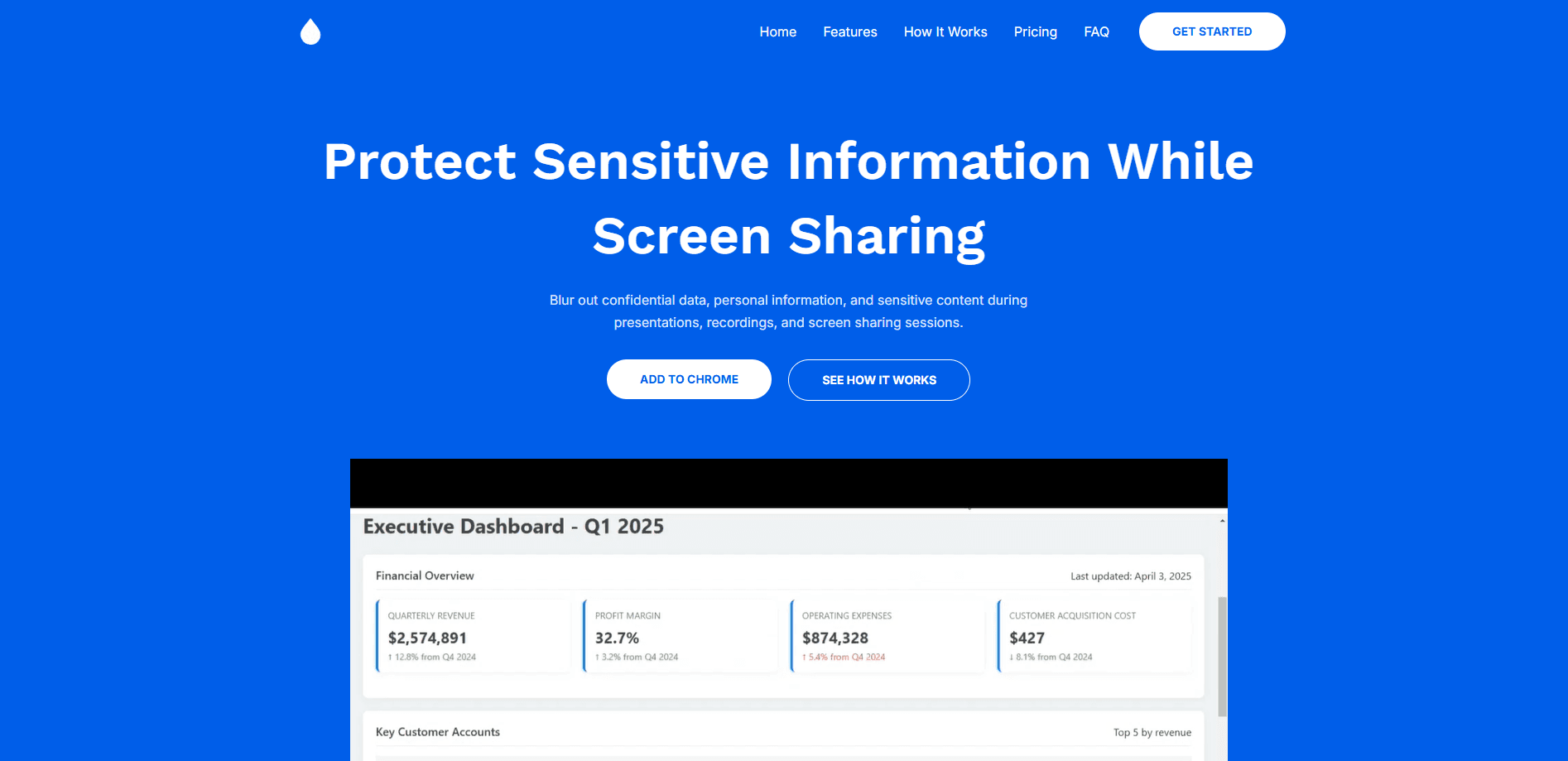
Blur It 5.0 is a browser extension that hides whatever you point at on a live webpage. Click a number, a client name or an email, and it disappears from view. Draw a box around a chart or a form, and everything inside fades out at once. The point is to protect your screen before a demo, a sales call or a recording, without editing screenshots after the fact.
The extension solves a specific, common problem. Founders and sales teams share their screens all day, and their dashboards hold live revenue figures, customer names and API keys. Covering each one by hand takes time, and missing one leaks data to everyone on the call. Blur It 5.0 treats the blur as a layer on top of the page, so the underlying site stays untouched. There's a short learning curve: a couple of clicks to hide a field, a drag to cover an area, and a keyboard shortcut if you prefer.
Two things are worth knowing up front. It only runs in Chromium browsers, so Safari and Firefox users are out. And the free tier is limited, so the unlimited blur and auto-detection features sit behind a one-time license key.
Getting Started
- Install the extension from the Chrome Web Store and pin it to your toolbar
- Open the page you plan to share and click the Blur It icon to start a blur session
- Click any element to blur it, or drag a box around a region you want to hide
- Set your blurs before you hit record, then share your screen as normal in Zoom, Meet, Teams, Loom or OBS
Product Information
A quick look at Blur It 5.0's pricing, supported platforms, and performance.
Best for
The users, tasks, and scenarios where this tool fits best.
Users
- Founders and startup teams
- Sales and customer success reps
- Support and IT staff
- Educators and streamers
- Privacy-minded freelancers
Tasks
- Hiding sensitive data before a call
- Covering a whole region
- Keeping blurs in place
- Auto-detecting text
- Screenshot and recording prep
Scenarios
- A sales demo of a live analytics dashboard
- An investor or board update
- A support screen share
- A recorded tutorial
- A quick share on a train or in a cafe
Key features
Click to Blur
Blur It 5.0 lets you click any element on a page and hide it on the spot. A number, a name, an email, a row in a table, all of them go out of view with one click. The blur attaches to that element, so it stays put when the page updates. There's no need to open an editor or take a screenshot first.
Draw a Box to Cover a Region
For anything bigger than a single element, you draw a selection around it. Charts, images, forms and whole panels blur in one stroke, and nothing outside the box is touched. It's the fastest way to hide an area you can't isolate with a click.
Blurs That Survive Reloads
Once you set a blur, it stays. Switch tabs, refresh the page, or leave the meeting and come back, and the blur is still where you left it. That matters on a long call, where reloading a dashboard used to mean re-hiding everything from scratch.
Auto-Detection of Emails, Numbers and IDs
Blur It 5.0 can scan the page and flag the things you usually want hidden: email addresses, phone numbers, account IDs and similar patterns. You review what it finds and blur the lot, which saves the slow pass of clicking every value on a busy dashboard.
Works Inside Zoom, Meet, Loom and OBS
The blur sits on the page itself, not in a separate window, so it shows up in whatever you're sharing with. Zoom, Google Meet, Microsoft Teams, Loom, Discord and OBS all pick it up with no extra setup, because they're capturing the same page you already blurred.
One-Time License, No Subscription
Blur It 5.0 sells a lifetime license for a single payment of $49.99, with a 30-day money-back guarantee. There's no monthly bill and no per-seat pricing, so the cost is the same whether you use it once a week or every day. A free tier lets you try the basic blur before you buy.
Pros and cons
Pros
- Blurs a whole element or region in one motion, so prepping a demo takes seconds instead of minutes
- Blurs stick through tab switches, page reloads and the full length of a call
- Auto-detection finds emails, numbers and IDs so you don't miss an obvious value
- Works with Zoom, Meet, Teams, Loom, Discord and OBS because it blurs the page itself
- One-time $49.99 license with a 30-day refund window, so there's no subscription to cancel
Cons
- Runs only in Chromium browsers, so Safari and Firefox users can't use it
- The unlimited blur and detection features need a paid key, which limits the free plan
- There is no API or bulk option, so teams handling large volumes still redact by hand
- It hides the live screen but doesn't scrub the data from the site itself, so anyone with access to the account still sees it
Frequently asked questions
Blur It 5.0 is a Chrome extension that hides sensitive information on any webpage. You click an element or drag a box to blur numbers, names, emails and whole regions, so you can share your screen without exposing private data. The blur stays in place until you remove it.
Related content
Explore related tools, skills, and articles for Blur It 5.0.
Blur It 5.0 Alternatives

Odyssey 3
Odyssey · OtherOdyssey-3 is Odyssey's foundation world model. It simulates physics in real time, turns a prompt into an interactive environment, and adapts to robots, cars and games.

JarvisCore
Prescott Data · Coding · Productivity · OtherJarvisCore is an open source Python runtime where AI agents work as equal peers on an agent mesh, claim tasks from a shared ledger, and reach external services through a zero-trust broker.
Clef
Cloudflare · Business · OtherClef is Cloudflare's open-source decision model for Workers AI. It returns calibrated probabilities for typed questions, not generated text, so agents can classify, route, and act fast.