

bmux
Tonisives · Coding · Productivity
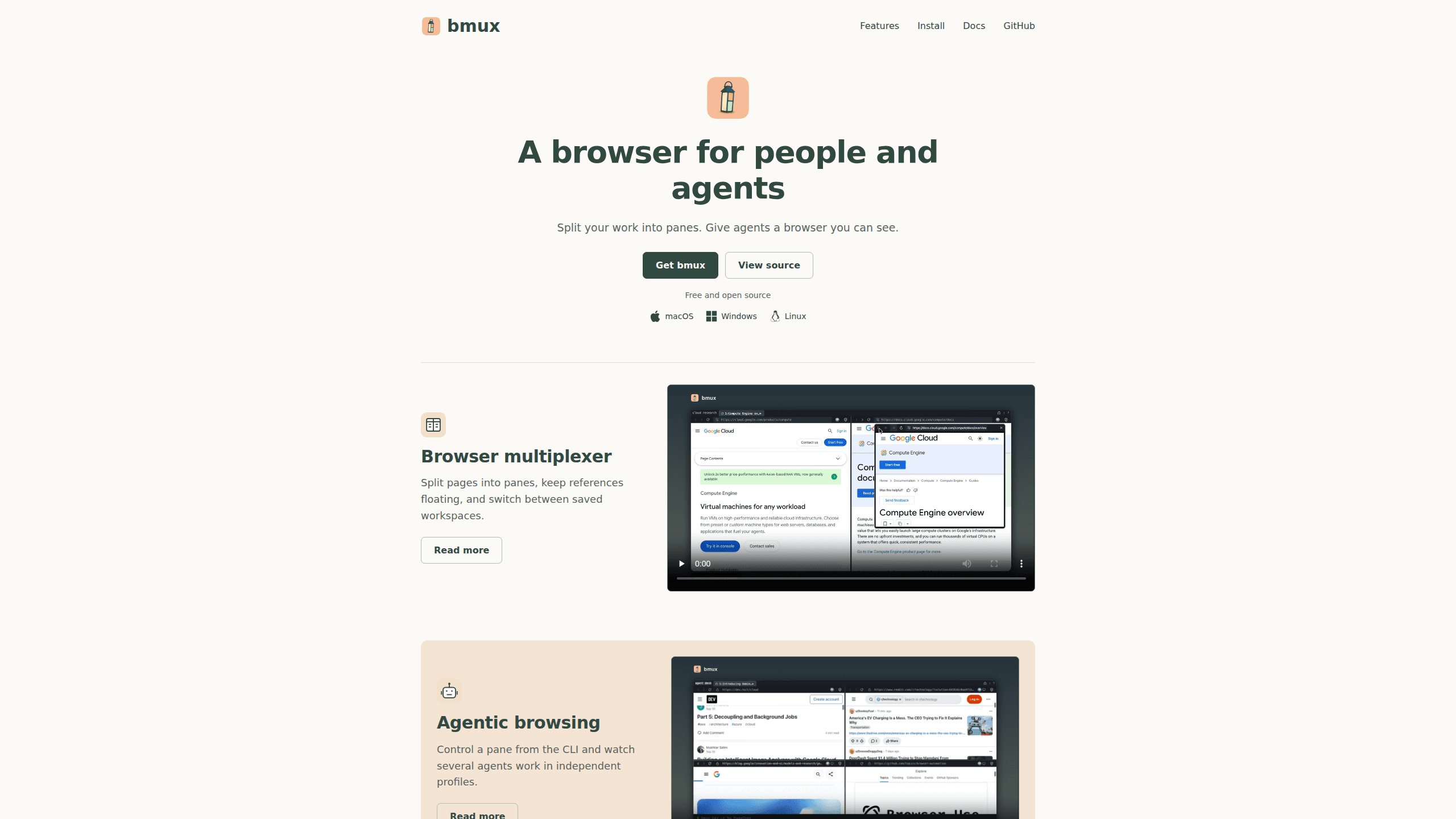
bmux is a desktop browser built around tmux-style panes, named sessions, and a CLI that lets AI agents browse in isolated profiles while you keep working.
About bmux
What Is bmux
bmux is a split-screen browser that borrows the workspace model from tmux and applies it to web pages. You split a window into panes, give each pane its own address bar, and save the arrangement as a named session. Close the app, reopen it, and the pages and layouts come back.
The product targets a specific kind of frustration. A normal browser treats tabs as a stack, so comparing two documents means jumping between them and losing your place. An AI agent working in the same browser makes it worse, because it navigates the page you were reading. bmux gives every page its own pane with its own ID, which means a script can scroll one pane while you read another.
The company calls it a browser multiplexer, and that's an accurate description of the core idea. It ships for macOS, Windows, and Linux. The bundled CLI requires Node.js 22.12 or newer.
There are limits worth knowing up front. bmux is a desktop product, and the iOS and Android companions are still in preparation. Remote viewing runs through a paid Relay subscription, and the account allowance covers two live pane views at a time. Those constraints matter more for people who want to check on a job from a phone than for someone working at a desk.
Getting Started
- Install the app with Homebrew (
brew install --cask tonisives/tap/bmux), or download the DMG, Windows installer, or Linux archive from bmux.cc. - Open a session, then press Ctrl+B followed by
%for a side-by-side split or"for a stacked one. Each new pane starts with its own address bar. - Name the session after the project so the picker stays readable, then save the layout with
save-layoutif you plan to reuse the arrangement. - For agent work, export
BMUX_AGENT_IDin your shell, then send commands withbmux navigate -t <pane-id> <url>,bmux dom -t <pane-id>, orbmux click -t <pane-id> --selector .... - Create a background profile with
bmux profile create <name> --backgroundwhen you want a worker's cookies and storage kept away from your own logins.
Product Information
A quick look at bmux's pricing, supported platforms, and performance.
Best for
The users, tasks, and scenarios where this tool fits best.
Users
- Developers running coding agents
- Researchers and writers comparing sources
- Support and QA teams reproducing bugs
Tasks
- Reading documentation while you code
- Watching several agent runs
- Testing a site under two logins
Scenarios
- An agent needs to fill a long form while you supervise
- You work across a laptop and a desktop
- A scraping or monitoring job runs all day
Key features
Split panes and floating references
Any window can hold horizontal or vertical splits, and every pane carries a separate address bar. A link can also open in a floating pane that you drag and resize beside your work, then return to the split later. Layout commands add tiled, even-horizontal, and even-vertical arrangements for three or more panes.
Named sessions and saved layouts
Persistent sessions group the panes, windows, and floating references for one project. The session picker filters by name as you type, so switching from a research workspace to a support case takes two keystrokes. save-layout stores an arrangement you want to reuse, and restore-layout rebuilds it in another window after a confirmation step.
Keyboard navigation and inline Vim editing
Default bindings follow tmux habits: Ctrl+B then % splits sideways, z zooms the selected pane, and s opens the session list. Click Mode shows link hints after a double tap of Option, and optional j and k bindings scroll the page only when focus sits outside a text field. With Vim editing switched on, Ctrl+E opens an inline editor in any text box, and ZZ saves and closes it without submitting the form.
Agent control from the CLI
Every pane has an explicit ID, and the browser automation CLI addresses that ID rather than whatever tab is active. Agents can navigate, click, type, press keys, read the DOM, run JavaScript, wait for selectors, and capture screenshots, with JSON returned for each call. The commands run in the background without stealing your focus, which is what makes agentic browsing with parallel agents practical in one window.
Isolated profiles and bot protection
Profiles keep cookies, storage, history, and connection settings apart, and a background profile keeps its pages running when no window is open. Bot protection adds a per-hostname session cap of 10 minutes followed by a 20 minute break, a two second delay between actions on social sites, and simulated pointer movement before each click. The app also stops automation when it sees a known account warning or verification page.
Remote access through Relay
Relay connects the computers you already own and lets you watch sessions from another machine or from the web viewer at remote.bmux.cc. A remote session keeps its numbered windows and panes, and you can take control to navigate or help an agent before releasing it. The $10 monthly plan covers two live pane views across the account, while saved sessions and background work don't count against that limit.
Pros and cons
Pros
- The pane model fits agent work better than tabs, because a command targets a pane instead of hijacking the active page.
- Session and layout persistence means a project workspace survives a restart, including floating references.
- The CLI returns JSON and covers navigation, DOM reads, JavaScript, waits, and screenshots, so a script needs little glue code.
- Profiles separate logins cleanly, which makes multi-account testing possible without a second browser install.
- The browser itself is free and the source is on GitHub, so you can inspect how the automation guard behaves.
Cons
- Remote viewing costs $10 a month and allows only two live pane views, which is tight if you want to watch four agents from a phone.
- Bot protection deliberately slows automation, with a 10 minute cap per hostname and a 20 minute cooldown, so long scraping runs need planning.
- No mobile app yet. The iOS and Android companions are described as in preparation, so phone access means the web viewer.
- The bundled CLI needs Node.js 22.12 or newer, an extra install for anyone who doesn't already keep Node current.
Frequently asked questions
bmux is a desktop browser that splits a window into panes and saves the arrangement as a session. It adds a command line interface so scripts and AI agents can drive individual panes while a person keeps using the rest of the window.
Related content
Explore related tools, skills, and articles for bmux.
bmux Alternatives

Base Code
Base44 (Wix) · Coding · ProductivityBase Code is a shared cloud development environment from Base44. Teammates describe changes to an existing GitHub codebase in chat, preview them live and send them back as pull requests.

Google EmbeddingGemma 2
Google DeepMind · Writing · Image · CodingGoogle EmbeddingGemma 2 is a 740M-parameter open model that turns text, code, images, audio, and video frames into vectors in one 768-dimension space, running on phones and laptops.

GitGlow
GitGlow · Coding · ProductivityGitGlow is a local-first desktop Git client that lets independent developers review their own code and their AI agents' changes in one place before shipping.