

Bonsai
Bonsai · Business
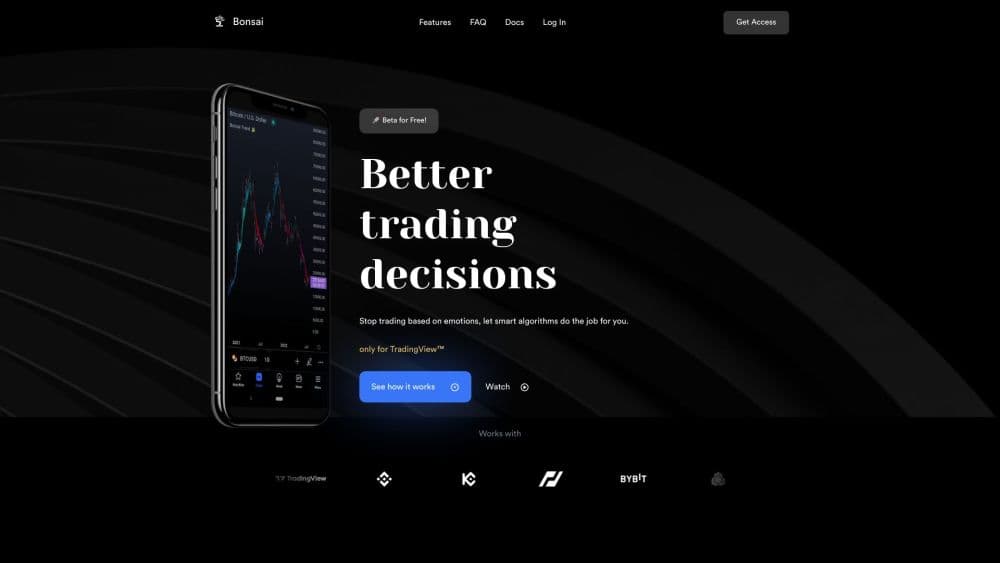
Bonsai is a premium set of tradingview trading tools for TradingView that flags market trend shifts, catches divergence, and backtests strategies before real money goes in.
About Bonsai
What Is Bonsai
Bonsai is a subscription library of scripts that run on top of TradingView charts. The suite covers three separate tools: the Bonsai indicator for trend direction, Bonsai OS for oscillator readings, and Bonsai BX for strategy backtesting. Each one installs into an existing TradingView account, so you keep the chart layout and broker connections you already use.
The pitch is narrower than a full trading platform. Bonsai doesn't hold funds, route orders, or act as a broker. It reads price data and turns that reading into signals, alerts, and test results. You still decide when to click buy or sell, which is why the tools work alongside any broker or exchange that TradingView supports.
The main limitation sits in the platform it plugs into. You need a TradingView account, and the scripts only run inside TradingView charts. Traders who prefer MetaTrader, NinjaTrader, or a standalone desktop terminal won't get much out of a subscription here.
Getting Started
- Create a Bonsai account at bonsai.trade and pick the Basic or Pro plan.
- Make sure you have a TradingView account, since the scripts attach to it after payment.
- Open the invite-only script links that Bonsai sends, then add Bonsai, Bonsai OS, or Bonsai BX to a chart.
- Adjust sensitivity, oscillator source, or backtest inputs, then save the chart layout so your settings survive a refresh.
Product Information
A quick look at Bonsai's pricing, supported platforms, and performance.
Best for
The users, tasks, and scenarios where this tool fits best.
Users
- Discretionary traders who read charts by hand
- Pine Script tinkerers
- TradingView users tired of juggling five separate scripts
Tasks
- Spotting a trend change before it shows up on a moving average
- Checking whether a divergence is worth acting on
- Stress-testing an entry rule on historical candles
- Automating a signal that already works
Scenarios
- Swing trading crypto on the 4-hour chart
- Reviewing a strategy after a losing week
- Keeping an eye on several pairs at once
Key features
Trend Signals With Adjustable Sensitivity
The core Bonsai indicator works as a market trend indicator: it paints the trend line green or red and lets you choose how twitchy it gets. Auto Slow, Mid, and Fast modes adjust sensitivity to the market on their own, while Manual hands you the dial. Slow mode produces fewer signals for larger moves, Fast reacts to quick swings and fires more often. A performance table inside the script shows how each mode has behaved, which makes the choice less of a guess.
Four Oscillators in One Panel
Bonsai OS folds RSI, CCI, Stochastic, and MACD into a single pane. You switch between them without adding four separate indicators, and the line recolors itself in oversold and overbought zones. High and Low prices can replace the default close as the data source, a small setting that matters when you trade volatile pairs.
Divergence Detection and Pivot Points
The oscillator scans for bullish and bearish divergence and marks pivot points on the chart. A combined signal fires when RSI, CCI, and Stochastic all diverge together, which filters out the single-oscillator noise that makes divergence trading frustrating. A gradient background shades price strength, so the context sits behind the candles instead of in another window.
Universal Strategy Backtester
Bonsai BX tests a strategy against historical candles and reports the numbers traders actually argue about: net result, drawdown, trade count, and win rate. It also accepts signals from outside indicators, so you can test a setup that has nothing to do with Bonsai's own scripts. The default example runs daily BTCUSD candles from Coinbase starting in March 2015, which gives a sense of the sample size involved.
Alerts That Reach You Away From the Chart
Every tool ships with trading alerts you can route to TradingView notifications, email, or mobile push. That turns the suite into a monitoring system rather than something you stare at. Superhook goes a step further on the Pro plan by accepting webhook calls, so a signal from TradingView or your own software can trigger a bot order.
Readable Chart Styling
Trend colors, gradient intensity, and opacity are all adjustable, and the dashboard switches between light and dark themes. Bonsai also builds on the Arnaud Legoux Moving Average for its trend line, which smooths the line without the heavy lag of a simple moving average. None of this changes the signal logic, but a chart you can read at a glance gets used more often.
Pros and cons
Pros
- Three tools under one subscription, so trend, momentum, and backtesting share a single login and a single bill.
- No repainting, according to the developer, which means a signal you see in a screenshot is the signal that actually existed at that bar.
- Sensitivity presets cover both slow swing trading and fast intraday reading without editing code.
- The backtester accepts outside signals, so it isn't locked to Bonsai's own indicators.
- A 14-day money-back guarantee lowers the cost of trying the suite on a live chart.
Cons
- A TradingView account is mandatory, and free TradingView plans limit how many indicators fit on one chart, which can block the full setup.
- No free tier and no permanent free trial, so you pay before you see how the signals feel on your own markets.
- Bots and Superhook are still labeled beta on the Pro plan, which means automation can change without much notice.
- The tools read charts, not fundamentals or news, so event-driven traders won't find much here.
Frequently asked questions
Yes. Bonsai ships as invite-only scripts that attach to TradingView charts, so an account is required before any tool will load. A free TradingView plan works, but it caps indicators per chart, and the cap can be tight once you stack Bonsai OS next to other studies.
Related content
Explore related tools, skills, and articles for Bonsai.
Bonsai Alternatives

Knocket
Knocket (Tencent RTC team) · Productivity · Business · ChatbotKnocket is a free live chat and contact page tool that lets visitors message you from your website, app, or a shareable link, with every reply handled from Telegram or one inbox.

shippedit.me
Krawlup · Marketing · Businessshippedit.me now redirects to Krawlup, a web platform that audits SEO, AEO and page speed every week, then hands the fixes to AI coding agents over MCP.

Ayven
Alknoma · Productivity · BusinessAyven is an AI control centre by Alknoma that turns a plain-language goal into a dated plan, hands the work to your people and AI agents, and asks for your approval only when the call is yours.