

Bookmarkjar ®
Bookmarkjar · AI Detection
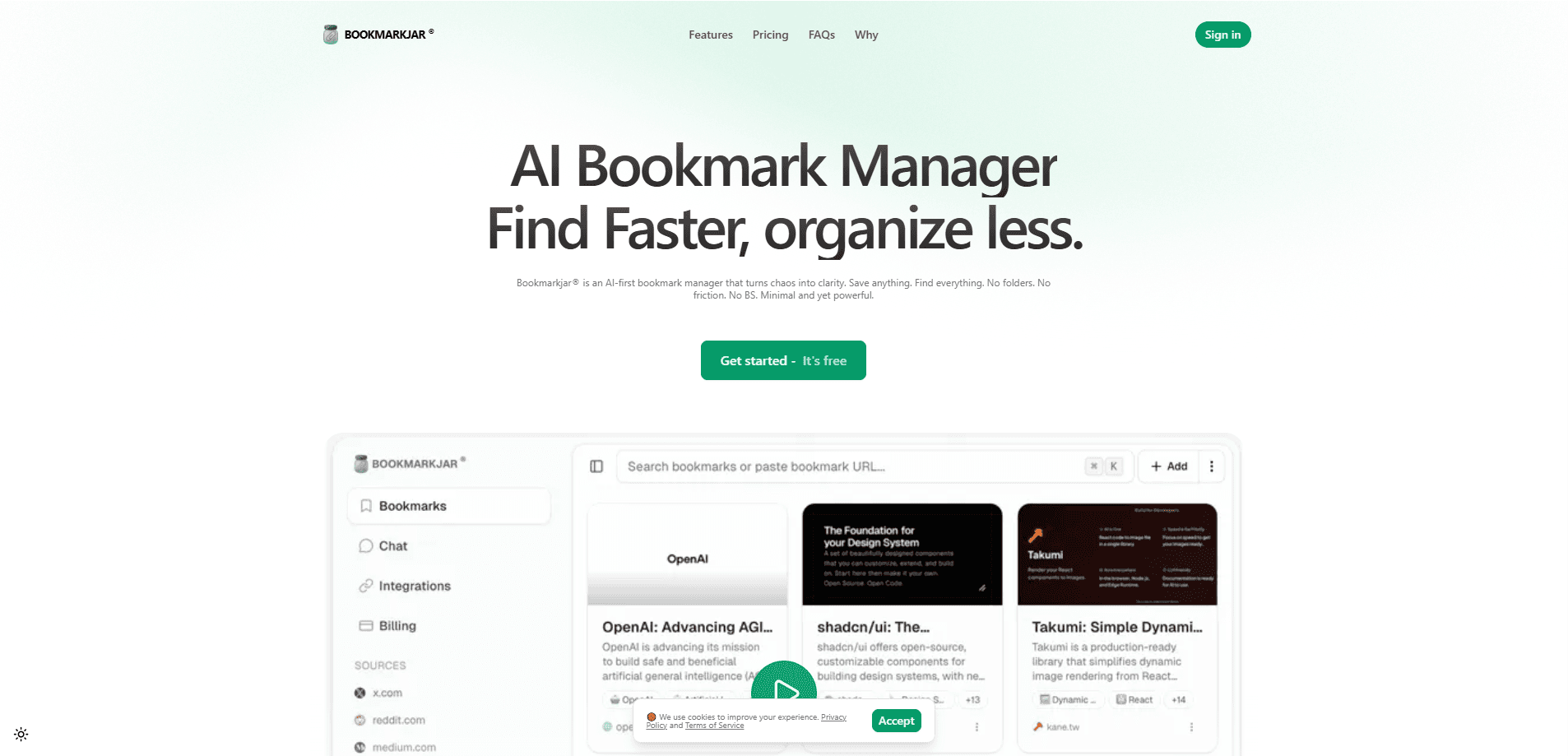
Bookmarkjar® is an AI bookmark manager and a practical AI bookmarking tool built for people who save links constantly and can never find them again. It pulls the actual content out of a saved page, writes a short summary, tags it, and lets you search your collection by meaning instead of exact wording. A browser extension handles the saving, a web dashboard handles the organizing, and everything travels with you across devices. Think of it as a bookmark organizer that reads the pages for you.
About Bookmarkjar ®
What Is Bookmarkjar ®
Bookmarkjar® is a bookmarking service that leans on AI to handle the messy part of saving things. Most bookmark tools store a title and a URL. That works until you've saved 400 links and can only remember that one was about a workout routine you liked. Bookmarkjar® reads the page instead, so the link carries real context the moment you save it.
The core idea is simple. Saving and finding should be one motion, not two separate chores. It extracts content from GitHub repos, TikTok videos, recipe pages, and academic sources, then writes summaries and tags you can search. Search is semantic, which means you type what you remember and it matches pages that mean the same thing, not just pages with the same words. That's the difference between hunting through folders and just asking. Big difference.
It isn't unlimited, and it isn't free. The two paid tiers cap bookmarks per month and reuse the same AI features, so heavy savers will feel the ceiling. For someone who saves a handful of links a day, the limits rarely bite. For a research-heavy workflow, they might. That part stings. Worth knowing up front.
Getting Started
- Install the Bookmarkjar® browser extension for Chrome and sign in.
- Click the extension icon on any page you want to keep, and let the AI extraction run.
- Open the web dashboard to review auto-generated summaries and tags.
- Refine tags or collections if the automatic ones don't match how you think.
- Search by description, or open the chat panel to ask a question across everything you've saved.
Product Information
A quick look at Bookmarkjar ®'s pricing, supported platforms, and performance.
Best for
The users, tasks, and scenarios where this tool fits best.
Users
- Researchers and students
- Designers and developers
- Casual savers who read a lot
Tasks
- Building a searchable reference library
- Turning saved videos and posts into notes
- Cleaning up an overflowing tab habit
Scenarios
- Weekend research binges
- Cross-device reading
- Project-specific collections
Key features
AI Content Extraction
When you save a link, Bookmarkjar® fetches the page and pulls out the meaningful content, covering formats from GitHub repositories to TikTok videos. That means the saved item carries the substance of the page, not a generic title. It respects crawler limits like robots.txt, so a small number of pages can't be indexed, and the tool falls back to what it can infer from the link itself. Not ideal, but honest.
Semantic and Vector Search
Search doesn't hinge on exact keywords. What if you only remember the idea, not the words? You describe what you're after in your own words, and vector search matches pages with the same meaning. If you half-remember a design article about dark-mode contrast, typing that idea finds it even if the page never uses those words.
AI Summaries and Auto-Tagging
Each saved item gets a short summary and tags generated for you. This is the feature that saves the most time, because you skip the manual labeling that makes bookmark managers fall apart. Pro unlocks richer summaries with more context for denser pages. No labeling required.
Conversational Chat
A chat panel lets you ask questions across your saved collection and get answers drawn from what you've stored. It turns your bookmarks into something you can query rather than just browse. This is the AI feature that goes beyond search and feels closest to having a research assistant for your own links. Ask away.
Cross-Platform Sync
Bookmarks sync across devices, so a link saved on desktop shows up on your phone. The web dashboard is where you organize, and the browser extension is where you save. Both stay in step, which matters if you switch between machines through the day. Simple as that.
Image Analysis
The paid tiers include visual content analysis for images, so saved pages with important visuals get more than a text-only read. Pro adds richer context and insights on top of the same extraction pipeline.
API Access
Both paid tiers list API access, which lets you connect Bookmarkjar® to other tools and workflows. For anyone who wants their saved research to feed into an existing setup, this is the difference between a closed app and a service you can wire into your own processes.
Pros and cons
Pros
- AI extraction and summaries mean saving a link actually captures useful context, not just a URL.
- Semantic search finds items you can only describe roughly, which is how most people remember saved pages.
- Auto-tagging removes the manual sorting that kills most bookmark collections.
- Cross-device sync and a browser extension fit naturally into how people already browse.
Cons
- No free plan, so you can't test the AI features before paying.
- Monthly bookmark caps on both paid tiers, which heavy savers will hit.
- Some pages can't be indexed because the tool follows robots.txt, so a few links will come in thinner than others.
Frequently asked questions
A typical bookmark manager shows you a title and a URL. Bookmarkjar® reads the page, writes a summary, and adds tags, so each saved item arrives with context. Search also works by meaning, so you can find a link you only partly remember. That's the whole point.
Related content
Explore related tools, skills, and articles for Bookmarkjar ®.
Bookmarkjar ® Alternatives
Isgen AI
Isgen · AI DetectionIsgen AI is a web-based AI detector that scores text for machine authorship and shows you which sentences and phrases push the number up. It's built for teachers, editors, students, and writers. Their question is simple: did this draft come from ChatGPT, GPT-5, Claude, Gemini, DeepSeek, or another model? You paste or upload content, run a scan, and get a Human, AI, and Mixed breakdown in seconds. There's also a companion editor that scores text while you write it.
Humanizeai Tools
Humanizeai Tools · Writing · AI DetectionHumanizeai Tools is a web-based AI humanizer that rewrites machine-generated text so it sounds like a person wrote it, which is the whole point of the category it belongs to. Paste a draft from ChatGPT, Claude, or Gemini, run it through the tool, and it swaps out the phrases and sentence patterns that AI detectors flag. If your goal is to make AI text sound human before you publish it, this is the kind of tool built for exactly that. It suits students, bloggers, and marketers who need copy that reads naturally and clears tools like GPTZero, Copyleaks, and Winston AI after a single pass.

Hidemyai
Hidemyai · Writing · AI DetectionHidemyai is an AI content humanizer. It rewrites text from ChatGPT, Jasper, and similar tools so the result reads like a person wrote it. You paste your draft, pick a document type and tone, and the service returns a version meant to bypass AI detectors such as Originality.ai, Turnitin, and ZeroGPT. It targets writers, marketers, and students who lean on AI drafts but can't ship copy that sounds robotic. The promise is simple: make AI content undetectable.