

BrainyBear AI Chatbots
Brainybear · Marketing · Leaning · Chatbot
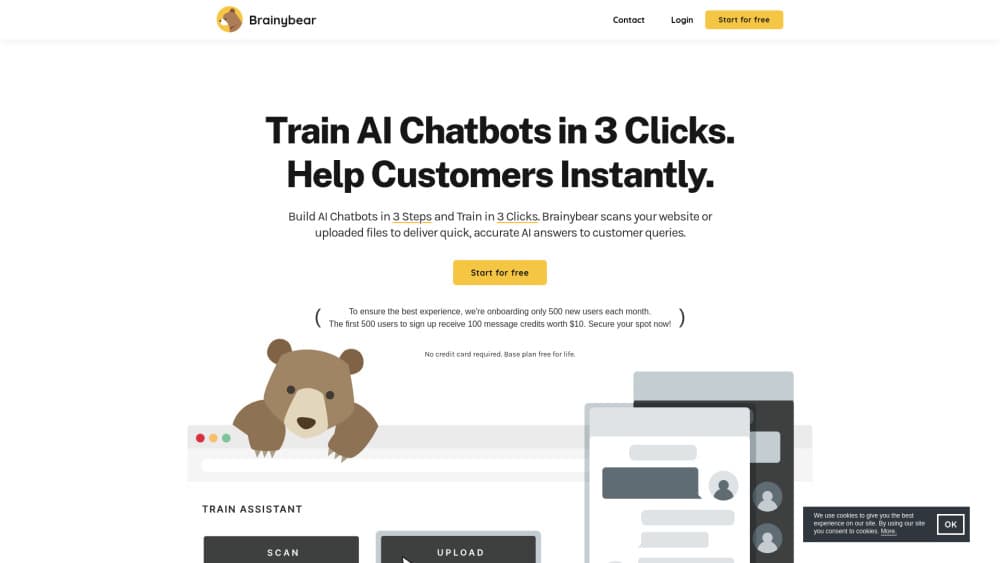
BrainyBear is a no-code platform for building AI chatbots that answer from your own content, browse the web in real time, and connect to outside tools and APIs.
About BrainyBear AI Chatbots
What Is BrainyBear
BrainyBear, spelled Brainybear on the company site, is a hosted platform for building AI agents without writing code. You feed it your documents, help pages, or website content, then publish a chatbot that answers questions from that material instead of making things up.
The product sits between a simple scripted chatbot and a self-built agent stack. Scripted flows break the moment a visitor asks something unexpected. A DIY stack handles almost anything, but someone has to host it, wire the channels, and keep it running. BrainyBear aims at the middle ground as a no-code AI agent platform: training takes a few clicks, and the same agent can appear on your site, in WhatsApp, Messenger, Telegram, or Slack.
The limits matter too. Everything runs on message credits, so heavy support volume needs a paid plan, and removing the BrainyBear branding costs extra. Teams that want full control over the model, hosting, or prompt logic will still prefer their own build.
Getting Started
- Create an account at app.brainybear.ai. The free plan gives you 50 message credits each month and doesn't ask for a card.
- Add your sources. Upload documents, paste text, or point the agent at your site so it has something real to answer from.
- Test the agent in the preview window. Ask the questions your customers actually send, then fix the gaps in your source material.
- Connect a channel. Drop the widget on your site or link WhatsApp, Messenger, Telegram, or Slack.
- Watch the conversations and adjust. Add API connections or scheduled tasks once the basics work.
Product Information
A quick look at BrainyBear AI Chatbots's pricing, supported platforms, and performance.
Best for
The users, tasks, and scenarios where this tool fits best.
Users
- Small support teams
- Solo founders and shop owners
- Operations leads
Tasks
- Answering repeat customer questions
- Pulling live data mid-conversation
- Scheduling and record keeping
- Qualifying visitors after hours
Scenarios
- A store with steady repeat questions and no night shift
- A team already living in Slack
- Recurring checks and reminders
- Testing an idea before committing
Key features
Training From Your Own Content
You load documents, help articles, or site pages, and the agent answers from that material. Training is billed as a few clicks rather than a pipeline project, which is the main reason small teams pick it over a custom build. The catch is that weak source content produces weak answers, so someone still owns the knowledge base.
Real-Time Web Browsing
The agent can look things up on the web during a conversation instead of relying only on what it was trained on. That helps with prices, availability, and anything that changes weekly. It also means you should spot-check answers in fast-moving topics before trusting them in front of customers.
Private API Connections
You can connect your own APIs so the chatbot reads live data and performs actions inside your systems. A support conversation can turn into a lookup or a small transaction without a handoff. This is where BrainyBear moves past the usual knowledge base chatbot and starts behaving like a task tool.
One Agent Across Chat Channels
The same assistant can run on your website, WhatsApp, Facebook Messenger, Telegram, and Slack. A WhatsApp AI chatbot alone reaches most messaging traffic in many markets, and the same agent answers on the other channels too. BrainyBear handles the plumbing, so you don't maintain five separate bots. Channel access depends on your plan, and the higher tiers unlock more of them.
Personal Assistants With Memory
Beyond public support bots, you can build private assistants that keep context, run recurring tasks, and take action across connected tools. Google Calendar, Google Sheets, and optional Google Drive sync are supported. Think weekly summaries or reminder flows rather than one-off chats.
No-Code Setup In Three Steps
The AI chatbot builder runs on a visual canvas: pick a template or start blank, add knowledge, then deploy. There's no SDK to learn and no server to patch. The tradeoff is less control over prompt logic and retrieval than a developer would get from a DIY agent stack.
CASA Tier 2 Security Review
BrainyBear passed the Cloud Application Security Assessment under the App Defense Alliance, a program Google co-founded, at Tier 2. For buyers who need a security answer before piloting a vendor, that's a documentable checkpoint. It covers the app itself, not your internal data handling, which stays your job.
Pros and cons
Pros
- Setup is quick enough to test a real use case in an afternoon, with no engineering time.
- Channel coverage includes WhatsApp, Messenger, Telegram, and Slack on top of a website widget.
- Custom API connections turn answers into actions, so the agent can check live records.
- The free plan with 50 monthly credits makes evaluation cheap.
- Pricing is published, from $38/mo on Basic up to $189/mo on Business, with annual discounts.
Cons
- Everything runs on message credits, so busy support queues need a paid plan and a rough volume estimate.
- Removing the BrainyBear branding is a $59/mo add-on, which stings for agencies running client bots.
- Advanced automation still trails a hand-built stack, and there's no public developer API for custom integrations.
- Answer quality depends on your source docs, so someone has to keep the knowledge base tidy.
Frequently asked questions
It builds AI chatbots that answer customer questions from your own content and can also run small tasks through API connections, calendars, and spreadsheets. Teams use it for support, lead questions, and internal follow-ups.
Related content
Explore related tools, skills, and articles for BrainyBear AI Chatbots.
BrainyBear AI Chatbots Alternatives

ngram 2.0
ngram · Video · Marketingngram 2.0 is an AI video generator for teams. It turns a prompt, a screen recording, or a product URL into a narrated explainer, product demo, or AI avatar video, and every scene stays editable.

shippedit.me
Krawlup · Marketing · Businessshippedit.me now redirects to Krawlup, a web platform that audits SEO, AEO and page speed every week, then hands the fixes to AI coding agents over MCP.

MePersona
MePersona, Inc. · Writing · Productivity · MarketingMePersona is an AI unified inbox for creators. It learns your voice, drafts replies to fan messages from 12 platforms, and sends only what you approve.