
Brisk Write
Aimero Ltd · Writing
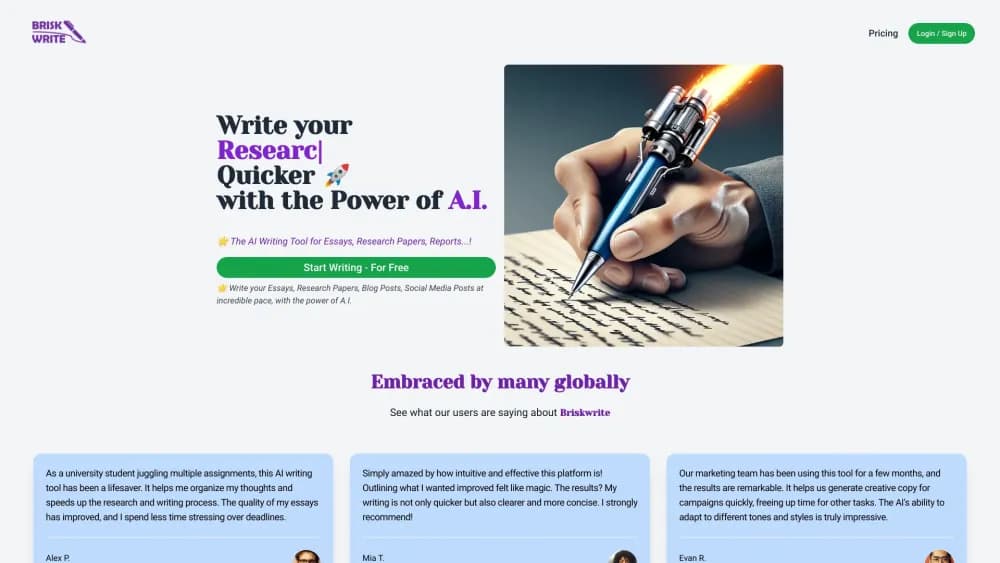
Brisk Write is an AI writing tool by Aimero Ltd that helps students, bloggers, and marketing teams draft essays, research papers, reports, and social posts from a short prompt or an outline.
About Brisk Write
What Is Brisk Write
Brisk Write is a web-based AI writing assistant built around a single promise: turn a blank page into a structured draft fast. You describe what you want to write, and the tool produces an outline, expands it into paragraphs, and lets you edit the result inside a rich-text editor.
It targets a wide range of writers rather than one narrow niche. The official site names high school and university students, bloggers, and professional marketing teams as its main audiences, which shapes how the tool balances academic support with general content generation.
The tradeoff is depth. Brisk Write is designed for speed and structure, not for specialist research workflows. It doesn't cite academic sources or verify facts on its own, so anything you submit still needs your own review and editing before it's ready.
Getting Started
- Open briskwrite.com and create an account with an email address to reach the editor.
- Type a topic, question, or instruction into the prompt field to set what you want written.
- Let the tool generate an outline first, then expand sections into full paragraphs.
- Edit the draft in the built-in rich-text editor, adjusting tone and structure as needed.
- Save the document locally and download it to use, submit, or publish.
Product Information
A quick look at Brisk Write's pricing, supported platforms, and performance.
Best for
The users, tasks, and scenarios where this tool fits best.
Users
- High school and university students
- Bloggers
- Marketing teams
- Professional researchers
Tasks
- Drafting a first essay outline
- Writing blog posts from a rough idea
- Producing social media copy
- Summarizing and expanding notes
Scenarios
- Facing a deadline with only a rough topic
- Brainstorming campaign angles
- Warming up before serious writing
Key features
Outline-First Drafting
Brisk Write starts with structure. Instead of dumping a single block of text, it builds an outline you can review before expanding sections into paragraphs. That makes it easier to catch a weak argument early, before you've committed thousands of words to it.
Multi-Format Writing Support
The tool covers several document types in one place: essays, research papers, reports, blog posts, and social media copy. For users who switch between academic and marketing writing, that means one workspace instead of several specialized apps.
Rich-Text Editor
Drafts open in a formatting-capable editor rather than plain text, so you can bold headings, adjust paragraphs, and reorganize sections as you polish. The editor is where the AI output becomes something you'd actually submit.
Tone and Style Adaptation
According to user testimonials on the official site, the tool adapts its output to different tones and styles, a feature marketing teams lean on to keep campaign copy consistent across channels.
Local Document Saving
Brisk Write lets you save documents locally and download finished work. The site states that whatever you create is yours to keep, use, or submit, which matters for students and freelancers who need to own their files.
Free Tier With Paid Upgrades
You can start free with basic features. Advanced features, unlimited AI words, and unlimited new documents sit behind the Standard and Premium subscriptions, so casual users can test it before committing.
Pros and cons
Pros
- Free tier lets you test basic writing before paying anything
- Outline-first workflow gives a structured starting point fast
- Handles both academic and marketing content in one tool
- Download-and-keep documents, so your files aren't locked in
- Clear, simple pricing at two flat monthly tiers
Cons
- No built-in citation or source verification, so academic users must check facts themselves
- Customer testimonials and pricing details come only from the official site, with limited independent testing available
- The "unlimited words" claim is subject to fair use and can be throttled during heavy use, per the terms of service
- No public API, so it can't be wired into custom workflows or apps
Frequently asked questions
Brisk Write is an AI writing assistant for producing drafts of essays, research papers, reports, blog posts, and social media content. You give it a topic or prompt, and it generates structured text you can edit and download.
Related content
Explore related tools, skills, and articles for Brisk Write.
Brisk Write Alternatives

Google EmbeddingGemma 2
Google DeepMind · Writing · Image · CodingGoogle EmbeddingGemma 2 is a 740M-parameter open model that turns text, code, images, audio, and video frames into vectors in one 768-dimension space, running on phones and laptops.

MePersona
MePersona, Inc. · Writing · Productivity · MarketingMePersona is an AI unified inbox for creators. It learns your voice, drafts replies to fan messages from 12 platforms, and sends only what you approve.

Fluence
Yay Software (Yannick Huchard) · Writing · Voice & Language · ProductivityFluence is an Android app that reads PDFs, EPUBs, Word files and web articles aloud, follows each sentence as it speaks, and answers questions about the text on the phone itself.