

BrowserAgent
Browser Use Inc. · Coding
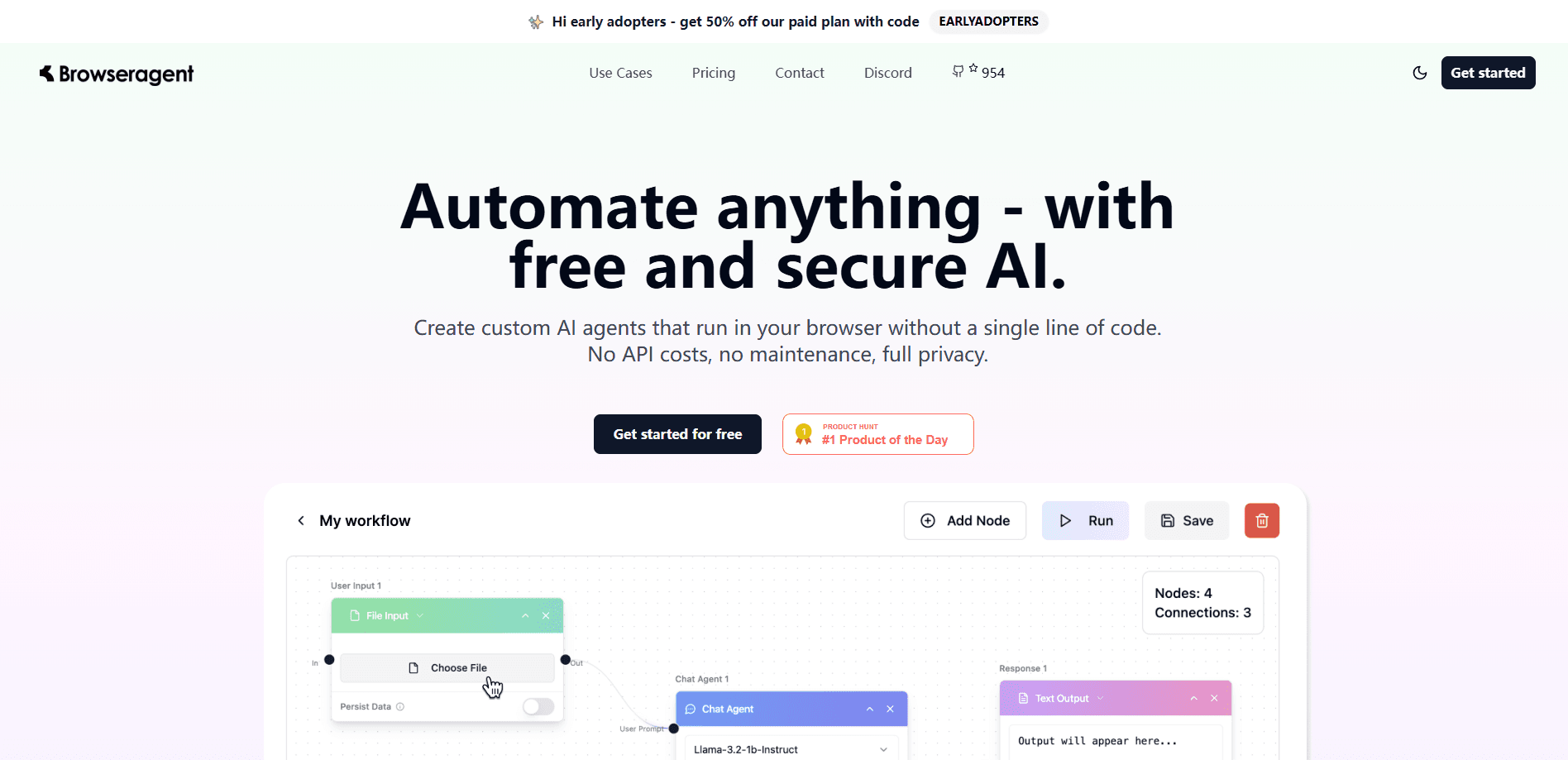
BrowserAgent is an AI browser agent from Browser Use that opens pages, clicks, types and fills forms for you. Run it free on your own machine or through the paid cloud.
About BrowserAgent
What Is BrowserAgent
BrowserAgent is the AI browser agent built by Browser Use. It's an AI web agent you give a task to in plain language, and it drives a real browser to finish the job: opening pages, clicking buttons, typing text, automated form filling and pulling data back out. It's the same idea as a human sitting at a keyboard, except the agent decides the next step on its own.
The project started as an open-source Python library and grew into one of GitHub's most-starred repos, with well over 100,000 stars. That split shapes everything about it. You can install the library, point it at any LLM you already pay for, and run automation on your own machine. Or you can hand the task to the cloud, which runs the browser for you and bills by usage.
This BrowserAgent review focuses on who it fits, what it costs and where it struggles. The short version: it's for people who need the web automated, not just summarized. It competes with browser automation tools and with cloud browser providers, and it's honest about the fact that a task can still fail if a site fights back.
Getting Started
- For the local library, install it with
pip install browser-useon Python 3.11 or newer, then add an LLM API key to your.envfile - Write a task as a plain sentence, such as comparing two product prices, and point the agent at it
- Watch the agent run in a browser window, or run it headless and read the result when it finishes
- For the cloud path, sign up, grab an API key and call the agent through the SDK, then track runs on the dashboard
Product Information
A quick look at BrowserAgent's pricing, supported platforms, and performance.
Best for
The users, tasks, and scenarios where this tool fits best.
Users
- Developers automating the web
- Data and research teams
- QA and testing staff
- Teams running agents at scale
Tasks
- Form filling
- Data extraction
- Price and stock checks
- Repetitive back-office work
- Research and lead gathering
Scenarios
- A scraper keeps getting blocked
- Testing a login flow end to end
- Assembling a dataset from many sites
- Shipping an agent feature
- Trying web automation for the first time
Key features
Plain-Language Task Control
You describe the goal and the agent figures out the steps. There's no selector list to maintain and no fixed script that snaps when a page changes. It reads the current page, decides what to click or type next, and repeats until the task is done. That flexibility is the whole reason the library took off, and it also means a vague task can wander, so clear instructions still matter.
Vision Plus DOM Understanding
The agent works from both the page structure and a visual view of it. It looks at the interactive elements, the text and the layout together, which helps on pages where the markup alone is misleading. This mix is why it handles date pickers, menus and other fiddly widgets better than a selector-driven tool, and it's the feature most reviews point to when they explain the accuracy gap.
Bring Your Own LLM
The local library runs with the model you choose. You can plug in a major provider key, or point it at a local model, and pay that provider directly. That's what lets a self-hosted setup avoid a platform markup on tokens. It also means results track the model you picked, so a stronger model finishes more tasks and a cheap one misses more of them.
Managed Cloud Browsers
Browser Use runs remote browsers you connect to over CDP, priced at $0.02 an hour plus traffic. You don't install anything, and you don't keep Chrome processes alive on your own box. Residential proxies run by default, so traffic leaves from a real-looking IP instead of a datacenter one. For teams shipping automation to production, this is the part that removes the most operational work.
Hosted Agents On Demand
On the cloud you can hand a task to a hosted agent and get the result back, billed as model cost plus a 20% service fee. You pick from a list of supported models and pay the published token rates with the markup folded in. It's the fastest path for people who don't want to write the agent loop themselves and just want the task run.
Open Source And Self-Hostable
The core is MIT licensed and lives on GitHub, so you can read the source, fork it and run everything on your own hardware. Nothing forces a move to the cloud. For teams with data rules, that matters: a self-hosted run keeps the workload inside your network, and the only outside call is to whichever LLM you configured.
Pros and cons
Pros
- The open-source library is free and MIT licensed, so you can self-host and pay only your own LLM provider
- Plain-language tasks remove the brittle selector scripts that break every time a page changes
- Vision plus DOM reading handles dynamic, JavaScript-heavy sites that trip up simple scrapers
- The cloud path bills by usage, with browser time at $0.02 an hour and no subscription
- One project covers both a coding library and a managed browser, so you can start local and scale to production
Cons
- There's no true no-code editor for building a task; the local route expects Python and some setup
- Cloud agent runs add a 20% fee on top of token costs, so heavy model use gets expensive
- Task success is not guaranteed, and sites that actively block automation can still stop a run
- Managing your own browser fleet, profiles and logins is left to you on the self-hosted path
Frequently asked questions
BrowserAgent automates tasks in a real web browser. You describe what you want, such as filling a form, extracting data from a page or comparing prices, and the agent performs the clicks and typing to get it done. It's used for scraping, form filling, testing and other repetitive browser work.
Related content
Explore related tools, skills, and articles for BrowserAgent.
BrowserAgent Alternatives

Base Code
Base44 (Wix) · Coding · ProductivityBase Code is a shared cloud development environment from Base44. Teammates describe changes to an existing GitHub codebase in chat, preview them live and send them back as pull requests.

Google EmbeddingGemma 2
Google DeepMind · Writing · Image · CodingGoogle EmbeddingGemma 2 is a 740M-parameter open model that turns text, code, images, audio, and video frames into vectors in one 768-dimension space, running on phones and laptops.

GitGlow
GitGlow · Coding · ProductivityGitGlow is a local-first desktop Git client that lets independent developers review their own code and their AI agents' changes in one place before shipping.