

BrowseRead – Beyond the headlines
Ray Tang · Other
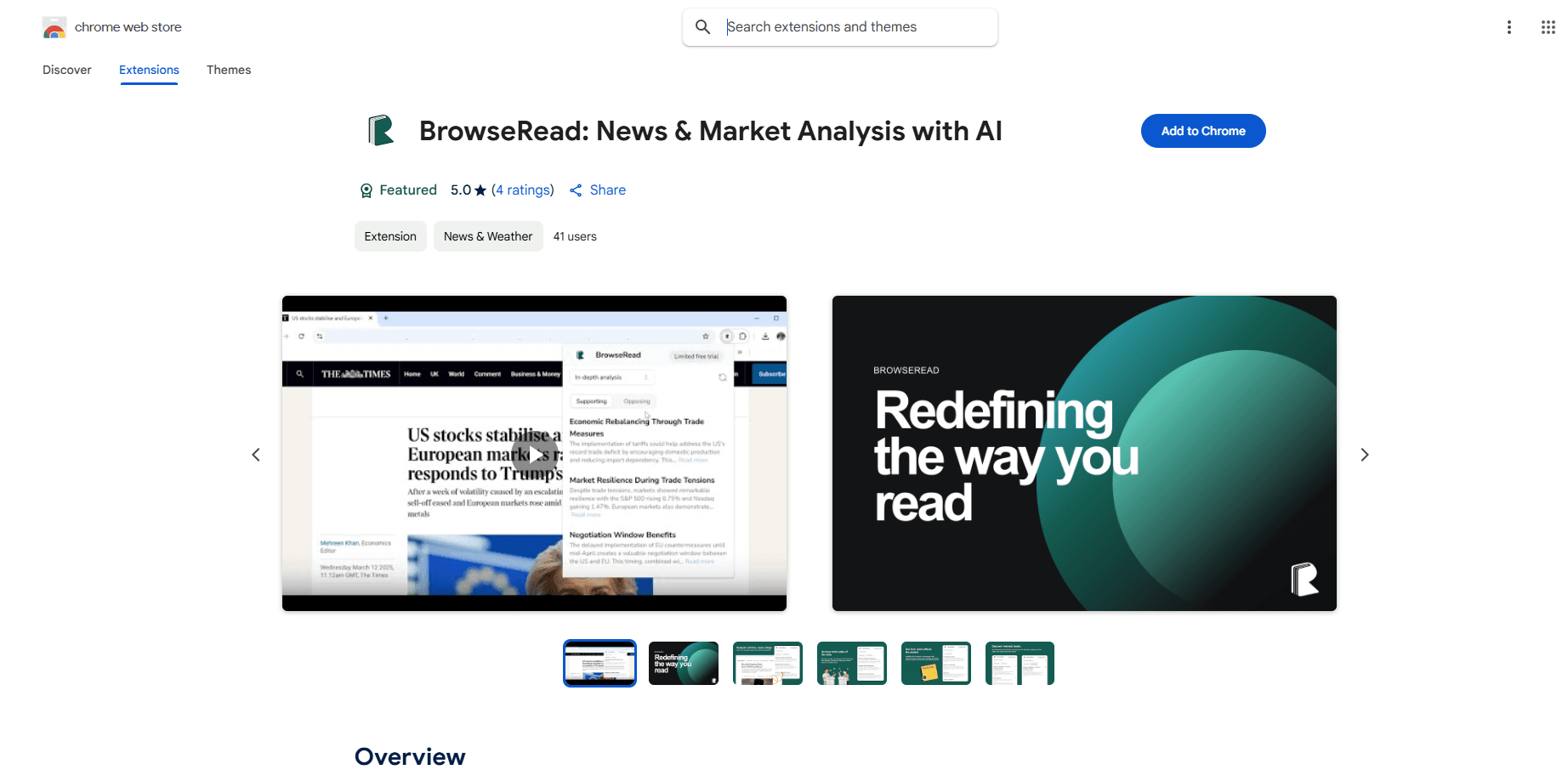
BrowseRead is an AI Chrome extension that analyzes any news article and shows which stocks and sectors may be affected, plus the opposing side of the story. It runs on the page in one click.
About BrowseRead – Beyond the headlines
What Is BrowseRead
BrowseRead is an AI-powered Chrome extension for AI news analysis that turns an ordinary news article into a market brief. Open a page, click once, and it pulls out the stocks, sectors or ETFs that the story could move, lays out both sides of the story in the arguments for and against the article's main claim, and suggests books to go deeper. Developer Ray Tang built it for people who read the news daily but never know what it means for markets or their portfolio.
The tool comes in three modes. Market Insight names the five stocks, industries or ETFs most likely to be affected. Deep Analysis lists supporting and opposing viewpoints, including ones the article left out, so you catch a one-sided take. Book Recommendation suggests titles based on the article's themes. All three run from a single click on whatever site you're reading.
The catch is scope and honesty. BrowseRead reads public, text-based pages well, but it can stumble on paywalled or heavy JavaScript content. It also does not give financial advice. The market impact it flags is an AI guess, not a forecast, so treat the output as a starting point for your own reading rather than a signal to trade on.
Getting Started
- Install the BrowseRead extension from the Chrome Web Store.
- Open any news article, blog post or opinion piece in your browser.
- Click the BrowseRead icon and pick a mode: Market Insight, Deep Analysis or Book Recommendation.
- Read the analysis panel for impact sectors, opposing views or book picks.
- Paste in a new article whenever you want another read.
Product Information
A quick look at BrowseRead – Beyond the headlines's pricing, supported platforms, and performance.
Best for
The users, tasks, and scenarios where this tool fits best.
Users
- New investors
- Students and researchers
- Journalists and critical readers
- Everyday news readers
Tasks
- Judging stock and sector impact
- Checking both sides of an argument
- Explaining a finance story in simple terms
- Finding follow-up reading
Scenarios
- Skimming the morning news for market signals
- Researching a policy change
- Studying a hot topic for class or work
- Deciding whether a story is balanced
Key features
Market Insight Mode
Market Insight scans the article and names the five stocks, industries or ETFs most likely to be affected. It leans on large language models to read key entities, economic signals and context, then maps them to sectors. The result is a fast shortlist of names to research, not a buy list.
Deep Analysis Mode
Deep Analysis lays out the supporting and opposing arguments for the article's claim, including viewpoints the writer never mentioned. It is aimed at macro, politics, policy and tech news, where a single framing can hide the other side. That makes it a fit for anyone trying to escape an algorithm-driven feed.
Book Recommendation Mode
Book Recommendation pulls themes from the article and suggests higher-quality titles on the same subject. It is meant to build background knowledge beyond the surface of one story, so curious readers have somewhere to go next.
One-Click In-Page Analysis
BrowseRead runs inside the page you're already on, so there's no copying text into a separate chatbot. One click starts the analysis and results come back in a panel, which cuts the friction that usually kills this kind of workflow.
Bias and Balance Checks
By generating opposing arguments the article may have excluded, BrowseRead gives you a way to gauge balance and spot narrative gaps. It helps you judge whether a piece is one-sided before you pass it along.
Plain-Language Explanations
The tool explains the theory behind a market move first, then breaks it down with clear industry labels and everyday wording. That design is what makes it usable for casual readers, not just finance professionals.
Pros and cons
Pros
- Turns any article into a short list of affected stocks, sectors and ETFs in one click, which speeds up AI article analysis.
- Shows opposing viewpoints the article left out, which helps you avoid one-sided reading.
- Explains market reasoning in plain language, so a finance background isn't required.
- Works directly on the page, so there's no copying and pasting into another tool.
- Suggests books for readers who want to go deeper than the headline.
Cons
- Market predictions are AI inference, not financial advice, so you can't trade on them blindly.
- It may not fully analyze paywalled or JavaScript-heavy pages, which limits some sources.
- It's a Chrome extension only, so Safari and Firefox users are left out.
- The extension had a small user base at review time, so long-term support is unproven.
Frequently asked questions
BrowseRead is an AI Chrome extension that analyzes the article you're reading. It shows which stocks, sectors and ETFs could be affected, presents both supporting and opposing views, and recommends related books.
Related content
Explore related tools, skills, and articles for BrowseRead – Beyond the headlines.
BrowseRead – Beyond the headlines Alternatives

Odyssey 3
Odyssey · OtherOdyssey-3 is Odyssey's foundation world model. It simulates physics in real time, turns a prompt into an interactive environment, and adapts to robots, cars and games.

JarvisCore
Prescott Data · Coding · Productivity · OtherJarvisCore is an open source Python runtime where AI agents work as equal peers on an agent mesh, claim tasks from a shared ledger, and reach external services through a zero-trust broker.
Clef
Cloudflare · Business · OtherClef is Cloudflare's open-source decision model for Workers AI. It returns calibrated probabilities for typed questions, not generated text, so agents can classify, route, and act fast.