

BRUTAL CRITIC
BRUTALCRITIC · Other
Brutal Critic is a free web tool that rates your artwork from 1 to 10 and returns blunt strengths, weaknesses, Instagram potential, and five title ideas.
About BRUTAL CRITIC
What Is Brutal Critic
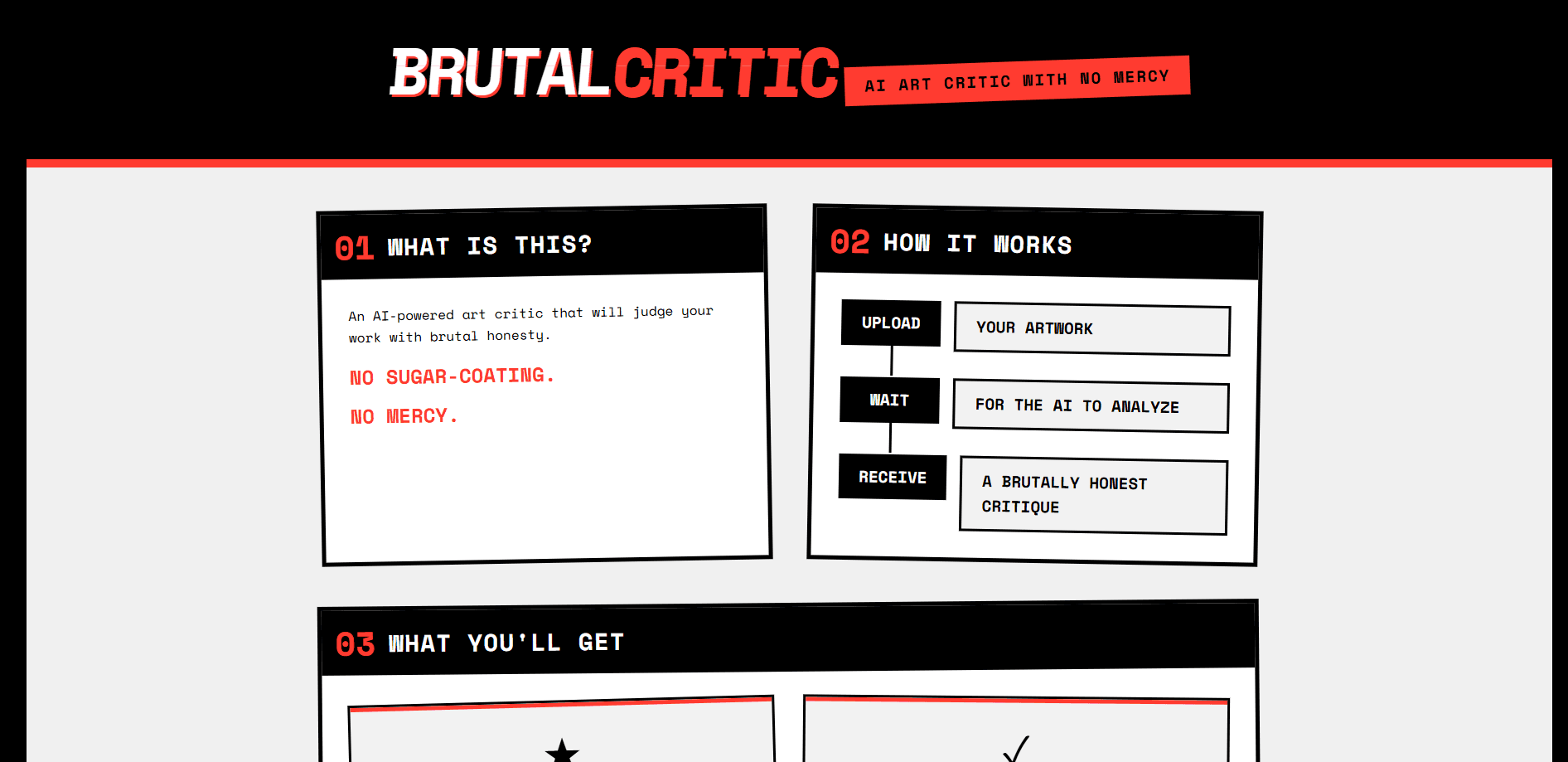
Brutal Critic (stylized BRUTALCRITIC) is a web app that critiques artwork the way a blunt studio mentor would. You upload an image, and seconds later it hands back a score out of 10, a strengths list, a weaknesses list, an Instagram potential rating, and five suggested titles. There is no portfolio to build and no account to manage first.
The problem it solves is vague feedback. Ask friends about a piece you spent three weekends on and you get "It's nice" or "I like the colors." That tells you nothing about what to fix. An AI art critique tool sidesteps the social awkwardness of asking for honesty and just gives you the blunt version, framed as art feedback AI can put in numbers a beginner can act on. It works as an artwork rating tool first and a conversation second.
The limit is that it only reads still images. Animations and video need to be submitted frame by frame, and abstract or conceptual work gets shakier results than figurative pieces. The tone is also genuinely harsh by design, so it suits artists who want a hard read rather than encouragement.
Getting Started
- Open brutalcritic.com in a browser, with no sign-up or login required.
- Upload an artwork file in JPG, PNG, or GIF format, up to 10MB.
- Wait for the analysis, which usually finishes in under a minute.
- Read the score, strengths, weaknesses, Instagram potential, and title suggestions.
- Adjust the piece and run it again to compare your scores side by side.
Product Information
A quick look at BRUTAL CRITIC's pricing, supported platforms, and performance.
Best for
The users, tasks, and scenarios where this tool fits best.
Users
- Digital artists
- Art students building a portfolio
- Instagram and social media artists
Tasks
- Rating a finished piece
- Naming a piece
- Spotting recurring weaknesses
- Testing a rough concept
Scenarios
- Preparing a portfolio for a client or a course application
- Deciding what to post on Instagram this week
- Getting unstuck on a piece you have stared at too long
Key features
Numerical Rating Out of Ten
Every upload gets a single score out of 10, so you can track a piece across revisions and see whether your edits actually moved the needle. It turns a fuzzy sense of "is this good" into a number you can compare against your own past work.
Strengths and Weaknesses Breakdown
The tool splits its feedback into what works and what does not, and the weaknesses are stated plainly rather than softened. It names concrete issues such as a lack of theme, a chaotic composition, or a flat focal point, which is more useful than a general opinion about the piece.
Instagram Potential Check
Alongside the rating, Brutal Critic works as an Instagram potential checker, predicting how well a piece might do on the platform and suggesting a set of hashtags. For artists whose reach depends on social media, that turns the question of what to post into something closer to a decision you can make faster.
Savage Title Suggestions
It generates five title options for your artwork, and they lean into the same no-mercy tone the rest of the tool uses. Some land as genuinely funny, and even the ones you would never use can spark a better idea of your own.
No Account and No Paywall
Brutal Critic works straight from the browser with no sign-up, no email, and no subscription gate. You upload and get the critique, which keeps the barrier to trying it close to zero, even if you just want to see what it says about an old piece.
Fast Results
The analysis usually comes back in under a minute, which is quick enough to run the same piece several times in one sitting. That speed matters if you want to iterate: change one thing, re-upload, and compare the two scores rather than waiting on a queue.
Pros and cons
Pros
- The feedback is specific rather than vague, naming concrete problems in composition and theme instead of offering polite generalities.
- It runs free in the browser with no account, email, or subscription, so there is nothing standing between you and a first critique.
- The score, Instagram potential, and title ideas all arrive in one pass, covering several questions artists actually ask.
- Results come back fast enough to re-run a piece after edits and compare the two scores.
- The blunt tone is useful for artists who get only encouragement elsewhere and want to know what is genuinely wrong.
Cons
- It only reads still images, so animators must export and submit frames one at a time to get any coverage.
- Abstract and conceptual pieces get shakier and less reliable feedback than figurative or representative work.
- There is no way to ask a follow-up question, so if the critique misreads your intent you cannot explain it.
- The harsh tone can tip from useful into discouraging, which is a real problem if you are already unsure about a piece.
- As with any AI art review tool, it sometimes misjudges what is actually in the image, so treat the score as one opinion rather than a verdict.
Frequently asked questions
It is an AI art critic that reads an uploaded image and returns a score out of 10, a list of strengths, a list of weaknesses, an Instagram potential rating, and five title suggestions. It is built to give blunt feedback rather than encouragement.
Related content
Explore related tools, skills, and articles for BRUTAL CRITIC.
BRUTAL CRITIC Alternatives
BinkBink
BinkBink · OtherBinkBink is a free online game platform and AI game maker that lets anyone turn a short text description into a playable browser game. You can jump into hundreds of community-made games. Or describe your own idea and play it in seconds, then share it with friends. Want to create your own game? You don't need to code. No engine setup, no download, no hassle.

Audiogen
Audiogen Inc. · OtherAudiogen is an AI music generator built by Audiogen Inc., a small research team that spent about 2.5 years training its own generative music model and designing a web interface around it. Instead of a plain text box, this AI music tool turns the timeline into a beginner-friendly Generative Audio Workstation, or GAW, where inpainting, extending, remixing and stem editing work more like painting on a canvas. The product is still in beta, so access runs through a waitlist or an invite. Paid plans aren't published yet.

Aiml API
AIMLAPI OÜ · OtherAiml API is a unified AI model API that puts more than 1000 models from OpenAI, Google, Anthropic, and others behind one endpoint and one bill. You write code against a single OpenAI-compatible schema, then switch between chat, image, video, and audio models by changing a model string. It suits developers and small teams who want multi-model access without juggling a dozen separate provider accounts, and it removes the usual billing headache that comes with testing several vendors. One key covers it all.